1. Pengenalan
This manual provides essential information for the safe and effective operation of your SHARP FPK50UW Plasmacluster Air Purifier. This air purifier is designed to improve indoor air quality through a triple filtration system and Plasmacluster Ion Technology, covering areas up to 1,253 sq. ft. (based on 1 air change per hour).
Sila baca manual ini dengan teliti sebelum menggunakan perkakas ini dan simpannya untuk rujukan pada masa hadapan.
2. Arahan Keselamatan Penting
- Always unplug the air purifier before cleaning, performing maintenance, or when not in use.
- Do not operate the unit with a damaged cord or plug. If the cord or plug is damaged, contact customer support for assistance.
- Jangan halang saluran masuk atau keluar udara. Pastikan ruang yang mencukupi di sekeliling unit untuk aliran udara yang betul.
- Keep the unit away from water or other liquids. Do not use in wet environments such as bathrooms.
- Perkakas ini tidak dimaksudkan untuk digunakan oleh orang (termasuk kanak-kanak) yang kurang keupayaan fizikal, deria, atau mental, atau kurang pengalaman dan pengetahuan, melainkan mereka telah diberi pengawasan atau arahan mengenai penggunaan perkakas oleh orang yang bertanggungjawab untuk keselamatan mereka .
- Use only genuine SHARP replacement filters.
3. Komponen Produk
Familiarize yourself with the main parts of your SHARP FPK50UW Air Purifier.
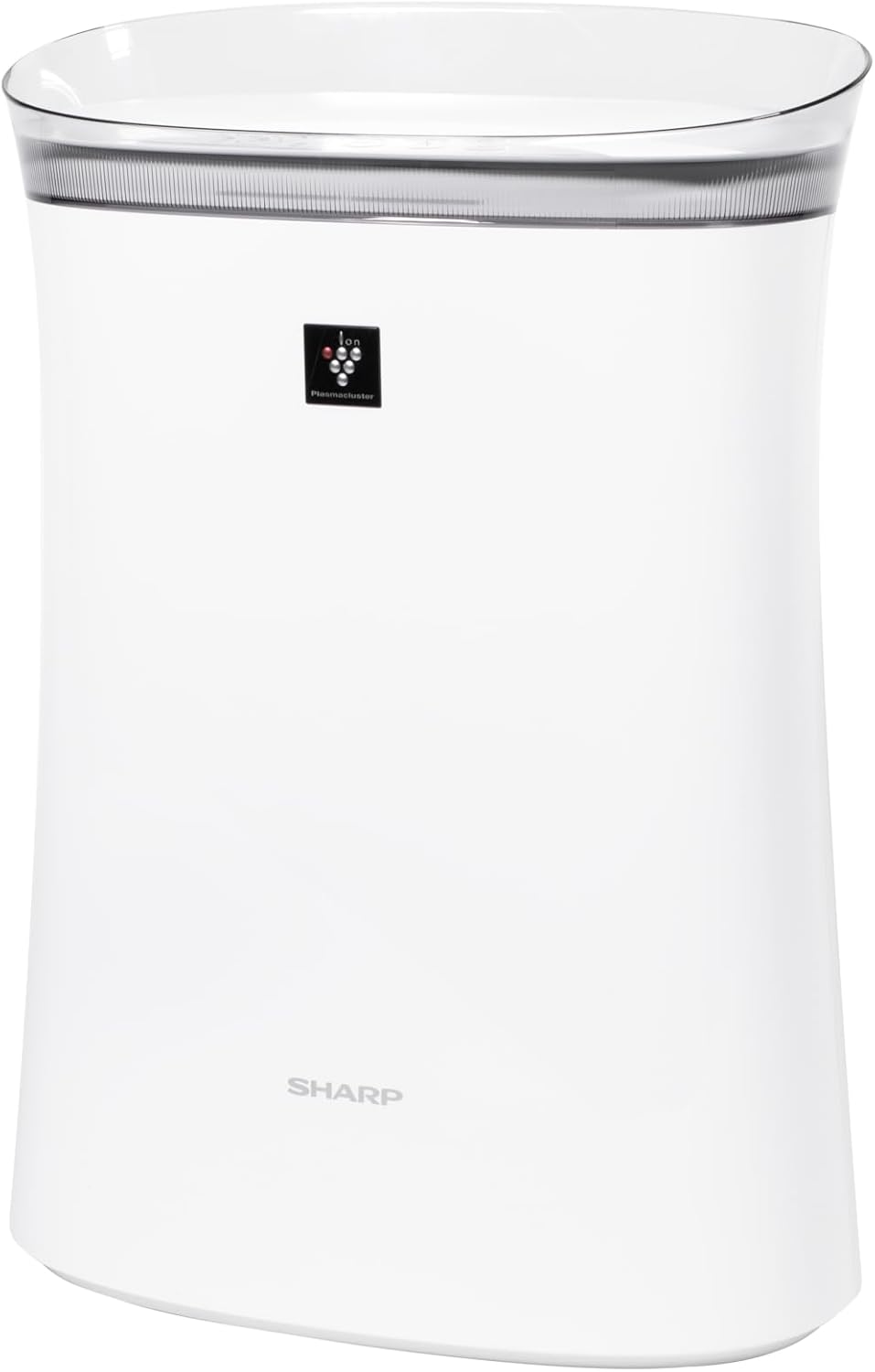
Rajah 3.1: Depan view of the SHARP FPK50UW Air Purifier. This image displays the sleek, white design of the unit with the SHARP logo and Plasmacluster indicator on the front panel.

Rajah 3.2: belakang view of the SHARP FPK50UW Air Purifier. The rear panel features the air intake grille and the power cord.

Rajah 3.3: Control Panel. This image shows the touch-sensitive buttons for power, fan speed, Plasmacluster, Express Clean, and timer functions.
Senarai Komponen:
- Unit utama
- Washable Microscreen Pre-filter (installed)
- Activated Carbon Deodorizing Filter (installed)
- True HEPA Filter (installed)
- Kord Kuasa (dipasang)
4. Persediaan dan Pemasangan Penapis
Before operating your air purifier, ensure all filters are properly installed and packaging removed.
Langkah Persediaan Awal:
- Buka bungkusan Unit: Keluarkan penulen udara dengan berhati-hati daripada pembungkusnya.
- Remove Back Panel: Gently pull the back panel of the unit to detach it.
- Alih Keluar Penapis: Take out the pre-filter, activated carbon filter, and True HEPA filter.
- Tanggalkan Pembungkusan Plastik: Remove all plastic bags and protective wrapping from the activated carbon filter and True HEPA filter. The pre-filter does not have plastic wrapping.
- Reinstall Filters: Insert the True HEPA filter first, followed by the activated carbon filter, and then the pre-filter. Ensure they are oriented correctly as indicated on the filters or unit.
- Reattach Back Panel: Securely reattach the back panel.
- penempatan: Place the air purifier on a firm, level surface, ensuring at least 8 inches of clearance from walls or furniture for optimal airflow.
- Pasangkan: Sambungkan kord kuasa ke soket elektrik standard.

Rajah 4.1: belakang view with the back panel removed, revealing the pre-filter and main filters inside the unit.

Rajah 4.2: The True HEPA filter and Activated Carbon filter are shown removed from the air purifier, with the internal fan visible.
5. Operasi
The control panel allows you to manage the air purifier's functions.
Fungsi Panel Kawalan:
- ON/OFF Button (Power): Tekan untuk menghidupkan atau mematikan unit.
- Butang Kelajuan Kipas: Cycles through fan speeds: Max, Med, and Sleep.
- Plasmacluster ON/OFF Button: Activates or deactivates the Plasmacluster Ion Technology.
- Express Clean Button: Initiates a 60-minute high-speed cleaning cycle before returning to the previous setting.
- Butang Pemasa: Menetapkan pemasa operasi selama 2, 4 atau 8 jam. Unit akan dimatikan secara automatik selepas masa yang dipilih.
- Light ON/OFF (Press 3 sec.): Press and hold the Timer button for 3 seconds to turn the display lights on or off.
- Filter Reset (Press 3 sec.): After replacing filters, press and hold the Plasmacluster button for 3 seconds to reset the filter indicator.
6. Penyelenggaraan
Penyelenggaraan tetap memastikan prestasi optimum dan memanjangkan hayat pembersih udara anda.
Penyelenggaraan penapis:
- Pra-penapis: The washable microscreen pre-filter should be cleaned regularly (e.g., monthly) by vacuuming or rinsing with water. Ensure it is completely dry before reinstalling.
- Activated Carbon Deodorizing Filter & True HEPA Filter: These filters are designed for long life, lasting up to 2 years depending on the environment and usage. Replace them when the filter indicator light illuminates or when you notice a decrease in performance or increased odors. These filters are not washable.
Pembersihan Unit:
- Luaran: Wipe the exterior of the unit with a soft, dry cloth. For stubborn stains, use a damp kain dengan detergen lembut, kemudian lap kering.
- Air Outlets/Inlets: Periodically vacuum or wipe the air outlets and inlets to remove dust accumulation.
7. Penyelesaian masalah
If you encounter issues with your air purifier, refer to the following table for common problems and solutions.
| Masalah | Kemungkinan Punca | Penyelesaian |
|---|---|---|
| Unit tidak dihidupkan | Kord kuasa tidak dipasang; Kuasa outage; Unit malfunction | Ensure power cord is securely plugged in; Check household circuit breaker; Contact customer support if issue persists. |
| Aliran udara yang lemah | Filters are dirty or clogged; Air inlets/outlets blocked | Clean or replace filters; Ensure no obstructions around the unit. |
| Bau yang luar biasa | Activated carbon filter needs replacement; New unit odor | Replace activated carbon filter; New unit odor typically dissipates within a few days of use. |
| Plasmacluster indicator not lit | Plasmacluster function is off; Ion generator needs cleaning | Press the Plasmacluster button to activate; Refer to maintenance section for ion generator cleaning (if applicable to model). |
If the problem persists after attempting these solutions, please contact SHARP customer support.
8. Spesifikasi
| Ciri | Perincian |
|---|---|
| Nombor Model | FPK50UW |
| Jenama | tajam |
| Dimensi Produk | 8.2"D x 15.1"W x 21.3"H |
| Liputan Keluasan Lantai | Up to 1,253 sq. ft. (1 air change/hr); 259 sq. ft. (4.8 air changes/hr) |
| Tahap Kebisingan | 22 dB (Sleep mode) |
| Jenis Pengawal | Kawalan Butang |
| Wattage | 50 watt |
| Berat Barang | 11 paun |
| Sistem Penapisan | Washable Pre-filter, Activated Carbon Filter, True HEPA Filter |
| Ciri Khas | Plasmacluster Ion Technology, Express Clean Mode, Timer Function |
| Pensijilan | ENERGY STAR Rated, AHAM Verifide Tested, CARB Certified |
| UPC | 074000663794 |
9. Waranti dan Sokongan Pelanggan
Your SHARP FPK50UW Air Purifier comes with a Waranti alat ganti terhad dan buruh selama 1 tahun.
For warranty claims, technical assistance, or to purchase replacement filters, please contact SHARP customer support:
- Webtapak: Visit the official SHARP webtapak untuk sumber sokongan dan maklumat hubungan.
- telefon: Refer to your product registration card or the SHARP website for the appropriate customer service number.
Please have your model number (FPK50UW) and proof of purchase ready when contacting support.


