pengenalan
Welcome to the world of smart lighting with your new Feit Electric Smart Wi-Fi LED Bulbs. These bulbs offer advanced features including RGB color changing, tunable white light, dimming capabilities, and seamless control via the Feit Electric app, Alexa, or Google Assistant. This manual will guide you through the setup process and help you maximize your smart lighting experience.
Produk Selesaiview
Ciri-ciri Utama
- Wi-Fi Didayakan: Control your bulbs from anywhere using the Feit Electric app (2.4 GHz Wi-Fi network required).
- Kawalan Suara: Compatible with Alexa and Google Home Assistant for hands-free operation.
- Color Changing & Tunable White: Choose from millions of colors and adjust white light from soft white to daylight.
- Boleh dimalapkan: Adjust brightness levels to suit any mood or activity.
- Penjadualan & Pengelompokan: Set routines, create groups for multiple bulbs, and customize scenes.
- Cekap Tenaga: 9W LED (60W equivalent) with a long lifespan of 25,000 hours.
Kandungan Pakej
- Feit Electric Smart Wi-Fi LED Bulbs (3-pack)
- Manual Arahan

Image: The Feit Electric Smart Wi-Fi LED Bulb 3-pack, showing the product packaging and an illuminated bulb demonstrating its color-changing capabilities.
Maklumat Keselamatan Penting
Please read and understand all safety instructions before installing or using your Feit Electric Smart Wi-Fi LED Bulbs. Failure to do so may result in fire, electric shock, or other hazards.
- Risiko Renjatan Elektrik: Do not use with wet hands or in wet locations.
- Penggunaan Dalaman Sahaja: Mentol ini direka bentuk untuk kegunaan dalaman di lokasi kering.
- Not for Emergency Exits: Tidak dimaksudkan untuk digunakan dengan lekapan keluar kecemasan atau lampu kecemasan.
- Keserasian Dimmer: Not for use with standard dimmers. Dimmable only via the Feit Electric app or compatible voice assistants.
- Suhu Operasi: Pastikan persekitaran operasi berada dalam julat suhu yang ditetapkan.
- Matikan Sebelum Pemasangan: Sentiasa matikan kuasa pada lekapan sebelum memasang atau menanggalkan mentol.
- Pelupusan yang betul: Buang mentol mengikut peraturan tempatan.
Pemasangan dan Persediaan
Langkah 1: Pemasangan Fizikal
- Ensure the power to the light fixture is turned DIMATIKAN at the switch before installation.
- Carefully screw the Feit Electric Smart Wi-Fi LED Bulb into a standard E26 medium base socket.
- Pusingkan kuasa ON at the switch. The bulb should blink rapidly, indicating it is in pairing mode. If it does not blink, turn the bulb off for 1 second and on for 2 seconds, repeating this 3 times.
Step 2: Download the Feit Electric App
Download the Feit Electric app on your smartphone or tablet. Cari untuk "Feit Electric" in the Apple App Store or Google Play Store, or scan the QR code on the product packaging.
Ikut arahan dalam aplikasi untuk membuat akaun atau log masuk.
Langkah 3: Sambung ke Wi-Fi
- Open the Feit Electric app and tap the + icon in the top right corner to add a device.
- Select "Lighting" and then "Light Source (Wi-Fi)".
- Confirm that your bulb is blinking rapidly. If not, reset it by turning it off for 1 second and on for 2 seconds, repeating 3 times.
- Masukkan nama dan kata laluan rangkaian Wi-Fi 2.4 GHz anda. Note: The bulbs only support 2.4 GHz Wi-Fi networks.
- The app will begin pairing with your bulb. Once connected, you can rename your bulb for easier control.
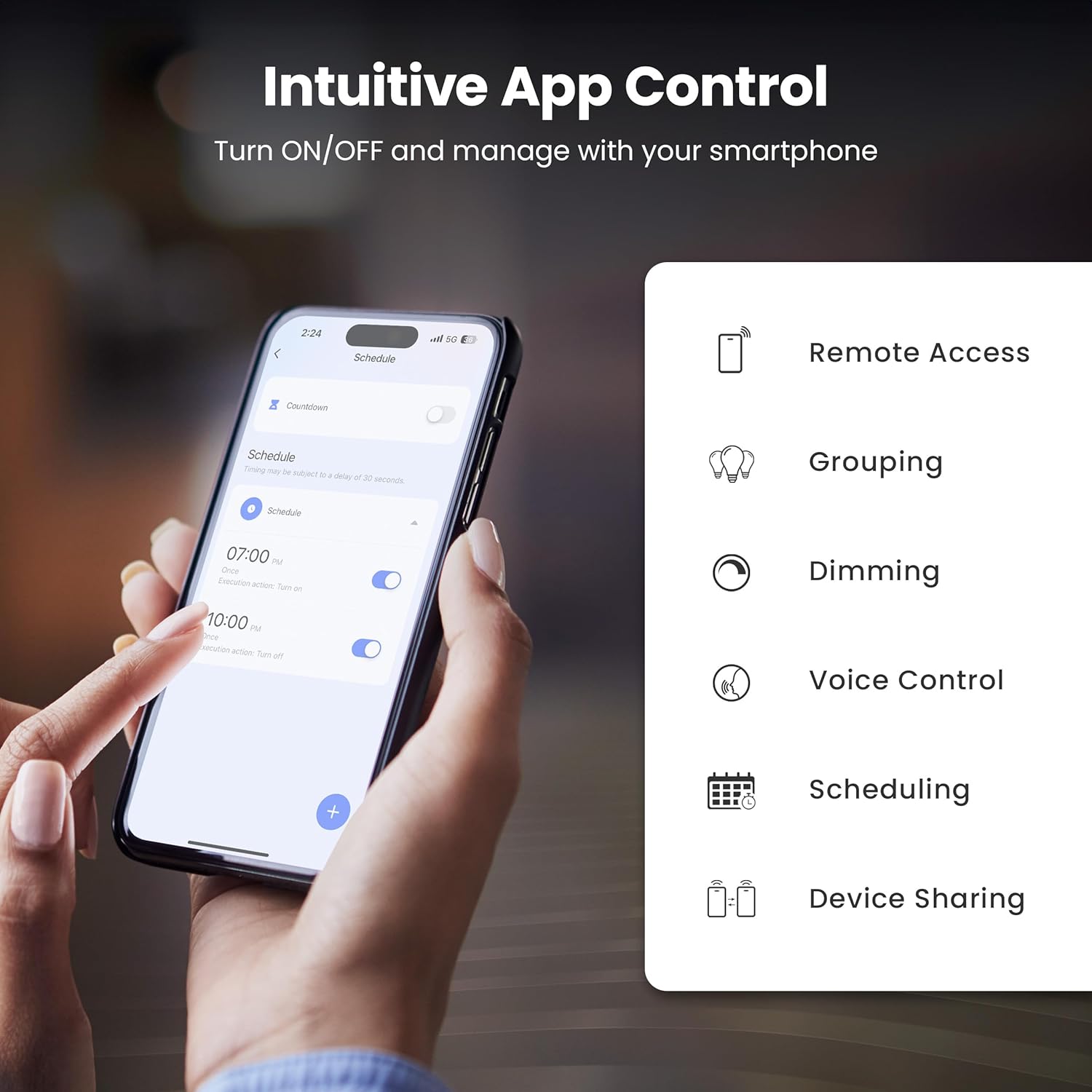
Image: A smartphone screen showing the Feit Electric app interface, demonstrating scheduling features for smart bulbs.

Image: A smartphone screen showing the Feit Electric app with a color wheel, allowing users to select from millions of colors for their smart bulb.
Operating Your Smart Bulb
Basic Controls (App)
- Hidup/Mati: Ketik ikon mentol dalam aplikasi untuk menghidupkan atau mematikannya.
- Peredupan: Use the brightness slider in the app to adjust the light intensity from 1% to 100%.
Color Changing and Tunable White
- Pilihan Warna: In the app, navigate to the color section to choose from a spectrum of millions of colors.
- Putih boleh merdu: Adjust the white light temperature from warm soft white (2700K) to cool daylight (6500K) to suit your preference.

Image: A smartphone displaying the Feit Electric app with options for dimming and scheduling, positioned next to a wall-mounted lamp.

Image: A room interior bathed in a vibrant blue light from a smart bulb, demonstrating the color-changing capability.
Kawalan Suara
Integrate your Feit Electric Smart Bulbs with Amazon Alexa or Google Assistant for convenient voice control.
- Ensure your smart bulb is connected to the Feit Electric app.
- Open the Alexa or Google Home app and enable the "Feit Electric" skill/service.
- Pautkan akaun Feit Electric anda apabila digesa.
- Discover devices. Once discovered, you can use voice commands such as:
- "Alexa, bukak lampu ruang tamu."
- "Hei Google, malapkan lampu bilik tidur kepada 50%."
- "Alexa, change the kitchen light to blue."

Image: An Amazon Echo Dot device alongside logos for Feit Electric and Google Home, illustrating compatibility with voice assistants.
Scheduling and Grouping
- Jadual: Set specific times for your lights to turn on/off, dim, or change color. Access this feature in the Feit Electric app's "Schedule" section.
- Kumpulan: Combine multiple bulbs into a single group (e.g., "Living Room Lights") to control them simultaneously. This is managed in the app's "Groups" section.
- Adegan: Create custom lighting presets for different activities or moods (e.g., "Movie Night," "Reading").

Image: A smartphone screen showing the Feit Electric app's scheduling interface, allowing users to set automated routines for their smart lights.

Image: The Feit Electric app interface demonstrating how multiple smart bulbs can be grouped and controlled by specific areas or rooms, such as the Kitchen, Dining Room, and Living Room.
Penjagaan dan Penyelenggaraan
- Pembersihan: Pastikan mentol padam dan sejuk sebelum dibersihkan. Lap dengan kain lembut dan kering. Jangan gunakan cecair atau pembersih yang melelas.
- Penggantian: These LED bulbs have a long lifespan. When replacement is necessary, ensure power is off before unscrewing the old bulb and installing a new one.
- Storan: Jika menyimpan mentol, simpan di tempat yang sejuk dan kering, jauh daripada cahaya matahari langsung dan suhu yang melampau.
Menyelesaikan masalah
| Masalah | Penyelesaian |
|---|---|
| Bulb not connecting to Wi-Fi. |
|
| Bulb frequently disconnects from Wi-Fi. |
|
| Kawalan suara tidak berfungsi. |
|
| Bulb is unresponsive in the app. |
|
Spesifikasi Teknikal
| Spesifikasi | Nilai |
|---|---|
| Nombor Model | OM60/RGBW/CA/AG/3 |
| Jenis Cahaya | LED |
| Wattage | 9 Watt (Setara 60W) |
| Kecerahan | 800 Lumen |
| Suhu Warna | 2700K - 6500K (Tunable White) + RGB Color Changing |
| Saiz Bentuk Mentol | A19 |
| Pangkalan Mentol | E26 Sederhana |
| Voltage | 120 Volt |
| Kaedah Kawalan | App, Voice (2.4 GHz Wi-Fi) |
| Kehidupan Purata | 25,000 Jam |
| Penggunaan Dalaman/Luar | Dalaman |
| Dimensi Produk | 2.4"W x 4.3"H |

Image: A visual representation of the bulb's specifications, including physical dimensions and electrical characteristics.
Waranti dan Sokongan Pelanggan
Maklumat Waranti
This Feit Electric Smart Wi-Fi LED Bulb comes with a one-year warranty. For warranty claims or assistance, please contact Feit Electric customer service.
Sokongan Pelanggan
For 24/7 customer support, visit the Feit Electric help center or contact them directly:
- Webtapak: help.feit.com
- e-mel: info@feit.com
- Telefon Bebas Tol: 1-866-326-MENOL

Image: Feit Electric customer support information, including a QR code and website link for 24/7 assistance.


