pengenalan
This manual provides detailed instructions for the setup, operation, and maintenance of your LIGE BW0223 Smart Watch. Please read this guide thoroughly to ensure proper use and to maximize the features of your device. The LIGE BW0223 Smart Watch is designed to assist with fitness tracking, health monitoring, and smart notifications, compatible with both iOS and Android devices.
1. Persediaan
1.1 Mengecas Peranti
Before initial use, fully charge your LIGE BW0223 Smart Watch. Connect the magnetic charging cable to the charging contacts on the back of the watch and plug the USB end into a standard USB power adapter (5V/1A recommended). The watch display will indicate charging status. A full charge typically takes approximately 2 hours.

The back of the LIGE Smart Watch features a magnetic charging interface and advanced optical sensors for continuous monitoring of heart rate, blood pressure, and blood oxygen levels.
1.2 Pemasangan Apl dan Berpasangan
- Muat turun Aplikasi Pendamping: Scan the QR code provided in the watch packaging or search for the designated companion app (e.g., 'FitPro' or 'LIGE Smart') in your smartphone's app store (App Store for iOS, Google Play Store for Android).
- Dayakan Bluetooth: Pastikan Bluetooth didayakan pada telefon pintar anda.
- Buka Apl: Lancarkan aplikasi yang dipasang dan ikuti arahan pada skrin untuk membuat akaun atau log masuk.
- Pasangkan Jam Tangan: Within the app, navigate to the device management section (often labeled 'Device', 'My Device', or 'Add Device'). The app will search for available Bluetooth devices. Select 'BW0223' or 'LIGE Smart Watch' from the list to initiate pairing. Confirm the pairing request on both your phone and the watch if prompted.
1.3 Tetapan Awal
Selepas pasangan berjaya, lengkapkan pro peribadi andafile within the app, including gender, age, height, and weight. This information helps improve the accuracy of fitness and health data. You can also set preferences for units of measurement (metric/imperial) and time format (12/24-hour).
2. Arahan Operasi
2.1 Paparan dan Navigasi
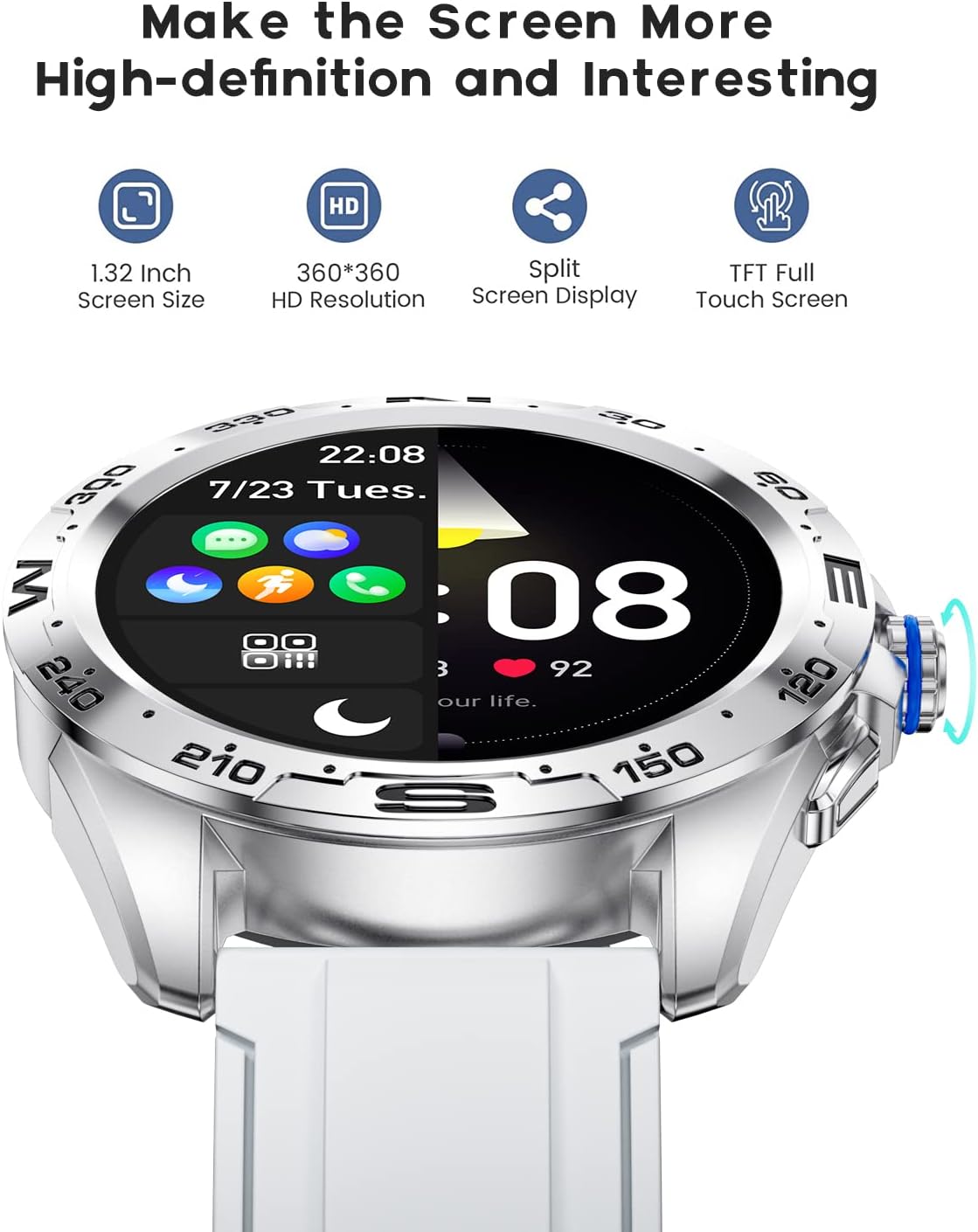
The LIGE BW0223 Smart Watch features a 1.28-inch full touch screen with 360x360 HD resolution. Navigate the watch interface using touch gestures:
- Leret ke atas/bawah: Tatal melalui menu atau pemberitahuan.
- Leret Kiri/Kanan: Akses fungsi pantas atau skrin data yang berbeza.
- Ketik: Pilih item atau sahkan tindakan.
- Tekan Butang Sisi: Kembali ke skrin utama atau hidupkan/matikan peranti.

The LIGE Smart Watch features a 1.28-inch full touch screen with 360x360 HD resolution, offering clear visuals and responsive interaction. It supports a split-screen display for quick access to functions.
2.2 Mod Sukan
The watch supports 7 sports modes, including walking, running, cycling, and climbing. To access:
- Swipe on the watch face to find the 'Sports' or 'Workout' icon.
- Tap to select your desired activity.
- Tap 'Start' to begin tracking. The watch will record duration, steps, calories burned, and distance.
- To end a workout, swipe right or press the side button, then select 'End' or 'Pause'.
2.3 Pemantauan Kesihatan
The LIGE BW0223 Smart Watch provides 24/7 heart rate tracking, blood pressure, and blood oxygen monitoring. These measurements are for reference only and should not be used for medical diagnosis.
- Kadar Jantung: Swipe to the heart rate interface to view your current heart rate. The watch continuously monitors your heart rate throughout the day.
- Blood Pressure/Blood Oxygen: Swipe to the respective interfaces and tap to initiate a measurement. Ensure the watch is snug on your wrist for accurate readings.
- Pemantauan Tidur: Wear the watch to bed, and it will automatically track your sleep patterns, including deep sleep, light sleep, and wake-up times. View data tidur terperinci dalam aplikasi pendamping.
2.4 Panggilan Bluetooth
After pairing your watch with the app and enabling the Bluetooth call function (usually a separate Bluetooth connection in your phone's settings, e.g., 'BW0223_CALL'), you can make and receive calls directly from your watch.
- Membuat Panggilan: Access the 'Dialer' or 'Contacts' function on your watch to dial a number or select a contact.
- Menerima Panggilan: Apabila panggilan masuk, jam tangan akan memaparkan ID pemanggil. Ketik ikon hijau untuk menjawab atau ikon merah untuk menolak.
- The watch features a built-in microphone and speaker for hands-free communication.

With the LIGE Smart Watch, you can make and receive Bluetooth calls directly from your wrist. It includes a built-in microphone and speaker for convenient communication.
2.5 Message Notifications
Enable message notifications through the companion app to receive alerts for SMS, calls, and various social media applications (e.g., Facebook, Twitter, WhatsApp, LinkedIn, Instagram) directly on your watch.
- Ensure the app has necessary permissions to access notifications on your smartphone.
- Configure which apps send notifications to your watch within the companion app settings.
- Leret ke bawah pada muka jam ke view pemberitahuan terkini.

The LIGE Smart Watch provides call and message reminders, displaying notifications from SMS, Facebook, Twitter, WhatsApp, LinkedIn, and Instagram directly on your wrist.
2.6 Penyesuaian
Personalize your watch by changing watch faces. Many options are available directly on the watch or through the companion app.
- Sedang Dijaga: Long-press the watch face, then swipe left or right to browse available faces. Tap to select.
- Melalui Apl: Open the companion app, navigate to 'Dial Market' or 'Watch Faces' to explore and download additional designs.
Personalize your LIGE Smart Watch with a variety of customizable watch faces and a rich user interface. Choose from different styles to match your preference and occasion.
3. Penyelenggaraan
3.1 Cleaning the Watch
Regularly clean your watch to ensure optimal performance and hygiene. Use a soft, lint-free cloth to wipe the screen and watch body. For stubborn dirt, slightly dampen the cloth with water. Avoid using harsh chemicals, abrasive materials, or strong detergents.
3.2 Rintangan Air (IP68)
The LIGE BW0223 Smart Watch is IP68 waterproof, meaning it is resistant to dust and can withstand immersion in water up to 1.5 meters for 30 minutes. It is suitable for daily use, such as hand washing, rain, and splashes.
Had Penting:
- Do not wear the watch in hot showers, saunas, or steam rooms, as steam and hot water can compromise the seals.
- Avoid diving or high-pressure water activities.
- Do not operate buttons or the touchscreen underwater.
- Jika jam tangan basah, keringkan dengan teliti sebelum mengecas atau mengendalikannya.
3.3 Penjagaan Bateri
Untuk memanjangkan hayat bateri:
- Elakkan suhu yang melampau.
- Cas jam tangan secara berkala, tetapi elakkan membiarkannya dinyahcas sepenuhnya untuk tempoh yang lama.
- Reduce screen brightness and disable unnecessary notifications or features if battery life is a concern.
4. Penyelesaian masalah
4.1 Jam Tangan Tidak Menghidupkan atau Mengecas
- Pastikan kabel pengecas disambungkan dengan selamat pada jam tangan dan sumber kuasa.
- Verify the power adapter and USB port are functional.
- Clean the charging contacts on the watch and cable to remove any dust or debris.
- Allow the watch to charge for at least 30 minutes before attempting to power it on.
4.2 Isu Sambungan Bluetooth
- Pastikan Bluetooth diaktifkan pada telefon pintar dan jam tangan anda.
- Keep the watch within the Bluetooth range of your smartphone (typically 10 meters).
- Mulakan semula telefon pintar dan jam tangan anda.
- Unpair the watch from your phone's Bluetooth settings and re-pair it through the companion app.
- Ensure the companion app is running in the background and has necessary permissions.
4.3 Notifications Not Working
- Verify the watch is successfully paired with the companion app.
- Check notification settings within the companion app to ensure desired apps are enabled.
- Ensure your smartphone's notification access is granted to the companion app (check phone settings: Apps & notifications > Special app access > Notification access).
- Lumpuhkan mod 'Jangan Ganggu' pada telefon dan jam tangan anda.
4.4 Bacaan Kesihatan yang Tidak Tepat
- Pastikan jam tangan dipakai dengan kemas di pergelangan tangan anda, kira-kira selebar satu jari dari tulang pergelangan tangan.
- Keep the sensor clean and free from sweat or dirt.
- Remain still during measurements for best accuracy.
- Remember that health data from smartwatches is for reference and not intended for medical use.
5. Spesifikasi
| Nombor Model | BW0223 |
| Jenama | LIGE |
| Saiz Skrin | 1.28 Inci |
| Input Antara Muka Manusia | Skrin sentuh |
| Teknologi Ketersambungan | Bluetooth |
| Penilaian Ketahanan Air | IP68 |
| Jenis Bateri | Polimer Litium |
| bentuk | Bulat |
| Berat Barang | 7 auns |
6. Maklumat Waranti
The LIGE BW0223 Smart Watch comes with a standard limited warranty against manufacturing defects. The warranty period typically covers 12 months from the date of purchase. This warranty does not cover damage caused by misuse, accidents, unauthorized modifications, or failure to follow the instructions in this manual. Please retain your proof of purchase for warranty claims.
7. Sokongan Pelanggan
If you encounter any issues or have questions not covered in this manual, please contact LIGE customer support. Refer to the contact information provided with your product packaging or visit the official LIGE webtapak untuk mendapatkan bantuan.


