1. Pengenalan
Thank you for choosing the CREATE/WARM CRYSTAL 2000W Electric Glass Convector. This manual provides essential information for the safe and efficient operation of your new appliance. Please read it thoroughly before installation and use, and keep it for future reference.
The CREATE/WARM CRYSTAL 2000W is a modern electric convector designed for efficient heating with a sleek tempered glass finish. It features Wi-Fi connectivity for remote control, a touch screen interface, and multiple safety features.

Imej 1.1: Depan view of the CREATE/WARM CRYSTAL 2000W Electric Glass Convector.
2. Arahan Keselamatan Penting
Sentiasa ikuti langkah berjaga-jaga keselamatan asas apabila menggunakan peralatan elektrik untuk mengurangkan risiko kebakaran, renjatan elektrik dan kecederaan kepada orang.
- Baca semua arahan sebelum menggunakan pemanas ini.
- This heater is hot when in use. To avoid burns, do not let bare skin touch hot surfaces. Keep combustible materials, such as furniture, pillows, bedding, papers, clothes, and curtains at least 1 meter (3 feet) from the front of the heater and keep them away from the sides and rear.
- Berhati-hati yang amat diperlukan apabila mana-mana pemanas digunakan oleh atau berhampiran kanak-kanak atau orang yang tidak sah dan apabila pemanas dibiarkan beroperasi dan tanpa pengawasan.
- Jangan kendalikan mana-mana pemanas dengan kord atau palam yang rosak atau selepas pemanas tidak berfungsi, telah terjatuh atau rosak dalam apa jua cara. Kembalikan pemanas ke kemudahan servis yang dibenarkan untuk pemeriksaan, pelarasan elektrik atau mekanikal, atau pembaikan.
- Jangan gunakan di luar rumah.
- Pemanas ini tidak dimaksudkan untuk digunakan di bilik mandi, kawasan dobi, dan lokasi dalaman yang serupa. Jangan sekali-kali mencari pemanas di mana ia boleh jatuh ke dalam tab mandi atau bekas air yang lain.
- Jangan gunakan tali di bawah permaidani. Jangan tutup tali dengan permaidani lempar, pelari, atau penutup yang serupa. Susun kord jauh dari kawasan lalu lintas dan di mana ia tidak akan tersandung.
- Untuk memutuskan sambungan pemanas, matikan kawalan kepada MATI, kemudian tanggalkan palam dari alur keluar.
- Jangan masukkan atau benarkan objek asing memasuki mana-mana pengudaraan atau bukaan ekzos kerana ini boleh menyebabkan kejutan elektrik atau kebakaran, atau merosakkan pemanas.
- Untuk mengelakkan kebakaran yang mungkin berlaku, jangan sekat saluran masuk atau ekzos udara dalam apa jua cara. Jangan gunakan pada permukaan lembut, seperti katil, di mana bukaan mungkin tersumbat.
- Pemanas mempunyai bahagian panas dan arka atau percikan api di dalamnya. Jangan gunakannya di kawasan di mana petrol, cat, atau cecair mudah terbakar digunakan atau disimpan.
- Gunakan pemanas ini hanya seperti yang diterangkan dalam manual ini. Sebarang penggunaan lain yang tidak disyorkan oleh pengilang boleh menyebabkan kebakaran, kejutan elektrik atau kecederaan kepada orang.
- Sentiasa pasangkan pemanas terus ke salur keluar dinding/bekas. Jangan sekali-kali gunakan dengan kord sambungan atau paip kuasa yang boleh dipindahkan (alur keluar/jalur kuasa).
- This product is equipped with a double sensor against overheating and an anti-freeze thermostat. It also benefits from an IP24 protection rating, making it suitable for use in damp environments, but not direct water exposure.
3. Kandungan Pakej
Sila semak kandungan pakej semasa membongkar:
- CREATE/WARM CRYSTAL 2000W Electric Glass Convector
- Aksesori pemasangan (skru, palam dinding)
- Feet for freestanding use (if included with your model)
- Manual Pengguna
4. Persediaan dan Pemasangan
4.1 Memilih Lokasi
Select a location that is clear of obstructions and combustible materials. Ensure the heater is placed on a stable, level surface if using feet, or securely mounted to a wall.
4.2 Freestanding Installation (with feet)
- Carefully remove the convector from its packaging.
- Attach the provided feet to the base of the convector using the screws. Ensure they are securely fastened.
- Place the convector on a flat, stable surface, ensuring adequate clearance from walls and other objects.
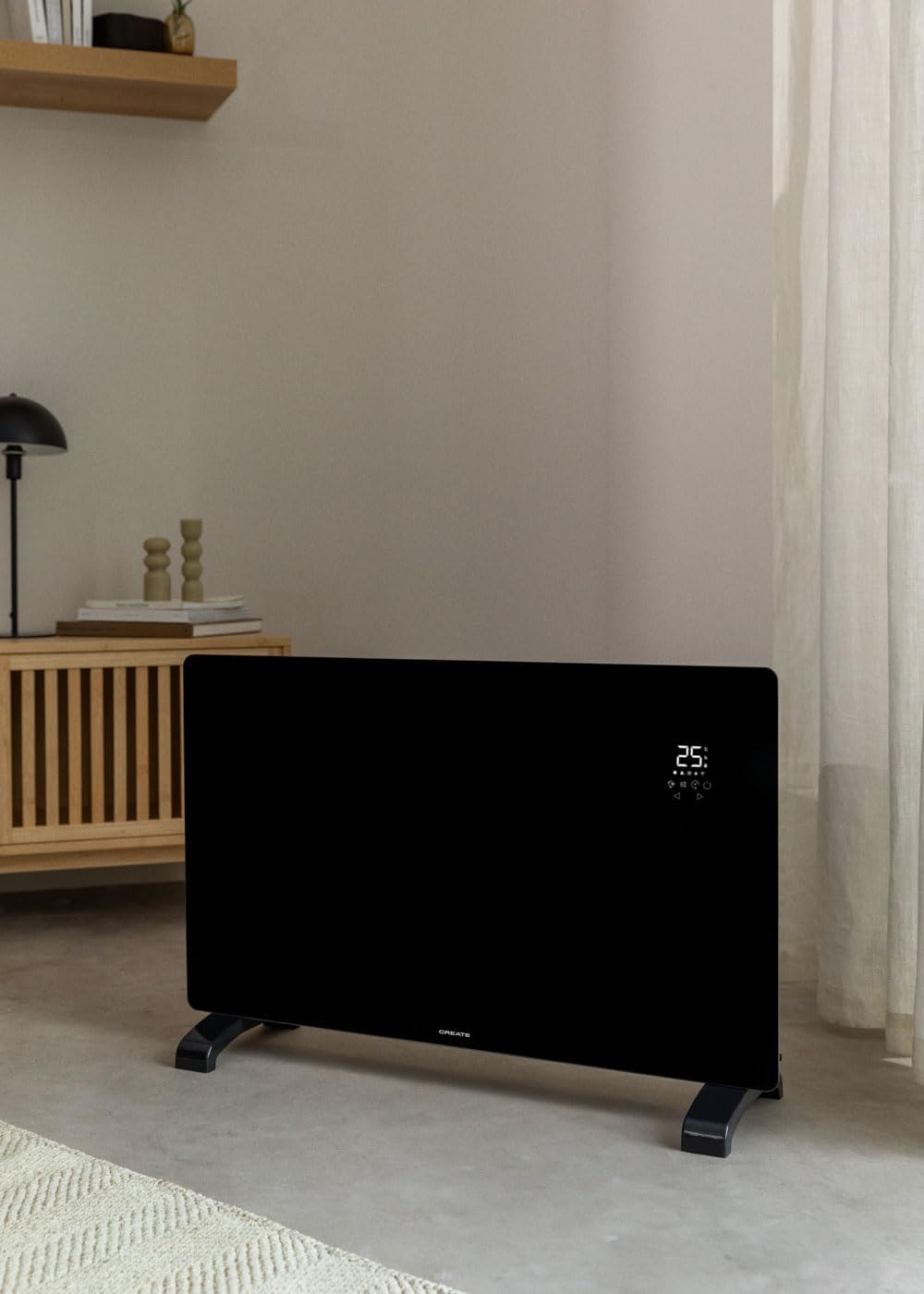
Image 4.1: Convector placed freestanding in a room.
4.3 Pemasangan Dinding
- Identify the desired mounting location on a suitable wall. Ensure there are no electrical wires or pipes behind the drilling points.
- Gunakan pendakap pelekap yang disediakan sebagai templat untuk menandakan titik penggerudian pada dinding.
- Tebuk lubang dan masukkan palam dinding.
- Pasangkan pendakap pelekap pada dinding dengan skru.
- Carefully hang the convector onto the mounting bracket, ensuring it is securely seated.

Image 4.2: Convector wall-mounted in a room.

Image 4.3: Dimensional diagram for installation reference.
5. Arahan Operasi
5.1 Panel Kawalan Selesaiview
The convector features an intuitive LED touch screen display for direct control.

Image 5.1: Interacting with the touch control panel.
The display shows the ambient temperature (5°C-50°C) and various icons for mode, power, timer, and Wi-Fi status.
5.2 Operasi Asas
- Hidupkan/Mati Kuasa: Plug the convector into a suitable electrical outlet. Press the power button on the touch screen to turn the unit on or off.
- Menetapkan Suhu: Use the up and down arrows on the touch screen to adjust the desired temperature. The thermostat optimizes operation for energy saving.
- Selecting Power Level: The convector has 2 heating power levels. Use the mode button to cycle through available power settings.
- Fungsi Pemasa: Set the 24-hour timer for scheduled operation using the timer button on the control panel.
5.3 Wi-Fi Connectivity and App Control
The convector can be controlled remotely via the CREATE app.
- Muat turun Aplikasi: Download the "CREATE" app from your smartphone's app store (iOS or Android).
- Daftar/Log Masuk: Buat akaun atau log masuk ke apl.
- Sambungkan Peranti: Follow the in-app instructions to connect your convector to your home Wi-Fi network. Ensure your Wi-Fi is 2.4GHz compatible, as 5GHz networks may not be supported.
- Kawalan Jauh: Once connected, you can program and control the convector from anywhere, including adjusting temperature, setting schedules, and changing modes.

Image 5.2: Convector with smartphone showing the control app.
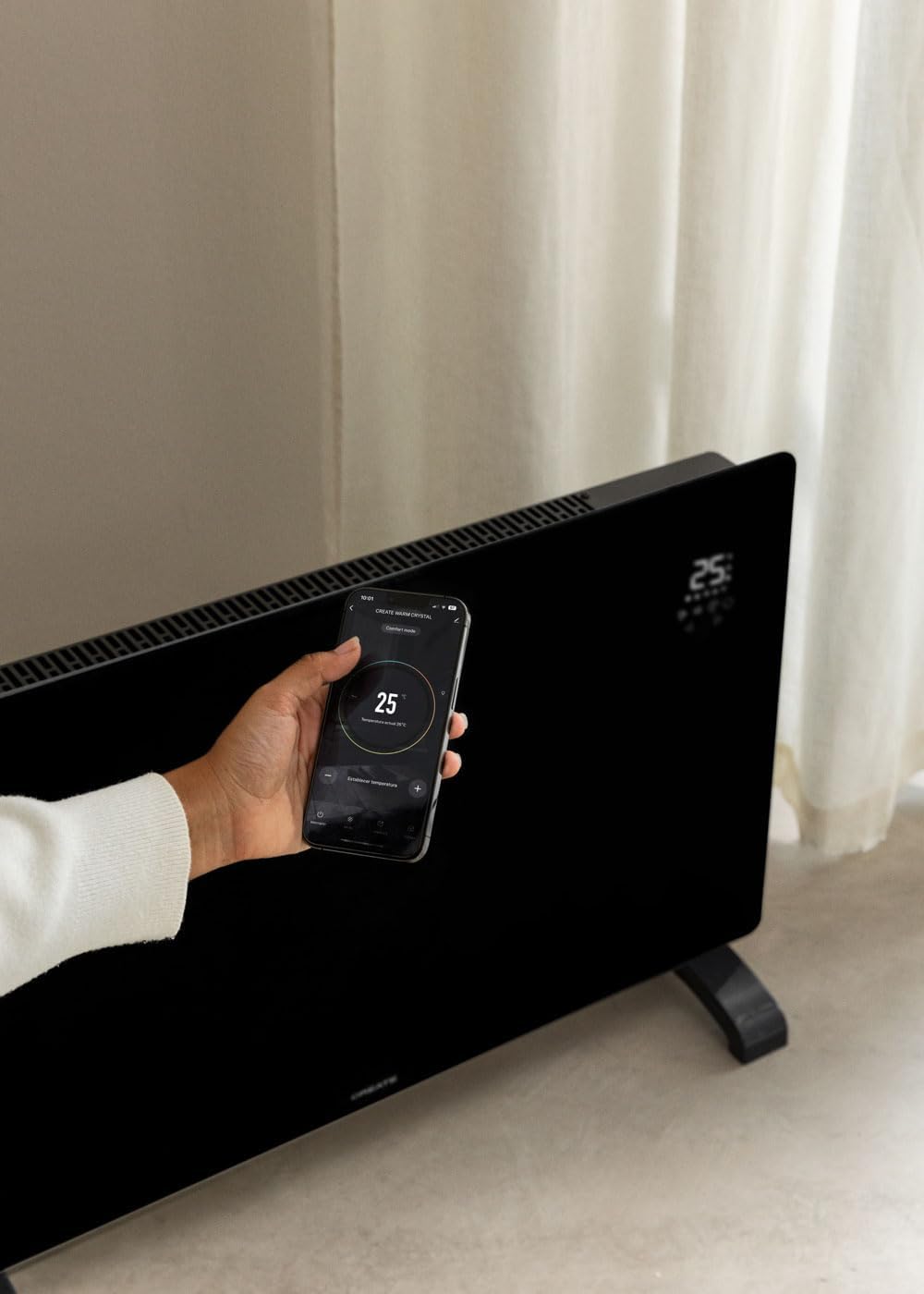
Image 5.3: Remote control via the CREATE app.
6. Penyelenggaraan dan Penjagaan
Regular maintenance ensures optimal performance and longevity of your convector.
- Pembersihan: Always unplug the convector and allow it to cool completely before cleaning. Wipe the exterior surfaces with a soft, damp kain. Jangan gunakan pembersih atau pelarut yang melelas.
- Storan: If storing the convector for an extended period, ensure it is clean and dry. Store it in a cool, dry place, preferably in its original packaging.
- Tiada Bahagian Boleh Diservis Pengguna: Do not attempt to open or repair the convector yourself. Refer all servicing to qualified service personnel.
7. Penyelesaian masalah
| Masalah | Kemungkinan Punca | Penyelesaian |
|---|---|---|
| Pemanas tidak dihidupkan. | Tidak dipasang; matikan kuasa; pemutus litar tersandung. | Ensure plug is securely in outlet; turn power switch on; reset circuit breaker. |
| Tiada keluaran haba. | Temperature setting too low; safety cut-off activated. | Increase desired temperature; check for obstructions, unplug, wait 10 minutes, then plug back in. |
| Sambungan Wi-Fi gagal. | Incorrect Wi-Fi password; 5GHz network used; router too far. | Verify password; ensure router is 2.4GHz compatible; move heater closer to router or use a Wi-Fi extender. Some users report needing to enable geolocation for the app to connect. |
| Terlalu panas. | Blocked air vents; unit covered. | Ensure air vents are clear; do not cover the heater. The unit has a double sensor against overheating. |
8. Spesifikasi Teknikal
| Jenama | CIPTA |
| Model | KRISTAL 2000W |
| kuasa | 2000 Watt |
| Voltage | 240 Volt (AC) |
| Dimensi (L x W x H) | 78 x 24 x 52 cm (approx. 7.5P x 78l x 47H cm for product dimensions) |
| Berat badan | 10.6 Kilogram |
| warna | Hitam |
| Ciri Khas | Wi-Fi Compatible, Touch Screen, 2 Power Levels, 24-hour Timer, Overheat Protection, Anti-freeze Thermostat, IP24 Protection |
| Penggunaan yang Disyorkan | Indoor, Home, Study Room |
| Jenis Pemasangan | Pemasangan Dinding / Berdiri Bebas |
| Liputan Terma | Sehingga 15m² |
9. Waranti dan Sokongan
This product comes with a manufacturer's warranty. Please refer to the warranty card included in your package or contact CREATE customer support for detailed information regarding warranty terms and conditions.
For technical support, spare parts, or any inquiries, please visit the official CREATE webtapak atau hubungi bahagian perkhidmatan pelanggan mereka. Maklumat hubungan biasanya boleh didapati pada pembungkusan produk atau rasmi jenama webtapak.


