pengenalan
The GENAI Wireless Bluetooth Headset B112 provides a convenient and hands-free communication experience. This manual offers detailed instructions for setting up, operating, maintaining, and troubleshooting your headset to ensure optimal performance and longevity.
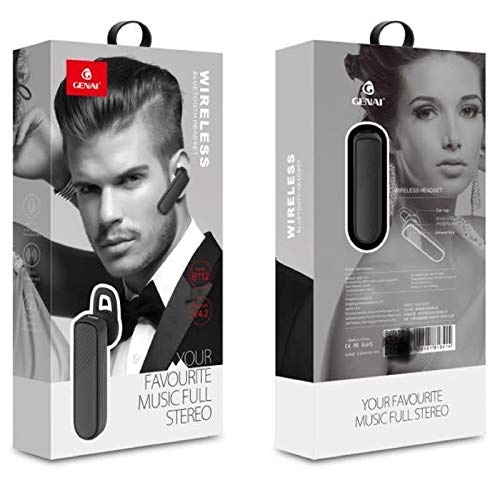
Image: GENAI Wireless Bluetooth Headset B112, main unit with ear hook.
Apa yang ada dalam Kotak
Pakej produk termasuk item berikut:
- GENAI Wireless Bluetooth Headset B112
- Kusyen Telinga
- Kabel Pengecas (Mikro USB)
Persediaan
1. Mengecas Alat Dengar
- Connect the Micro USB charging cable to the charging port on the headset.
- Connect the other end of the charging cable to a compatible USB power source (e.g., computer USB port, USB wall adapter).
- Lampu penunjuk akan menyala semasa pengecasan.
- Cas penuh biasanya mengambil masa kira-kira 2 jam.
- Once fully charged, the indicator light may change color or turn off, depending on the model. Disconnect the charging cable.
2. Berpasangan dengan Peranti Bluetooth
- Pastikan set kepala dicas sepenuhnya.
- Hidupkan kuasa: Press and hold the multi-function button (usually the main button) on the headset until the indicator light flashes, typically alternating blue and red, indicating pairing mode.
- Aktifkan Bluetooth: Pada telefon bimbit anda atau peranti lain yang didayakan Bluetooth, pergi ke tetapan Bluetooth dan pastikan Bluetooth dihidupkan.
- Cari untuk Peranti: Your device will scan for available Bluetooth devices. Look for "B112" or "GENAI B112" in the list.
- Sambung: Select "B112" or "GENAI B112" to initiate the pairing process. If prompted for a password, enter "0000" (four zeros).
- Once successfully paired, the indicator light on the headset will typically flash blue slowly, and you may hear a voice prompt confirming the connection.
3. Memakai Alat dengar
The GENAI B112 headset is designed for comfortable wear. Attach the ear hook if desired, and adjust it to fit securely over your ear. The ear cushions can be changed for a better fit.
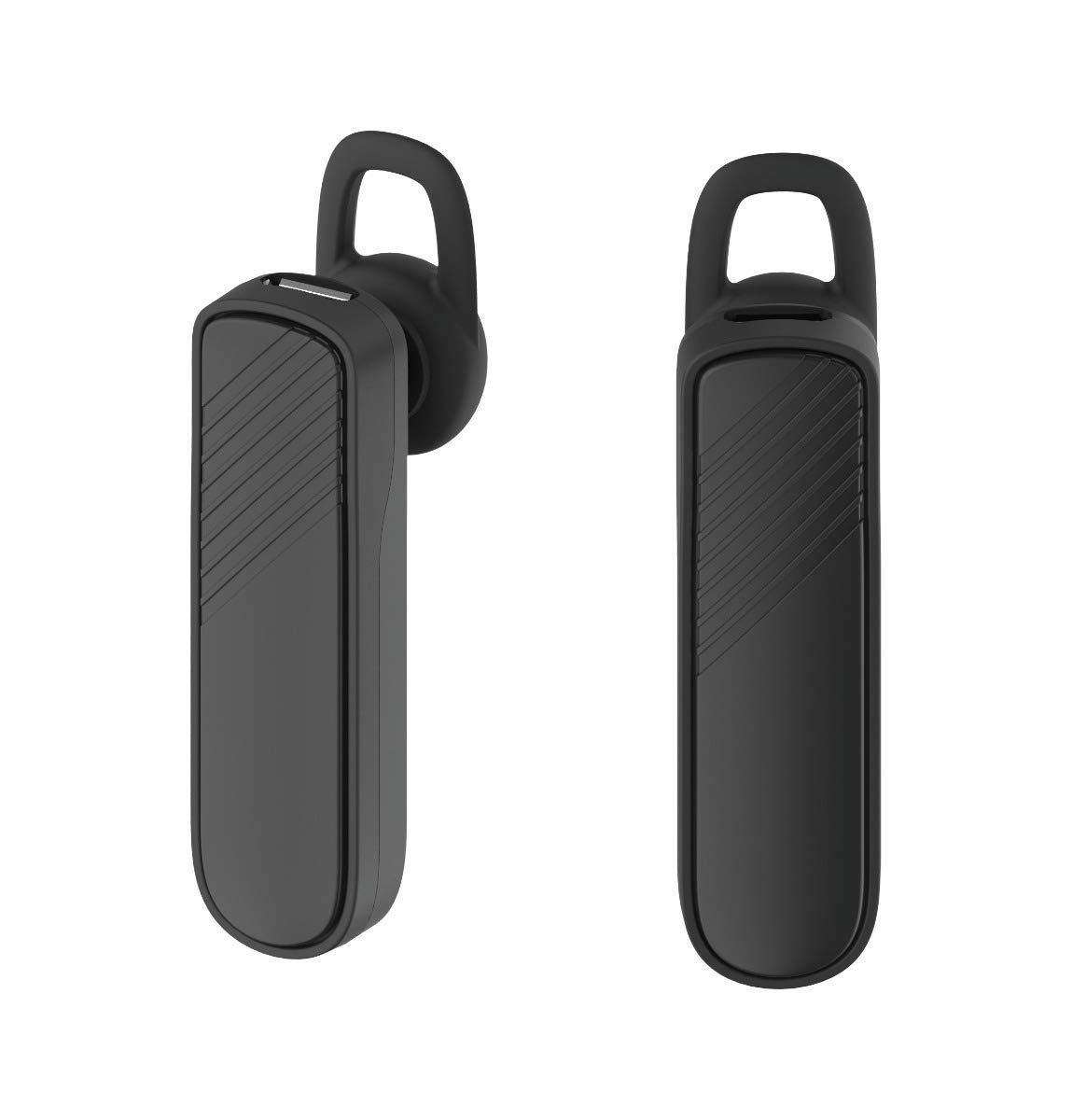
Imej: Dua views of the GENAI Wireless Bluetooth Headset B112, illustrating its design.
Arahan Operasi
- Hidupkan/Mati Kuasa: Press and hold the multi-function button for approximately 3-5 seconds to power on or power off the headset. A voice prompt will confirm the action.
- Menjawab / Menamatkan Panggilan: Press the multi-function button once to answer an incoming call. Press it again to end an active call.
- Menolak Panggilan: Tekan dan tahan butang berbilang fungsi selama lebih kurang 2 saat untuk menolak panggilan masuk.
- Dail Semula Nombor Terakhir: Tekan dua kali butang berbilang fungsi untuk mendail semula nombor terakhir yang didail.
- Kawalan Kelantangan: Use the dedicated volume buttons (if present) or the multi-function button (depending on model variation) to adjust the call or music volume. Refer to your device's manual for specific button functions.
- Main Balik Muzik: When connected, you can play music from your paired device. The multi-function button may also control play/pause.
- Gesaan Suara: The headset provides voice alerts for power on/off and pairing status.
Penyelenggaraan
- Pembersihan: Use a soft, dry, lint-free cloth to clean the headset. Do not use harsh chemicals, cleaning solvents, or strong detergents.
- Storan: When not in use, store the headset in a cool, dry place, away from extreme temperatures and direct sunlight.
- Penjagaan Bateri: To prolong battery life, avoid fully discharging the battery frequently. Charge the headset regularly, even if not used for extended periods.
- Pendedahan Air: This headset is not waterproof. Avoid exposure to water, moisture, or rain.
Menyelesaikan masalah
- Headset does not power on:
- Pastikan alat dengar dicas sepenuhnya. Sambungkannya ke sumber kuasa dan biarkan ia dicas selama sekurang-kurangnya 30 minit sebelum cuba menghidupkannya semula.
- Cannot pair the headset with my device:
- Ensure the headset is in pairing mode (indicator light flashing blue/red).
- Pastikan Bluetooth didayakan pada peranti anda.
- Keep the headset and your device within close proximity (within 1 meter) during pairing.
- Matikan dan hidupkan kedua-dua set kepala dan peranti anda, kemudian cuba pasangkan semula.
- If previously paired, try "forgetting" or "unpairing" the headset from your device's Bluetooth list and then re-pair.
- Tiada bunyi atau kelantangan rendah:
- Check the volume levels on both the headset and your paired device.
- Ensure the headset is properly connected to your device. Sometimes, the audio output might switch to the phone speaker.
- Cuba mulakan semula kedua-dua peranti.
- Headset disconnects frequently:
- Pastikan tiada halangan antara alat dengar dan peranti anda.
- Bergerak lebih dekat ke peranti yang dipasangkan untuk mengurangkan gangguan.
- Check for other active Bluetooth devices that might be causing interference.
- Pastikan alat dengar dicas dengan secukupnya.
Spesifikasi
| Nama Model | B112 |
| Teknologi Ketersambungan | Bluetooth V4.2 |
| Port Pengecasan | USB mikro |
| Masa Mengecas | Lebih kurang 2 Jam |
| Masa Berbual | Sehingga 20 Jam |
| Masa Main Muzik | Lebih kurang 20 Jam |
| Masa Tunggu Sedia | Sehingga 1000 Jam |
| Berat Barang | 30 g |
| bahan | plastik |
| Ciri Khas | Earhook |
| Komponen yang Disertakan | Kusyen Telinga |
| Peranti Serasi | Android, iOS, Mi devices (Bluetooth-enabled smartphones) |
Maklumat Waranti
This GENAI Wireless Bluetooth Headset B112 comes with a Waranti Penggantian 3 Bulan from the date of purchase. Please retain your proof of purchase for warranty claims. This warranty covers manufacturing defects. Please note that this warranty does not include refunds.
Sokongan
For further assistance, technical support, or warranty claims, please contact your retailer or the GENAI customer service department. Refer to the product packaging or the official GENAI weblaman web untuk maklumat hubungan.


