1. Pengenalan
This manual provides essential information for the safe and effective use of ELEGOO 405nm Standard Photopolymer Resin. This UV-curing resin is designed for use with LCD and DLP 3D printers, offering high precision and consistent quality for your 3D printing projects.
The ELEGOO Standard Photopolymer Resin is formulated to cure rapidly under 405nm UV light, producing models with fine details and a smooth finish. It is suitable for a wide range of applications requiring accuracy and good mechanical properties.

Rajah 1: Berakhirview of ELEGOO Standard Photopolymer Resin features, highlighting its compatibility with LCD 3D printers and benefits such as light odor, fast curing, and consistent quality.
2. Langkah-langkah Keselamatan
Always prioritize safety when handling photopolymer resin. Failure to follow these guidelines may result in personal injury or property damage.
- Pengudaraan: Use the resin in a well-ventilated area to minimize exposure to fumes.
- Alat Pelindung Diri (PPE): Always wear gloves (nitrile recommended) and a mask to prevent direct skin contact and inhalation of vapors. Eye protection (safety goggles) is also advised.
- Sentuhan Kulit: In case of direct skin contact, wash the affected area immediately and thoroughly with plenty of soap and water.
- Sentuhan Mata: If resin gets into eyes, flush immediately with plenty of water for at least 15 minutes and seek medical attention.
- Pengingesan: Do not ingest. If swallowed, do not induce vomiting. Seek medical attention immediately.
- Storan: Keep the resin bottle tightly sealed and store it in a cool, dry place away from direct sunlight and heat sources. Keep out of reach of children and pets.
- Pelupusan: Dispose of uncured resin and contaminated materials according to local regulations. Cured resin can typically be disposed of as regular plastic waste.

Rajah 2: Important safety guidelines for handling ELEGOO resin, emphasizing the need to shake the bottle, maintain proper temperature, wear protective gear, and take immediate action in case of skin contact.
3. Persediaan
Proper setup ensures optimal printing results and resin performance.
- Penyimpanan dan Suhu: Store the resin in a cool, dark place at a recommended temperature of 20°C-25°C (68°F-77°F). Ensure the resin is at this temperature before use for best results.
- Goncangkan Botol: Before each use, shake the resin bottle thoroughly for at least 30 seconds to ensure all components are well mixed. This is especially important if the resin has been stored for a period.
- Sediakan Pencetak: Ensure your LCD/DLP 3D printer is clean, level, and ready for operation according to its own instruction manual.
- Tuangkan Resin: Carefully pour the desired amount of resin into the printer's resin vat. Do not overfill the vat; ensure the resin level is below the maximum fill line.
Rajah 3: Illustrates the process of pouring ELEGOO resin into the printer's vat, alongside recommended exposure settings for typical prints.
4. Arahan Operasi
Follow these guidelines for successful 3D printing with ELEGOO 405nm Standard Photopolymer Resin.
- Tetapan Penghiris: Configure your 3D printer's slicer software with appropriate settings for 405nm standard photopolymer resin.
- Exposure Times:
- Masa Pendedahan Bawah: Recommended 35 seconds for initial layers to ensure strong adhesion to the build plate.
- Masa Pendedahan Biasa: Recommended 3.5 seconds per layer for standard colors.
- Black Resin Specifics: For black resin, which is more opaque, increase exposure times. A recommended setting is 90 seconds for the first layer and 15 seconds for subsequent layers. Adjustments may be necessary based on your specific printer and ambient conditions.
- Mula Mencetak: Once settings are configured and resin is in the vat, initiate the printing process from your 3D printer.
Rajah 4: Demonstrates a successful print adhering firmly to the build plate, a key indicator of correct exposure settings and resin performance.

Rajah 5: Shows the wide compatibility of ELEGOO Standard Photopolymer Resin with various LCD and DLP 3D printers, including different ELEGOO models.
5. Maintenance and Post-Processing
After printing, proper maintenance and post-processing are crucial for model quality and equipment longevity.
- Cleaning the Print: Once the print is complete, carefully remove it from the build plate. Wash the printed model with isopropyl alcohol (IPA) or a specialized resin cleaner to remove any uncured resin from its surface.
- Selepas Pengawetan: After cleaning, post-cure the model using a UV curing station or by exposing it to direct sunlight. This process hardens the resin completely, improving its strength and durability.
- Pengurusan Resin: If there is unused resin remaining in the vat, filter it through a fine mesh filter back into the original bottle. This removes any cured particles or debris. Store the filtered resin in a dark, cool place.
- Pembersihan Vat: Clean the resin vat and build plate with IPA or resin cleaner after each print session to prevent resin buildup and ensure future print quality.

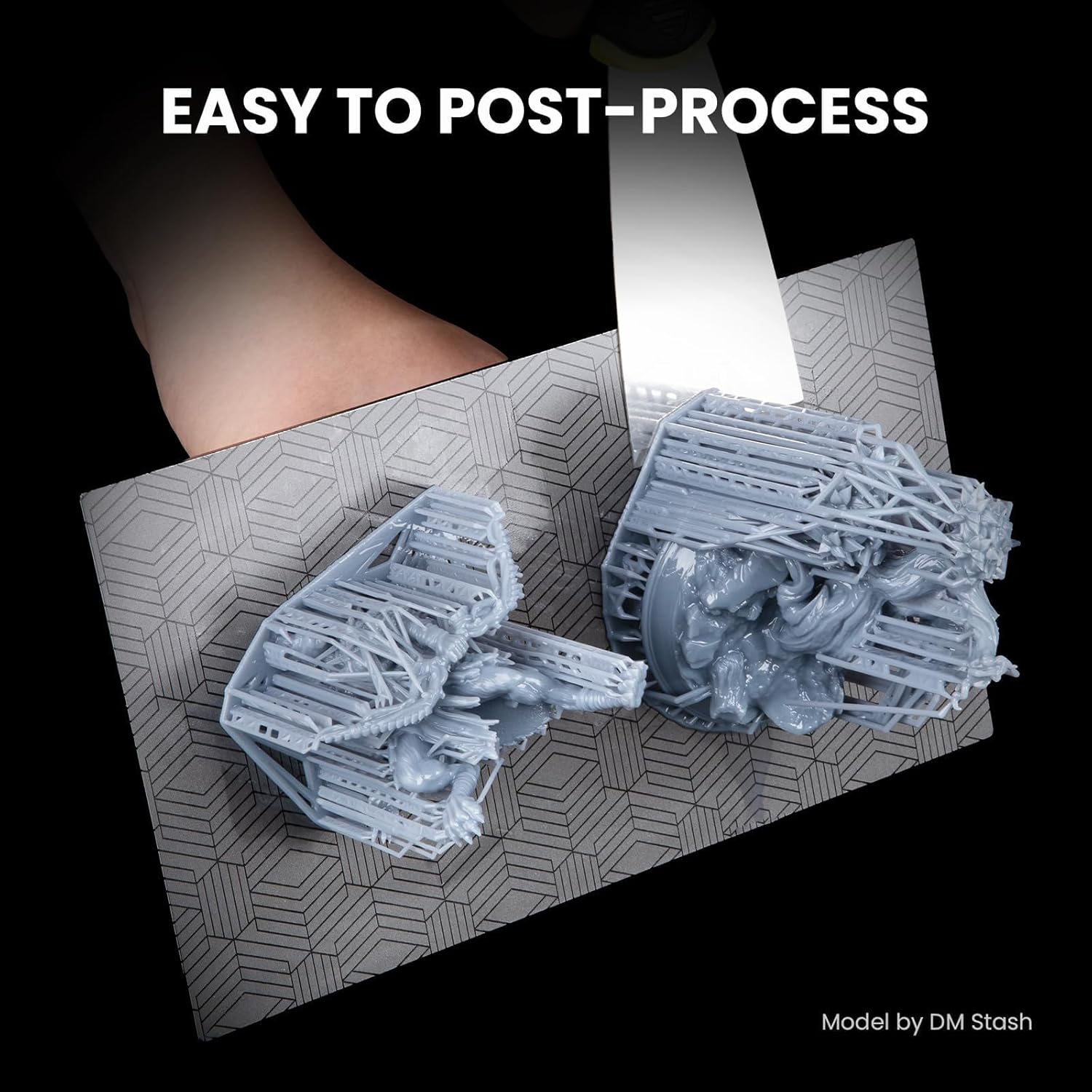
Rajah 6: Shows the ease of removing a cured print from the build plate, indicating good release properties and simplified post-processing.
6. Penyelesaian masalah
Refer to this section for common issues and their potential solutions when using ELEGOO 405nm Standard Photopolymer Resin.
- Prints Not Adhering to Build Plate:
- Tingkatkan masa pendedahan bahagian bawah.
- Ensure the build plate is properly leveled and clean.
- Verify resin temperature is within the recommended range (20°C-25°C).
- Failed Prints / Partial Prints:
- Increase normal exposure time slightly.
- Check for debris or cured resin in the vat; filter the resin if necessary.
- Ensure the FEP film in the vat is clean and undamaged.
- Verify model supports are adequate and properly placed in the slicer.
- Brittle Prints:
- Ensure adequate post-curing. Insufficient post-curing can lead to brittleness.
- Avoid over-curing, which can also make prints brittle.
- Check resin temperature during printing; very cold resin can affect properties.
- Poor Detail / Blurry Prints:
- Kurangkan sedikit masa pendedahan biasa.
- Ensure the LCD screen is clean and functioning correctly.
- Check for vibrations during printing.
7. Spesifikasi
| Atribut | Spesifikasi |
|---|---|
| Jenama | ELEGOO |
| Nombor Model | US-EL-3D-055 |
| Jenis Resin | Standard Photopolymer Resin |
| Curing Wavelength | 405nm UV Light |
| Berat Bersih | 1 kg |
| Dimensi Produk | 9 x 9 x 20 cm |
| Suhu Percetakan yang Disyorkan | 20°C-25°C (68°F-77°F) |
| Ciri-ciri | High Precision, Low Shrinkage, Fast Curing, Easy to Clean, Less Brittle, Higher Tenacity, Consistent Quality |
| Keserasian | All LCD and DLP 3D Printers |

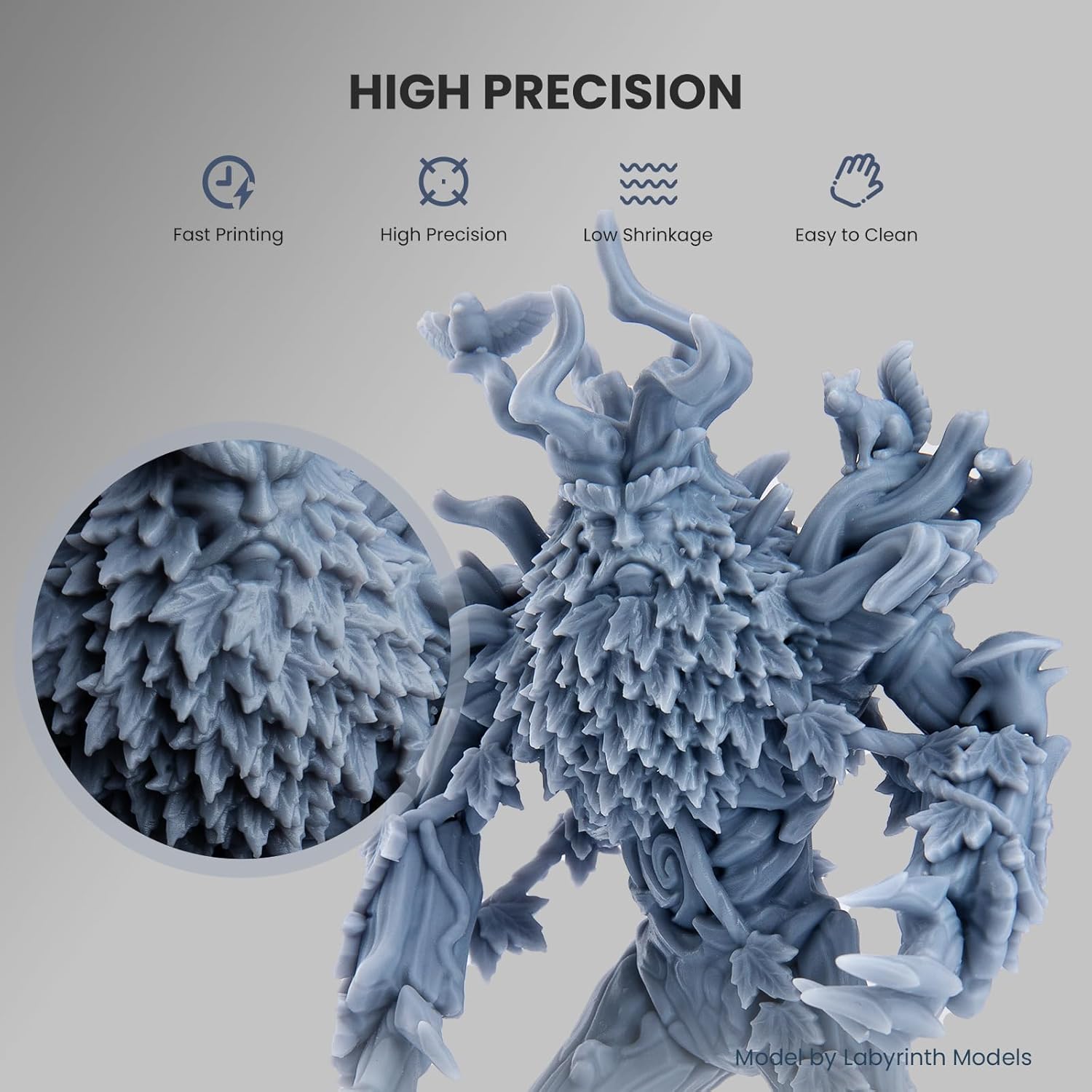
Rajah 7: Seorang bekasample of a highly detailed 3D print, demonstrating the high precision and low shrinkage characteristics achievable with ELEGOO Standard Photopolymer Resin.

Rajah 8: A bottle of ELEGOO Standard Photopolymer Resin (Beige) and a sample print, illustrating the resin's appearance and print quality.

Rajah 9: Examples of diverse models printed with ELEGOO Standard Photopolymer Resin, highlighting its capability for intricate designs and various applications.
8. Waranti dan Sokongan
ELEGOO products are manufactured with quality and reliability in mind. For specific warranty information regarding ELEGOO 405nm Standard Photopolymer Resin, please refer to the product packaging or the official ELEGOO website, as warranty terms may vary by region and retailer. No explicit warranty details are provided within this manual.
For technical support, product inquiries, or assistance with troubleshooting, please contact ELEGOO customer service or the authorized distributor.
- Pengeluar: ELEGOO
- Importer/Distributor (India): Protomont Technologies
- Hubungi: +919324898118; salesprotomont@gmail.com


