1. Pengenalan
This manual provides essential information for the installation, operation, maintenance, and troubleshooting of your Chieftec Polaris 650W 80Plus Certified Power Supply Unit (PSU). Please read this manual thoroughly before installing and using the product to ensure proper function and safety. The Chieftec Polaris 650W PSU is designed to provide stable and efficient power to your personal computer system.
2. Maklumat Keselamatan
Sentiasa patuhi langkah keselamatan berikut untuk mengelakkan kecederaan atau kerosakan pada peralatan anda:
- jangan open the PSU casing. vol tinggitages inside can cause electric shock. There are no user-serviceable parts inside.
- jangan insert any objects into the PSU's ventilation openings.
- jangan expose the PSU to water, moisture, or high humidity.
- Ensure the PSU is installed in a well-ventilated area, free from obstructions to airflow.
- Always disconnect the AC power cord from the wall outlet before installing, removing, or cleaning the PSU.
- Use only the modular cables provided with your Chieftec Polaris 650W PSU. Using incompatible cables may damage the PSU or connected components.
- Ensure all cable connections are secure before powering on the system.
3. Kandungan Pakej
Sahkan bahawa semua item terdapat dalam pakej anda:
- Chieftec Polaris 650W Power Supply Unit
- Modular Cable Set (e.g., 24-pin ATX, 8-pin EPS/CPU, PCIe, SATA, Molex)
- Kord Kuasa AC
- Skru Pemasangan
- Manual Pengguna (dokumen ini)
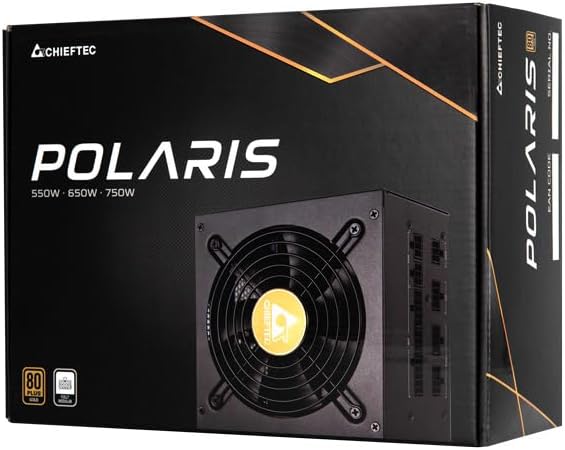
Image: The Chieftec Polaris 650W Power Supply Unit and its retail packaging.
4. Persediaan dan Pemasangan
Follow these steps to install your Chieftec Polaris 650W PSU into your personal computer system:
- Sediakan Sistem Anda: Ensure your computer is completely powered off and unplugged from the wall outlet. Open your computer case to access the PSU mounting area.
- Keluarkan PSU Lama (jika berkenaan): If replacing an existing PSU, disconnect all cables from the components and motherboard, then unscrew and remove the old PSU.
- Pasang PSU Baharu: Carefully slide the Chieftec Polaris 650W PSU into the designated PSU bay in your computer case. Ensure the fan faces the correct direction (typically downwards for bottom-mounted PSUs, or as per case design for optimal airflow). Secure the PSU with the provided mounting screws.
- Sambungkan Kabel Modular: Identify the necessary modular cables for your system components (motherboard, CPU, graphics card, storage drives). Connect these cables to the corresponding ports on the back of the PSU. Refer to the image below for connector identification.
- Sambung ke Komponen: Connect the other end of the modular cables to your motherboard (24-pin ATX and 8-pin EPS/CPU), graphics card(s) (PCIe), and storage devices (SATA/Molex). Ensure all connections are firm and fully seated.
- Pengurusan Kabel: Halakan kabel dengan kemas untuk meningkatkan aliran udara dan estetika dalam kes anda.
- Pemeriksaan Akhir: Double-check all connections. Ensure no loose cables are obstructing fans. Close your computer case.
- Sambungkan Kuasa AC: Plug the AC power cord into the PSU's power inlet and then into a wall outlet.

Imej: Belakang view of the Chieftec Polaris 650W PSU showing modular cable connection ports for M/B, SATA, PCIe, and CPU.

Image: The Chieftec Polaris 650W Power Supply Unit with its modular cables connected, ready for installation.
5. Arahan Operasi
Once the Chieftec Polaris 650W PSU is correctly installed and all connections are secure:
- Hidupkan kuasa: Locate the power switch on the back of the PSU (next to the AC power inlet). Ensure it is in the 'I' (On) position.
- Permulaan Sistem: Press the power button on your computer case. The system should power on, and the PSU fan will begin to spin, indicating normal operation.
- Operasi Kipas: The PSU features an air cooling method. The fan will operate to dissipate heat generated by the power supply components. Its speed may vary depending on the load and temperature to maintain optimal cooling and noise levels.
- Matikan: To shut down your system, use the operating system's shutdown procedure. For a complete power cut, switch the PSU's power switch to the 'O' (Off) position and unplug the AC power cord.
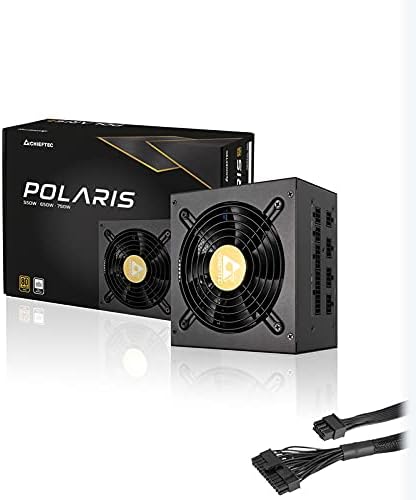
Imej: Atas ke bawah view of the Chieftec Polaris 650W Power Supply, highlighting the cooling fan and protective grille.
6. Penyelenggaraan
Penyelenggaraan yang betul memastikan jangka hayat dan prestasi optimum PSU anda:
- Pembersihan Habuk: Periodically (e.g., every 3-6 months), power off your computer, unplug the AC cord, and open the case. Use compressed air to gently blow dust out of the PSU's fan and ventilation grilles. jangan use a vacuum cleaner directly on the PSU as it can generate static electricity.
- Keadaan Persekitaran: Ensure the computer operates in a clean, dry, and well-ventilated environment. Avoid extreme temperatures and direct sunlight.
- Integriti Kabel: Occasionally check that all modular cables are securely connected and not frayed or damaged.
7. Penyelesaian masalah
If you encounter issues with your Chieftec Polaris 650W PSU, consider the following troubleshooting steps:
- Tiada Kuasa:
- Pastikan kord kuasa AC dipasang dengan selamat pada kedua-dua PSU dan alur keluar dinding.
- Check that the PSU's power switch on the back is in the 'I' (On) position.
- Sahkan alur keluar dinding berfungsi dengan memasang peranti lain.
- Confirm all internal power cables (24-pin ATX, 8-pin EPS/CPU) are firmly connected to the motherboard.
- Ketidakstabilan Sistem/Penutupan Rawak:
- Pastikan PSU mempunyai pengudaraan yang mencukupi dan tidak terlalu panas.
- Check all power connections to components (graphics card, storage) for looseness.
- If possible, test the PSU with a different set of components or in another system to rule out other hardware issues.
- Bunyi Luar Biasa:
- A rattling or grinding noise may indicate a fan issue. Power off the system and inspect the PSU fan for obstructions (e.g., loose cables).
- If the noise persists and is not due to an obstruction, contact support.
Jika langkah-langkah ini tidak menyelesaikan masalah, sila rujuk bahagian Waranti dan Sokongan.
8. Spesifikasi
| Ciri | Spesifikasi |
|---|---|
| Jenama | Chieftec |
| Nama Model | Polaris |
| Nombor Model Item | IN-ACT-ZDLCHFOBU0087 |
| Output Wattage | 650 Watt |
| Faktor Bentuk | ATX |
| Kaedah Penyejukan | Udara |
| Jenis Penyambung | ATX |
| Peranti Serasi | Komputer Peribadi |
| Dimensi Produk (L x W x H) | 8.66 x 3.15 x 1.18 inci (22 x 8 x 3 cm) |
| Berat Barang | 4.4 paun (2 Kilogram) |
| Pensijilan | 80Plus Diperakui |
9. Waranti dan Sokongan
Chieftec products are manufactured to high-quality standards. For specific warranty terms and conditions, please refer to the warranty card included with your product or visit the official Chieftec website. Warranty periods and coverage may vary by region and product.
For technical support, product inquiries, or warranty claims, please contact Chieftec customer service through their official website or the contact information provided in your product documentation. When contacting support, please have your product model number (IN-ACT-ZDLCHFOBU0087) and proof of purchase readily available.


