1. Pengenalan
Thank you for choosing the CREATE NETBOT S15 Robot Vacuum Cleaner. This manual provides essential information for the safe operation, maintenance, and troubleshooting of your device. Please read it thoroughly before first use and retain it for future reference.
Produk Selesaiview

The image above displays the CREATE NETBOT S15 Robot Vacuum Cleaner, its dedicated remote control, and a smartphone screen showing the companion application interface. The robot is black with a textured top surface and a central green power button. The remote control features a digital display and various control buttons. The app shows a map of a cleaned area.
The NETBOT S15 is designed to simplify your cleaning routine, offering multiple cleaning modes and smart features for efficient floor maintenance.
2. Arahan Keselamatan
Untuk memastikan operasi yang selamat dan mengelakkan kerosakan, sila patuhi langkah berjaga-jaga keselamatan berikut:
- Baca semua arahan sebelum menggunakan perkakas.
- Jangan benarkan kanak-kanak mengendalikan vakum robot. Awasi kanak-kanak dan haiwan peliharaan semasa robot beroperasi.
- Ensure the charging base is placed against a wall on a hard, level surface, with adequate clear space around it.
- Jauhkan rambut, pakaian longgar, jari dan semua bahagian badan daripada bukaan dan bahagian yang bergerak.
- Jangan ambil objek besar, objek tajam, cecair, atau bahan terbakar/merokok.
- Jangan gunakan robot dalam persekitaran basah atau di permukaan basah.
- Tanggalkan kord kuasa, objek kecil dan barang rapuh dari lantai sebelum mengendalikannya untuk mengelakkan kekusutan atau kerosakan.
- Use only the original charger and battery provided by the manufacturer.
- Do not modify or attempt to repair the robot vacuum yourself. Contact qualified service personnel for repairs.
3. Kandungan Pakej
Sahkan bahawa semua komponen terdapat dalam pakej:

The image shows the retail box for the CREATE NETBOT S15 Robot Vacuum Cleaner, indicating the product and its key features.
- CREATE NETBOT S15 Robot Vacuum Cleaner
- Pangkalan Pengecasan
- Penyesuai Kuasa
- Alat Kawalan Jauh
- Dustbin (600 ml capacity)
- Tangki Air (kapasiti 400 ml)
- Side Brushes (2 + 2 replacements)
- HEPA Filter (1 + 1 replacement)
- Cleaning Mop (1 + 1 replacement)
- Berus Pembersih
- Jalur Magnetik
- Manual Pengguna
4. Persediaan
4.1 Penempatan Tapak Pengecasan

The image shows the CREATE NETBOT S15 Robot Vacuum Cleaner correctly docked on its charging station, indicating proper placement for recharging.
- Letakkan tapak pengecas pada dinding di kawasan terbuka.
- Ensure there is at least 1 meter (3 feet) of clear space on both sides of the charging base and 2 meters (6 feet) in front of it.
- Sambungkan penyesuai kuasa ke tapak pengecas dan pasangkannya ke soket dinding.
- Ensure the power indicator light on the charging base is illuminated.
4.2 Pengecasan Awal

This image depicts the CREATE NETBOT S15 Robot Vacuum Cleaner positioned near its charging dock in a room, ready for or undergoing charging.
Before first use, fully charge the robot vacuum. Place the robot onto the charging base, ensuring the charging contacts align. The indicator light on the robot will show charging status. A full charge typically takes 4-5 hours.
4.3 Pemasangan dan Sambungan Apl
The CREATE NETBOT S15 can be controlled via a smartphone application, compatible with Alexa and Google Home.
- Download the official CREATE app from your smartphone's app store.
- Daftar akaun dan log masuk.
- Follow the in-app instructions to add your NETBOT S15 device. This typically involves putting the robot into pairing mode and connecting it to your home Wi-Fi network.
- Once connected, you can program cleaning schedules, select cleaning modes, and monitor the robot's status from your phone.
- For voice control, link the CREATE app with your Alexa or Google Home account through their respective applications.
5. Arahan Operasi
5.1 Mod Pembersihan
The NETBOT S15 offers four cleaning functions:
- sapu: Uses side brushes to gather debris.
- Vacuum: Utilizes suction power to collect dust and dirt. Features up to 1500 Pa suction power with adjustable levels.
- Mop: Wipes floors with a damp cloth from the water tank.
- Basuh: Combines sweeping, vacuuming, and mopping for comprehensive cleaning.

This image illustrates the CREATE NETBOT S15 Robot Vacuum Cleaner actively cleaning under a sofa, demonstrating its ability to reach confined spaces. Two dogs are visible in the foreground, suggesting a pet-friendly environment.
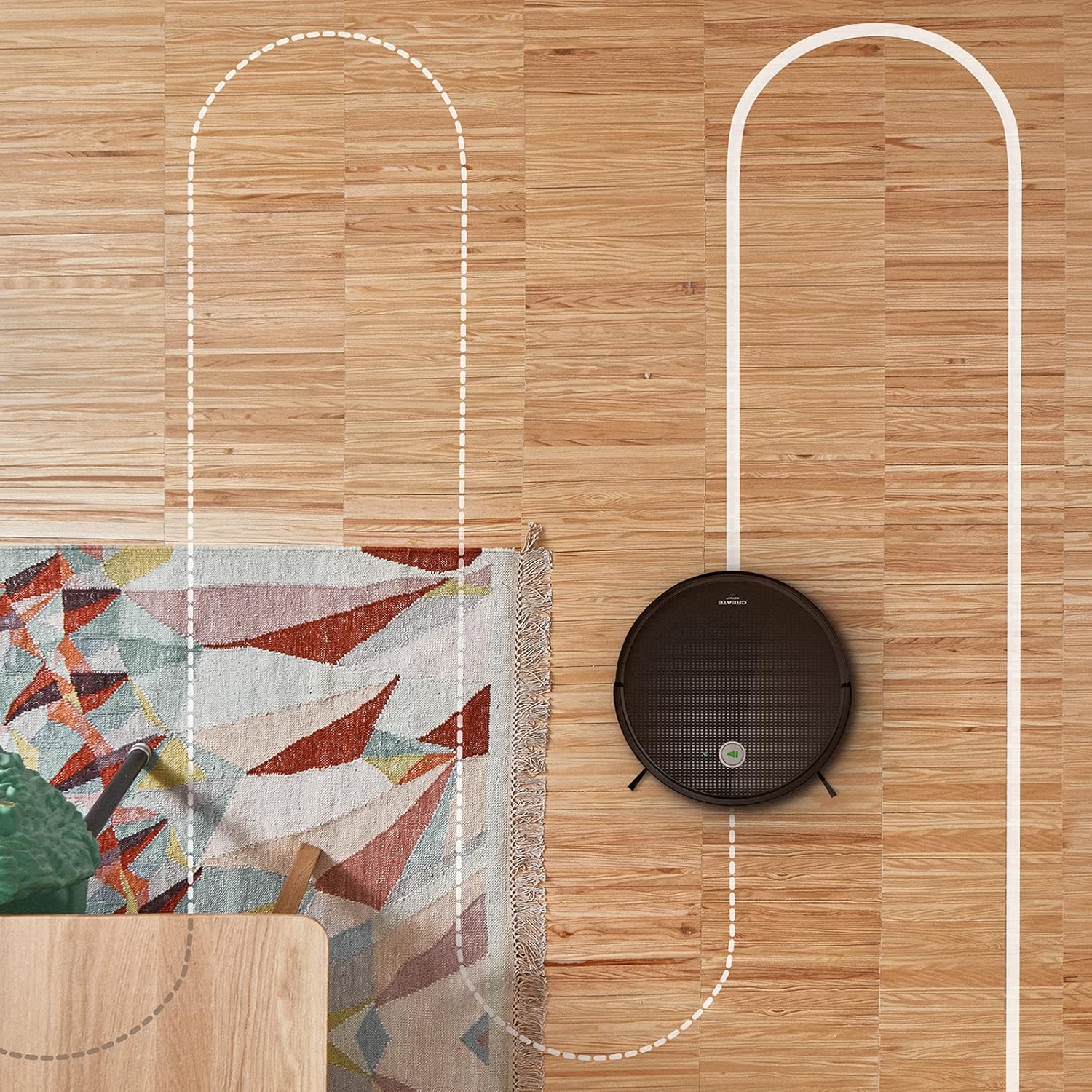
Sebuah udara view shows the CREATE NETBOT S15 Robot Vacuum Cleaner moving across a wooden floor, with a dotted line indicating its systematic cleaning path, highlighting its gyroscopic navigation.
5.2 Menggunakan Alat Kawalan Jauh
The included remote control allows for direct operation of the robot vacuum. Refer to the remote control diagram in your quick start guide for button functions. Common functions include:
- Mula / Jeda Pembersihan
- Kembali ke Pangkalan Pengecasan
- Directional Control (manual steering)
- Pembersihan Tempat
- Pembersihan Tepi
- Menetapkan Jadual
5.3 Magnetic Strip Usage
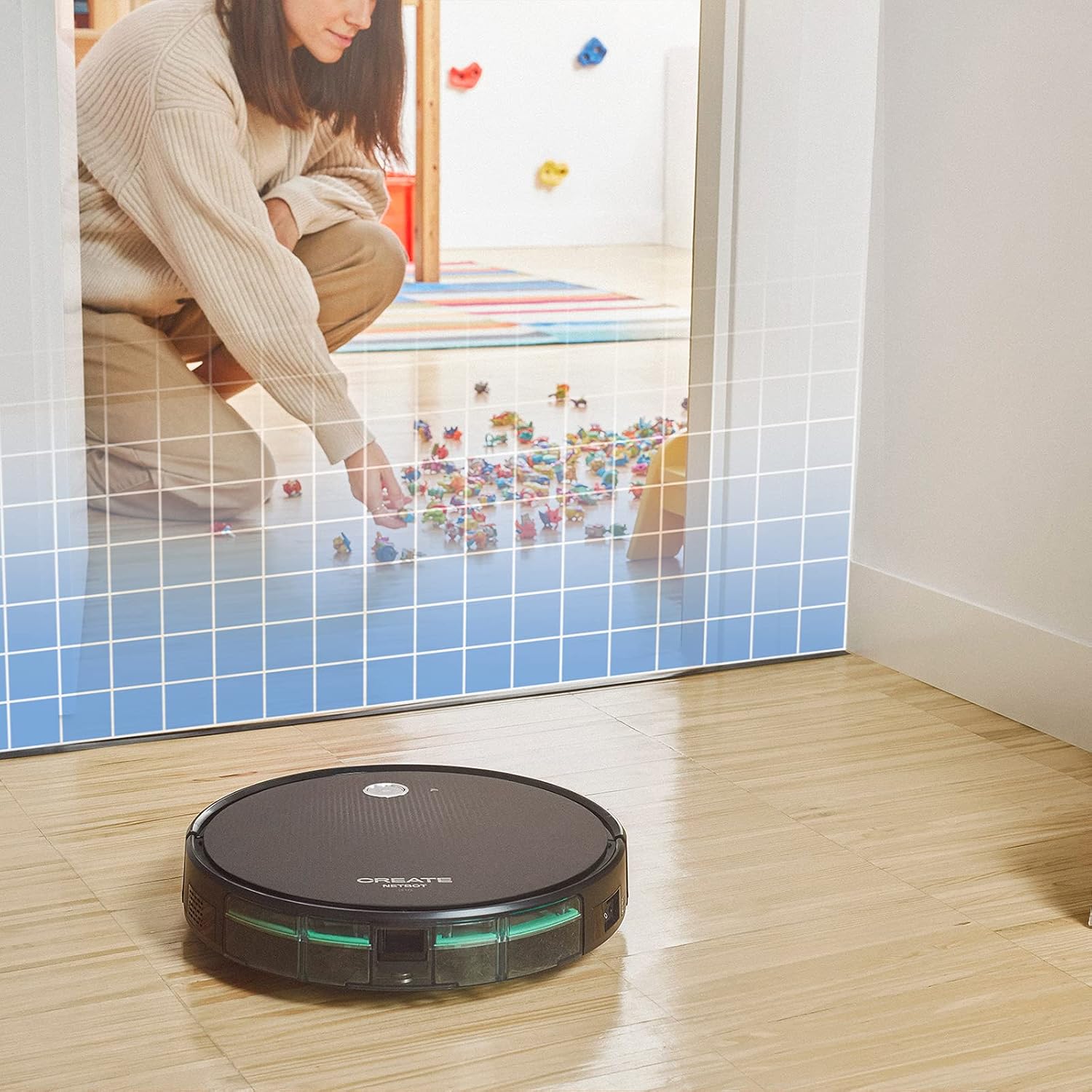
This illustration demonstrates the CREATE NETBOT S15 Robot Vacuum Cleaner approaching a virtual boundary, represented by a grid, which prevents it from entering a specific area, such as where toys are located.
Use the provided magnetic strip to create virtual boundaries that the robot will not cross. Place the strip on the floor to delimit areas where the robot should not enter, such as pet feeding zones or areas with delicate items.
5.4 Hayat Bateri
The NETBOT S15 is equipped with a long-lasting LG Lithium battery, providing up to 120 minutes of cleaning autonomy on a single charge, depending on the selected power mode.
6. Penyelenggaraan
Penyelenggaraan tetap memastikan prestasi optimum dan memanjangkan jangka hayat vakum robot anda.
6.1 Dustbin and Water Tank Cleaning
Empty the dustbin after each use. The 600 ml dustbin is easily removable. If using the mopping function, empty and rinse the 400 ml water tank after each use to prevent mold or odors.
6.2 Pembersihan Berus

Satu jarak dekat view of the CREATE NETBOT S15 Robot Vacuum Cleaner's side brush, showing its design for sweeping debris into the main suction path.
- Berus Sisi: Regularly check for hair or debris entanglement. Remove and clean as needed. Replace worn brushes with the provided spares.
- Berus Utama: Tanggalkan penutup berus utama dan angkat keluar berus. Gunakan alat pembersih untuk menanggalkan rambut dan serpihan yang kusut.
6.3 Pembersihan/Penggantian Penapis
The robot uses a double filter system: a sponge filter and a HEPA filter. Tap the filters to remove loose dirt. Do not wash HEPA filters with water. Replace filters every 3-6 months, or more frequently with heavy use, to maintain suction performance.
6.4 Pembersihan Sensor
Wipe the cliff sensors (located on the bottom of the robot) and the bumper sensors (on the front) with a clean, dry cloth to ensure proper navigation and obstacle detection.
7. Penyelesaian masalah
If you encounter issues with your NETBOT S15, refer to the following common problems and solutions:
| Masalah | Kemungkinan Punca | Penyelesaian |
|---|---|---|
| Robot tidak bermula atau bertindak balas. | Bateri lemah; Suis kuasa dimatikan; Robot tersekat. | Cas robot; Pastikan suis kuasa HIDUP; Kosongkan sebarang halangan. |
| Prestasi pembersihan yang lemah. | Tong sampah penuh; Berus/penapis tersumbat; Berus haus. | Empty dustbin; Clean brushes and filters; Replace brushes/filters. |
| Robot tidak dapat mencari pangkalan pengecasan. | Charging base obstructed; Robot too far from base; Base not powered. | Ensure clear space around base; Manually place robot closer; Check power connection to base. |
| Robot kerap tersangkut. | Cables/small objects on floor; Uneven surfaces; Dark colored carpets. | Clear floor of obstacles; Use magnetic strips for problem areas; Robot may struggle on very dark surfaces. |
| Isu sambungan Wi-Fi. | Incorrect Wi-Fi password; Router too far; 5GHz network. | Verify password; Move robot closer to router; Ensure connection to a 2.4GHz Wi-Fi network. |
8. Spesifikasi
Key technical specifications for the CREATE NETBOT S15 Robot Vacuum Cleaner:
- Jenama: CIPTA
- Nombor Model: Netbot S15
- warna: Black - Turquoise
- Dimensi (L x W x H): 33 x 33 x 7.5 cm
- Berat: 3 Kilogram
- Kuasa: 25 Watt
- Kuasa sedutan: Sehingga 1500 Pa
- Tahap Bunyi: 62 dB
- Jenis Bateri: Litium-ion
- Hayat Bateri: Sehingga 120 minit
- Kapasiti tong sampah: 600 ml
- Kapasiti Tangki Air: 400 ml
- Sistem Penapis: Double sponge Clean + HEPA filter
- Ketersambungan: Wi-Fi, App Control
- Keserasian Pembantu Suara: Google Home, Alexa
- Ciri Khas: Gyroscopic navigation, Magnetic strip boundary, 4 cleaning modes (sweep, vacuum, mop, wash)
9. Waranti dan Sokongan
For warranty information, technical support, or service inquiries, please refer to the warranty card included with your product or visit the official CREATE webtapak. Simpan resit pembelian anda sebagai bukti pembelian.


