pengenalan
The DALI IO-6 are premium wireless over-the-ear headphones designed to deliver exceptional audio quality with the added benefit of Active Noise Cancellation (ANC). These headphones offer versatile connectivity options including Bluetooth, USB-C, and a traditional 3.5mm wired connection. Engineered with DALI's expertise in Hi-Fi audio, the IO-6 aims to reproduce music with natural and authentic sound.
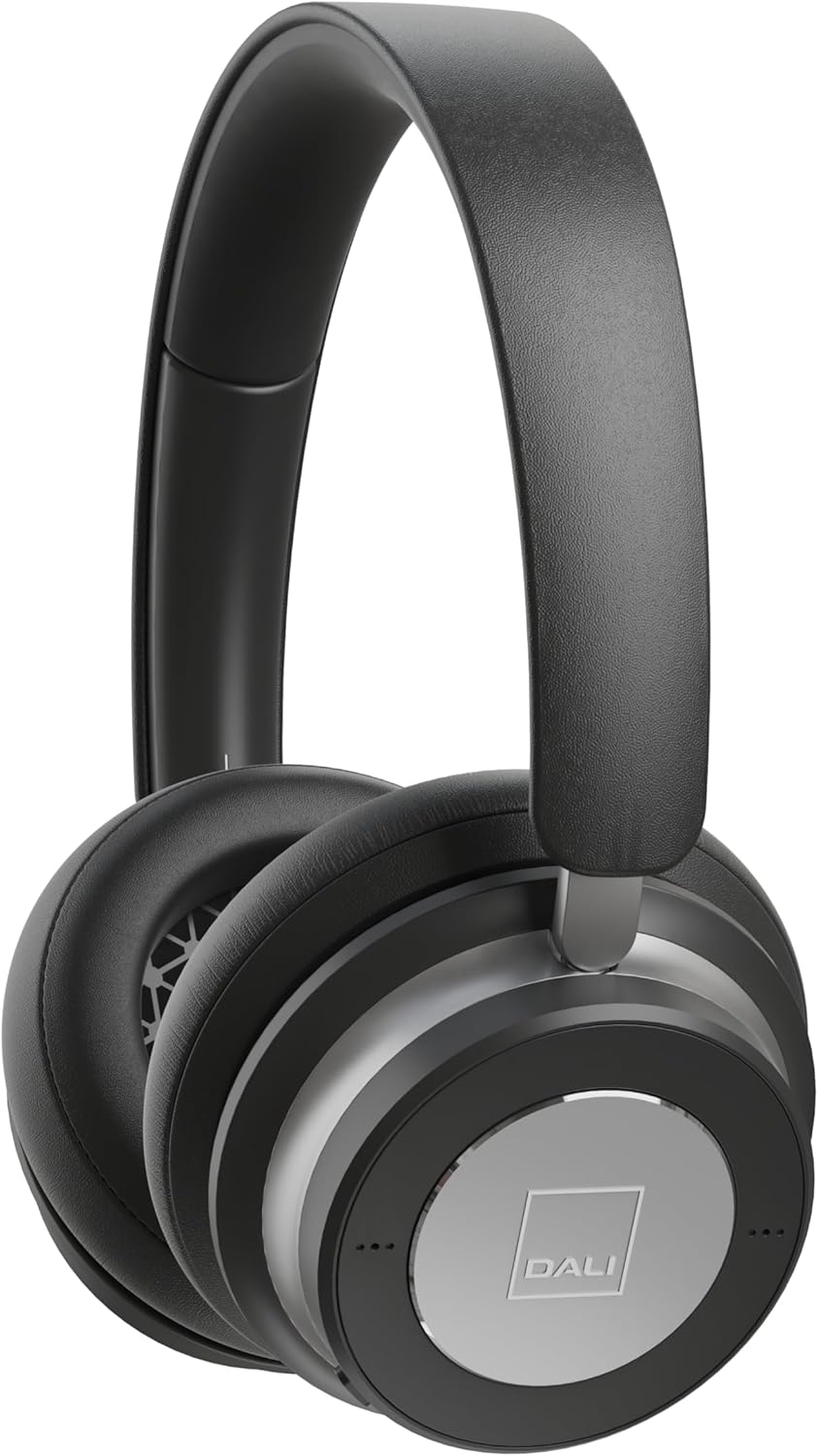
Imej: Depan view of the DALI IO-6 headphones in Iron Black, showcasing the sleek design and earcups.
Apa yang ada dalam Kotak
Sahkan bahawa semua komponen terdapat dalam pembungkusan:
- Fon Kepala DALI IO-6
- USB-C Cable (for charging and wired audio)
- 3.5mm Stereo Cable (for wired audio)
- Penyesuai Penerbangan
- Kes Perjalanan

Image: The DALI IO-6 headphones neatly folded and placed inside their included grey fabric travel case.
Persediaan
1. Mengecas Fon Kepala
Before first use, fully charge your DALI IO-6 headphones. Connect the supplied USB-C cable to the USB-C port on the headphones and the other end to a USB power source (e.g., computer USB port or USB wall adapter). The charging indicator light will show charging status. A full charge takes approximately 2.5 hours.
2. Menghidupkan/Mematikan
To power on, press and hold the power button until the indicator light illuminates. To power off, press and hold the power button again until the light turns off.
3. Berpasangan Bluetooth
- Pastikan fon kepala dimatikan.
- Press and hold the power button for approximately 5 seconds until the indicator light flashes rapidly, indicating pairing mode.
- Pada peranti anda (telefon pintar, tablet, komputer), dayakan Bluetooth dan cari peranti yang tersedia.
- Select "DALI IO-6" from the list of found devices.
- Once paired, the indicator light on the headphones will turn solid blue.
The DALI IO-6 supports aptX, aptX HD, and Apple AAC codecs for high-quality audio streaming.

Imej: A view from above the DALI IO-6 headphones, highlighting the control buttons and ports located on the right earcup.
Mengendalikan Fon Kepala
Main Balik Audio dan Panggilan
- Main/Jeda: Tekan butang pelbagai fungsi sekali.
- Lagu Seterusnya: Tekan butang berbilang fungsi dua kali.
- Trek Sebelumnya: Tekan butang berbilang fungsi tiga kali.
- Kelantangan Naik/Turun: Gunakan butang kelantangan khusus (+/-).
- Jawab/Tamatkan Panggilan: Tekan butang berbilang fungsi sekali semasa panggilan masuk.
- Tolak Panggilan: Tekan dan tahan butang berbilang fungsi semasa panggilan masuk.
Pembatalan Bising Aktif (ANC)
The DALI IO-6 features Active Noise Cancellation to reduce ambient noise. There are typically multiple ANC modes:
- ANC Hidupkan: Activates noise cancellation.
- Mod Ketelusan: Allows ambient sounds to pass through, enabling you to hear your surroundings without removing the headphones.
- ANC Dimatikan: Disables active noise cancellation, relying on passive noise isolation.
Cycle through ANC modes by pressing the dedicated ANC button. Refer to the indicator lights for the current mode.
Sambungan Berwayar
The DALI IO-6 can be used with the supplied 3.5mm stereo cable for a traditional wired connection to audio sources. It can also function as a USB audio device when connected via the USB-C cable to a computer.

Image: The DALI IO-6 headphones positioned on a dark surface, with a vinyl record player in the background, suggesting their use for high-fidelity audio listening.
Penyelenggaraan
- Pembersihan: Gunakan kain lembut dan kering untuk membersihkan fon kepala. Jangan gunakan pembersih atau pelarut yang melelas.
- Storan: When not in use, store the headphones in their provided travel case to protect them from dust and damage.
- Penjagaan Bateri: Untuk memanjangkan hayat bateri, elakkan daripada kerap mencas sepenuhnya bateri. Cas fon kepala secara berkala, walaupun tidak digunakan secara berterusan.
- Suhu: Elakkan daripada mendedahkan fon kepala kepada suhu yang melampau (panas atau sejuk) atau kelembapan yang tinggi.

Imej: A terperinci view of the inside of a DALI IO-6 earcup, revealing the patterned speaker grille and soft ear cushion.
Menyelesaikan masalah
| Masalah | Penyelesaian |
|---|---|
| Fon kepala tidak dihidupkan. | Pastikan bateri dicas. Sambungkan kepada sumber kuasa menggunakan kabel USB-C. |
| Tidak boleh berpasangan melalui Bluetooth. | Ensure headphones are in pairing mode (flashing light). Turn off and on Bluetooth on your device. Move closer to the device. |
| Tiada bunyi dari fon kepala. | Check volume levels on both headphones and connected device. Ensure correct input source is selected (Bluetooth, 3.5mm, USB). |
| ANC tidak berfungsi dengan berkesan. | Ensure ANC mode is activated. Check that earcups form a good seal around your ears. |
Spesifikasi
| Ciri | Perincian |
|---|---|
| Nama Model | IO-6 Over-The-Ear Headphone |
| Kawalan Bunyi | Pembatalan Bunyi Aktif |
| Teknologi Ketersambungan | Bluetooth 5.0, 3.5 mm Jack, USB-C |
| Codec Audio yang Disokong | aptX, aptX HD, Apple AAC |
| Battery Life (ANC active) | Sehingga 30 jam |
| Masa Mengecas | lebih kurang 2.5 jam |
| Saiz Pemacu Audio | Pemacu Dinamik 50 mm |
| Julat Kekerapan | 10 - 20,000 Hz |
| Impedans | 25 Ohm |
| Berat Barang | 0.32 Kilogram (11.3 auns) |
| Dimensi | 8.86 x 9.65 x 3.15 inci |

Image: An exploded diagram showing the internal components of the DALI IO-6 headphones, including the driver, circuit board, and earcup layers.
Waranti dan Sokongan
DALI products are manufactured to the highest quality standards. For warranty information and support, please refer to the warranty card included with your product or visit the official DALI webtapak. Simpan bukti pembelian anda untuk tuntutan waranti.
For further assistance, you may contact DALI customer support through their official channels. Visit the DALI Store on Amazon untuk lebih banyak maklumat produk dan sumber.


