pengenalan
Thank you for choosing the seenda Wireless Keyboard and Mouse Combo. This manual provides essential information for setting up, operating, and maintaining your new device. This combo offers a comfortable, quiet, and efficient experience for your Windows-enabled laptop, PC, notebook, or desktop.
- Reka bentuk boleh dicas semula: Both the keyboard and mouse feature built-in lithium batteries, easily rechargeable with the included cable. A full charge can last up to 1-2 months.
- Comfortable & Quiet: Pro rendahfile keys ensure comfortable typing, and the quiet design minimizes noise during use.
- Sleek & Modern: An ultra-thin design with a silver and white finish complements any workspace.
- Persediaan Mudah: A single USB receiver connects both the keyboard and mouse, offering a stable 2.4GHz wireless connection up to 33 feet.
- Reka Letak Saiz Penuh: The keyboard includes convenient media keys and a number pad, yet remains lightweight for portability.
Arahan Persediaan
Follow these steps to set up your seenda Wireless Keyboard and Mouse Combo:
- Buka Pembungkusan Kandungan: Carefully remove all items from the packaging. Verify that you have the keyboard, mouse, USB receiver, charging cable, protective cover, and user guide.
- Cari Penerima USB: The USB receiver is conveniently stored inside the mouse. Open the battery compartment cover on the underside of the mouse to retrieve it.
- Sambungkan Penerima USB: Pasangkan penerima USB ke port USB yang tersedia pada komputer anda. Sistem pengendalian anda sepatutnya mengesan dan memasang pemacu yang diperlukan secara automatik.
- Hidupkan Peranti: Locate the ON/OFF switch on the back of the mouse and on the side of the keyboard. Slide both switches to the "ON" position.
- Caj Permulaan: For optimal performance, it is recommended to fully charge both the keyboard and mouse before first use. Connect the included charging cable to the Type-C charging port on each device and to a USB power source. The charging indicator will show solid red while charging and turn off when fully charged.

Figure 1: Connecting the USB Receiver for 2.4G Wireless Connection.
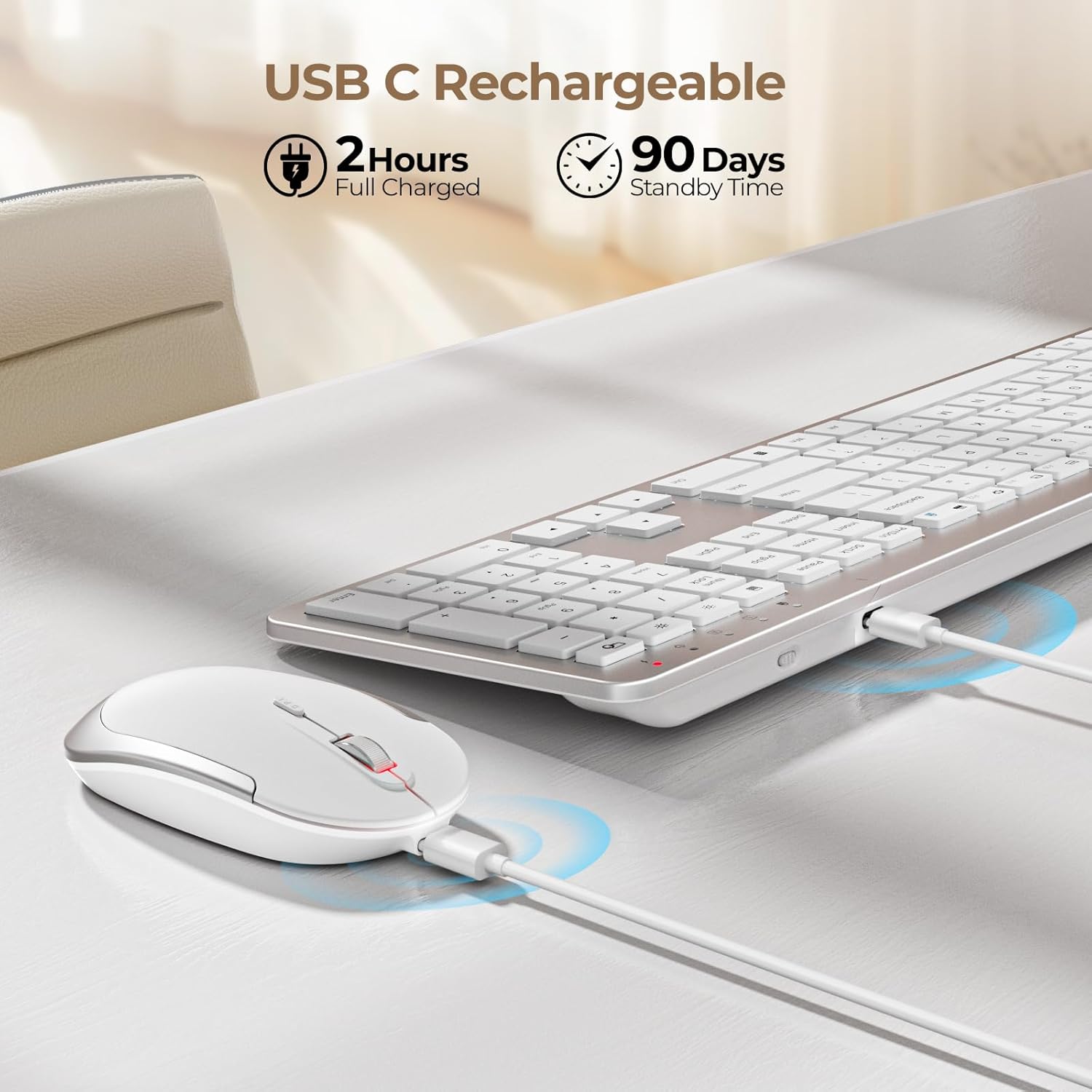
Figure 2: Charging the Keyboard and Mouse. A full charge takes approximately 2 hours and provides up to 90 days of standby time.
Video 1: Official video demonstrating the features and setup of the seenda Wireless Rechargeable Keyboard and Mouse Combo, including charging, slim design, quiet operation, and 2.4G wireless connection.
Arahan Operasi
Quiet Typing and Clicking
Papan kekunci mempunyai ciri pro rendahfile scissor-switch keys designed for a comfortable and quiet typing experience. The mouse is also engineered for silent clicks, allowing you to work without disturbing others.

Figure 3: Enjoying a quiet work environment with soft typing and clicks.
Adjustable DPI for Mouse Precision
The mouse offers 3 adjustable DPI levels (800, 1200, 1600) to suit your precision needs. Press the DPI switch button located near the scroll wheel to cycle through the settings.

Figure 4: Adjusting mouse sensitivity with the DPI switch.
Hotkeys Multimedia
The keyboard is equipped with a row of multimedia hotkeys (F1-F12) for quick access to functions like media playback, volume control, browser, search, email, and more. Additionally, dedicated keys for calculator, brightness adjustment, and screen lock are available.
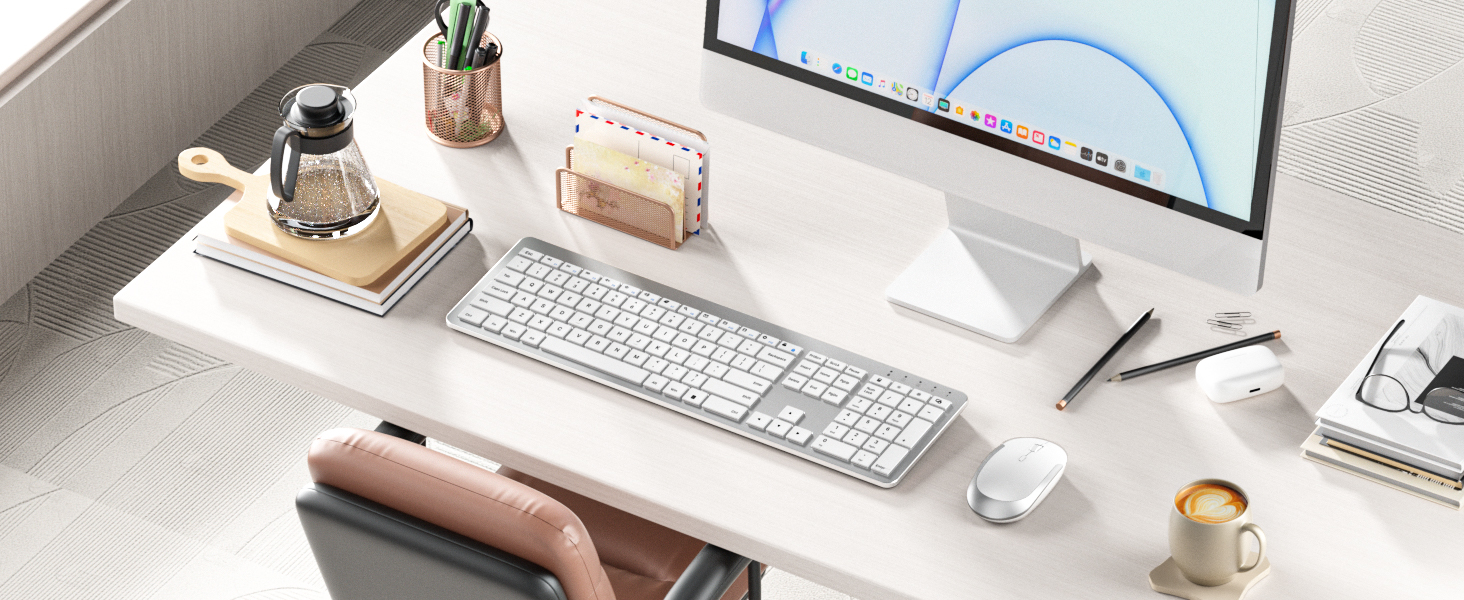
Figure 5: Keyboard layout highlighting multimedia and function keys.
Penjimatan Tenaga Pintar
To conserve battery life, both the keyboard and mouse feature an auto-sleep function. The keyboard will enter sleep mode after 5 seconds of inactivity, and the mouse after 10 minutes. Simply click any key or move the mouse to wake them up.

Figure 6: Smart energy-saving features with auto-sleep and power switches.
Penyelenggaraan
Mengecas
When the battery is low, the power indicator on the keyboard will flash green. For the mouse, the indicator will also signal low battery. Connect the included USB charging cable to the Type-C port on each device and a USB power source (e.g., computer USB port, USB wall adapter). The indicator will be solid red during charging and turn off when fully charged. Avoid overcharging to prolong battery life.
Pembersihan
To clean your keyboard and mouse, power them off. Use a soft, dry, lint-free cloth to wipe down the surfaces. For stubborn dirt, slightly dampen the cloth with water or a mild, non-abrasive cleaner. Avoid spraying liquids directly onto the devices or allowing moisture to seep into openings.
Menyelesaikan masalah
- Tiada Sambungan/Lag:
- Pastikan kedua-dua papan kekunci dan tetikus dihidupkan.
- Verify the USB receiver is securely plugged into a working USB port on your computer.
- Periksa tahap bateri dan cas semula jika perlu.
- Cuba palamkan penerima USB ke port USB lain.
- Move the devices closer to the USB receiver to rule out interference or range issues.
- Kunci Tidak Menjawab:
- Check if the keyboard is in auto-sleep mode; press any key to wake it.
- Pastikan papan kekunci dicas.
- If using the protective cover, ensure it is properly aligned and not obstructing key presses.
- Mouse Cursor Jumps/Is Erratic:
- Bersihkan penderia optik di bahagian bawah tetikus.
- Pastikan anda menggunakan tetikus pada permukaan yang sesuai (tidak terlalu memantulkan cahaya atau lutsinar).
- Laraskan tetapan DPI kepada sensitiviti yang lebih rendah jika kursor terlalu laju.
Spesifikasi
| Ciri | Perincian |
|---|---|
| Dimensi Produk | 17.3 x 5.1 x 0.75 inci |
| Berat Barang | 14.6 auns |
| Nombor Model Item | Keyboard-Mouse-038A-ZYS-WS |
| Bateri | 1 bateri Lithium Ion diperlukan (termasuk) |
| Teknologi Ketersambungan | Wayarles USB 2.4G |
| Ciri Khas | Ultra-thin Flat Keyboard, Rechargeable Keyboard Mouse, Full Size with Number Pad, Quiet |
| Peranti Serasi | USB-enabled Windows Devices |
| warna | Putih dan Perak |
Kandungan Pakej
The seenda Wireless Keyboard and Mouse Combo package includes:
- Tetikus x 1
- Papan kekunci x 1
- Kabel pengecasan x 1
- Penerima USB x 1
- Penutup pelindung x 1
- Panduan Pengguna x 1

Rajah 7: Kandungan yang disertakan dalam pakej produk.
Waranti dan Sokongan
For warranty information and customer support, please refer to the contact details provided in the included User Guide or visit the official seenda webtapak. Simpan resit pembelian anda untuk sebarang tuntutan waranti.


