1. Pengenalan
Terima kasih kerana membeliasing the Majority Scholars Compact DVD Player. This device is designed for versatile media playback, supporting multiple disc formats and regions. It features both HDMI and RCA connectivity for broad compatibility with various display devices, along with a USB port for playing digital media files. This manual provides essential information for setting up, operating, and maintaining your DVD player.
2. Maklumat Keselamatan
- Jangan dedahkan unit kepada hujan atau lembapan untuk mengelakkan kebakaran atau kejutan elektrik.
- Pastikan pengudaraan yang betul di sekitar unit. Jangan halang bukaan pengudaraan.
- Elakkan meletakkan unit pada permukaan yang tidak stabil.
- Jangan buka casing. Rujuk semua servis kepada kakitangan yang berkelayakan.
- Cabut palam unit semasa ribut petir atau apabila tidak digunakan untuk tempoh yang lama.
- Gunakan hanya lampiran/aksesori yang ditentukan oleh pengilang.
3. Kandungan Pakej
Sila tandai kotak untuk item berikut:
- Majority Scholars Compact DVD Player
- Alat Kawalan Jauh
- Kabel HDMI
- Kabel AV RCA
- Penyesuai Kuasa
- Manual Pengguna

Figure 3.1: Contents of the Majority Scholars DVD Player package.
4. Produk Lebihview
4.1 Panel Depan

Rajah 4.1: Depan view of the DVD player.

Figure 4.2: Close-up of front panel controls and USB port.
The front panel includes the disc tray, a digital display, and essential control buttons such as Open/Close, Play/Pause, and Stop. A USB port is also located on the front for convenient access to digital media.
4.2 Panel Belakang

Figure 4.3: Rear panel with connection ports.
The rear panel features the HDMI output for high-definition connection, RCA audio/video outputs for standard definition connections, and the power input port.
4.3 Alat Kawalan Jauh
The included remote control provides full functionality for operating the DVD player from a distance. It requires two AAA batteries (not included).
5. Persediaan
5.1 Menyambung ke TV
You have two primary options for connecting your DVD player to a television:
- HDMI Connection (Recommended for best quality):
Connect one end of the supplied HDMI cable to the HDMI OUT port on the rear of the DVD player and the other end to an HDMI input port on your TV. Select the corresponding HDMI input on your TV using its remote control. - RCA Connection (Standard Definition):
Connect the supplied RCA AV cable to the VIDEO OUT (yellow), AUDIO OUT L (white), and AUDIO OUT R (red) ports on the rear of the DVD player. Connect the other end of the cable to the corresponding AV input ports on your TV. Select the AV input on your TV using its remote control.
5.2 Sambungan Kuasa
Connect the power adapter to the DC IN port on the rear of the DVD player, then plug the adapter into a standard electrical outlet.
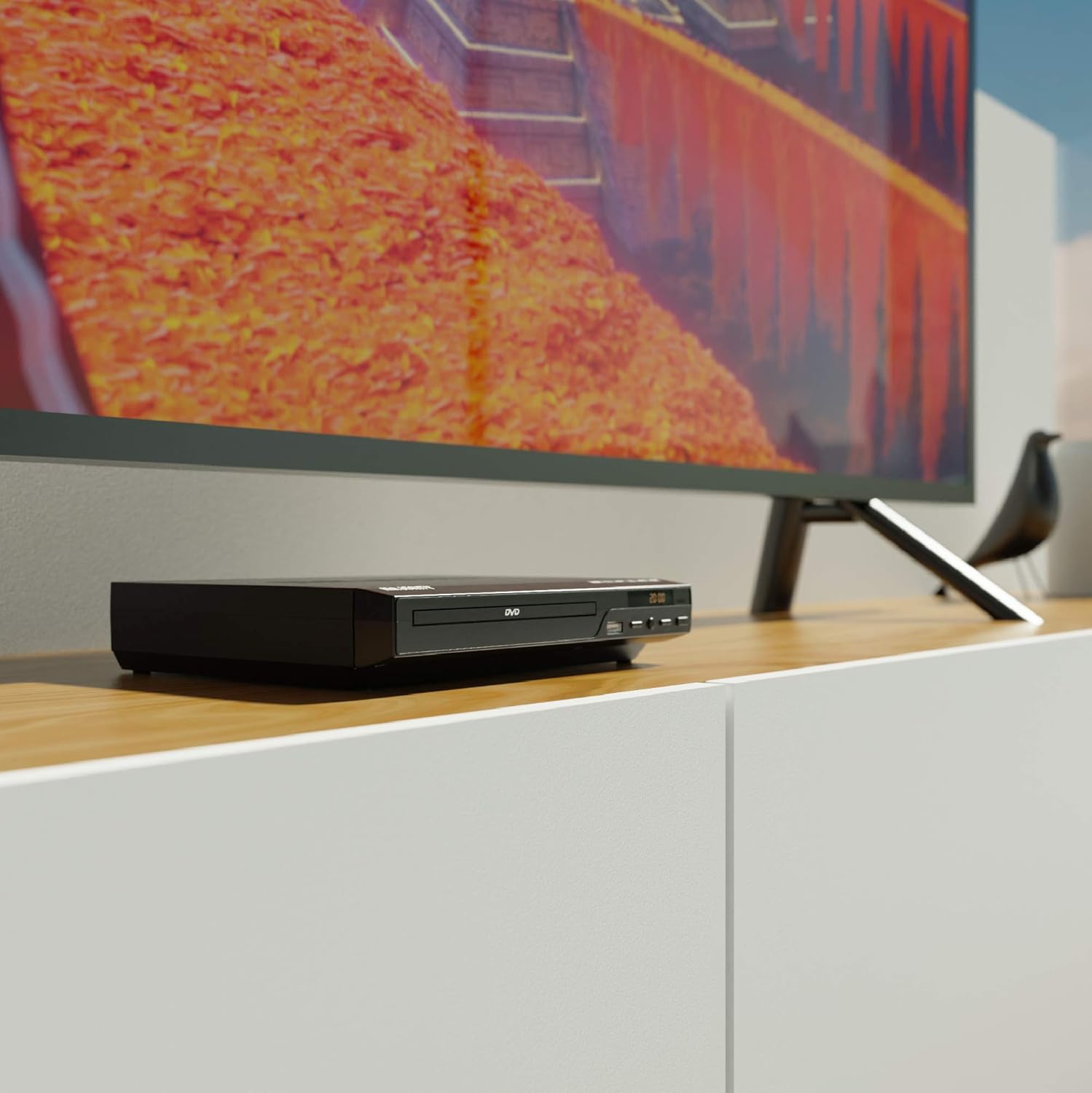
Figure 5.1: DVD player connected and ready for use.
6. Arahan Operasi
6.1 Main Semula Cakera Asas
- Power on the DVD player and your TV. Select the correct input source on your TV.
- Tekan ke BUKA/TUTUP butang pada panel hadapan atau alat kawalan jauh untuk membuka dulang cakera.
- Letakkan cakera DVD atau CD perlahan-lahan ke dalam dulang dengan bahagian label menghadap ke atas.
- Tekan ke BUKA/TUTUP button again to close the tray. The player will begin loading the disc.
- Playback should start automatically. If a menu appears, use the remote control's arrow keys and OK butang untuk menavigasi.
- Gunakan MAIN/JEDA dan BERHENTI buttons on the remote or front panel to control playback.
6.2 Main Semula USB
- Masukkan pemacu kilat USB ke dalam port USB di panel hadapan.
- The player should automatically detect the USB device and display its contents. If not, press the USB butang pada alat kawalan jauh.
- Navigasi melalui anda files using the arrow keys on the remote and press OK to select and play media (e.g., videos, music, photos).
6.3 Multi-Region and PAL/NTSC Support
This DVD player is region-free, meaning it can play DVDs from all regions (1-6). It also features a built-in PAL/NTSC system, automatically converting video signals to match your TV's standard, ensuring compatibility with discs from different territories.
7. Penyelenggaraan
- Membersihkan Unit: Use a soft, dry cloth to clean the exterior of the DVD player. Do not use liquid cleaners or aerosol sprays.
- Pembersihan Cakera: Wipe discs from the center outwards with a soft, lint-free cloth. Avoid touching the playback surface.
- Pengudaraan: Ensure the ventilation slots on the player are not obstructed to prevent overheating.
8. Penyelesaian masalah
| Masalah | Kemungkinan Punca | Penyelesaian |
|---|---|---|
| Tiada kuasa | Kabel kuasa tidak disambungkan atau soket rosak. | Check power cable connection and try a different outlet. |
| Tiada gambar/bunyi | Incorrect TV input selected or connection cables loose. | Select the correct HDMI/AV input on your TV. Ensure cables are securely connected. |
| "No Disc" error | Cakera kotor, tercalar atau dimasukkan dengan tidak betul. | Clean the disc. Ensure the disc is inserted label-side up. Try a different disc. |
| Alat kawalan jauh tidak berfungsi | Bateri mati atau dipasang dengan salah. Halangan antara alat kawalan jauh dan pemain. | Replace batteries. Ensure line of sight to the player's sensor. |
| Disc playback skips or freezes | Disc is dirty or damaged. Player is on an unstable surface. | Clean the disc. Place the player on a stable, level surface. |
9. Spesifikasi
- model: ojksfvx-1329
- Dimensi Produk: 8.86 x 7.48 x 1.77 inci
- Berat Barang: 1.5 paun
- Jenis Media: CD, DVD (Multi-Region, Region Free)
- Sistem yang Disokong: PAL/NTSC
- Resolusi: Up to 1920x1080 (via HDMI upconverting)
- Jenis Penyambung: HDMI, RCA, USB
- Mod Output Audio: Stereo, Bunyi Sekeliling
- warna: Hitam

Figure 9.1: Dimensions of the DVD player.
10. Waranti dan Sokongan
The Majority Scholars Compact DVD Player comes with a 3-year warranty. For technical support, warranty claims, or further assistance, please refer to the contact information provided in your product packaging or visit the official Majority webtapak.


