pengenalan
Thank you for choosing the Celly PBE10000BK Power Bank. This portable external battery is designed to provide convenient and reliable power for your mobile devices. With a 10,000 mAh capacity and dual USB outputs, it allows you to charge multiple devices on the go. Please read this manual carefully before using the product to ensure proper operation and to maximize its lifespan.

Imej: Depan view of the Celly PBE10000BK Power Bank, showcasing its compact design and textured black finish.
Produk Selesaiview
Ciri-ciri Utama:
- Kapasiti 10,000 mAh: Provides multiple charges for smartphones and other small electronic devices.
- Output USB Dwi: Equipped with two 2.1A USB outputs for charging up to two devices simultaneously.
- Input USB mikro: Features a 2A micro USB input for recharging the power bank.
- Reka bentuk padat: Lightweight and ultra-compact for portability.
- Penunjuk LED: Four LED lights display the remaining battery charge level.
- Matikan automatik: Includes an automatic shut-off feature for safety and power saving.
Komponen:
- Power Bank Unit
- Micro USB Charging Cable (for recharging the power bank)
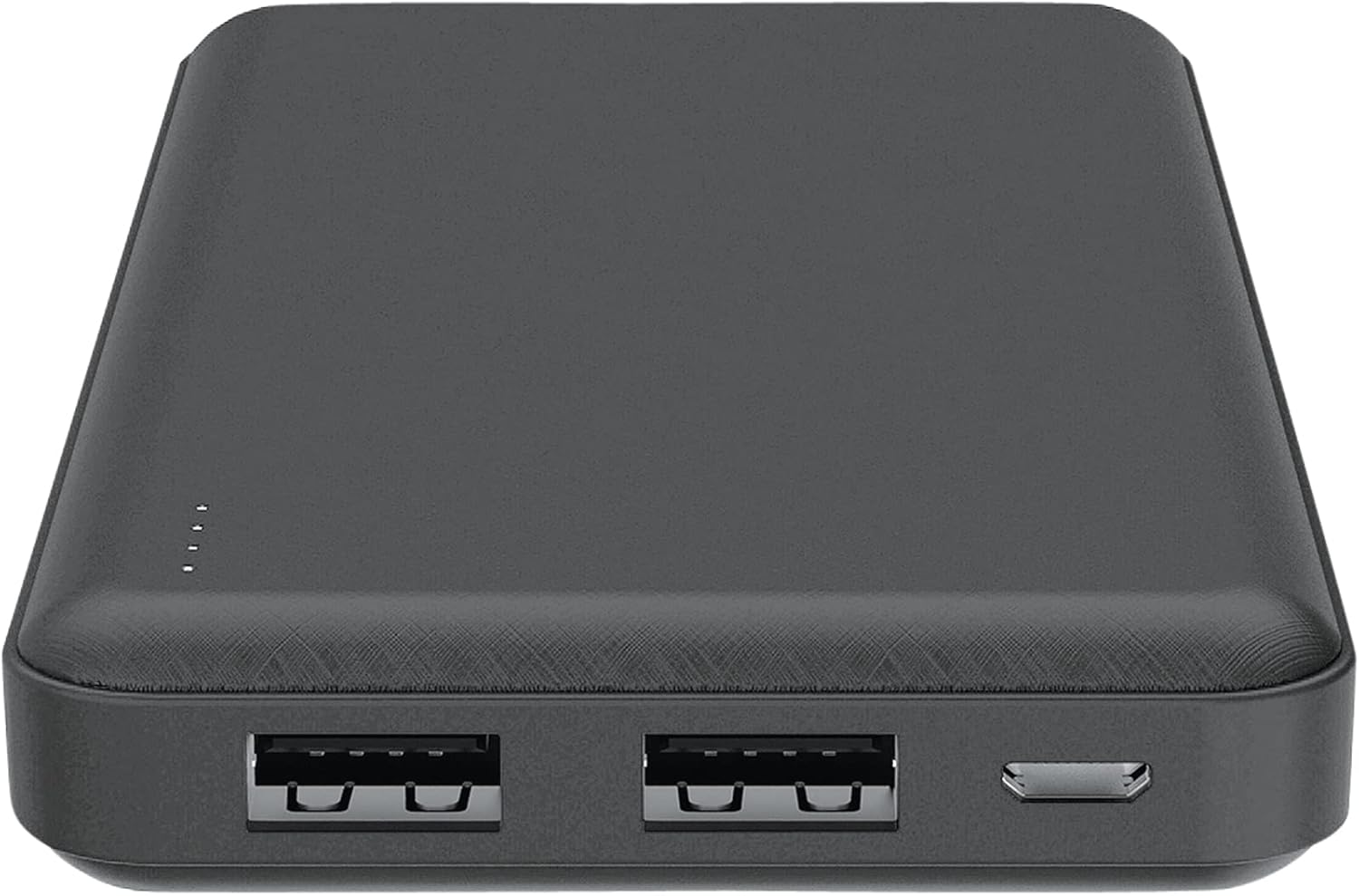
Imej: Atas view of the Celly PBE10000BK Power Bank, showing the two USB-A output ports, the micro USB input port, and the LED indicators.
Persediaan
Mengecas Power Bank:
- Connect the supplied micro USB cable to the micro USB input port on the power bank.
- Connect the other end of the micro USB cable to a USB power source (e.g., a wall adapter, computer USB port).
- The LED indicators will illuminate to show the charging progress. When all four LEDs are solid, the power bank is fully charged.
- Putuskan sambungan kabel setelah pengecasan selesai.
Note: For optimal charging speed, use a 2A USB power adapter.
Beroperasi
Mengecas Peranti Luaran:
- Connect your device's charging cable (not included) to one of the USB output ports on the power bank.
- Sambungkan hujung kabel yang lain ke peranti anda.
- The power bank will automatically begin charging your device. If it does not, press the power button on the side of the power bank.
- The LED indicators will show the remaining charge level of the power bank during use.
- Once your device is fully charged, or when you wish to stop charging, disconnect the cable. The power bank features an automatic shut-off function to conserve power.
You can charge up to two devices simultaneously using both USB output ports.
Penunjuk LED
The Celly PBE10000BK Power Bank is equipped with four LED lights to indicate its battery status:
- 4 LEDs Solid: 75% - 100% charge remaining
- 3 LEDs Solid: 50% - 75% charge remaining
- 2 LEDs Solid: 25% - 50% charge remaining
- 1 LED Solid: 0% - 25% charge remaining (recharge soon)
- LEDs Flashing: Indicates the power bank is currently being charged.
Maklumat Keselamatan
Sila patuhi langkah berjaga-jaga keselamatan berikut untuk mengelakkan kerosakan pada produk atau kecederaan pada diri anda:
- Do not expose the power bank to water, moisture, or extreme temperatures (hot or cold).
- Do not disassemble, modify, or attempt to repair the device. This may void the warranty and pose safety risks.
- Elakkan daripada menjatuhkan atau meletakkan bank kuasa kepada kesan yang kuat.
- Jauhkan daripada kanak-kanak.
- Gunakan hanya kabel pengecasan dan penyesuai yang serasi.
- Do not use the power bank if it is visibly damaged, swollen, or leaking.
- Lupuskan power bank secara bertanggungjawab mengikut peraturan tempatan untuk sisa elektronik.
Penyelenggaraan
To ensure the longevity and optimal performance of your Celly PBE10000BK Power Bank:
- Bersihkan bank kuasa dengan kain lembut dan kering. Jangan gunakan bahan kimia yang keras atau bahan yang melelas.
- Simpan bank kuasa di tempat yang sejuk dan kering jauh dari cahaya matahari langsung dan suhu yang melampau.
- If not used for extended periods, recharge the power bank at least once every three months to maintain battery health.
Menyelesaikan masalah
Isu dan Penyelesaian Biasa:
- Bank kuasa tidak dicas:
- Ensure the micro USB cable is securely connected to both the power bank and the power source.
- Try a different micro USB cable or power adapter.
- Sahkan sumber kuasa aktif.
- Peranti tidak dicas dari power bank:
- Ensure your device's charging cable is securely connected to both the power bank and your device.
- Tekan butang kuasa pada bank kuasa untuk mengaktifkan pengecasan.
- Periksa sama ada power bank mempunyai cas yang mencukupi (rujuk penunjuk LED).
- Try a different USB output port or a different charging cable for your device.
- Pengecasan perlahan:
- Ensure you are using a 2A power adapter to charge the power bank itself.
- For charging devices, ensure your device's cable is not faulty.
- Charging multiple devices simultaneously may result in slower charging for each device.
Spesifikasi
| Ciri | Perincian |
|---|---|
| Nama Model | PBE10000BK |
| Kapasiti Bateri | 10,000 mAh |
| Input | Micro USB, 2A |
| Keluaran | 2 x USB-A, 2.1A total |
| Dimensi (L x W x H) | 6 x 7 x 14 cm |
| Berat badan | 198 gram |
| Jenis Bateri | Litium-ion |
| Voltage | 5 Volt |
| Ciri Khas | Automatic Shut-off, LED Indicators |
Waranti dan Sokongan
This product is covered by a warranty in accordance with local consumer protection laws. Please refer to the purchase documentation for specific warranty terms and conditions.
Ketersediaan alat ganti biasanya 2 tahun dari tarikh pembelian.
For technical support or warranty claims, please contact your retailer or the manufacturer directly. Contact information can usually be found on the product packaging or the manufacturer's official webtapak.


