1. Pengenalan dan Lebihview
The BEARTWO SX-990 Bluetooth Headphones offer a blend of comfort, convenience, and high-quality audio. Designed with an ergonomic neckband and retractable earbuds, they are ideal for various activities including workouts, running, and driving. Key features include call vibration alerts, CVC noise cancellation for clear calls, and extended battery life for continuous enjoyment.
2. Apa yang ada di dalam Kotak
- 1 x BEARTWO Bluetooth Headphones
- 1 x Kabel Pengecas USB Mikro
- 1 x Sarung Pembawa
- 3 x Ear Tips (S, M, L)
- 1 x Panduan Pengguna

Image: All items included in the BEARTWO SX-990 retail package.
3. Persediaan
3.1. Mengecas Fon Kepala
Before first use, fully charge the headphones. Connect the Micro USB charging cable to the charging port on the headset and the other end to a USB power source. A full charge takes approximately 3.5 hours. The LED indicator will show charging status.
3.2. Menghidupkan/Mematikan
To power on, slide the ON/OFF switch to the 'ON' position. You will hear a voice prompt indicating the device is powered on. To power off, slide the switch to the 'OFF' position.
3.3. Berpasangan Bluetooth
With the headphones powered on, they will automatically enter pairing mode. On your smartphone or other Bluetooth-enabled device, go to the Bluetooth settings and select 'SX-990' from the list of available devices. Once connected, you will hear a confirmation voice prompt.
4. Arahan Operasi
4.1. Kawalan Ke Atasview
The headphones feature intuitive controls located on the neckband:
- Kelantangan + / Lagu Seterusnya: Single press for next song, long press to increase volume.
- Jilid - / Lagu Sebelumnya: Single press for previous song, long press to decrease volume.
- Butang Jawab/Tamatkan Panggilan: Tekan untuk menjawab atau menamatkan panggilan.
- Retractable Cable Buttons (L/R): Press to retract the earbuds.

Imej: Terperinci view of the control buttons on the BEARTWO SX-990 neckband.
4.2. Membuat dan Menerima Panggilan
When an incoming call is received, the headset will vibrate and provide a voice prompt. Press the Answer/End Call button to answer. To end a call, press the same button. The built-in microphone with CVC noise cancellation ensures clear communication.

Image: User demonstrating hands-free calling feature with the neckband headset.
4.3. Main balik Muzik
Once paired, you can stream audio from your device. Use the Volume +/- buttons to adjust playback volume and navigate tracks. The headphones provide up to 16 hours of continuous music playback on a single charge.
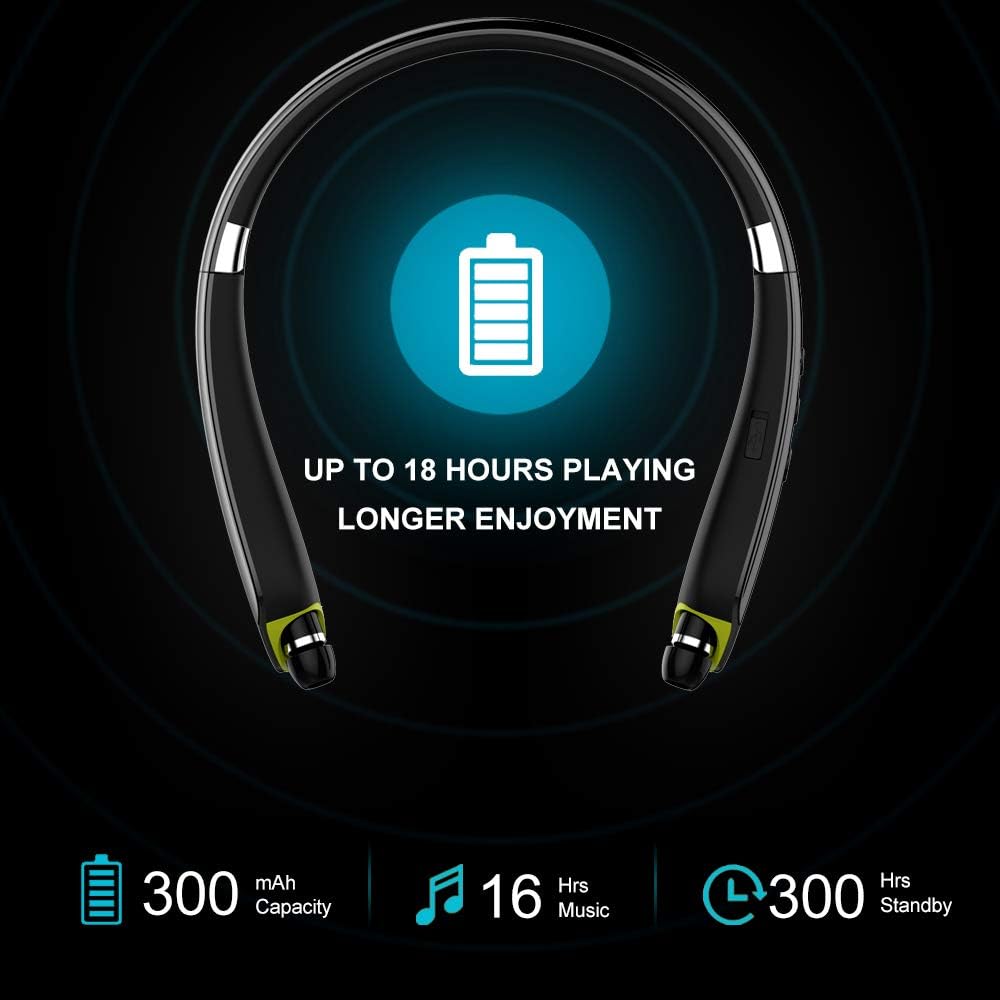
Image: Visual representation of the extended battery life, indicating up to 18 hours of playing time.
4.4. Retractable Earbuds
The earbuds feature a unique retractable design for convenient cable management. Pull the earbuds out to the desired length. When not in use, press the dedicated retractable cable buttons (L or R) to automatically retract the earbuds back into the neckband, preventing tangles.

Image: The BEARTWO SX-990 headphones showcasing the retractable earbud mechanism.
4.5. Reka Bentuk Boleh Dilipat
The neckband is foldable, allowing for compact storage and easy portability in the included carrying case. This design makes the headphones convenient for travel and daily use.

Image: The foldable design of the BEARTWO SX-990 neckband headphones, reducing their size for portability.
5. Penyelenggaraan
To ensure the longevity and optimal performance of your BEARTWO SX-990 headphones, follow these maintenance guidelines:
- Pembersihan: Use a dry, soft cloth to clean the headset. Do not use harsh chemicals or abrasive materials.
- Petua Telinga: Regularly remove and clean the ear tips to prevent wax buildup. Replace them if they become worn or damaged.
- Storan: Store the headphones in the provided carrying case when not in use to protect them from damage and dust.
- Penjagaan Bateri: Avoid exposing the headphones to extreme temperatures. Do not leave them fully discharged for extended periods. Charge regularly to maintain battery health.
6. Penyelesaian masalah
If you encounter issues with your BEARTWO SX-990 headphones, refer to the following common troubleshooting steps:
| Masalah | Penyelesaian |
|---|---|
| Tidak boleh hidupkan | Pastikan bateri dicas. Sambungkan ke sumber kuasa dan cuba lagi. |
| Tidak boleh berpasangan dengan peranti | Ensure Bluetooth is enabled on your device and the headphones are in pairing mode. Move devices closer. Forget/remove 'SX-990' from your device's Bluetooth list and re-pair. |
| Tiada bunyi/Kelantangan rendah | Check volume levels on both the headphones and your connected device. Ensure headphones are properly paired. |
| Earbuds not retracting | Ensure no obstructions are blocking the retraction mechanism. Press the retraction button firmly. |
| Kualiti panggilan yang lemah | Ensure the microphone is not obstructed. Move to an area with less background noise. Check device's signal strength. |
7. Spesifikasi
| Ciri | Perincian |
|---|---|
| Nama Model | SX-990 |
| Teknologi Ketersambungan | Wireless, Bluetooth 4.1, Bluetooth 5.0 |
| Teknologi Komunikasi Tanpa Wayar | Bluetooth |
| Masa Mengecas | 3.5 Jam |
| Hayat Bateri (Muzik) | 16 Jam |
| Hayat Bateri (Masa Berbual) | 18 Jam |
| Julat Bluetooth | 10 Meter |
| Kawalan Bunyi | Pembatalan Bunyi Aktif |
| Tahap Ketahanan Air | Kalis air |
| Berat Barang | 74 Gram (2.61 auns) |
| Dimensi Produk | 6.7 x 6.1 x 1.2 inci |
| UPC | 610877799206 |
8. Waranti dan Sokongan
BEARTWO offers a 12-month product warranty to ensure a worry-free purchase. Additionally, LIFETIME friendly 7x24 hours customer service is available for any assistance you may need. For support, please refer to the contact information provided with your product or visit the official BEARTWO webtapak.


