pengenalan
Welcome to your new TERIOS Mobile Game Controller. This manual provides detailed instructions for setup, operation, and maintenance to ensure optimal performance and an enhanced gaming experience across various platforms including Android smartphones, Windows PCs, and PlayStation 3 consoles. Please read this manual thoroughly before using the device.
Ciri-ciri Utama
- Innovative Gaming: Designed to enrich your mobile gaming experience with precision and responsiveness.
- Keserasian Luas: Connects via Bluetooth 4.0 to Android smartphones, and is compatible with Windows PC and PlayStation 3. Supports popular games like PUBG, Call of Duty, and Mobile Legends.
- Gaming Joysticks: Features dual analog sticks for comprehensive and precise control.
- Reka bentuk ergonomik: Comfortable grip with an integrated smartphone holder for extended gaming sessions.
- Fungsi Turbo: Allows for rapid, continuous input with a single button press.
- Responsive Active Buttons: Includes 2 quick access buttons on the back and numerous action buttons for enhanced accuracy.
- Hayat Bateri yang Panjang: Up to 12 hours of continuous play on a single charge.
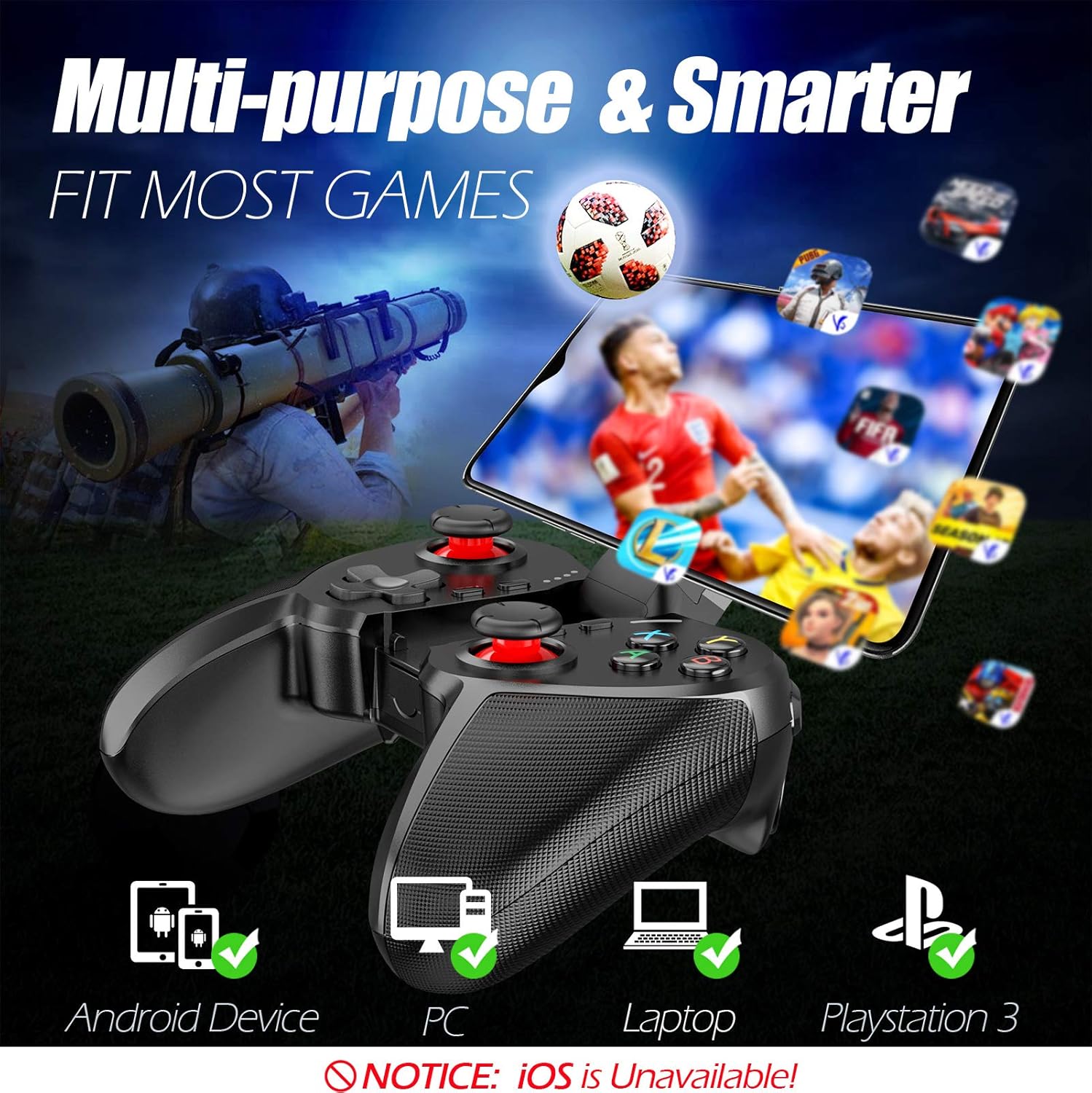
Figure 1: The TERIOS controller is compatible with Android devices, PCs, Laptops, and PlayStation 3.

Figure 2: Detail of the controller's built-in smartphone bracket, accurate buttons, and comfortable soft rubber grips.
Persediaan dan Sambungan
1. Mengecas Pengawal
Before first use, fully charge the controller. Connect the provided Micro USB cable to the controller's charging port and the other end to a USB power source (e.g., computer USB port, USB wall adapter). The indicator lights will show charging status and turn off when fully charged.

Figure 3: The controller features a 400mAh battery, providing 12-14 hours of playtime with a 2-3 hour charging time.
2. Menghidupkan/Mematikan
- Untuk Menghidupkan: Tekan dan tahan butang RUMAH button for 2 seconds. The indicator lights will flash.
- Untuk Mematikan: Tekan dan tahan butang RUMAH button for 5 seconds until the indicator lights turn off. The controller will automatically power off after 5 minutes of inactivity.
3. Bluetooth Pairing (Android Smartphones / PS3)
- Pastikan pengawal dimatikan.
- On your Android smartphone or PS3, enable Bluetooth.
- Tekan dan tahan butang RUMAH button on the controller until the indicator lights flash rapidly, indicating pairing mode.
- On your device, search for new Bluetooth devices. Select "TERIOS Gamepad" or similar from the list.
- Sebaik sahaja disambungkan, lampu penunjuk akan menjadi pekat.
4. Sambungan PC
For PC connection, the controller typically uses a USB dongle (often included). Insert the USB dongle into an available USB port on your PC. The controller should automatically connect. If not, press the RUMAH button to initiate connection.
5. Initial Setup and App (V3 App)
For optimal customization and compatibility with certain mobile games, it is recommended to download the V3 app from the Google Play Store. This app allows you to map virtual keys on your screen to the physical buttons of the controller.
- Download the "V3" app from the Google Play Store.
- Connect the TERIOS gamepad to your smartphone via Bluetooth.
- Open the V3 app and follow the on-screen instructions to customize key mappings for your desired games.

Figure 4: The V3 app allows for easy customization of virtual keys to match controller buttons, creating more combinations.
Arahan Operasi
1. Susun Atur dan Fungsi Butang

Figure 5: The TERIOS Mobile Game Controller with a smartphone securely mounted in its integrated holder.
- Tongkat Analog Kiri: Kawalan pergerakan utama.
- Kayu Analog Kanan: Camera control or secondary movement.
- D-Pad (Pad Arah): Precise directional input.
- Butang ABXY: Butang tindakan standard (A, B, X, Y).
- L1/L2, R1/R2 Buttons: Butang bahu dan picu untuk pelbagai tindakan dalam permainan.
- Butang PILIH: Typically used for menu navigation or specific game functions.
- Butang MULA: Typically used for pausing games or accessing menus.
- Butang rumah: Powers on/off, enters pairing mode, and returns to home screen on some devices.
- Butang TURBO: Activates the turbo function for other buttons.
- Butang CLEAR: Deactivates the turbo function.

Figure 6: The dual analog sticks are designed for precise control and execution in games.
2. Fungsi Turbo
The Turbo function allows a button to be pressed repeatedly as long as you hold it down, which is useful for rapid-fire actions in games.
- Untuk Mengaktifkan: Tekan dan tahan butang TURBO button, then press the desired action button (e.g., A, B, X, Y, L1, R1). Release both buttons. Now, holding down the action button will activate turbo fire.
- Untuk Nyahaktifkan: Tekan dan tahan butang JELAS button, then press the action button for which turbo was activated. Release both buttons.

Figure 7: The dedicated Turbo button enables rapid-fire functionality with one click.
3. Smartphone Holder Usage
The integrated smartphone holder can accommodate most smartphone sizes. Gently extend the holder and place your smartphone securely within the clamps. Ensure the phone is centered for balance.
Penyelenggaraan
- Pembersihan: Use a soft, dry cloth to clean the controller. Do not use abrasive cleaners or solvents.
- Storan: Simpan pengawal di tempat yang sejuk dan kering jauh dari cahaya matahari langsung dan suhu yang melampau.
- Penjagaan Bateri: Untuk memanjangkan hayat bateri, elakkan daripada menyahcas sepenuhnya pengawal dengan kerap. Mengecasnya dengan kerap, walaupun tidak digunakan untuk tempoh yang lama.
Menyelesaikan masalah
| Isu | Kemungkinan Punca | Penyelesaian |
|---|---|---|
| Pengawal tidak bersambung melalui Bluetooth. | Controller not in pairing mode; device Bluetooth off; interference. | Ensure controller is in pairing mode (rapid flashing lights). Check device Bluetooth settings. Move closer to the device. Try restarting both controller and device. |
| Buttons are unresponsive or delayed. | Low battery; software glitch; interference. | Charge the controller fully. Restart the controller. Ensure no other strong wireless signals are nearby. For mobile games, check V3 app settings. |
| Pengawal kerap terputus sambungan. | Bateri lemah; terlalu jauh dari peranti; gangguan. | Charge the controller. Stay within the recommended Bluetooth range. Minimize wireless interference. |
| Fungsi turbo tidak berfungsi. | Incorrect activation sequence; button not supported. | Ensure you press and hold TURBO, then press the desired action button, then release both. Some games or buttons may not fully support turbo. |
Spesifikasi Produk
| Ciri | Perincian |
|---|---|
| Jenama | TERIOS |
| Model | T-12 |
| Teknologi Ketersambungan | Bluetooth 4.0 |
| Peranti Serasi | Android Smartphones, Windows PC, PlayStation 3 |
| Sumber Kuasa | Dikuasakan Bateri (Litium Polimer) |
| Kapasiti Bateri | 400mAh (approx. 1.48 Watt Hours) |
| Masa Main | Sehingga 12-14 jam |
| Masa Mengecas | 2-3 jam |
| Bilangan Butang | 16 (including ABXY, D-pad, analog sticks, L/R triggers/bumpers, Select, Start, Home, Turbo, Clear) |
| Ciri Khas | Turbo Function, Dual Analog Sticks, In-built Smartphone Holder, Responsive Action Buttons |
| Dimensi (Pakej) | 17 x 12.4 x 7.7 cm |
| Berat (Pakej) | 310 g |
Maklumat Waranti dan Sokongan
The TERIOS Mobile Game Controller is designed for durability and performance. For any product-related inquiries, technical support, or warranty claims, please refer to the contact information provided with your purchase or visit the official TERIOS support webtapak. Sila simpan bukti pembelian anda untuk tujuan waranti.


