pengenalan
Thank you for choosing the Rokform Slim Crystal Series Magnetic Case for your iPhone 11 Pro. This case is engineered to provide robust protection, magnetic mounting capabilities, and a secure RokLock twist mount system, enhancing the functionality and safety of your device.
Please read this manual thoroughly to understand the features and proper usage of your new case.
Kandungan Pakej
- Rokform Slim Crystal Series Case for iPhone 11 Pro
- Magnet Bersepadu
- Optional Magnetic Plug
Ciri-ciri Utama
- Integrasi Magnetik: Features a powerful industrial-grade magnet built into the case, along with an optional magnetic plug. This allows attachment to any magnetic surface without affecting credit cards, Wi-Fi, GPS, or Bluetooth functionality.
- RokLock Twist Mount System: The integrated RokLock enables secure mounting of your iPhone 11 Pro to various optional Rokform mounts for motorcycles, UTVs/ATVs, bicycles, or strollers. Mounts are sold separately.
- Perlindungan Lanjutan: Constructed from high-impact polycarbonate armor with reinforced corners. This design provides dual-layer protection that surpasses Military Grade Drop Test Standards (MIL-STD 801G-516.6), absorbing shocks and drops.
- Precision Design: Engineered in California for a perfect fit, this lightweight yet durable case includes a raised bezel for six-sided, 360-degree protection of your smartphone.
- Easy-Press Buttons: Unique design cutouts ensure feather-light operation of phone buttons.
- Lampiran Lanyard: Includes a point for attaching a Rokform detachable lanyard (not included) to help prevent accidental drops.
Persediaan
Memasang Kes
- Pastikan iPhone 11 Pro anda bersih dan bebas daripada habuk atau serpihan.
- Align the iPhone 11 Pro with the case, starting with the top edge.
- Gently press the phone into the case, ensuring all corners and edges are securely seated. Verify that all buttons and ports align correctly with the case cutouts.
Optional Magnetic Plug Installation
The case includes an optional magnetic plug for enhanced magnetic holding power. This plug can be inserted into the central RokLock port on the back of the case.
- Locate the circular RokLock port on the back of the case.
- Insert the optional magnetic plug into this port, ensuring it sits flush with the case surface.
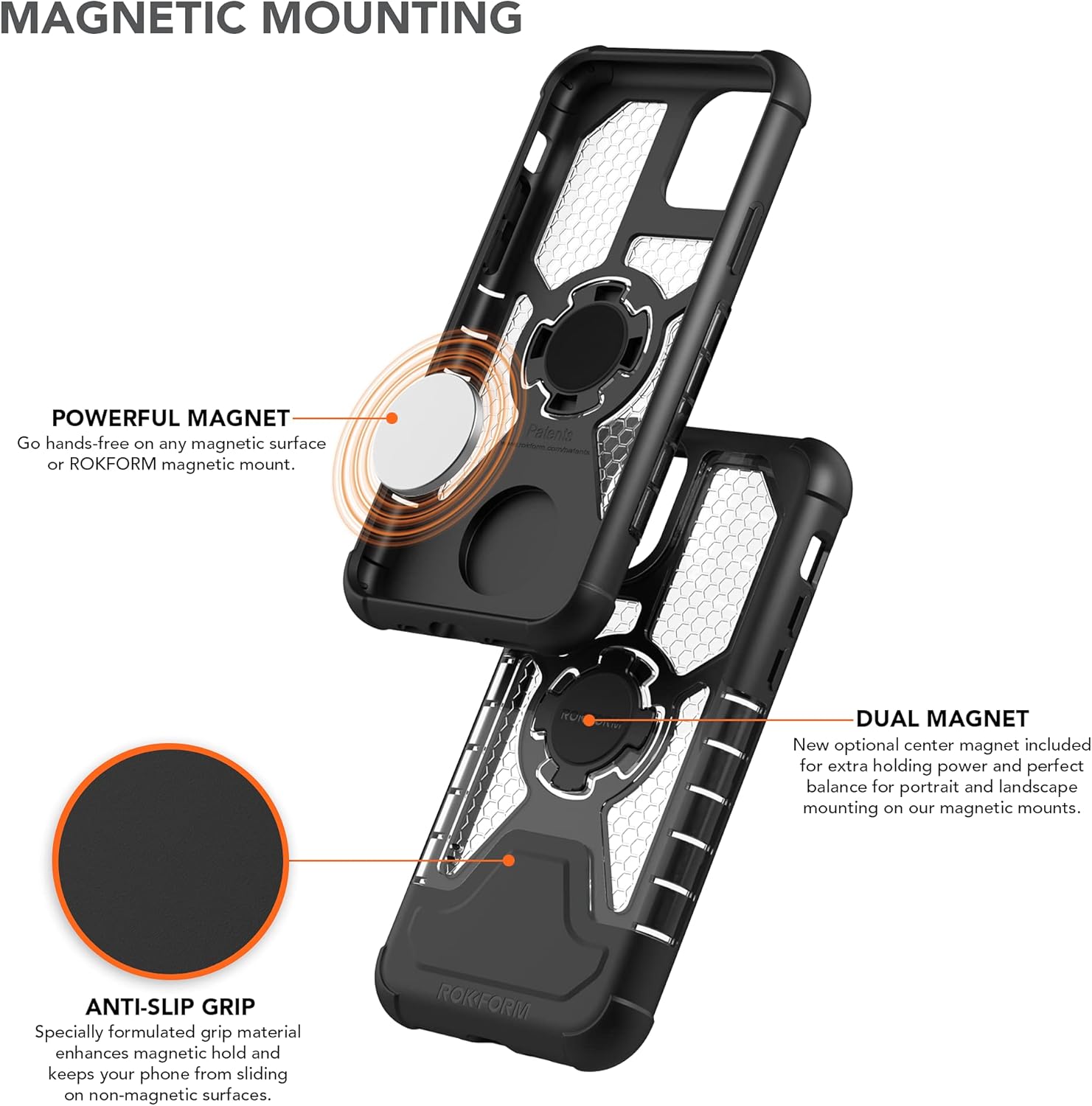
Image: Illustration of the magnetic mounting system, showing the powerful magnet and optional dual magnet for enhanced grip.
Arahan Operasi
Using the Magnetic Mounting Feature
The integrated magnet allows you to securely attach your iPhone 11 Pro to any magnetic surface. This is ideal for hands-free viewdalam pelbagai persekitaran.
- Simply place the back of the case onto a magnetic surface. The strong magnet will hold your device in place.
- The magnet is designed not to interfere with your phone's functions, including credit cards, Wi-Fi, GPS, or Bluetooth.
Using the RokLock Twist Mount System
The RokLock system provides a secure mechanical connection to compatible Rokform mounts (sold separately).
- Align the RokLock port on the back of your case with the corresponding RokLock mechanism on your chosen mount.
- Insert the case into the mount and twist clockwise until you feel a secure click. This indicates the phone is locked into place.
- To remove, twist counter-clockwise and pull the phone away from the mount.
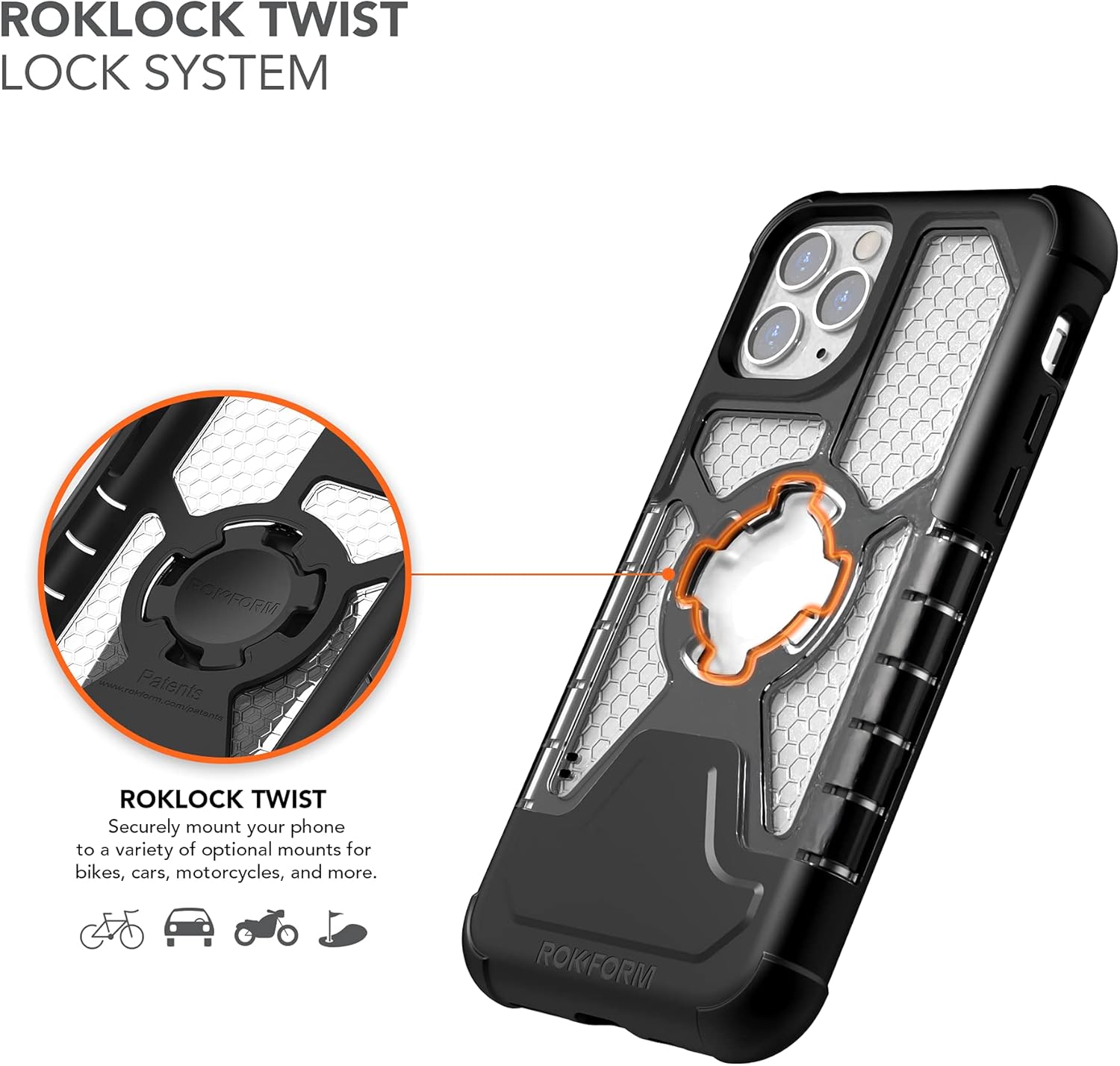
Image: Diagram illustrating the RokLock Twist Lock System for secure mounting.
Penjagaan dan Penyelenggaraan
- To clean your Rokform case, wipe it with a soft, damp cloth. Avoid using harsh chemicals or abrasive cleaners, as these may damage the case material.
- Regularly inspect the case for any signs of wear or damage, especially around the corners and ports, to ensure continued protection.
Menyelesaikan masalah
Issue: iPhone Lock Button Not Responding or Glitching
Some users may experience issues with the iPhone's side button (lock/power button) not functioning correctly or the screen automatically turning off when the case is installed. This can occur because the iPhone's sensors may interpret the case's magnet as a folio cover, triggering certain behaviors.
Solution 1: Adjust iPhone Settings
- Navigate to your iPhone's tetapan.
- Pergi ke Paparan & Kecerahan.
- Check for settings related to 'Lock / Unlock' or 'Cover Lock'. Ensure that any automatic screen lock/unlock features related to covers are disabled if they are causing interference.
Solution 2: Remove the Optional Magnetic Plug
If you have installed the optional magnetic plug in the RokLock port, removing it may resolve the issue. The case still retains magnetic capabilities with its integrated magnet.
- Carefully pry out the optional magnetic plug from the RokLock port on the back of the case.
- Test the lock button functionality.
If issues persist, please contact Rokform customer support for further assistance.
Spesifikasi
| Dimensi Produk | 5.88 x 3 x 0.52 inci |
| Berat Barang | 1.8 auns |
| Nombor Model Item | 306020P |
| Model Telefon yang Serasi | iPhone 11 Pro |
| bahan | Polikarbonat, Poliuretana Termoplastik |
| warna | Jelas |
| Ciri Khas | Magnetic, Protective, Rugged, Twist Lock |
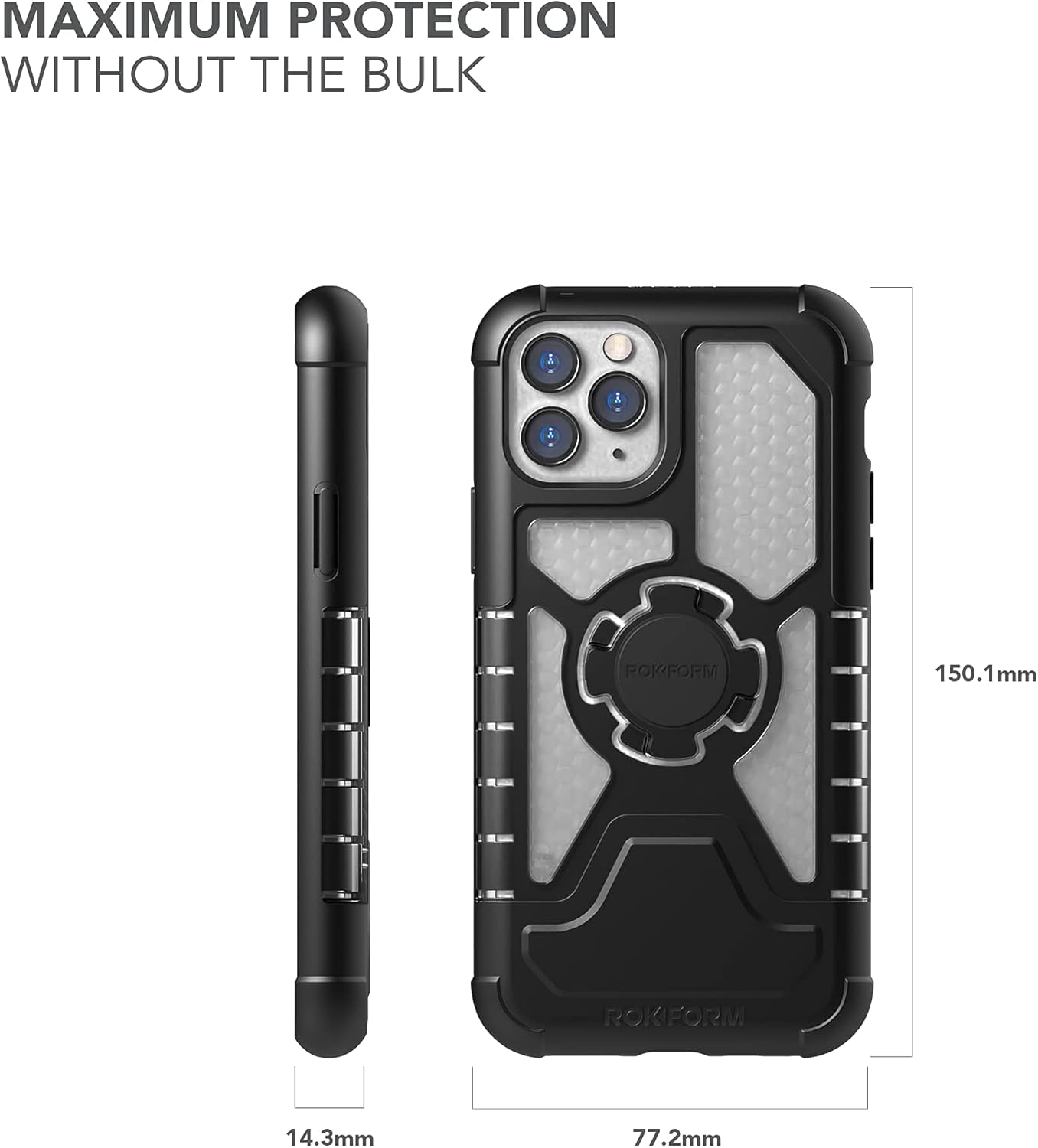
Image: Case dimensions for iPhone 11 Pro.
Maklumat Waranti
Rokform offers a 2-year warranty on its entire product catalog. This warranty covers manufacturing defects and ensures product quality.
For any issues with your purchase or to claim warranty service, please contact Rokform customer support directly. Provide your purchase details and a description of the issue for prompt assistance.
Maklumat Keselamatan
AMARAN: Produk ini boleh mendedahkan anda kepada bahan kimia termasuk Bisphenol A (BPA), yang diketahui oleh Negeri California boleh menyebabkan kecacatan kelahiran atau kemudaratan reproduktif lain. Untuk maklumat lanjut, pergi ke www.P65Warnings.ca.gov.

