pengenalan
This manual provides essential information for the setup, operation, and maintenance of your OREI Sony UBP-X800M2 Region Free 4K UHD Blu-ray Player. This player is designed for worldwide use, supporting all Blu-ray disc zones (A/B/C) and DVD regions (0-8), with a built-in NTSC↔PAL 4K HD converter. Enjoy stunning 4K UHD visuals, high-resolution audio including Dolby Atmos and DTS:X, and seamless access to streaming services via Wi-Fi or Ethernet.

Rajah 1: Depan view of the OREI Sony UBP-X800M2 4K UHD Blu-ray Player.
Persediaan
1. Membongkar dan Meletakkan
- Keluarkan semua komponen dari pembungkusan dengan berhati-hati.
- Place the player on a stable, level surface with adequate ventilation.
- Ensure no objects block the ventilation openings.
2. Menyambung ke TV Anda
Connect the player to your TV using an HDMI cable for optimal 4K UHD video and audio.
- Sambungkan satu hujung kabel HDMI ke HDMI KELUAR port on the rear of the Blu-ray player.
- Sambungkan hujung kabel HDMI yang lain ke input HDMI pada TV anda.
- If using an audio receiver, connect the player's HDMI OUT to the receiver's HDMI IN, then the receiver's HDMI OUT to the TV's HDMI IN.

Figure 2: Rear panel connections, showing HDMI, LAN, and audio outputs.
3. Sambungan Kuasa
- Connect the AC power cord to the player's power input and then to a suitable electrical outlet.
4. Sambungan Rangkaian (Pilihan)
For streaming services and firmware updates, connect the player to your home network.
- Sambungan Berwayar: Connect an Ethernet cable from the player's LAN (100) port to your router or modem.
- Sambungan Wayarles: Navigate to the network settings in the player's menu to connect to your Wi-Fi network.
5. Region Changing Instructions
This player supports all DVD regions (0-8) automatically. Blu-ray regions (A, B, C) are changed manually using the remote control.
- Turn the player ON dan OPEN THE DISC TRAY.
- Once the tray is completely open, press the corresponding colored button on the remote to select the desired Blu-ray region:
- Zon A: Tekan ke BUTANG KUNING pada alat kawalan jauh.
- Zon B: Tekan ke BUTTON BIRU pada alat kawalan jauh.
- Zon C: Tekan ke Tombol MERAH pada alat kawalan jauh.
- You can now put your disc in the tray and then close the tray.

Figure 3: Remote control with colored buttons for region selection.
Arahan Operasi
1. Main Semula Cakera
The player supports a wide range of disc formats, including 4K UHD Blu-ray, standard Blu-ray, Blu-ray 3D, DVD, CD, and Super Audio CD (SACD).
- Tekan ke BUKA/TUTUP button on the player or remote to open the disc tray.
- Place the disc gently onto the tray with the label side facing up.
- Tekan ke BUKA/TUTUP butang sekali lagi untuk menutup dulang.
- Pemain akan memulakan main balik secara automatik atau memaparkan menu cakera.

Rajah 4: Depan view of the player with the disc tray open, ready for disc insertion.
2. Perkhidmatan Penstriman
Access popular streaming services like Netflix and YouTube directly from the player's home menu.
- Ensure the player is connected to the internet (Wi-Fi or Ethernet).
- From the home screen, select the desired streaming application.
- Log in with your account credentials to begin streaming.
3. Main Balik Media USB
Mainkan media files (audio, video, photos) from a USB storage device.
- Insert your USB device into the front USB port.
- Select the USB option from the player's home menu to browse and play your media.
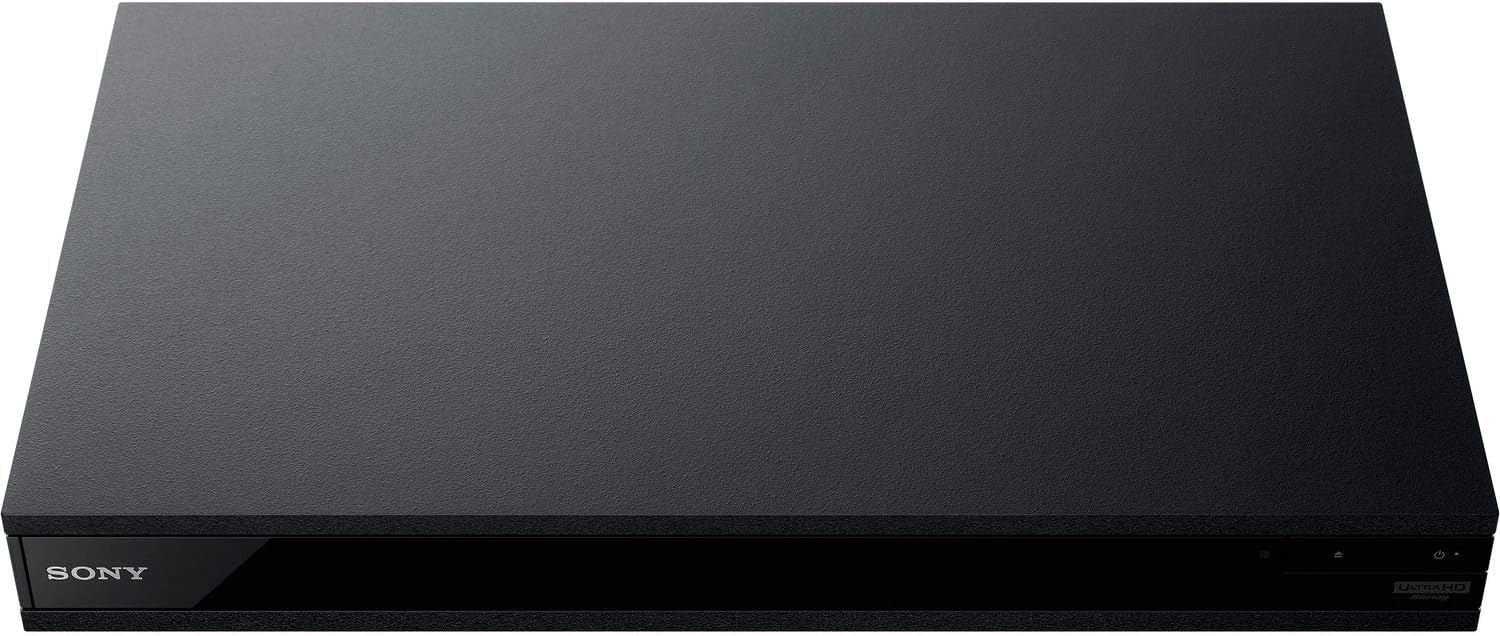
Rajah 5: Depan view of the player with a USB drive inserted into the front port.
Penyelenggaraan
1. Membersihkan Pemain
- Lap bahagian luar pemain dengan kain lembut dan kering.
- Jangan gunakan pembersih yang melelas, lilin atau pelarut.
- Ensure ventilation openings remain clear of dust and debris.
2. Penjagaan Cakera
- Pegang cakera di tepinya untuk mengelakkan cap jari dan calar.
- Bersihkan cakera dengan kain lembut dan tidak berbulu, lap dari tengah ke luar.
- Simpan cakera di dalam bekasnya, jauh daripada cahaya matahari langsung dan suhu yang melampau.
3. Kemas Kini Perisian Tegar
Firmware updates can be done via the internet to ensure optimal performance and access to the latest features.
- Go to the home menu, then setup menu, and then to Software Update.
- Click on "Update Via Internet". If a new firmware is available, the player will automatically update.
- JANGAN turn off the player while it is updating.
- JANGAN perform firmware updates by USB unless instructed by OREI support.
Menyelesaikan masalah
Isu Biasa
- Tiada Gambar/Bunyi:
- Check all HDMI and audio cable connections.
- Ensure the TV input is set to the correct HDMI port.
- Verify the player is powered on.
- Disc Does Not Play:
- Pastikan cakera bersih dan bebas daripada calar.
- Sahkan cakera dimasukkan dengan betul (label sebelah atas).
- For Blu-ray discs, confirm the player's region setting matches the disc's region (refer to "Region Changing Instructions" in the Setup section).
- Open the tray again and leave the disc in the tray. Once fully open, press the color button to select the region. Then close the tray.
- Region Code Error Message:
If you put in a disc before changing regions, you may get an error message indicating the wrong region. The player remembers this message. To remove that error, you need to reset the player.
- Tekan ke RUMAH button on the remote with no disc inside to go to the home screen.
- Use arrow buttons on the remote to go to the upper right corner where it says Persediaan dan tekan MASUK.
- Tatal ke bawah ke Menetapkan semula on the bottom of the menu.
- Pilih Tetapkan semula kepada tetapan lalai Kilang.
- Tatal ke bawah dan pilih SEMUA TETAPAN dan tekan MASUK -> Tekan Mulakan Masukkan -> Close MASUK.
- Turn the player off and then on again after 30 seconds.
- Select Language English and then select quick start mode OFF. You may need to activate network settings again.
- If you prefer not to connect the player to the internet, you may press the RUMAH button and go to the home screen. Now start from step 1 under "Region Changing Instructions" to change regions.
Spesifikasi
| Jenama | OREI |
| Nama Model | Sony X800M2 (UBP-X800M2) |
| Dimensi Produk | 19 x 14.1 x 3.8 inci |
| Berat Barang | 8.82 paun (4000 Gram) |
| Jenis Media | Blu-Ray Disc, DVD, 4K UHD Blu-ray, Blu-ray 3D, CD, Super Audio CD |
| Resolusi | 3840x2160 (4K UHD) |
| Teknologi Ketersambungan | Ethernet, HDMI, USB, Wi-Fi |
| Jenis Penyambung | HDMI |
| Mod Keluaran Audio | Surround (Dolby Atmos, DTS:X, High-Resolution Audio) |
| warna | Hitam |
| Bateri | 2 bateri AAA diperlukan (untuk alat kawalan jauh) |
| Ciri Khas | Region Free (Blu-ray Zones A/B/C, DVD Regions 0-8), Built-in NTSC↔PAL 4K HD Converter |
Waranti dan Sokongan
Maklumat Waranti
For specific warranty details, please refer to the warranty card included with your product or visit the official OREI webtapak. Simpan resit pembelian anda sebagai bukti pembelian.
Sokongan Pelanggan
If you encounter any issues or have questions regarding your OREI Sony UBP-X800M2 Blu-ray Player, please contact OREI customer support.
- Sokongan dalam talian: Lawati Kedai OREI di Amazon untuk Soalan Lazim dan sumber sokongan.
- Bantuan Teknikal: Contact OREI directly for technical support. (Specific contact details not provided in source data, please refer to product packaging or official webtapak).


