1. Pengenalan
Thank you for choosing the RSHTECH Dual Bay USB 3.0 HDD Docking Station. This manual provides detailed instructions for the proper setup, operation, and maintenance of your device. Please read this manual thoroughly before use to ensure optimal performance and to prevent any damage.
2. Produk Lebihview
The RSHTECH Dual Bay USB 3.0 HDD Docking Station is designed for convenient data management, offering high-speed data transfer and offline cloning capabilities for 2.5-inch and 3.5-inch SATA HDDs and SSDs. It also features integrated SD and TF card readers.
Ciri-ciri Utama:
- Super Speed UASP: Utilizes an upgraded JMS56X (JMicron) chipset, supporting UASP protocol for data transfer speeds up to 6 Gbps, faster than traditional USB 3.0.
- Sokongan Dua Teluk: Accommodates two 2.5-inch or 3.5-inch SATA I/II/III HDDs/SSDs simultaneously, with support for up to 16TB per drive.
- Offline Cloning: Perform direct disk-to-disk cloning without needing a computer.
- Keserasian Luas: Compatible with Windows, Mac OS, Linux, PS4, PS4 Pro, Xbox 360, and Xbox One. Backward compatible with USB 2.0/1.1.
- Pembaca Kad Bersepadu: Features dedicated slots for SD and TF cards.
Kandungan Pakej:
- RSHTECH Dual Bay USB 3.0 HDD Docking Station
- USB 3.0 Type-A Cable (1m)
- DC Power Adapter (12V/3A)
- Manual Pengguna
Pengenalan Komponen:

Rajah 2.1: Depan view of the RSHTECH Dual Bay USB 3.0 HDD Docking Station.

Figure 2.2: Front panel with TF card slot, SD card slot, two USB 3.0 ports, and LED indicators for power, SD/TF, USB, HDD activity, and cloning progress (25%, 50%, 75%, 100%).

Figure 2.3: Rear panel with OTC/OTB button, USB 3.0 port (for PC connection), DC 12V power input, and ON/OFF switch.
3. Arahan Persediaan
- Sambungan Kuasa: Connect the provided DC 12V/3A power adapter to the DC 12V port on the rear of the docking station. Plug the adapter into a power outlet.
- Sambungan USB: Connect the provided USB 3.0 Type-A cable from the USB 3.0 port on the rear of the docking station to an available USB 3.0 port on your computer.
- Masukkan Pemacu: Ensure the docking station is powered off. Gently insert your 2.5-inch or 3.5-inch SATA HDDs/SSDs into the drive bays (Slot A and Slot B) until they are securely seated.
- Hidupkan kuasa: Flip the ON/OFF switch on the rear of the docking station to the 'ON' position. The power indicator LED will illuminate.
4. Arahan Operasi
4.1. Mod Pemindahan Data
When connected to a computer via USB, the docking station functions as an external drive enclosure and card reader. Insert your SATA drives into the bays and connect the device to your computer. The drives will appear as removable storage, allowing you to transfer files secara langsung.

Figure 4.1: Docking station in use, connected to a laptop. Note the additional USB ports can be used for other devices.
4.2. Fungsi Pengklonan Luar Talian
The offline cloning function allows you to duplicate a hard drive without connecting to a computer. This process copies all data from a source disk (Slot A) to a target disk (Slot B).
Pertimbangan Penting:
- Cloning only supports copying from Slot A (Source Disk) to Slot B (Target Disk).
- The capacity of the target disk (Slot B) must be equal to or greater than the capacity of the source disk (Slot A).
- Ensure both disks are free of bad sectors for a successful clone.
- All data on the target disk (Slot B) will be overwritten during the cloning process. Back up any important data from the target disk before proceeding.

Figure 4.2: Visual representation of the offline cloning process, showing data transfer from Source Disk A to Target Disk B, with LED indicators for progress.
Cloning Method Steps:
- Prepare Disks: Ensure the docking station is powered off. Insert the source disk into Slot A and the target disk into Slot B.
- Hidupkan kuasa: Connect the power adapter and turn on the docking station using the ON/OFF switch. Wait 3-5 seconds for the device to initialize.
- Mulakan Pengklonan: Press and hold the OTC/OTB button on the rear panel for 3 to 5 seconds. The 25%, 50%, 75%, and 100% progress indicators will flash simultaneously.
- Sahkan Pengklonan: Release the OTC/OTB button, then press it again within 3 seconds to confirm and start the cloning process.
- Pantau Kemajuan: The cloning progress will be indicated by the LEDs:
- The 25% indicator will flash. Once 25% is complete, it will remain solid.
- The 50% indicator will then flash. Once 50% is complete, it will remain solid.
- This sequence continues for 75% and 100%.
- Matikan: Once cloning is complete, turn off the docking station and remove the drives.
4.3. Card Reader Functionality
Insert SD or TF cards into their respective slots on the front panel. When connected to a computer, these cards will appear as separate removable drives, allowing for direct file akses dan pemindahan.
5. Keserasian
The RSHTECH Dual Bay USB 3.0 HDD Docking Station offers broad compatibility with various operating systems and drive types.
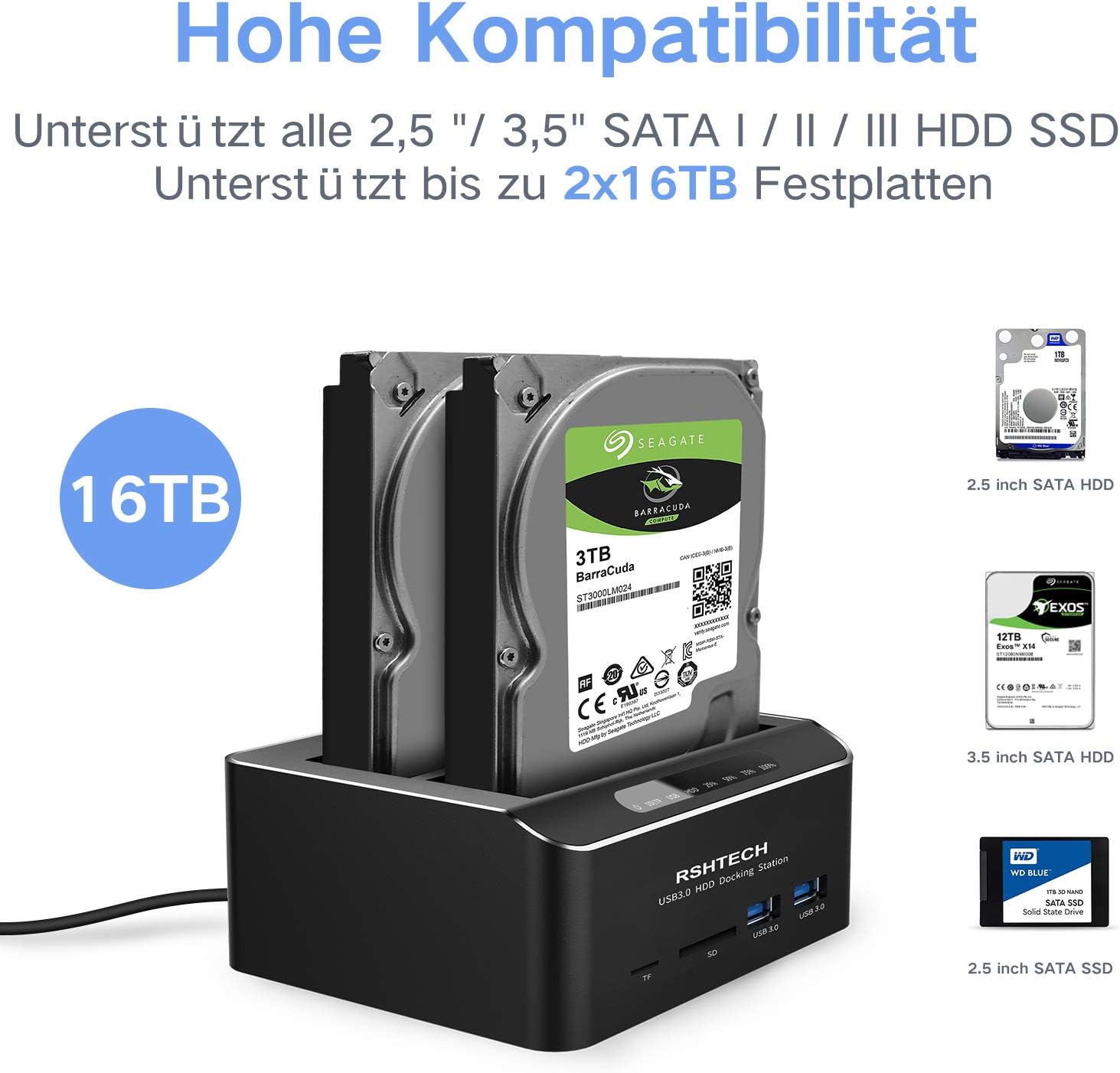
Figure 5.1: The docking station supports all 2.5-inch and 3.5-inch SATA I/II/III HDDs/SSDs, up to 2x16TB capacity.
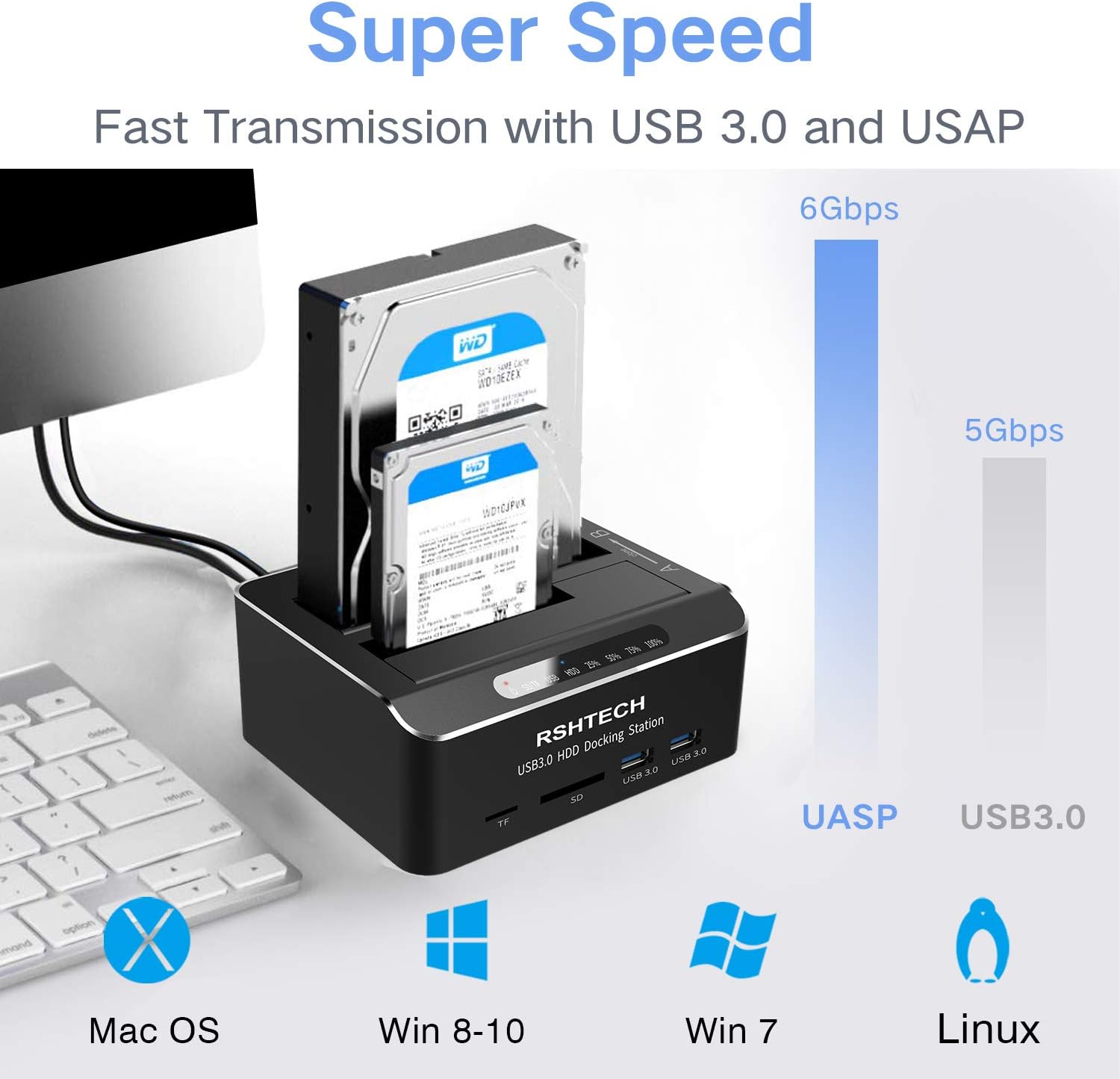
Figure 5.2: Compatible with Mac OS, Windows (8-10, 7), and Linux. Illustrates UASP (6Gbps) vs. USB 3.0 (5Gbps) transfer speeds.
Sistem Operasi yang Disokong:
- Windows 2003 / XP / Vista / 7 / 8 / 10
- Mac OS (9 and above)
- Linux
- Gaming Consoles: PS4, PS4 Pro, Xbox 360, Xbox One
Jenis Drive yang Disokong:
- 2.5-inch and 3.5-inch SATA I/II/III HDDs and SSDs
- Maximum capacity: 16TB per bay (32TB total)
6. Spesifikasi
| Jenama | RSHTECH |
| Nombor Model | DE-RSH-DS02 |
| bahan | aluminium |
| Antara Muka Perkakasan | SSD, USB, USB 2.0, USB 3.0 |
| Sambungan | SATA |
| Jumlah Port USB | 3 (1 for PC connection, 2 for peripherals) |
| Hard Drive Form Factor | 2.5 Inci, 3.5 Inci |
| Kapasiti Penyimpanan Memori | Up to 16 TB per drive (32 TB total) |
| Peranti yang Disokong Maksimum | 2 (hard drives) |
| Kadar Pemindahan Data | 6 Gigabits per second (via UASP) |

Figure 6.1: Product dimensions: 91mm (3.6in) width, 131.5mm (5.2in) depth, 52mm (2in) height.
7. Penyelenggaraan
- Simpan peranti ini di persekitaran yang kering dan bebas habuk.
- Elakkan daripada mendedahkan peranti kepada suhu yang melampau atau cahaya matahari langsung.
- Bersihkan bahagian luar dengan kain lembut dan kering. Jangan gunakan pembersih cecair.
- Pastikan pengudaraan yang betul di sekeliling peranti semasa operasi.
- Always power off the device before inserting or removing hard drives.
8. Penyelesaian masalah
Isu dan Penyelesaian Biasa:
- Peranti tidak dikenali oleh komputer:
- Ensure the USB cable is securely connected to both the docking station and the computer.
- Verify the docking station is powered on.
- Cuba sambungkan ke port USB lain pada komputer anda.
- Uji dengan kabel USB yang berbeza jika ada.
- Pemacu keras tidak dikesan:
- Ensure the hard drive is properly seated in the bay.
- Check if the hard drive is functional by testing it in another device.
- For new drives, they may need to be initialized and formatted in Disk Management (Windows) or Disk Utility (Mac OS) before use.
- Offline cloning fails or target disk not visible after cloning:
- Verify that the target disk's capacity is equal to or greater than the source disk's capacity.
- Ensure there are no bad sectors on either disk.
- Follow the cloning steps precisely, especially the timing for pressing the OTC/OTB button.
- If the target disk is not visible after cloning, connect it to a computer, open Disk Management (Windows) or Disk Utility (Mac OS), and ensure the disk is set to 'Online' status. You may need to assign a drive letter.
- Kelajuan pemindahan data yang perlahan:
- Pastikan anda disambungkan ke port USB 3.0 pada komputer anda.
- Verify that your operating system and drivers support UASP.
- The actual speed may vary depending on the hard drive's performance and system configuration.
9. Waranti dan Sokongan
RSHTECH products are designed for reliability and performance. For warranty information or technical support, please refer to the official RSHTECH website or contact your retailer. Please note that information regarding spare parts availability and software updates is not provided in this manual.