pengenalan
Thank you for choosing MIDOLA Kids Headphones MD-B01. This manual provides essential information for the safe and effective use of your new headphones. Please read it thoroughly before use and retain it for future reference. These headphones are designed with a focus on hearing protection, offering multiple volume limit settings suitable for various age groups and environments.
Kandungan Pakej
Pastikan semua item ada dalam pakej:
- MIDOLA Kids Headphones (MD-B01)
- 3.5 mm Aux Cord
- Kabel Pengecasan Jenis-C
- Manual Pengguna (Dokumen ini)
- Cartoon Free Combination Stickers
Produk Selesaiview
The MIDOLA Kids Headphones feature an over-ear design with soft, breathable ear cushions for comfort. The adjustable headband ensures a secure fit for various head sizes. The headphones are foldable for easy storage and portability.
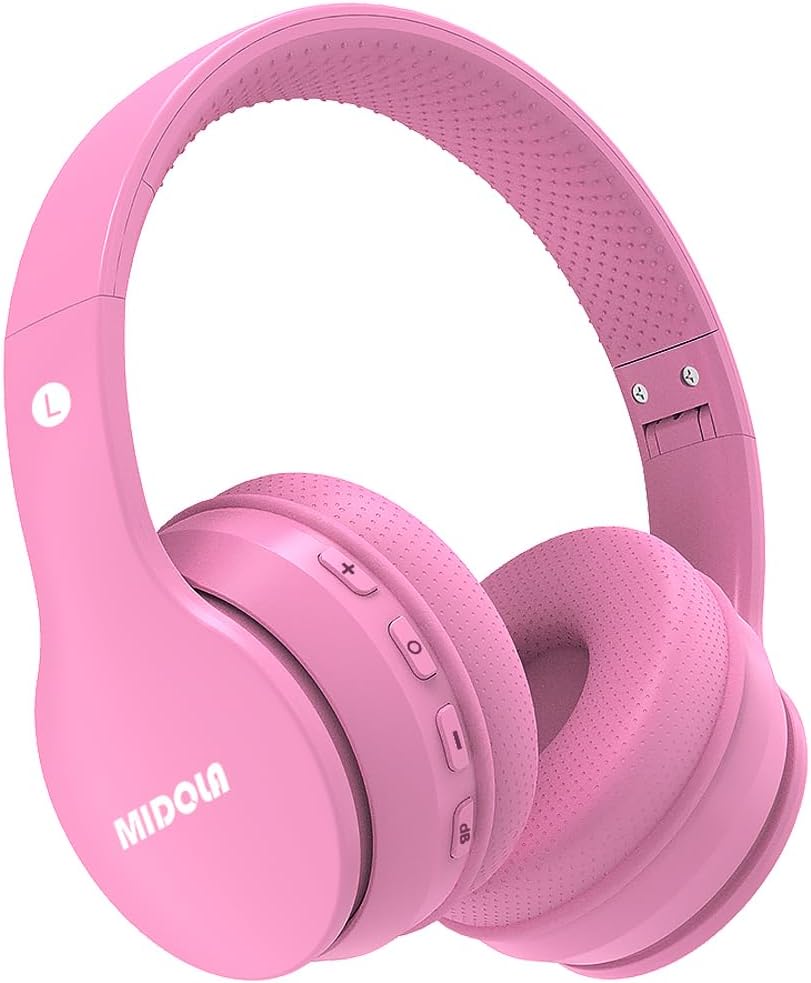
Imej: Depan view of the MIDOLA Kids Headphones MD-B01 in pink, showing the earcups and headband.
Kawalan dan Pelabuhan
- Butang Kuasa: Used to turn the headphones on or off.
- Butang Naik Kelantangan/Trek Seterusnya: Meningkatkan kelantangan atau melangkau ke trek seterusnya.
- Kelantangan Turun/Butang Trek Sebelumnya: Mengurangkan kelantangan atau pergi ke trek sebelumnya.
- Butang berbilang fungsi (MFB): Play/Pause, Answer/End calls.
- DB Button: Switches between the 3-stage volume limit modes.
- Port Pengecasan Jenis-C: Untuk mengecas bateri dalaman.
- Bicu Audio 3.5mm: Untuk sambungan berwayar.
- mikrofon: Terbina dalam untuk panggilan bebas tangan.
Persediaan
1. Mengecas Fon Kepala
Before first use, fully charge the headphones. Use the provided Type-C charging cable to connect the headphones to a USB power source (e.g., computer, wall adapter). A full charge typically takes approximately 2 hours. The LED indicator will show charging status (e.g., red for charging, blue for fully charged).
2. Menghidupkan/Mematikan
- Untuk Menghidupkan: Press and hold the Power Button until the LED indicator lights up and you hear a power-on prompt.
- Untuk Mematikan: Press and hold the Power Button until the LED indicator turns off and you hear a power-off prompt.
3. Penggandingan Bluetooth (Mod Tanpa Wayar)
The headphones utilize Bluetooth 5.4 for a stable wireless connection up to 15 meters.
- Pastikan fon kepala dimatikan.
- Press and hold the Power Button for approximately 5-7 seconds until the LED indicator flashes red and blue alternately, indicating pairing mode.
- Pada peranti anda (telefon pintar, tablet, PC), dayakan Bluetooth dan cari peranti yang tersedia.
- Select "MIDOLA MD-B01" from the list of found devices.
- Once paired, the LED indicator will flash blue slowly, and you will hear a connection confirmation.
4. Sambungan Berwayar (Mod Aux)
For devices without Bluetooth or when the battery is depleted, use the provided 3.5mm Aux cord.
- Connect one end of the 3.5mm Aux cord to the audio jack on the headphones.
- Connect the other end to the 3.5mm audio output on your device.
- The headphones will automatically switch to wired mode. Note that volume restrictions may vary in wired mode depending on the source device.
Arahan Operasi
1. Volume Limit Protection (3-Stage)
The MIDOLA Kids Headphones feature a unique 3-stage volume limit to protect hearing. Press the "DB" butang untuk kitaran melalui mod:
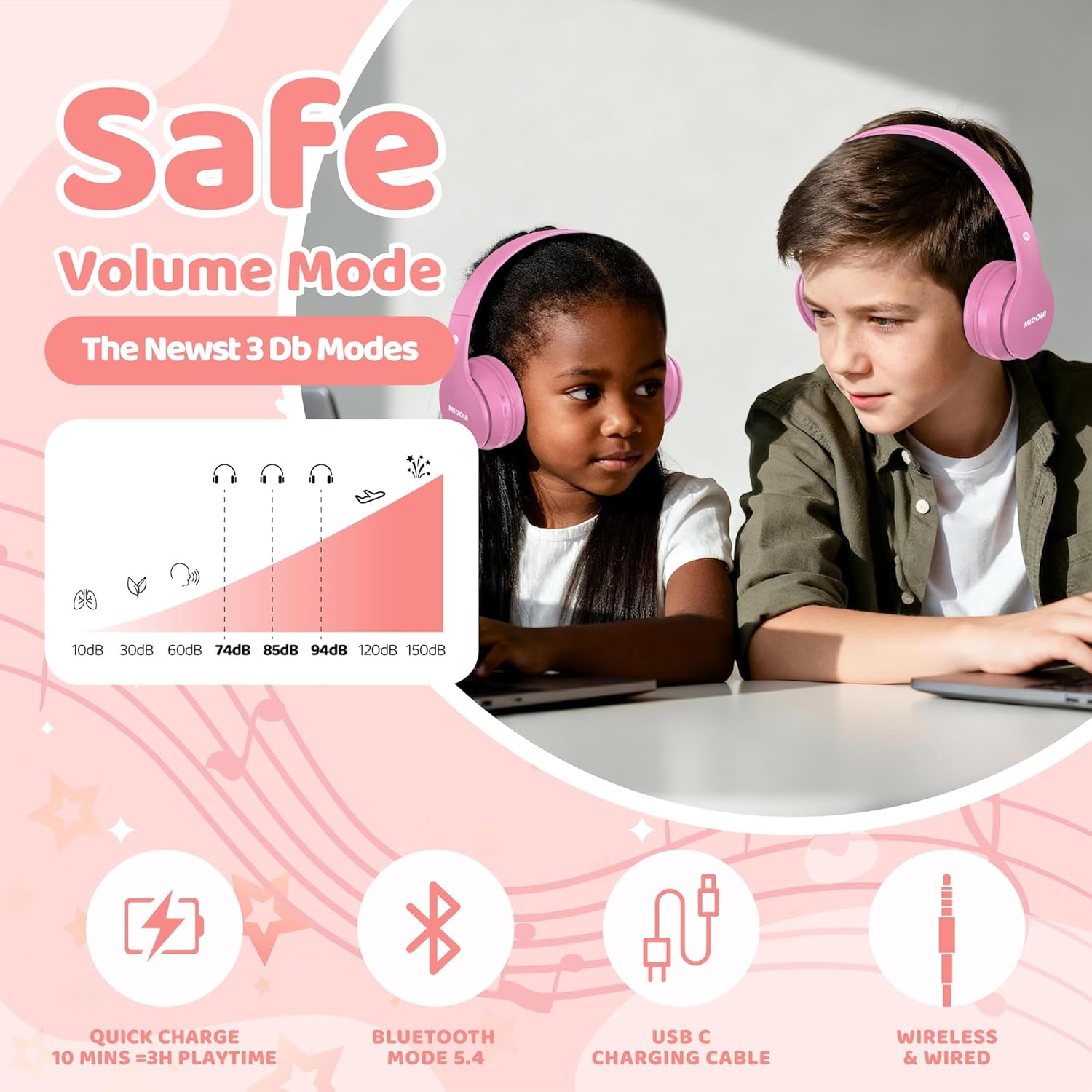
Image: Diagram illustrating the three distinct volume limit modes (74dB, 85dB, 94dB) and their recommended usage scenarios.
- 74dB Mode: Recommended for toddlers (3-6 years old) and quiet environments. This setting aligns with WHO recommendations for infant hearing safety.
- 85dB Mode: Suitable for school-aged children and general listening. This is a common safe listening level.
- 94dB Mode: For louder environments or when higher volume is temporarily needed. Parental supervision is recommended at this setting.
2. Kawalan Main Semula Muzik
- Main/Jeda: Press the Multi-function Button (MFB) once.
- Kelantangan: Tekan butang "+" sekali.
- Perlahankan suara: Tekan butang "-" sekali.
- Lagu Seterusnya: Tekan dan tahan butang "+".
- Trek Sebelumnya: Tekan dan tahan butang "-".
3. Fungsi Panggilan
When connected via Bluetooth, you can manage phone calls:
- Jawab/Tamatkan Panggilan: Tekan MFB sekali.
- Tolak Panggilan: Tekan dan tahan MFB selama 2 saat.
- Dail Semula Nombor Terakhir: Tekan dua kali pada MFB.
4. Lipat untuk Penyimpanan
The headphones are designed to be foldable for compact storage and portability. Gently fold the earcups inwards towards the headband. This helps protect the headphones during travel.
Penyelenggaraan
Pembersihan
Wipe the headphones with a soft, dry cloth. Do not use abrasive cleaners, alcohol, or chemical solvents. Avoid getting moisture into any openings.
Penyimpanan
When not in use, store the headphones in a cool, dry place, away from direct sunlight and extreme temperatures. Utilize the foldable design to minimize space and protect the earcups.
Menyelesaikan masalah
| Masalah | Kemungkinan Punca | Penyelesaian |
|---|---|---|
| Fon kepala tidak dihidupkan. | Bateri lemah. | Charge the headphones fully using the provided Type-C cable. |
| Tidak boleh berpasangan melalui Bluetooth. | Fon kepala tidak dalam mod berpasangan; Bluetooth dilumpuhkan pada peranti; gangguan. | Ensure headphones are in pairing mode (flashing red/blue). Enable Bluetooth on your device. Move closer to the device. Forget previous pairings and try again. |
| Tiada bunyi dalam mod wayarles. | Kelantangan terlalu rendah; tidak disambungkan; output audio salah. | Increase headphone and device volume. Ensure headphones are successfully paired. Check device's audio output settings. |
| Tiada bunyi dalam mod berwayar. | Aux cable not fully inserted; faulty cable; device volume low. | Ensure the 3.5mm Aux cable is securely connected at both ends. Test with another cable if available. Increase device volume. |
| Volume limit not changing. | DB button not pressed correctly. | Press the "DB" button firmly to cycle through the 74dB, 85dB, and 94dB modes. |
Spesifikasi Teknikal
| Ciri | Perincian |
|---|---|
| Nama Model | MD-B01 |
| Teknologi Ketersambungan | Wireless (Bluetooth 5.4), Wired (3.5mm Aux) |
| Versi Bluetooth | 5.4 |
| Julat Bluetooth | Sehingga 15 meter |
| Volume Limit Modes | 74dB, 85dB, 94dB (Switchable) |
| Saiz Pemacu Audio | 40 Milimeter |
| Hayat Bateri (Tanpa Wayar) | Up to 68 hours (advertised playtime) / 15 hours (specification) |
| Masa Mengecas | Lebih kurang 2 jam |
| Port Pengecasan | Jenis-C |
| Mikrofon | terbina dalam |
| Penempatan Telinga | Atas Telinga |
| Reka Bentuk Boleh Dilipat | ya |
| bahan | plastik |
| Berat Barang | 8.96 auns (lebih kurang 254 gram) |
| Dimensi Produk | 6.7 x 4.73 x 3.35 inci |
Maklumat Waranti
MIDOLA products are covered by a standard manufacturer's warranty against defects in materials and workmanship. For specific warranty terms and conditions, please refer to the warranty card included with your product or contact MIDOLA customer support.
Sokongan Pelanggan
If you encounter any issues or have questions regarding your MIDOLA Kids Headphones, please contact our customer support team. Our US customer service typically responds within 24 hours.
For support, please visit the official MIDOLA webtapak atau rujuk maklumat hubungan yang diberikan pada pembungkusan produk anda.


