pengenalan
Welcome to the user manual for your Picun Elite P80S Wireless Headset. This guide provides detailed instructions for setup, operation, maintenance, and troubleshooting to ensure you get the most out of your device. Please read this manual thoroughly before using the headset.
Kandungan Pakej
- Picun Elite P80S Headset
- Detachable AUX Microphone
- Kabel Pengecas USB
- AUX Cable for Wired Transmission

Image: Picun Elite P80S Wireless Headset with detachable microphone, showcasing its design and included microphone.
Produk Selesaiview
Komponen dan Kawalan Fon Kepala
The Picun Elite P80S headset features an ergonomic design with easy-to-access media buttons for various functions. These include controls for music playback, call management, vibration mode, LED light display, and volume adjustments.

Image: The Picun Elite P80S Wireless Headset shown in its folded configuration, highlighting its portable design.

Image: The Picun Elite P80S Wireless Headset displayed on a stand, providing a clear view of its over-ear design, earcups, and adjustable headband.
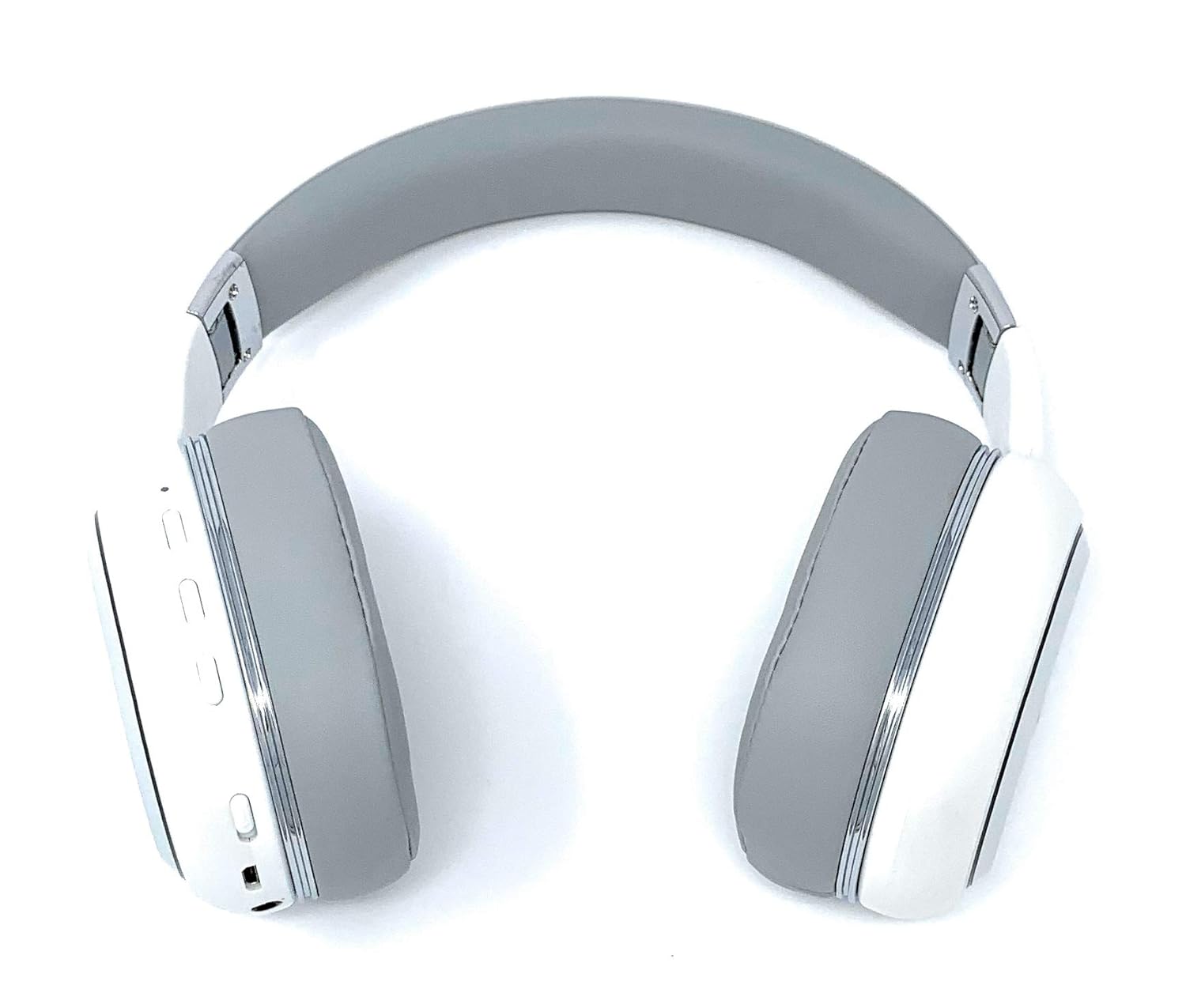
Image: A rear perspective of the Picun Elite P80S Wireless Headset, illustrating the placement of control buttons on the earcup.

Image: A detailed close-up of the right earcup hinge and the 'R' indicator on the Picun Elite P80S Wireless Headset, showing construction details.
Persediaan
Mengecas Alat Dengar
Before initial use, fully charge the headset. Use the provided USB charging cable with any compatible USB adapter or device.
- Connect the USB charging cable to the headset's charging port.
- Sambungkan hujung kabel USB yang lain ke sumber kuasa.
- A full charge provides approximately 40 hours of game time or 60 hours of music/media playback in wireless mode.
Berpasangan Bluetooth
To connect your headset wirelessly:
- Pastikan alat dengar dimatikan.
- Tekan dan tahan butang kuasa sehingga penunjuk LED berkelip, menunjukkan mod berpasangan.
- Pada peranti anda (telefon pintar, tablet, komputer), dayakan Bluetooth dan cari peranti yang tersedia.
- Select "Picun P80S" from the list of found devices.
- Once connected, the LED indicator will show a steady light or flash slowly.
Sambungan Berwayar
For a wired connection, use the provided AUX cable:
- Connect one end of the AUX cable to the headset's AUX port.
- Connect the other end to your audio device's 3.5mm audio jack.
- The headset can be used indefinitely in wired mode, regardless of battery charge.
Memasang Mikrofon
The headset includes a detachable microphone for clear communication:
- Locate the microphone port on the headset.
- Gently insert the detachable microphone into the port until it clicks into place.
- The microphone is designed to reduce ambient noise for high-definition vocals.
Arahan Operasi
Hidupkan/Mati Kuasa
- Hidupkan kuasa: Tekan dan tahan butang kuasa selama beberapa saat sehingga penunjuk LED menyala.
- Matikan: Press and hold the power button for a few seconds until the LED indicator turns off.
Main balik Muzik
- Main/Jeda: Tekan butang Main/Jeda sekali.
- Lagu Seterusnya: Tekan dan tahan butang 'Kelantangan Naik'.
- Trek Sebelumnya: Tekan dan tahan butang 'Kelantangan Turun'.
Pengurusan Panggilan
- Jawab/Tamatkan Panggilan: Tekan butang Pelbagai fungsi sekali.
- Tolak Panggilan: Tekan dan tahan butang Berbilang fungsi selama 2 saat.
Dual Shock/Vibration Mode
This mode enhances audio with deep bass and vibrations, ideal for music, movies, and gaming.
- Aktifkan/Nyahaktifkan: Use the dedicated 'Vibration/Dual Shock Mode On-Off toggle switch' on the headset.
Paparan Lampu LED
The headset features an LED light display.
- Hidupkan/Matikan: Use the dedicated 'LED Light Display On-Off button' on the headset.
Kawalan Kelantangan
- Tingkatkan Kelantangan: Tekan butang 'Kelantangan Naik'.
- Kurangkan Kelantangan: Tekan butang 'Kelantangan Turun'.
Penyelenggaraan
Pembersihan
- Lap set kepala dengan kain lembut dan kering.
- Jangan gunakan pembersih atau pelarut yang melelas.
- Keep the charging port and audio jacks free of dust and debris.
Penyimpanan
- Simpan alat dengar di tempat yang sejuk dan kering jauh dari cahaya matahari langsung dan suhu yang melampau.
- When not in use for extended periods, ensure the headset is fully charged before storing.
Menyelesaikan masalah
Tiada Kuasa
- Pastikan set kepala dicas sepenuhnya.
- Sahkan kabel pengecasan dan sumber kuasa berfungsi dengan betul.
Tiada Bunyi
- Semak tahap kelantangan pada kedua-dua set kepala dan peranti anda yang disambungkan.
- If using Bluetooth, ensure the headset is properly paired and connected.
- If using a wired connection, ensure the AUX cable is securely plugged into both the headset and the audio source.
- Uji dengan sumber atau peranti audio yang berbeza.
Isu Berpasangan Bluetooth
- Pastikan set kepala berada dalam mod berpasangan (LED berkelip).
- Matikan dan hidupkan Bluetooth pada peranti anda.
- Kosongkan sambungan Bluetooth sebelumnya pada peranti anda dan cuba pasangkan semula.
- Ensure the headset is within the effective range of your Bluetooth device.
Spesifikasi
| Ciri | Penerangan |
|---|---|
| Nama Model | Elite P80S |
| Teknologi Ketersambungan | Bluetooth |
| Teknologi Komunikasi Tanpa Wayar | Bluetooth |
| Komponen yang Disertakan | Headset, Detachable AUX Microphone, USB Charging Cable, AUX Cable for Wired Transmission |
| Julat Umur (Perihalan) | Dewasa |
| bahan | Kulit Tiruan |
| Jenis Kawalan | Kawalan Kelantangan, Jauh |
| Ciri Kabel | Boleh tanggal |
| Berat Barang | 820 g (0.82 Kilogram) |
| Bilangan Item | 1 |
| Ciri Khas | Pembatalan Bunyi |
| Pengeluar | Picun |
| Platform Perkakasan | Konsol Permainan |
| Format mikrofon | Built-In, Detachable AUX Microphone |
| Bateri Diperlukan | Tidak (Bateri boleh dicas semula dalaman) |
| Faktor Bentuk | Atas Telinga |
| warna | putih |
| Kawalan Bunyi | Pembatalan Bunyi Aktif |
| Jack Fon Kepala | Jack 3.5 mm |
Maklumat Waranti
The Picun Elite P80S Wireless Headset is covered by a manufacturer's warranty. For specific details regarding warranty terms, duration, and claims process, please refer to the warranty policy provided at the time of purchase or contact Picun customer support.
Sokongan Pelanggan
If you encounter any issues not covered in this manual or require further assistance, please contact Picun customer support through their official website or the contact information provided with your product packaging. Please have your product model (P80S) and purchase details ready when contacting support.


