pengenalan
Thank you for choosing the Severin Programmable Coffee Maker KA 4826. This manual provides essential information for the safe and efficient operation, maintenance, and troubleshooting of your new appliance. Please read it thoroughly before first use and keep it for future reference.

Figure 1: Severin Programmable Coffee Maker KA 4826, front view.
Arahan Keselamatan
- Sentiasa pastikan perkakas dicabut plag sebelum pembersihan atau penyelenggaraan.
- Jangan rendam perkakas, kord, atau palam ke dalam air atau cecair lain.
- Jauhkan daripada kanak-kanak.
- Place the coffee maker on a stable, heat-resistant surface.
- Jangan kendalikan perkakas jika kord atau palamnya rosak.
- Avoid touching hot surfaces, such as the warming plate and glass carafe, during and immediately after operation. Use the handle.
Komponen Lebihview
Familiarize yourself with the parts of your coffee maker:
- Tangki Air dengan Penunjuk Aras
- Swivel Filter Holder with Drip Stop
- Teko Kaca dengan Pemegang
- Pinggan Pemanasan
- Control Panel with Digital Display (Clock, Timer)
- Aroma Selector Dial
- Ruang Penyimpanan Kord Kuasa
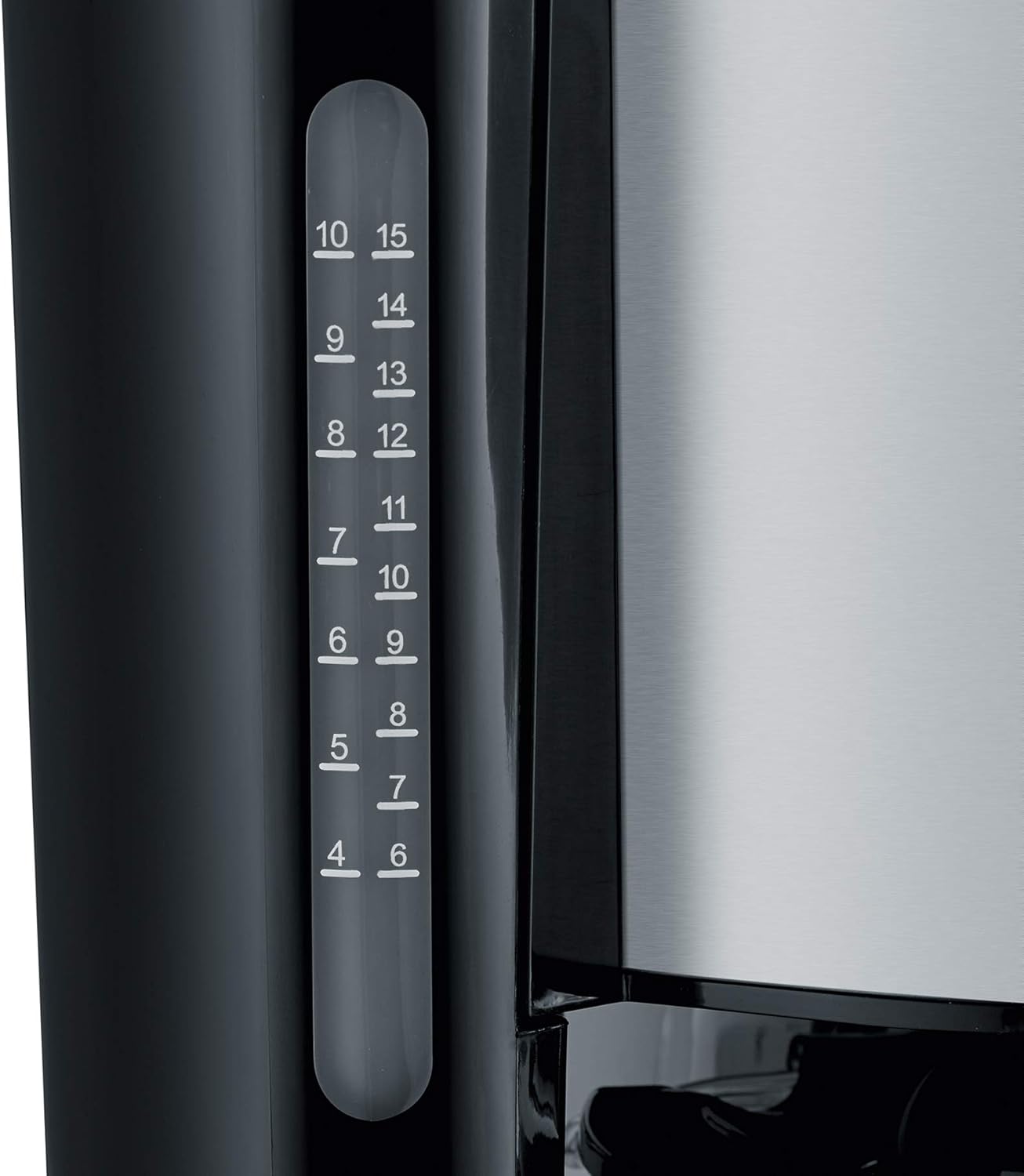
Figure 2: Clear water level indicator for precise filling.
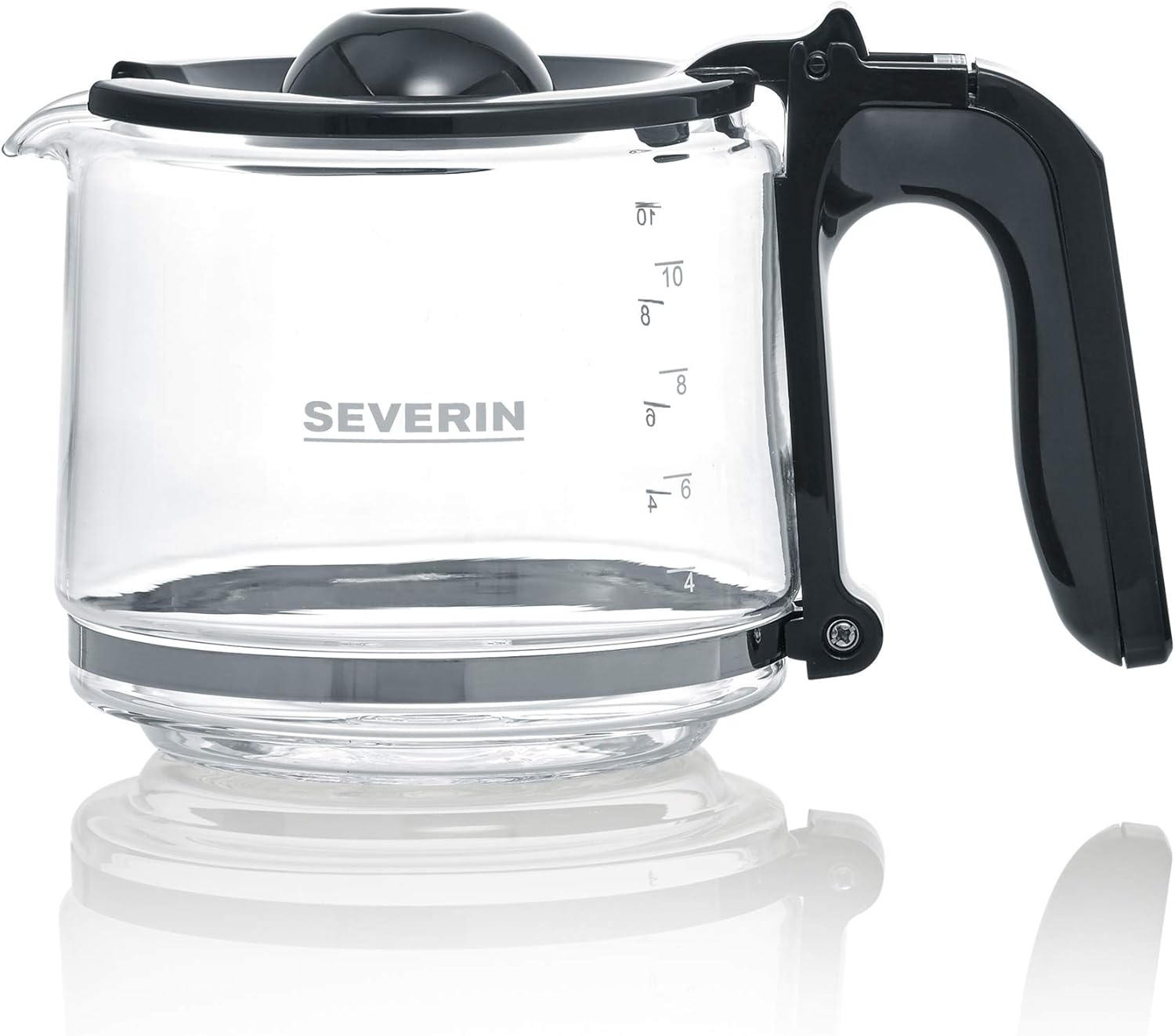
Figure 3: The glass carafe with capacity markings.
Persediaan
- Membongkar: Keluarkan semua bahan pembungkusan dengan berhati-hati. Simpan pembungkusan untuk pengangkutan masa hadapan jika perlu.
- Pembersihan Awal: Before first use, clean the glass carafe, filter holder, and lid with warm soapy water. Rinse thoroughly and dry.
- Kitaran Brew Pertama (tanpa kopi): Fill the water tank to the maximum level with fresh cold water. Run a full brewing cycle without coffee grounds to rinse the internal components. Discard the water.
- penempatan: Place the coffee maker on a flat, stable, and heat-resistant surface, away from walls or cabinets to allow for proper ventilation.
- Sambungan Kuasa: Plug the appliance into a grounded wall socket. The power cord can be stored in the integrated compartment for neatness.

Figure 4: Integrated power cord storage for tidy placement.
Arahan Operasi
Membancuh Kopi
- Isi Tangki Air: Open the lid and fill the water tank with fresh, cold water up to the desired number of cups, indicated by the water level indicator. The maximum capacity is 1.25 liters, or up to 10 cups.
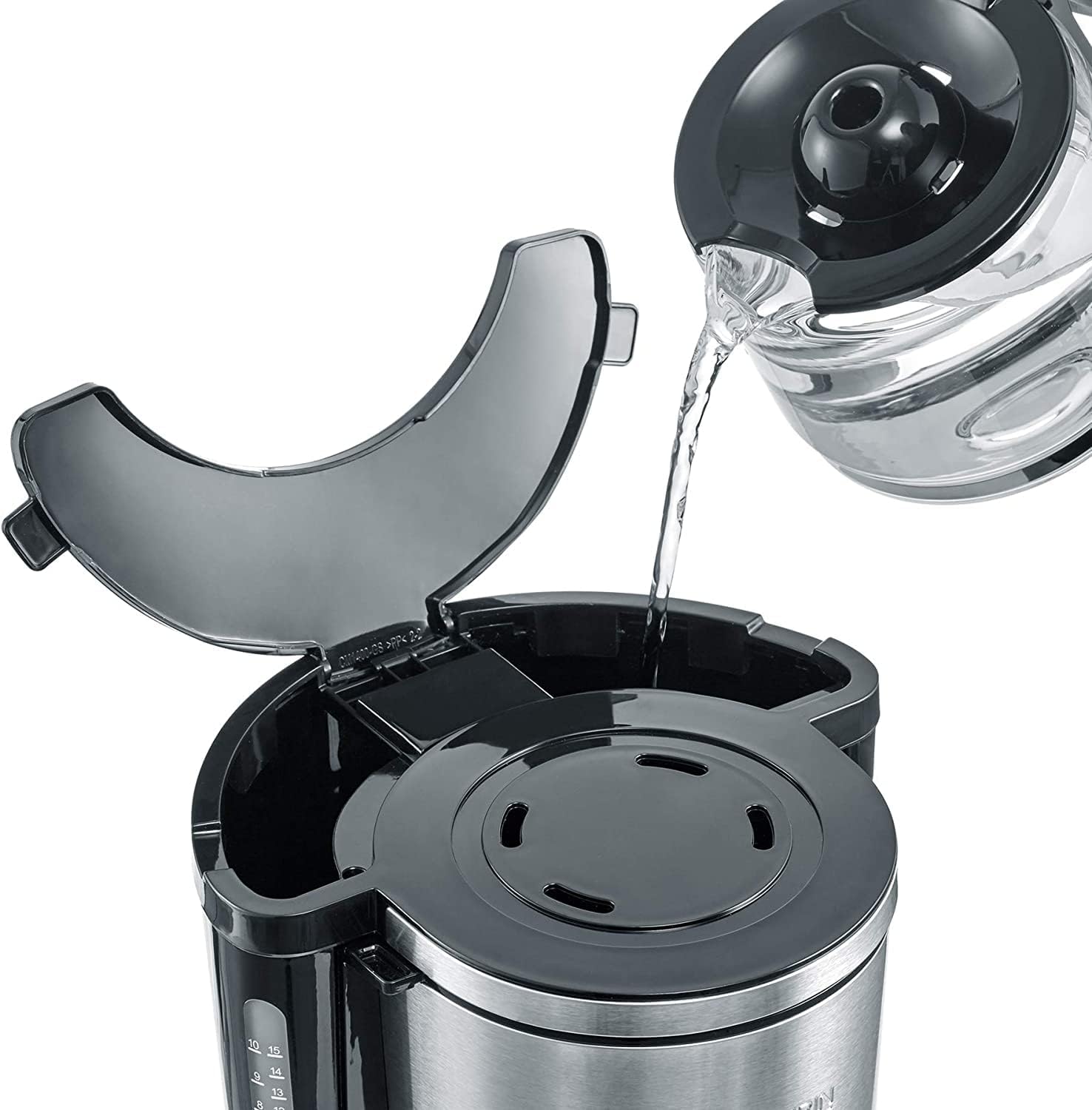
Figure 5: Filling the water tank with fresh water.
- Tambah serbuk kopi: Swivel out the filter holder. Insert a paper filter (size 1x4) into the filter holder. Add the desired amount of ground coffee. A general guideline is one level tablespoon of coffee per cup, but adjust to your taste. Swivel the filter holder back into place.

Figure 6: Placing coffee grounds into the filter.
- Tempat Carafe: Pastikan karafe kaca diletakkan dengan betul di atas plat pemanasan.
- Select Aroma (Optional): Use the Aroma Selector dial to adjust the coffee intensity according to your preference. Turn the dial to the left for a milder brew or to the right for a stronger brew.

Figure 7: Adjusting the aroma selector for desired coffee strength.
- Mulakan Pembuatan Bir: Press the On/Off button (usually marked with a power symbol). The brewing process will begin.
- Fungsi Kekal Panas: After brewing, the warming plate will automatically keep the coffee warm. The warming function typically lasts for a certain period (e.g., 30-40 minutes) before automatically shutting off.
- Hidangkan: Carefully remove the carafe by its handle to pour coffee. The drip-stop feature prevents dripping when the carafe is removed.

Figure 8: Removing the carafe after brewing.
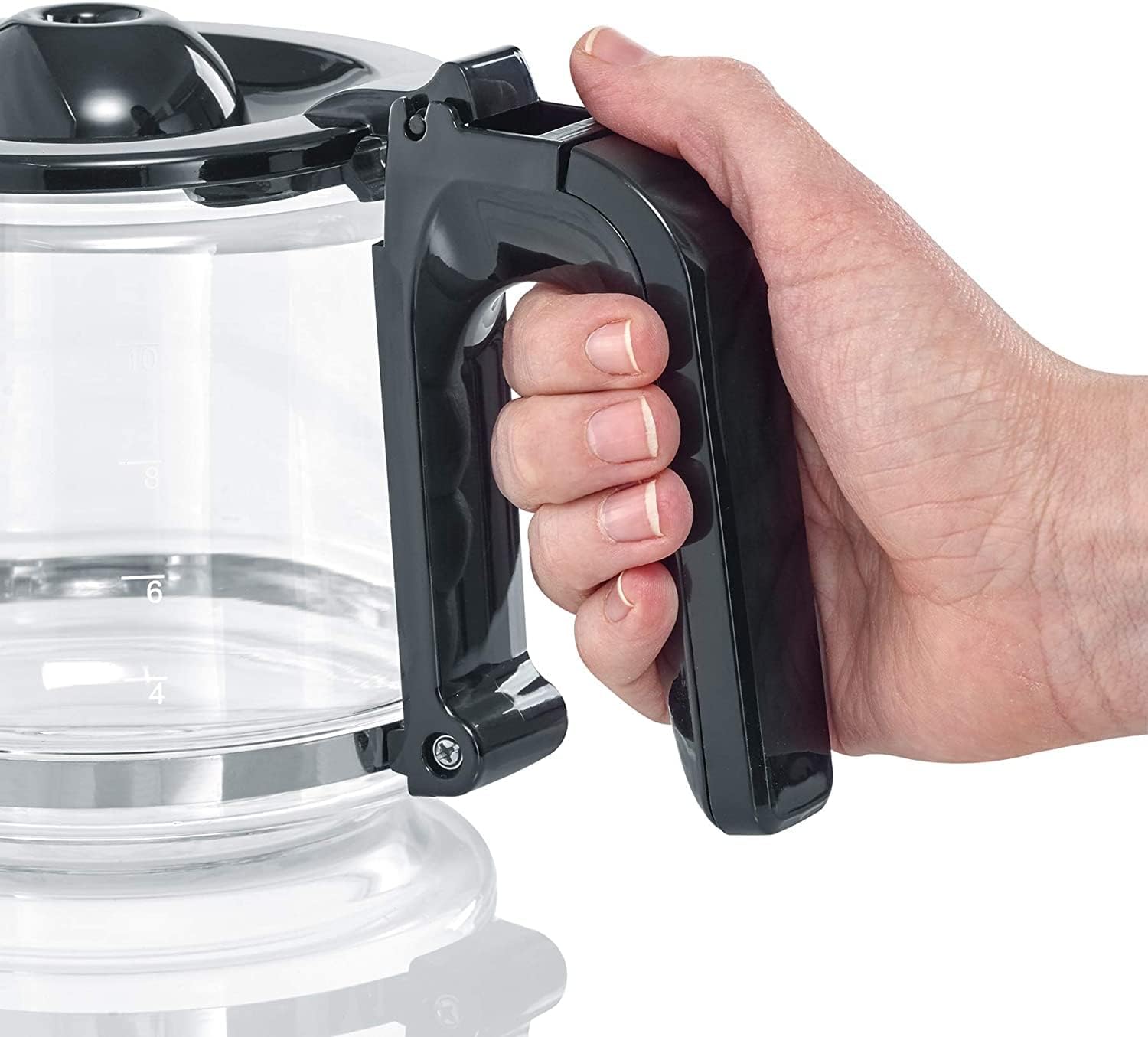
Figure 9: Ergonomic handle of the glass carafe.
Using the Digital Clock and Timer
The KA 4826 features a digital clock and a programmable timer for delayed brewing.

Figure 10: Digital display with hour, minute, and program buttons.
- Menetapkan Jam:
- Press the 'h' button to set the hour.
- Press the 'min' button to set the minute.
- Setting the Timer for Delayed Brewing:
- Prepare the coffee maker as described in "Brewing Coffee" (water, filter, coffee grounds).
- Press the 'PROG' button. The display will show "PROG" or a similar indicator.
- Use the 'h' and 'min' buttons to set the desired start time for brewing.
- Press the 'PROG' button again to confirm the setting. The "AUTO" indicator light will illuminate, signifying that the timer is active.
- Pembuat kopi akan mula membancuh secara automatik pada masa yang ditetapkan.
Penyelenggaraan dan Pembersihan
Pembersihan tetap memastikan prestasi optimum dan memanjangkan jangka hayat pembuat kopi anda.
- Pembersihan Harian:
- Cabut plag pembuat kopi dan biarkan ia sejuk sepenuhnya.
- Tanggalkan penapis kertas yang telah digunakan dan buang serbuk kopi.
- Wash the glass carafe, lid, and swivel filter holder with warm water and a mild dish soap. Rinse thoroughly and dry. These parts are generally not dishwasher safe; hand washing is recommended.
- Lap bahagian luar pembuat kopi dengan damp kain. Jangan gunakan pembersih yang melelas atau pad penyental.
- Mengurangkan:
Mineral deposits from water can build up over time, affecting performance and taste. Descale your coffee maker regularly, depending on water hardness and frequency of use (e.g., every 2-4 weeks).
- Use a commercial descaling solution suitable for coffee makers, or a mixture of white vinegar and water (1 part vinegar to 2 parts water).
- Tuangkan larutan penyahkerak ke dalam tangki air.
- Letakkan bekas kosong di atas pinggan pemanasan.
- Run a brewing cycle. If using vinegar, you may want to stop the cycle halfway through and let it sit for 15-30 minutes before completing the cycle.
- After the descaling cycle, run 2-3 full cycles with fresh, clean water to rinse out any descaling solution residue.
Menyelesaikan masalah
| Masalah | Kemungkinan Punca | Penyelesaian |
|---|---|---|
| Kopi tidak dibancuh. | No power; water tank empty; carafe not in place; timer set. | Check power connection; fill water tank; ensure carafe is correctly positioned; check timer setting. |
| Kopi terasa lemah atau terlalu kuat. | Incorrect coffee-to-water ratio; aroma selector setting. | Adjust coffee grounds quantity; adjust Aroma Selector dial. |
| Water overflows from filter holder. | Too much coffee grounds; filter clogged; filter holder not properly seated. | Reduce coffee grounds; use correct filter size; ensure filter holder is securely in place. |
| Pembuatan bir adalah perlahan atau bising. | Pengumpulan mineral (penskalaan). | Descale the coffee maker as per maintenance instructions. |
Spesifikasi
- model: KA 4826
- Jenama: Severin
- warna: Hitam/Keluli Tahan Karat
- Dimensi (L x W x H): 23.5 x 34.5 x 25 cm (kira-kira 9.25 x 13.58 x 9.84 inci)
- Berat: 2.13 kg (kira-kira 4.7 lbs)
- kapasiti: 1.25 Liter (sehingga 10 cawan)
- Kuasa: 1000 Watt
- Voltage: 220 Volt
- Bahan: Keluli Tahan Karat, Plastik, Kaca
- Ciri Khas: Programmable, Digital Clock, Timer, AromaSwitch, Drip-stop, Automatic Shut-off
Waranti dan Sokongan
This Severin product comes with a Waranti 2 tahun dari tarikh pembelian, meliputi kecacatan pembuatan. Sila simpan bukti pembelian anda untuk tuntutan waranti.
For technical support, spare parts, or warranty inquiries, please contact Severin customer service. Contact details can typically be found on the official Severin webtapak atau pada pembungkusan produk.
Untuk maklumat lanjut, lawati pegawai Severin Brand Store.


