pengenalan
Thank you for choosing the GameMax H605 Micro ATX Gaming Tower Case. This manual provides essential information for the proper installation, operation, and maintenance of your new PC case. Please read this manual thoroughly before beginning assembly to ensure optimal performance and safety.
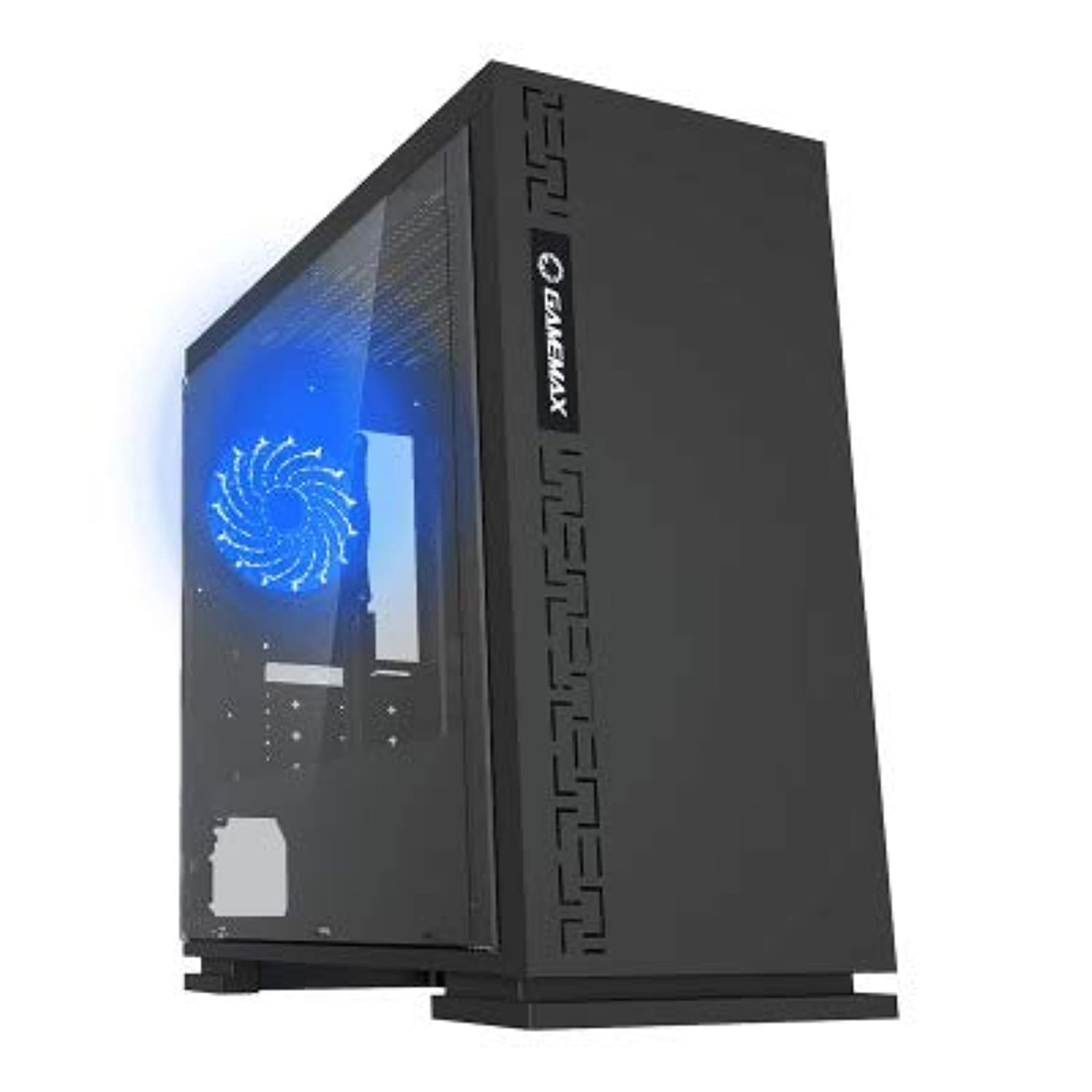
Rajah 1: Depan view of the GameMax H605 Micro ATX Gaming Tower Case, showcasing reka bentuk anggun dan panel hadapannya.
The GameMax H605 is designed for Micro ATX motherboards and features a compact yet efficient layout for gaming components. It includes one pre-installed LED fan at the rear for immediate cooling. The case is constructed from steel and plastic, offering a balance of durability and aesthetics.
Maklumat Keselamatan
Sila patuhi garis panduan keselamatan berikut semasa pemasangan dan pengendalian:
- Sentiasa putuskan sambungan bekalan kuasa daripada soket dinding sebelum memasang atau menanggalkan sebarang komponen.
- Pakai tali pergelangan tangan anti-statik untuk mengelakkan kerosakan nyahcas elektrostatik (ESD) pada komponen sensitif.
- Handle components carefully to avoid physical damage.
- Jauhkan bekas daripada cecair dan kelembapan berlebihan.
- Pastikan pengudaraan yang betul di sekitar bekas untuk mengelakkan terlalu panas.
Kandungan Pakej
Verify that all the following items are present in your GameMax H605 package:
- GameMax H605 Micro ATX Gaming Tower Case
- Accessory box (screws, standoffs, cable ties)
- Manual Pengguna (dokumen ini)
If any items are missing or damaged, please contact your retailer or GameMax support.
Persediaan
1. Menyediakan Kes
- Letakkan bekas di atas permukaan yang rata dan stabil.
- Tanggalkan panel sisi dengan membuka skru ibu jari di bahagian belakang bekas dan luncurkan panel ke belakang.

Rajah 2: Dalaman view of the GameMax H605 case with the side panel removed, showing the motherboard tray and drive bays.
2. Pemasangan Papan Induk
- Pasangkan pelindung I/O ke dalam bukaan belakang bekas.
- Align your Micro ATX motherboard with the standoffs inside the case. Ensure the standoffs match the screw holes on your motherboard.
- Selamatkan papan induk dengan skru yang disediakan.
3. Pemasangan Pemacu Storan
- For 3.5-inch HDDs, slide the drive into the designated drive cage bays and secure with screws if necessary.
- For 2.5-inch SSDs, mount them onto the dedicated SSD brackets or trays and secure with screws.
4. Pemasangan Bekalan Kuasa
- Position the power supply unit (PSU) in the bottom rear compartment of the case.
- Pasangkan PSU pada bekas menggunakan skru yang disediakan bersama bekalan kuasa anda.
5. Graphics Card and Expansion Card Installation
- Tanggalkan penutup slot pengembangan yang diperlukan dari bahagian belakang bekas.
- Insert your graphics card or other expansion cards into the appropriate PCIe slots on your motherboard.
- Selamatkan kad dengan skru.

Rajah 3: Belakang view of the GameMax H605 case, showing expansion slots and I/O shield opening.
6. Pengurusan Kabel
Gunakan potongan penghalaan kabel dan titik pengikat di belakang dulang papan induk untuk menguruskan kabel. Ini meningkatkan aliran udara dan estetika.
Beroperasi
Once all components are installed and connected, replace the side panels and connect your peripherals (monitor, keyboard, mouse) to the motherboard's I/O ports. Connect the power cable to the PSU and a wall outlet. Press the power button on the front panel to start your system.

Rajah 4: Atas-depan view of the GameMax H605 case, highlighting the front panel I/O ports and power button.
Penyelenggaraan
Regular maintenance helps ensure the longevity and optimal performance of your PC case and components:
- Pembersihan Habuk: Periodically clean dust from the case interior, fans, and filters using compressed air or a soft brush. Ensure the system is powered off and unplugged before cleaning.
- Pemeriksaan Pengurusan Kabel: Periksa penghalaan kabel sekali-sekala untuk memastikan tiada kabel yang menghalang aliran udara atau operasi kipas.
- Pemeriksaan Kipas: Verify that all fans are spinning freely and are free from obstructions.
Menyelesaikan masalah
Jika anda menghadapi masalah dengan binaan PC anda, pertimbangkan langkah penyelesaian masalah biasa berikut:
- Tiada Kuasa: Ensure all power cables (24-pin ATX, 8-pin CPU, GPU power) are securely connected. Check if the PSU switch is in the 'ON' position.
- Tiada Paparan: Verify that the monitor cable is connected to the graphics card (not the motherboard I/O) and that the monitor is powered on and set to the correct input.
- Terlalu panas: Check fan connections and ensure they are spinning. Clean any dust buildup. Verify proper airflow within the case.
- Sambungan longgar: Re-seat RAM modules, graphics card, and all power/data cables to ensure they are firmly in place.
Spesifikasi
| Ciri | Perincian |
|---|---|
| Jenama | GameMax |
| Nombor Model Item | H605 BLK |
| Pengeluar | GameMax |
| Siri | H605 BLK |
| warna | Hitam |
| Platform Perkakasan | Windows 7 |
| Bateri Termasuk | Tidak |
| Berat Barang | 7.53 gram |
| Keserasian Papan Induk | ATX mikro |
| Jenis Kes | Mid Tower |
| Kegunaan Disyorkan Untuk Produk | Permainan |
| bahan | Solid Plastic Alloy |
| Kaedah Penyejukan | Water (Implies compatibility for water cooling solutions) |
| Nama Model | H605 BLK |
| Saiz Kipas | 120 milimeter |
| Jumlah Port USB | 1 |
| Tarikh Mula-mula Tersedia | 9 Julai 2019 |
Waranti dan Sokongan
GameMax products are designed for reliability and performance. For warranty information, please refer to the warranty card included with your purchase or visit the official GameMax website. If you require technical assistance or have questions regarding your GameMax H605 case, please contact GameMax customer support through their official channels.
Sila simpan bukti pembelian anda untuk tuntutan waranti.


