1. Produk Lebihview
The PERLESMITH PSFS02 Swivel Floor TV Stand is designed to provide a stable and versatile mounting solution for most 32-75 inch flat-panel, plasma, and curved LCD/LED TVs. It features a sturdy steel pillar and tempered glass base, offering both durability and a modern aesthetic. The stand includes a swivel function for optimal viewing angles, height adjustment for the TV brackets and a media shelf, and integrated cable management to maintain a tidy appearance.

Image 1.1: The PERLESMITH PSFS02 Swivel Floor TV Stand in a typical living room setup, showcasing reka bentuk dan fungsinya.
Ciri-ciri Utama:
- Keserasian Luas: Supports TVs from 32" to 75" with VESA patterns from 100x100mm to 600x400mm.
- Fungsi Pusing: Allows for 25° left or right swivel (total 50°), providing flexible viewsudut-sudut.
- Pelarasan Ketinggian: TV brackets offer 3 mounting height options, and the media shelf has 2 height adjustment settings.
- Pengurusan Kabel Bersepadu: Cable holders on the back of the pillar help organize and conceal wires.
- Pembinaan yang kukuh: Features a solid tempered glass base and steel pillar, supporting TVs up to 99 lbs and the shelf up to 22 lbs.
2. Kandungan Pakej
Sila sahkan bahawa semua komponen ada dan tidak rosak sebelum memulakan pemasangan. Jika mana-mana bahagian hilang atau rosak, hubungi khidmat pelanggan.
- 1 x Floor TV Stand Main Unit
- 1 x Mounting Hardware Kit (various screws, washers, spacers)
- 1 x Manual Arahan

Imej 2.1: Cthample of mounting hardware components.
3. Persediaan dan Pemasangan
Follow these steps carefully to assemble your PERLESMITH PSFS02 TV Stand. It is recommended to have a second person assist with lifting the TV.
Step 3.1: Assemble the Base and Pillar
- Attach the main pillar to the tempered glass base using the provided screws and tools. Ensure all connections are secure.
- Install the media shelf onto the pillar at your desired height. The shelf has two adjustable height settings.

Image 3.1: Illustration of attaching the pillar to the base.
Langkah 3.2: Pasangkan Kurungan TV ke TV Anda
- Identify the correct screws and spacers for your TV's VESA mounting holes.
- Attach the vertical TV brackets to the back of your television. Ensure they are securely fastened and level.

Image 3.2: Attaching the TV brackets to the television's VESA holes.
Langkah 3.3: Pasang TV ke Penyangga
- With assistance, carefully lift the TV and hook the attached brackets onto the main mounting plate of the stand.
- Secure the TV to the stand using the safety screws or clips provided.
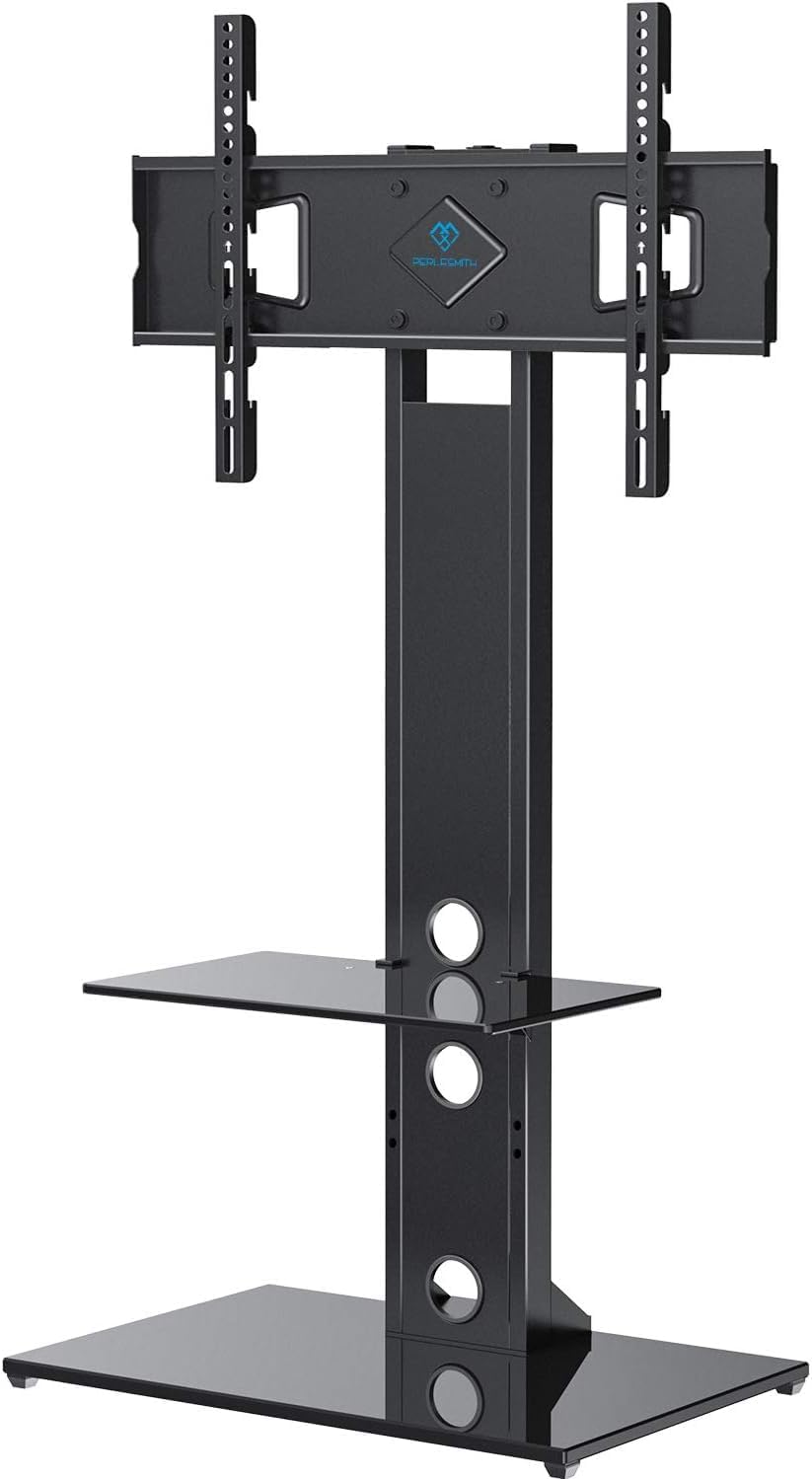
Image 3.3: The fully assembled TV stand with a television mounted.
Panduan Video Perhimpunan:
Video 3.1: Official PERLESMITH video demonstrating the assembly process for the PSFS02 Floor TV Stand.
4. Arahan Operasi
4.1 Fungsi Pusing
The TV stand allows for a 25° swivel to the left or right, providing a total of 50° of rotation. Gently push the sides of the TV to adjust its angle to your preferred viewkedudukan.

Image 4.1: Visual representation of the TV stand's swivel range.
4.2 Pelarasan Ketinggian
The TV brackets offer three different height settings to position your television at an optimal viewing level. The media shelf can also be adjusted to two different heights to accommodate your audio/video components.

Image 4.2: Details on how to adjust the height of the TV and the media shelf.
4.3 Pengurusan Kabel
Utilize the integrated cable holders located on the back of the stand's pillar to route and conceal your TV and device cables. This helps maintain a clean and organized entertainment area.

Imej 4.3: Cthample of cable management in use, keeping wires tidy.
5. Penyelenggaraan
To ensure the longevity and proper function of your TV stand, follow these maintenance guidelines:
- Pembersihan: Gunakan yang lembut, damp cloth to clean the glass and metal surfaces. Avoid abrasive cleaners or harsh chemicals that could damage the finish.
- Semak Sambungan: Periodically inspect all screws and bolts to ensure they remain tight and secure. Loose connections can affect stability.
- Had Berat: Do not exceed the maximum weight capacities for the TV (99 lbs) and the media shelf (22 lbs).
6. Penyelesaian masalah
Jika anda menghadapi sebarang masalah dengan penyangga TV anda, rujuk masalah dan penyelesaian biasa berikut:
- TV tidak tahap: Ensure the TV brackets are installed evenly on the back of the TV and that the stand's base is on a flat surface. Re-check all connections.
- Pendirian berasa tidak stabil: Verify that all assembly screws are tightened securely. Ensure the stand is placed on a firm, level floor. Do not exceed weight limits.
- Kesukaran berpusing: Check for any obstructions behind the TV or around the stand's pillar. Ensure the TV is properly centered on the mount.
For further assistance, please contact PERLESMITH customer support.
7. Spesifikasi
| Nombor Model | PSFS02 |
| Saiz TV yang Serasi | 32 - 75 inci |
| Keserasian VESA | 100x100mm hingga 600x400mm |
| Kapasiti Berat TV Maksimum | 99 paun (45 kg) |
| Kapasiti Berat Rak Maksimum | 22 paun (10 kg) |
| Sudut Pusing | ±25° (jumlah 50°) |
| bahan | Kaca Tempered, Keluli |
| Dimensi Produk | 44.09 x 18.03 x 5.31 inci (berbungkus) |
| Berat Barang | 34.5 paun |

Image 7.1: Dimensional drawing of the PERLESMITH PSFS02 TV Stand.
8. Waranti dan Sokongan
PERLESMITH stands behind the quality of its products. This TV stand is constructed with high-quality steel to ensure safety and stability. For any questions, concerns, or assistance with your product, please reach out to our US-based product support team. Contact information can typically be found on the product packaging or the official PERLESMITH webtapak.
Sila simpan bukti pembelian anda untuk tuntutan waranti.


