pengenalan
The Alvoxcon Wireless Headset Lavalier Microphone System provides high-quality audio capture for a variety of applications, including video recording, presentations, and public speaking. This manual will guide you through the setup, operation, and maintenance of your new wireless microphone system.
Kandungan Pakej
- 1x Wireless Transmitter
- 1x Penerima Wayarles
- 1x Alat dengar Mikrofon
- 1x Lavalier Mikrofon
- 1x Kabel Pengecasan USB
- 3x Adapters (for various devices)
- 1x Manual Pengguna

Figure 1: All components included in the Alvoxcon Wireless Microphone System package.
Panduan Persediaan
1. Mengecas Peranti
Before initial use, fully charge both the wireless transmitter and receiver using the provided USB charging cable. The charging indicator light will show charging status.

Figure 2: Transmitter and Receiver charging ports and indicators.
Video 1: Official Alvoxcon overview of the TG210 system, demonstrating charging and basic setup.
2. Menyambung Mikrofon
Choose between the headset microphone for secure wear during vocal performance or the lavalier (clip-on) microphone for discreet placement on clothing. Connect your chosen microphone to the transmitter's mic input with screw lock for a secure connection.

Figure 3: Headset and lavalier microphone options.
3. Memasang Pemancar dan Penerima
The system features one-key auto-pairing. Simply turn on both the transmitter and the receiver. They should automatically pair within seconds, indicated by a solid blue light on the receiver.
Video 2: Official Alvoxcon overview of the TG210 system, demonstrating auto-pairing.
Arahan Operasi
1. Menyambung ke Peranti Audio
The wireless receiver is equipped with a universal 1/4" plug. Use the appropriate adapter (included) to connect to various devices:
- PA Speaker/Mixer: Plug the 1/4" receiver directly into the MIC IN jack.
- Kamera DSLR: Use the included 1/8" adapter cable to connect the receiver to your camera's microphone input. The receiver can be mounted on the camera's hot shoe.
- telefon pintar: Use the included 1/8" TRRS adapter cable to connect the receiver to your smartphone's headphone/mic jack. (Note: Some newer smartphones may require an additional Lightning or USB-C to 3.5mm adapter, not included).

Figure 4: Connection methods for the wireless receiver.
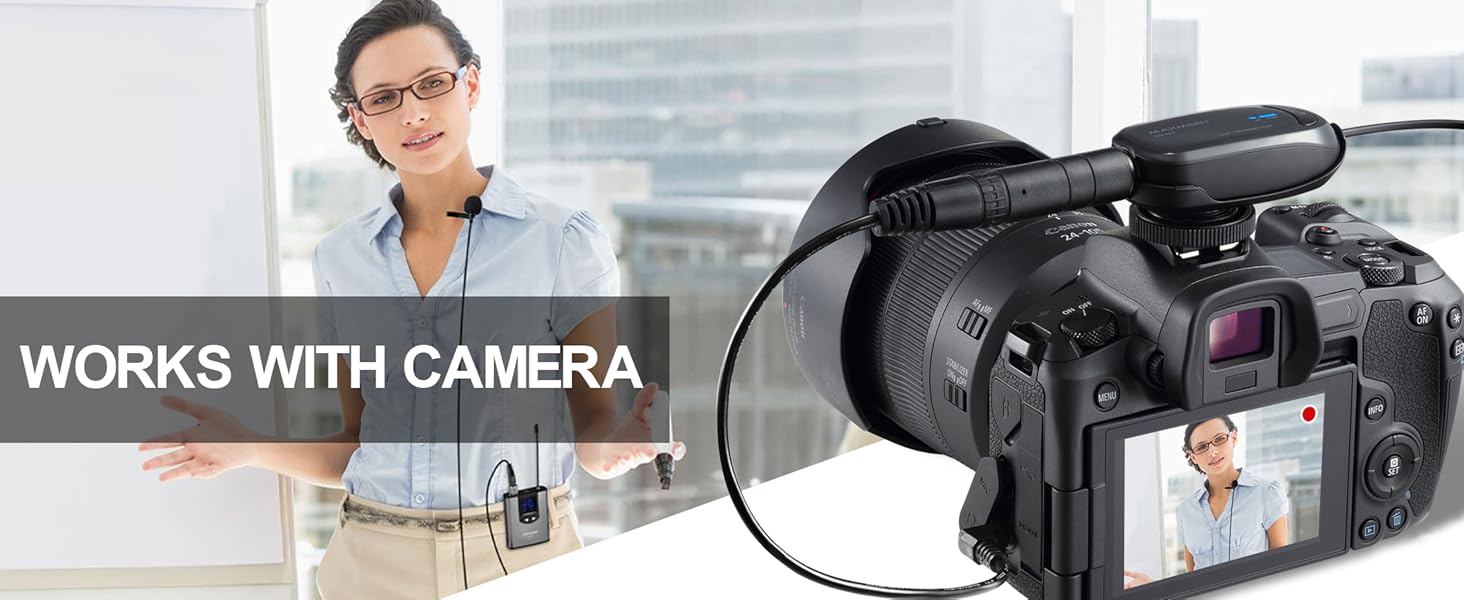
Figure 5: System in use with a DSLR camera.
Video 3: Official Alvoxcon overview of the TG210 system, demonstrating connection to a speaker and camera.
2. Adjusting Volume and Channels
The transmitter features buttons to adjust the volume level and select different frequencies (channels). This allows you to optimize sound output and avoid interference from other wireless devices.
- Gunakan Anak panah atas/bawah on the transmitter to adjust the microphone's volume.
- Tekan ke CHA/M/V button to cycle through available channels if you experience interference.
Penyelenggaraan
To ensure the longevity and optimal performance of your Alvoxcon Wireless Microphone System, follow these maintenance guidelines:
- Pembersihan: Use a soft, dry cloth to clean the transmitter, receiver, and microphones. Avoid using harsh chemicals or abrasive materials.
- Storan: Simpan sistem di tempat yang sejuk dan kering jauh dari cahaya matahari langsung dan suhu yang melampau.
- Penjagaan Bateri: Fully charge the devices before long periods of storage. If storing for extended periods, charge them every 3-6 months to maintain battery health.
- Pengendalian: Elakkan daripada menjatuhkan peranti atau tertakluk kepada kesan yang kuat.
Menyelesaikan masalah
| Isu | Kemungkinan Punca | Penyelesaian |
|---|---|---|
| Tiada suara atau kelantangan rendah | Low battery; Incorrect volume setting; Loose connection; Incorrect adapter. | Charge devices; Adjust transmitter volume; Secure all connections; Use correct adapter for your device. |
| Interference or poor sound quality | Other wireless devices on the same frequency; Obstructions; Exceeding range. | Change the channel on the transmitter; Reduce distance between transmitter and receiver; Ensure clear line of sight. |
| Cannot pair transmitter and receiver | Devices not powered on; Out of range; Pairing error. | Ensure both devices are powered on; Bring devices closer together; Follow auto-pairing steps again. |
| Hayat bateri pendek | Incomplete charging; Old battery. | Ensure full charge cycle; Contact support if battery life significantly degrades. |
Video 4: Official Alvoxcon video demonstrating sound quality and working distance, useful for troubleshooting range issues.
Spesifikasi
| Ciri | Perincian |
|---|---|
| Nombor Model | TG210G-SP |
| Teknologi Ketersambungan | Tanpa Wayar, UHF |
| Kekerapan Mikrofon Tanpa Wayar | 900 MHz |
| Julat Operasi | Sehingga 40 kaki (lebih kurang 12 meter) |
| Faktor Bentuk Mikrofon | Microphone system (Headset & Lavalier) |
| Corak Kutub | Omnidirectional (Lavalier), Cardioid (Headset) |
| Sumber Kuasa | Dikuasakan Bateri (termasuk 2 bateri Polimer Litium) |
| Berat Barang | 12.6 auns (lebih kurang 357 gram) |
| Dimensi Produk (L x W x H) | 9.33 x 2.24 x 8.54 inci |
| bahan | Akrilonitril Butadiena Stirena (ABS) |
Waranti dan Sokongan
Alvoxcon products are designed for reliability and performance. For warranty information, technical support, or any inquiries regarding your product, please refer to the official Alvoxcon webtapak atau hubungi perkhidmatan pelanggan mereka secara langsung.
Anda juga boleh melawat Alvoxcon Store on Amazon untuk sumber tambahan dan pilihan hubungan.


