pengenalan
The EVGA GeForce RTX 2070 Super XC Gaming graphics card is engineered to deliver exceptional performance for gaming and demanding applications. Powered by the NVIDIA Turing architecture, it features 8GB of GDDR6 memory, dual HDB fans for efficient cooling, adjustable RGB lighting, and a durable metal backplate. This manual provides essential information for the proper installation, operation, and maintenance of your graphics card.
Apa yang ada dalam Kotak
Upon opening your EVGA GeForce RTX 2070 Super XC Gaming package, you should find the following items:
- EVGA GeForce RTX 2070 Super XC Gaming Graphics Card
- Manual Pengguna (dokumen ini)
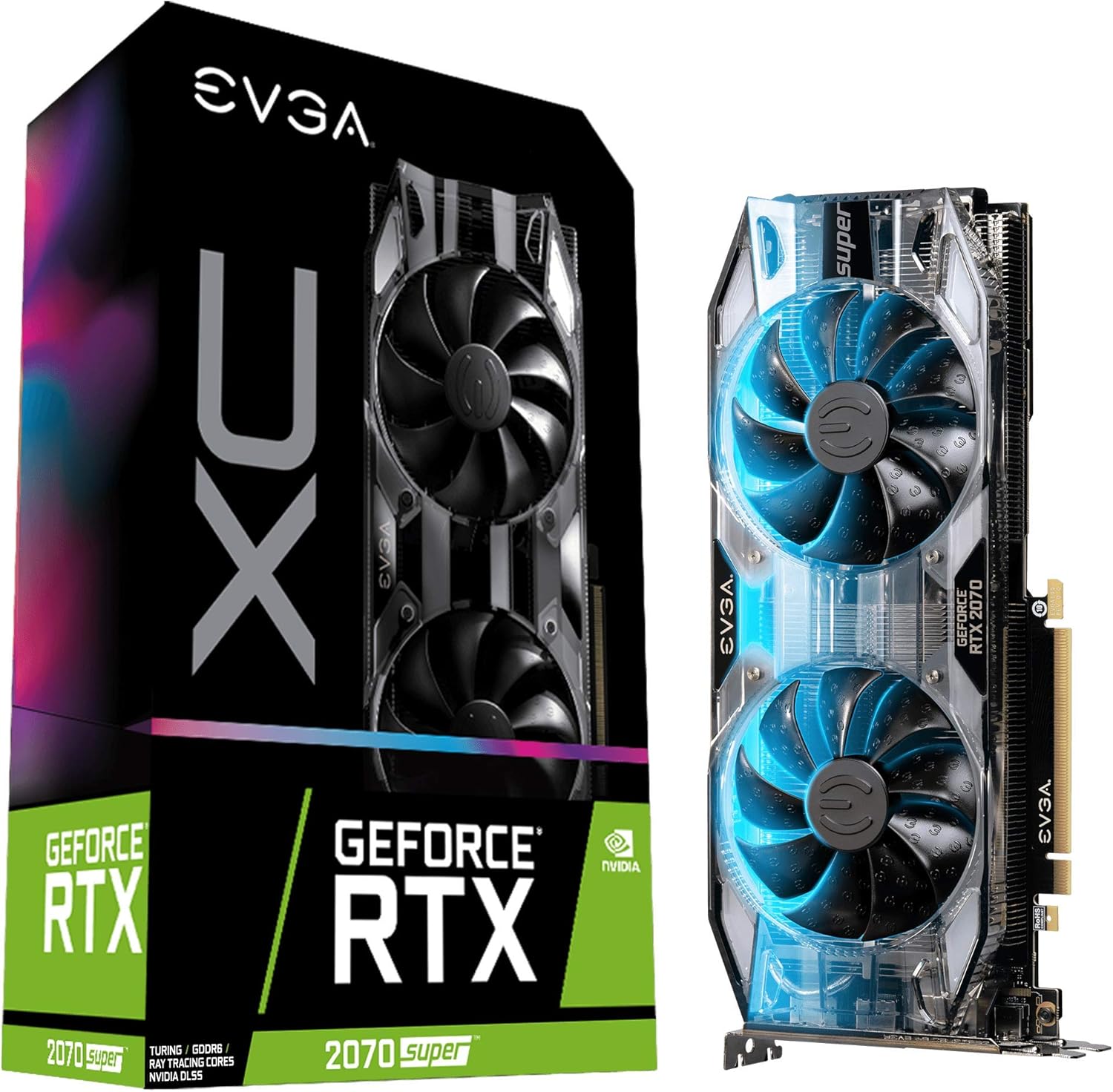
Image: The EVGA GeForce RTX 2070 Super XC Gaming graphics card shown alongside its retail packaging.
Spesifikasi
| Ciri | Perincian |
|---|---|
| Pemproses bersama Grafik | NVIDIA GeForce RTX 2070 |
| Kelajuan Jam GPU | 1800 MHz (Penggalak) |
| Saiz RAM Grafik | 8 GB GDDR6 |
| Kelajuan Memori | 14000 MHz |
| Resolusi Skrin Maks | 7680x4320 |
| Antara Muka Keluaran Video | HDMI, DisplayPort, USB-C |
| Menyejukkan | Dual HDB Fans |
| Plat belakang | All-metal |
| Dimensi (LxWxH) | 10.62 x 4.37 x 1.77 inci |
| Berat Barang | 1.76 paun |

Imej: Atas view daripada kad grafik, tunjukkancasing the dual HDB fans.
Pemasangan
Proper installation is crucial for optimal performance and system stability. Ensure your system meets the minimum power supply and physical clearance requirements before proceeding.
1. Pemasangan Fizikal
- Matikan dan Cabut plag: Completely shut down your computer and disconnect all power cables from the wall outlet.
- Kes Terbuka: Open your computer case to access the motherboard and PCIe slots.
- Cari Slot PCIe: Identify an available PCIe x16 slot on your motherboard. This graphics card typically occupies two expansion slots.
- Tanggalkan Penutup Slot: Remove the necessary metal slot covers from the back of your computer case corresponding to the chosen PCIe slot.
- Masukkan Kad Grafik: Selaraskan kad grafik dengan slot PCIe dengan berhati-hati dan tekan ke bawah dengan kuat sehingga ia terpasang dengan selamat. Pastikan klip pengekalan pada papan induk diklik pada tempatnya.
- Kad Selamat: Use screws to secure the graphics card to the computer case at the expansion slot bracket.
- Sambungkan Kuasa: Connect the required PCIe power cables from your power supply to the graphics card. This model typically requires 8-pin and 6-pin PCIe power connectors.
- Tutup Kes: Once secured and powered, close your computer case.

Imej: Sisi view of the graphics card, highlighting the HDMI, DisplayPort, and USB-C outputs.
2. Pemasangan Pemandu
- Hidupkan kuasa: Reconnect all power cables and turn on your computer.
- But Permulaan: Your operating system may boot with a basic display driver.
- Muat Turun Pemacu: Lawati NVIDIA rasmi webtapak (www.nvidia.com/drivers) to download the latest graphics drivers for your GeForce RTX 2070 Super.
- Pasang Pemacu: Run the downloaded driver installer and follow the on-screen prompts. A restart may be required after installation.
- Install EVGA Precision X1: For advanced monitoring, overclocking, and RGB control, download and install the EVGA Precision X1 software from the official EVGA webtapak (www.evga.com/precisionx1/).

Image: An EVGA banner indicating installation guidance for GeForce GTX and RTX series.
Operasi
Your EVGA GeForce RTX 2070 Super is designed for high-performance computing, particularly for gaming and content creation.
Ciri dan Penggunaan Utama:
- Real-time Ray Tracing: Experience cutting-edge, hyper-realistic graphics in supported games and applications.
- Prestasi Tinggi: With a Real Boost Clock of 1800 MHz and 8192 MB GDDR6 memory, the card delivers smooth frame rates and efficient processing.
- Sistem Penyejukan: The dual HDB fans provide high-performance cooling while maintaining quiet acoustic noise during normal operation. Fans will spin up under heavy load to dissipate heat effectively.
- Adjustable RGB LED: Customize the integrated RGB lighting to match your system's aesthetic using the EVGA Precision X1 software.
- Video Editing and Content Creation: Beyond gaming, this card is a powerful tool for video editing, 3D rendering, and other graphically intensive tasks, leveraging its robust processing capabilities.

Imej: Bersudut view daripada kad grafik, tunjukkancasing its design and potential RGB illumination.
Penyelenggaraan
Penyelenggaraan berkala membantu memastikan jangka hayat dan prestasi optimum kad grafik anda.
- Penyingkiran habuk: Periodically clean dust from the fans and heatsink using compressed air. Ensure the computer is powered off and unplugged before cleaning. Hold the fan blades gently to prevent them from spinning rapidly during cleaning, which can damage the bearings.
- Kemas Kini Pemandu: Keep your graphics drivers updated to the latest version from the NVIDIA website. Driver updates often include performance improvements, bug fixes, and compatibility enhancements.
- Pemantauan Perisian: Use EVGA Precision X1 or other monitoring software to keep an eye on GPU temperatures and fan speeds. Ensure temperatures remain within safe operating limits, especially during heavy loads.

Image: The metal backplate of the graphics card, designed for structural integrity and heat dissipation.
Menyelesaikan masalah
Jika anda menghadapi masalah dengan kad grafik anda, pertimbangkan langkah penyelesaian masalah biasa berikut:
- Tiada Paparan/Skrin Hitam:
- Pastikan kad grafik dipasang sepenuhnya dalam slot PCIe.
- Verify all PCIe power cables are securely connected to the card.
- Check that your monitor cable is connected to the graphics card's output, not the motherboard's integrated graphics port.
- Uji dengan kabel paparan atau monitor yang berbeza jika boleh.
- Isu/Kemalangan Pemandu:
- Perform a clean installation of the latest graphics drivers from NVIDIA's website. Use DDU (Display Driver Uninstaller) in Safe Mode to remove old drivers completely before installing new ones.
- Pastikan sistem pengendalian anda dikemas kini.
- Overheating/Fan Noise:
- Bersihkan habuk dari kipas dan heatsink.
- Pastikan aliran udara yang mencukupi di dalam bekas komputer anda.
- Monitor temperatures using EVGA Precision X1. If temperatures are consistently high, consider adjusting fan curves or improving case ventilation.
- Isu Prestasi (FPS Rendah, Gagap):
- Verify that your system meets the recommended specifications for the games or applications you are running.
- Pastikan pemacu grafik dikemas kini.
- Periksa aplikasi latar belakang yang menggunakan sumber sistem.
- Confirm that the card is receiving sufficient power from the power supply.
Waranti dan Sokongan
EVGA stands behind the quality of its products. The EVGA GeForce RTX 2070 Super XC Gaming graphics card comes with a Waranti 3 tahun.
For technical support, warranty claims, or additional product information, please visit the official EVGA weblaman web atau hubungi khidmat pelanggan mereka:
- EVGA Official Webtapak: www.evga.com
- Pendaftaran Produk: Register your product on the EVGA website to ensure full warranty coverage and access to support resources.


