1. Pengenalan
This manual provides detailed instructions for the VTech Kidi Star Karaoke Machine, Model 80-165835. This interactive karaoke system is designed to provide an engaging musical experience with features such as Music Magic mode, voice-changing effects, built-in songs and games, and a colorful disco light. Please read this manual thoroughly before use to ensure proper operation and to maximize your enjoyment of the product.
2. Maklumat Keselamatan
- Keselamatan Bateri: Requires 4 AA batteries (included). Ensure correct polarity when inserting batteries. Do not mix old and new batteries, or different types of batteries. Remove exhausted batteries promptly.
- Pengawasan Dewasa: Recommended for assembly and initial setup.
- Bahaya tercekik: Mengandungi bahagian kecil. Tidak sesuai untuk kanak-kanak di bawah 3 tahun.
- Keselamatan Elektrik: Use only the provided audio cable for connecting external devices. Do not attempt to modify or repair the unit.
- penempatan: Letakkan unit pada permukaan yang stabil dan rata untuk mengelakkan terbalik.
3. Kandungan Pakej
Sila pastikan semua item ada dalam pakej:
- VTech Kidi Star Karaoke Machine (Main Unit)
- Adjustable Stand (multiple sections)
- Microphone with cord
- Kabel Audio (bicu 3.5mm)
- 4 Bateri AA
- Manual Arahan (dokumen ini)
4. Persediaan
4.1 Pemasangan Bateri
- Cari petak bateri di bahagian bawah unit utama.
- Menggunakan pemutar skru, buka penutup petak bateri.
- Masukkan 4 bateri AA baharu, pastikan kekutuban yang betul (+/-).
- Pasang semula penutup dan ketatkan skru.
4.2 Assembly of the Stand and Microphone
- Connect the base of the stand to the lowest pole section.
- Attach the remaining pole sections, adjusting the height as desired.
- Secure the main karaoke unit onto the top of the assembled stand.
- Plug the microphone into the designated port on the main unit.
- Pastikan semua sambungan selamat sebelum digunakan.

Figure 1: Fully assembled VTech Kidi Star Karaoke Machine.
5. Arahan Operasi
5.1 Hidupkan/Mati Kuasa
Tekan ke Butang Kuasa (usually marked with a circle and a vertical line) located on the main unit to turn the machine on or off.

Figure 2: Control panel with various buttons and screen.
5.2 Music Magic Mode
Aktifkan Music Magic Mode to reduce the main vocal track of built-in songs or songs played from an external device. This allows you to sing along as the lead vocalist.

Figure 3: The Music Magic button for vocal reduction.
5.3 Menyambung Peranti Luaran
Use the included audio cable to connect your MP3 player or smartphone to the karaoke machine. Plug one end into the device's headphone jack and the other into the AUX-in port on the karaoke machine. You can then play your own music through the machine's speaker.

Figure 4: Connecting an external device via audio cable.
5.4 Kesan Pengubah Suara
The machine includes five different voice-changing effects. Press the Butang Penukar Suara to cycle through effects such as robot, echo, and more, adding fun variations to your singing.
5.5 Built-in Songs and Games
The Kidi Star Karaoke Machine features eight original built-in songs and six interactive games. Use the navigation buttons and the butang OK to select and play songs or games from the main menu.
5.6 Fungsi Rakaman
Record your performances for up to five minutes using the built-in recorder. Press the Butang Rekod to start and stop recording. You can then play back your recorded tracks.
5.7 Disco Light Operation
The integrated disco light can be twisted 180 degrees to project colorful light patterns onto walls and ceilings, enhancing the karaoke experience. The lights activate automatically when the unit is on or can be controlled via a dedicated button.
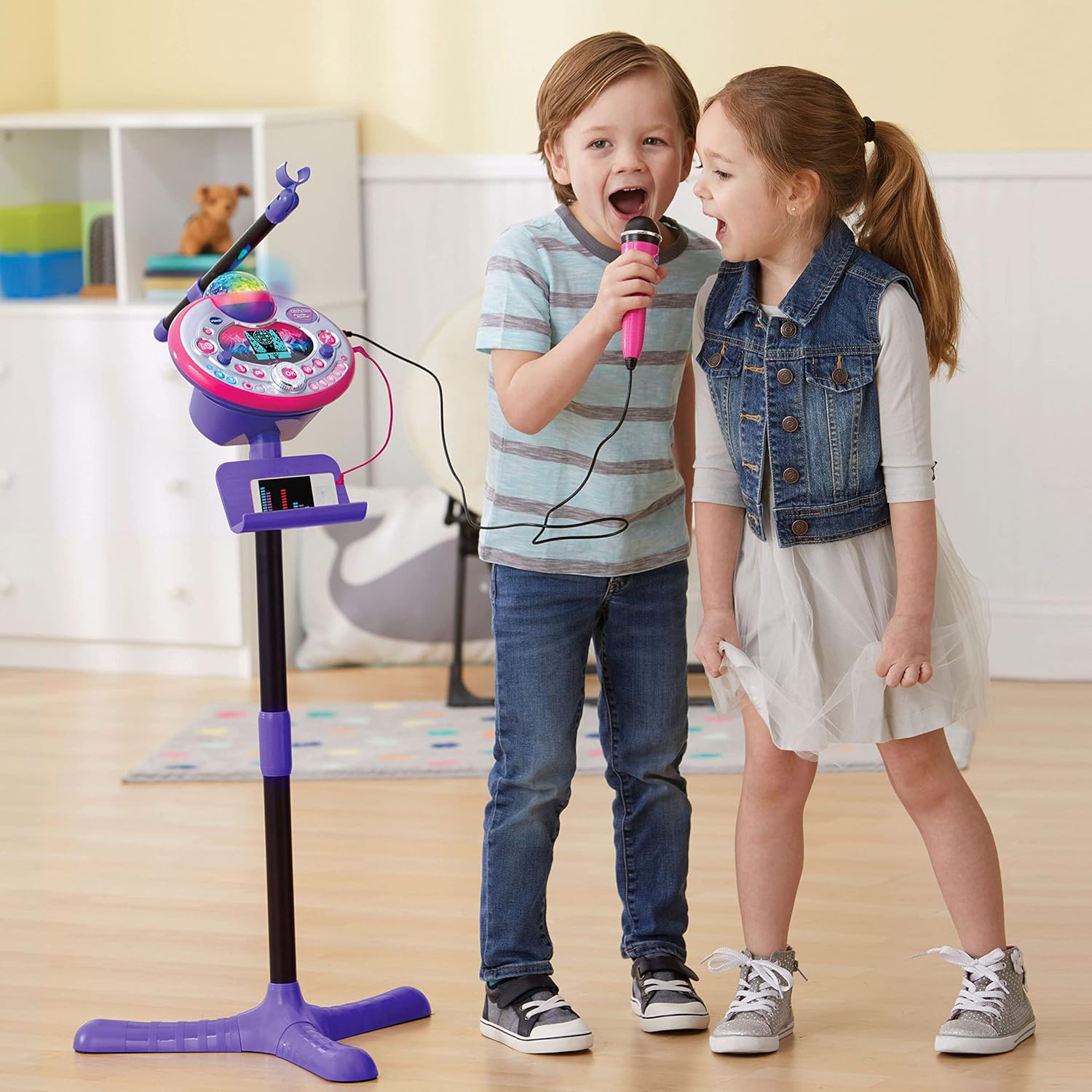
Figure 5: Disco light in action, projecting colorful patterns.
5.8 Audience Sounds
Engage the audience sound effects, such as applause, cheering, and laughter, by pressing the dedicated buttons. This feature simulates a live performance atmosphere.
6. Penyelenggaraan
- Pembersihan: Lap unit dengan sedikit damp kain. Jangan gunakan bahan kimia yang keras atau pembersih yang kasar.
- Storan: Store the karaoke machine in a cool, dry place away from direct sunlight when not in use.
- Penjagaan Bateri: Tanggalkan bateri jika unit tidak akan digunakan untuk tempoh yang lama untuk mengelakkan kebocoran.
7. Penyelesaian masalah
| Masalah | Kemungkinan Punca | Penyelesaian |
|---|---|---|
| Unit tidak dihidupkan. | Bateri lemah atau tidak dipasang dengan betul. | Gantikan bateri dengan yang baharu, memastikan kekutuban yang betul. |
| Tiada bunyi dari mikrofon. | Microphone not securely plugged in; volume too low. | Ensure microphone is fully inserted. Adjust microphone volume. |
| External device audio is not playing. | Audio cable not connected properly; device volume too low. | Check audio cable connections. Increase volume on both the external device and the karaoke machine. |
| Disco light not working. | Light feature is turned off or unit is in a low-power state. | Ensure the light button is pressed or the unit is powered on. Check batteries. |
8. Spesifikasi
- Nombor Model: 80-165835
- Jenama: VTech
- warna: Merah jambu/Ungu
- Bahan: plastik
- Sumber Kuasa: 4 Bateri AA (termasuk)
- Ketersambungan: Bantu (Bicu 3.5 mm)
- Peranti Serasi: Smartphone, MP3 Player
- Ciri Khas: Voice Changer, Disco Light, Built-in Recorder, Audience Sounds, Music Magic Mode, Built-in Songs & Games
- Dimensi Produk: Approximately 127.94 x 37.01 x 42.42 cm (assembled)
- Berat Barang: Kira-kira 1.34 kg
9. Waranti dan Sokongan
For warranty information and customer support, please refer to the VTech official webtapak atau hubungi bahagian perkhidmatan pelanggan mereka. Simpan resit pembelian anda sebagai bukti pembelian untuk sebarang tuntutan waranti.
VTech Webtapak: www.vtechkids.com


