1. Pengenalan
Welcome to the JOYTRIP Kids Digital Camera instruction manual. This guide provides essential information for setting up, operating, and maintaining your new digital camera. Designed for young users, this camera allows children to capture 12-megapixel photos and record 1080P videos, fostering creativity and exploration. Please read this manual thoroughly to ensure proper use and to maximize your child's enjoyment of the camera.
2. Kandungan Pakej
Sebelum bermula, sila sahkan bahawa semua item yang disenaraikan di bawah ada di dalam pakej anda:
- JOYTRIP Kids Digital Camera (Pink)
- Kad TF 16GB (dipasang atau berasingan)
- Pembaca Kad USB
- Pelekat Kartun
- Lanyard
- Kabel Pengecas USB Mikro

Image: The JOYTRIP Kids Digital Camera in pink, shown with its included USB charging cables.
3. Produk Lebihview
Familiarize yourself with the camera's components and controls:
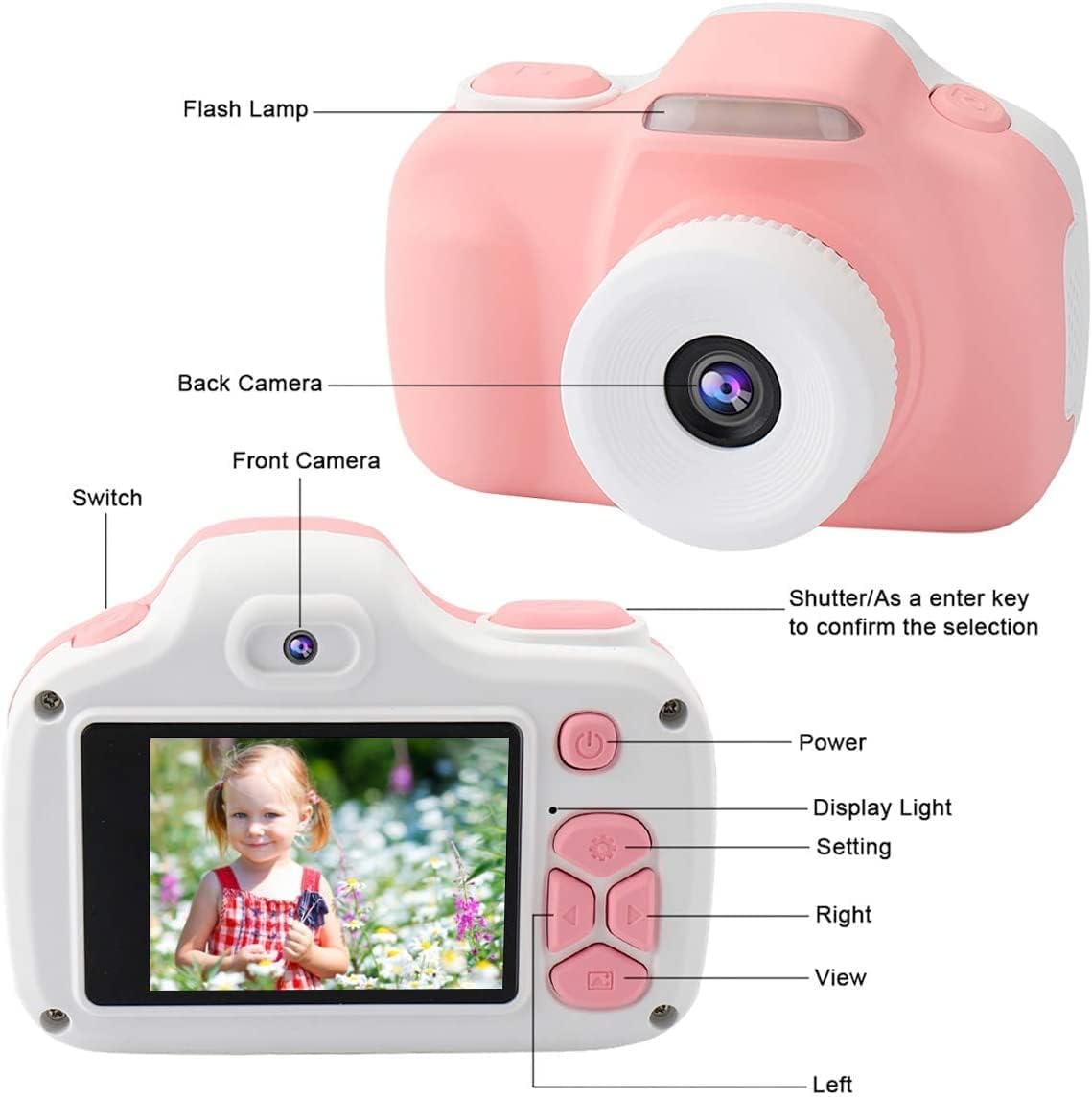
Image: A detailed diagram labeling the flash lamp, back camera, front camera, power button, display light, settings button, navigation buttons (right, left, view), and the shutter/confirm key.
- Kilat Lamp: Provides additional light for photos in dim conditions.
- Kamera Belakang: Main lens for capturing photos and videos.
- Kamera Depan: Used for selfie photos and videos.
- Tukar: Toggles between front and back cameras.
- Shutter/Confirm Key: Press to take a photo or start/stop video recording. Also confirms selections in menus.
- Butang Kuasa: Menghidupkan atau mematikan kamera.
- Cahaya Paparan: Menunjukkan status kamera.
- Butang Tetapan: Accesses the camera's menu for various options.
- Right/Left Navigation Buttons: Used to navigate through menus and browse photos/videos.
- View Butang: Enters playback mode to review media yang ditangkap.
4. Bermula
4.1. Pengecasan Awal
Before first use, fully charge the camera's built-in lithium battery. Connect the Micro USB cable to the camera's charging port and the other end to a 5V power adapter (not included) or a computer's USB port. The red indicator light will turn off once charging is complete.
4.2. Memasukkan Kad TF
The camera comes with a 16GB TF card for storage. If not pre-installed, locate the TF card slot on the side of the camera. Gently insert the TF card with the metal contacts facing down until it clicks into place. To remove, push the card in slightly until it springs out.
4.3. Memasang Tali Gantung
Thread the included lanyard through the designated loop on the camera body. This helps prevent accidental drops and makes the camera easier for children to carry.
5. Operasi Asas
5.1. Hidupkan/Mati Kuasa
Tekan dan tahan butang Butang Kuasa for a few seconds to turn the camera on or off.
5.2. Mengambil Foto
- Hidupkan kamera.
- Frame your subject using the display screen.
- Tekan ke Butang Pengatup untuk menangkap gambar.
5.3. Merakam Video
- Hidupkan kamera.
- Navigate to video mode using the navigation buttons (if applicable, or it may be a dedicated button).
- Tekan ke Butang Pengatup once to start recording. A timer will appear on the screen.
- Tekan ke Butang Pengatup sekali lagi untuk menghentikan rakaman.
5.4. Using the Flash
The camera features a built-in flash for low-light conditions. The flash can be activated or set to automatic via the camera's settings menu. When active, the flash will illuminate your subject for clearer photos.

Image: A young child holding the pink camera to their eye, demonstrating the use of the built-in flash for improved lighting in photos.
5.5. ViewFoto dan Video
- Tekan ke View Butang untuk memasuki mod main balik.
- Gunakan Right/Left Navigation Buttons to scroll through your captured photos and videos.
- Untuk keluar dari mod main balik, tekan butang View Butang lagi atau Butang Kuasa.
6. Ciri Lanjutan
Enhance your photos and videos with the camera's creative functions:
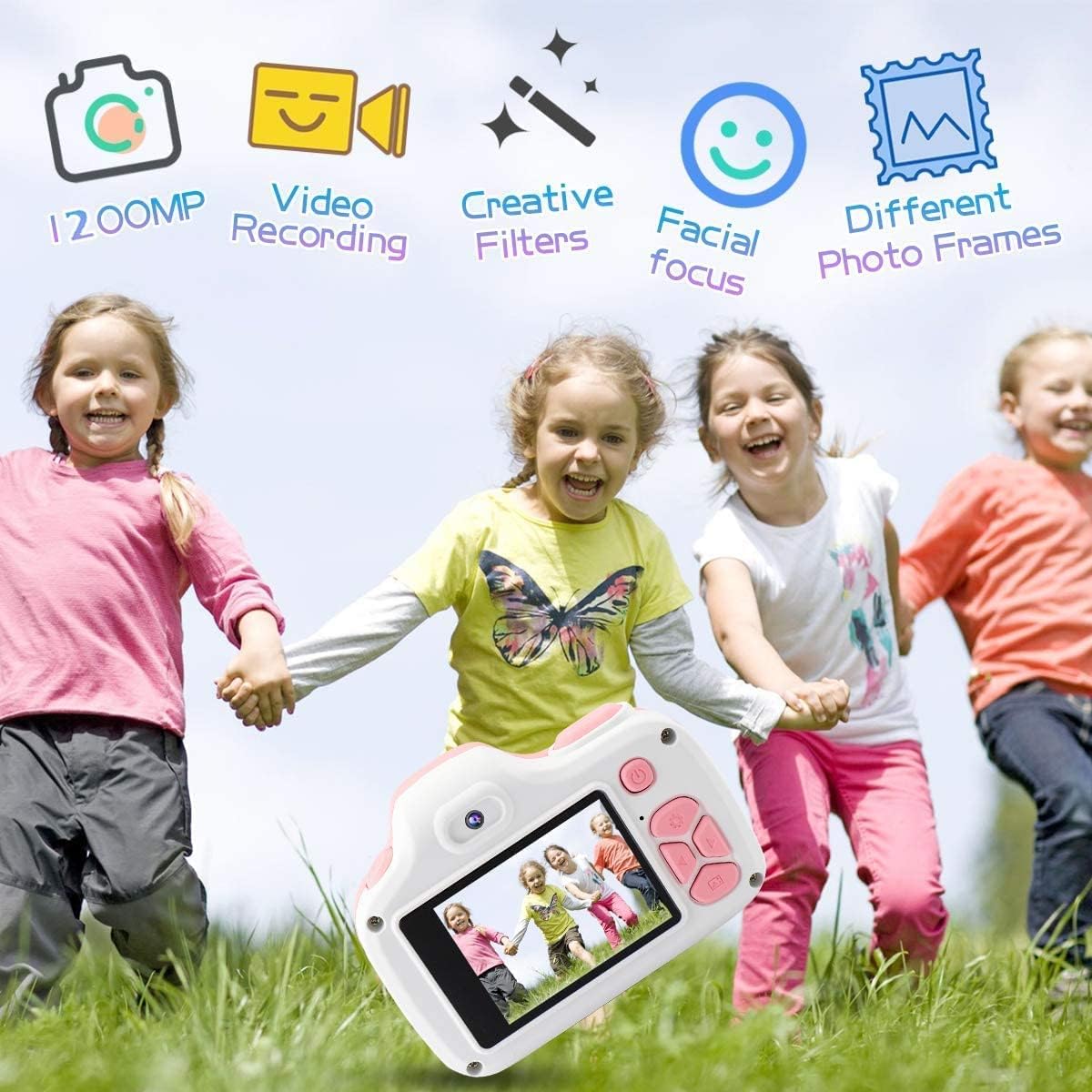
Image: Children playing outdoors with the camera, illustrating its various functions like 12MP photos, video recording, creative filters, facial focus, and different photo frames.
6.1. Photo Frames and Filters
Access the camera's settings menu to select from a variety of fun photo frames and creative filters. These can be applied to your photos to add unique effects and personalize your images.

Imej: Tayangan kolajcasing various fun photo frames and color filters that can be applied to images taken with the camera.
6.2. Timer Shooting
The timer shooting function allows for a delay before a photo is taken, giving the user time to pose. This feature can be enabled and configured in the camera's settings.
7. Mengecas dan Bateri
The camera is equipped with a built-in rechargeable lithium polymer battery. To charge, connect the camera to a 5V power source using the provided Micro USB cable. The charging indicator light will turn off when the battery is fully charged. A full charge provides approximately 320 minutes of recording capacity.
8. Penjagaan dan Penyelenggaraan
8.1. Pembersihan
Use a soft, dry cloth to clean the camera body. For the lens, use a specialized lens cleaning cloth. Avoid using liquid cleaners or abrasive materials.
8.2. Penyimpanan
When not in use, store the camera in a cool, dry place away from direct sunlight and extreme temperatures. Ensure the camera is turned off to conserve battery life.
8.3. Ketahanan
The JOYTRIP Kids Digital Camera is constructed from high-quality, environmentally-friendly materials designed to be shockproof and provide effective anti-drop protection, making it suitable for active children.

Image: The camera is shown on a cracked surface, illustrating its durable and shockproof construction.
9. Penyelesaian masalah
- Kamera tidak dihidupkan: Pastikan bateri telah dicas. Sambungkan kamera ke sumber kuasa dan cuba lagi.
- Tidak boleh mengambil gambar/video: Check if the TF card is inserted correctly and has sufficient free space. The camera may also require a reset if unresponsive.
- Kualiti imej yang lemah: Ensure the lens is clean and free from smudges. Check lighting conditions and use the flash if necessary.
- Kamera membeku: Press and hold the power button for an extended period (e.g., 10-15 seconds) to force a shutdown, then restart the camera.
10. Spesifikasi
| Ciri | Spesifikasi |
|---|---|
| Nama Model | JOYTRIP Kids Camera |
| Nombor Model | 797550710434 |
| Resolusi Foto | 12 MP (Maximum) |
| Resolusi Video | 1080p |
| Saiz Skrin | 3.3 Inci |
| Penyimpanan | 16 GB TF Card (included), supports up to 2 TB |
| Jenis Bateri | Lithium Polymer (18 grams) |
| Ketersambungan | USB |
| Dimensi (D x W x H) | 2.08" x 3.38" x 2.48" |
| Berat Barang | 2.8 Auns |
| warna | Merah jambu |
11. Waranti dan Sokongan
For warranty information, technical support, or any questions regarding your JOYTRIP Kids Digital Camera, please refer to the contact information provided with your purchase or visit the official JOYTRIP webtapak. Simpan resit pembelian anda sebagai bukti pembelian untuk tuntutan waranti.


