1. Pengenalan
This manual provides detailed instructions for the installation, operation, and maintenance of your Aerocool Streak Mid-Tower ATX PC Gaming Case. Designed for both new and experienced PC builders, the Streak case offers a compact design with a polished aluminum front panel, vibrant RGB lighting, and a full tempered glass side panel to showcase your components. It supports various cooling configurations to ensure optimal performance for your system.
2. Maklumat Keselamatan
Please read and understand all safety instructions before installing or operating the PC case. Failure to do so may result in personal injury or damage to the product.
- Sentiasa putuskan sambungan bekalan kuasa dari soket dinding sebelum melakukan sebarang pemasangan atau penyelenggaraan.
- Be aware of sharp edges inside the case. Handle components with care to avoid cuts.
- Jauhkan bahagian kecil dan skru daripada kanak-kanak.
- Pastikan pembumian yang betul untuk mengelakkan kejutan elektrik.
- Do not expose the case to water or excessive humidity.
3. Kandungan Pakej
Sahkan bahawa semua item terdapat dalam pakej:
- Aerocool Streak Mid-Tower ATX PC Gaming Case
- Accessory box (screws, standoffs, cable ties, etc.)
- Manual Pengguna (dokumen ini)
4. Case Components Overview
Familiarize yourself with the various parts of your Aerocool Streak case.

Rajah 4.1: bersudut view of the Aerocool Streak PC case, showcasing the RGB front panel and tempered glass side panel.

Rajah 4.2: Bersudut atas ke bawah view of the Aerocool Streak PC case, highlighting the top panel and front I/O ports.
4.1 Front I/O Ports
The front I/O panel provides convenient access to essential connections.
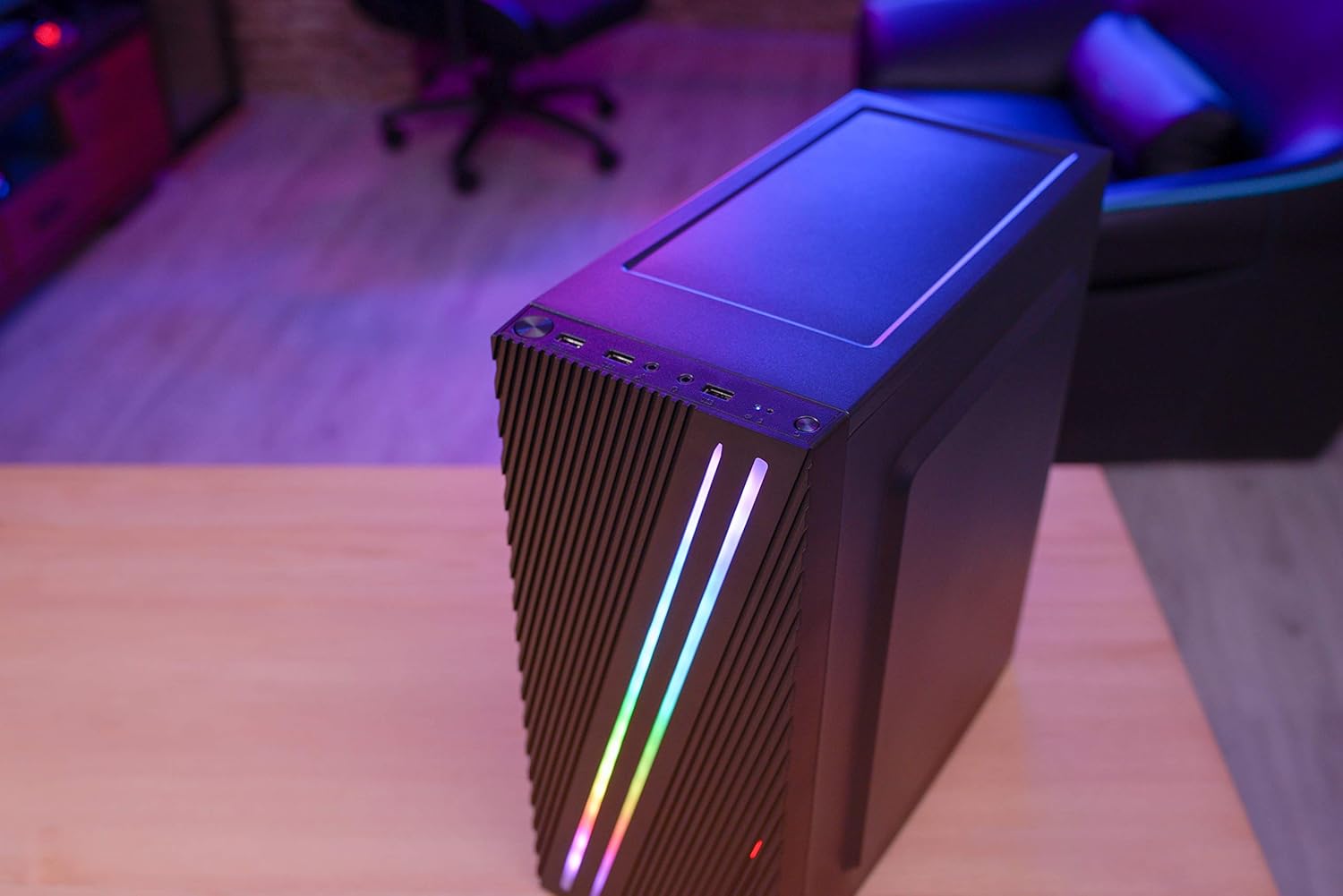
Rajah 4.3: Close-up of the front I/O panel, showing the power button, LED control button, USB 3.0 port, two USB 2.0 ports, and HD audio/microphone jacks.
- Butang Kuasa: Untuk menghidupkan/mematikan sistem.
- Butang Kawalan LED: To cycle through RGB lighting modes.
- Port USB 3.0 (x1): Untuk pemindahan data berkelajuan tinggi.
- Port USB 2.0 (x2): Untuk peranti USB standard.
- HD Audio & Mic Jacks: Untuk menyambungkan fon kepala dan mikrofon.
4.2 Susun Atur Dalaman
The interior is designed for efficient component installation and cable management.

Rajah 4.4: Dalaman view of the Aerocool Streak PC case, showing the motherboard tray, drive bays, and cable routing cutouts.
5. Persediaan dan Pemasangan
Follow these steps to assemble your PC components within the Aerocool Streak case.
5.1 Persediaan
- Unpack the case and remove all packaging materials.
- Letakkan bekas di atas permukaan yang stabil dan rata.
- Gather necessary tools: Phillips head screwdriver, cable ties (included in accessory box).
- Remove the tempered glass side panel by unscrewing the four thumb screws.
5.2 Pemasangan Motherboard
The Aerocool Streak supports ATX, Micro-ATX, and Mini-ITX motherboards.

Rajah 5.1: Diagram illustrating the compatible motherboard sizes (Mini-ITX, Micro-ATX, ATX) within the case.
- Install the necessary motherboard standoffs into the motherboard tray according to your motherboard's form factor.
- Place your motherboard carefully onto the standoffs, aligning the screw holes.
- Selamatkan papan induk dengan skru yang disediakan.
5.3 Pemasangan Unit Bekalan Kuasa (PSU)
Sarung ini mempunyai reka bentuk PSU pelekap bawah.
- Luncurkan PSU ke dalam petak yang ditetapkan di bahagian bawah belakang sarung.
- Secure the PSU to the case rear with screws.
5.4 Pemasangan Pemacu Storan
Install your 2.5" SSDs and 3.5" HDDs.
- SSD 2.5": Mount SSDs to the designated 2.5" drive trays or mounting points on the motherboard tray.
- HDD 3.5": Pasang HDD ke dalam sangkar pemacu yang terletak di bawah penutup PSU.
5.5 Expansion Card Installation (Graphics Card, etc.)
The case supports high-end graphics cards up to 335mm in length.
- Tanggalkan penutup slot PCIe yang diperlukan dari belakang kes itu.
- Insert your expansion card into the corresponding PCIe slot on the motherboard.
- Secure the card with a screw.
5.6 Cooling System Installation
The Aerocool Streak supports both air and liquid cooling solutions.

Rajah 5.2: Diagram showing air cooling options, including front 120mm fans (optional) and a rear 80mm fan (included).

Rajah 5.3: Diagram illustrating liquid cooling support, specifically a 240mm radiator at the front (optional).
- Penyejukan Udara: The case supports up to two 120mm fans at the front (optional) and includes one 80mm fan at the rear.
- Penyejukan Cecair: A 240mm radiator can be installed at the front of the case (optional).
- Install fans or radiators into their respective mounting points and secure them with screws.
5.7 Pengurusan Kabel
Utilize the cable routing cutouts and tie-down points behind the motherboard tray to organize cables for improved airflow and aesthetics.
- Route all power and data cables through the designated cutouts.
- Use cable ties to bundle and secure cables neatly.
6. Arahan Operasi
6.1 Menghidupkan Sistem Anda
- Ensure all components are correctly installed and all cables are securely connected.
- Connect the power cable to your PSU and then to a wall outlet.
- Pusingkan suis kuasa pada PSU ke kedudukan 'ON'.
- Press the power button on the front I/O panel of the case to start your system.
6.2 Kawalan Pencahayaan RGB
The Aerocool Streak features 18 distinct RGB lighting modes on its front panel.

Rajah 6.1: The Aerocool Streak PC case with its vibrant RGB lighting illuminated on the front panel.
- Tekan ke Butang Kawalan LED on the front I/O panel to cycle through the 18 available lighting modes.
- These modes include 11 RGB flow modes and 7 static color modes.
7. Penyelenggaraan
Regular maintenance helps ensure the longevity and optimal performance of your PC case and components.
7.1 Membersihkan Kes
- Luaran: Gunakan yang lembut, damp kain untuk mengelap permukaan luar. Elakkan pembersih yang kasar.
- Dalaman: Periodically use compressed air to remove dust buildup from inside the case, especially around fans and heatsinks.
7.2 Penyelenggaraan Penapis Habuk
The case may include removable dust filters to prevent dust ingress. Clean these filters regularly.
- Locate and carefully remove any dust filters (e.g., top, bottom, front).
- Clean the filters with water and mild soap, or use compressed air.
- Pastikan penapis benar-benar kering sebelum memasangnya semula.
8. Penyelesaian masalah
If you encounter issues with your Aerocool Streak case, refer to the following common problems and solutions.
- System does not power on:
- Check all power connections, including the PSU to the wall, PSU switch, and motherboard power cables.
- Ensure the front panel power switch cable is correctly connected to the motherboard.
- RGB lighting is not working:
- Verify that the RGB lighting cables are properly connected to the power supply or motherboard RGB header.
- Press the LED control button to cycle through modes, as it might be on a static black mode.
- Poor airflow/overheating:
- Pastikan semua kipas casing berputar dengan betul.
- Bersihkan sebarang penapis habuk dan komponen dalaman.
- Verify proper fan orientation for optimal airflow (intake/exhaust).
9. Spesifikasi
| Ciri | Spesifikasi |
|---|---|
| Nama Model | coretan |
| Nombor Model | ACCM-PV19012.11 |
| Jenis Kes | Mid-Tower |
| Keserasian Papan Induk | ATX, Micro ATX, Mini ITX |
| bahan | Tempered Glass (side panel) |
| warna | Hitam |
| Pelabuhan I / O Depan | 1x USB 3.0, 2x USB 2.0, HD Audio, Mic, LED Control Button, Power Button |
| Pencahayaan RGB | 18 Lighting Modes (11 flow, 7 static) |
| Kelegaan Penyejuk CPU | Sehingga 151mm |
| Panjang Kad Grafik | Sehingga 335mm |
| Pemasangan PSU | Pelekap Bawah |
| Kaedah Penyejukan | Air, Water |
| Termasuk Peminat | 1x 80mm Rear Fan |
| Optional Fan Support | Hadapan: 2x 120mm |
| Sokongan Radiator | Front: 1x 240mm (optional) |
10. Waranti dan Sokongan
The Aerocool Streak PC Gaming Case comes with a 2-year warranty on parts. For technical support, warranty claims, or further assistance, please contact your retailer or the official Aerocool support channels. Keep your proof of purchase for warranty validation.


