1. Pengenalan
Thank you for choosing the ZIPRO Boost Exercise Bike. This manual provides essential information for the safe and effective assembly, operation, and maintenance of your new fitness equipment. Please read this manual thoroughly before first use and keep it for future reference.
2. Maklumat Keselamatan
- Rujuk doktor sebelum memulakan sebarang program senaman.
- Pastikan semua bahagian diikat dengan selamat sebelum setiap penggunaan.
- Jauhkan kanak-kanak dan haiwan peliharaan daripada peralatan semasa operasi.
- Letakkan basikal senaman di atas permukaan yang rata dan stabil.
- Pakai pakaian senaman dan kasut yang sesuai.
- Do not exceed the maximum user weight capacity of 120 kg.
- Berhenti bersenam serta-merta jika anda berasa pitam, pening, atau mengalami kesakitan.
3. Kandungan Pakej
Sebelum pemasangan, pastikan semua komponen ada dan tidak rosak:
- Kerangka Utama
- Penstabil Depan dan Belakang
- Pedal (Kiri dan Kanan)
- Seat Post and Saddle
- Tiang Hendal dan Bar Hendal
- Komputer Senaman
- Perkakasan Pemasangan (bolt, pencuci, nat)
- Alat Pemasangan (sepana, kunci Allen)
- Manual Pengguna
4. Arahan Perhimpunan
Follow these steps for proper assembly. It is recommended to have two people for certain steps.
- Pasang Penstabil: Secure the front and rear stabilizers to the main frame using the provided bolts and washers. Ensure they are firmly tightened.
- Pasang Pedal: Identify the left (L) and right (R) pedals. The left pedal screws counter-clockwise, and the right pedal screws clockwise. Tighten securely.
- Mount Seat Post and Saddle: Insert the seat post into the main frame and adjust to the desired height. Attach the saddle to the seat post and secure it.
- Attach Handlebar Post: Insert the handlebar post into the main frame.
- Install Handlebars and Computer: Attach the handlebars to the handlebar post. Connect the sensor wires from the main frame to the exercise computer. Mount the computer onto the handlebar post.

Figure 4.1: Detailed assembly diagram for the ZIPRO Boost Exercise Bike.

Rajah 4.2: Meletup view of the exercise bike components, illustrating how parts fit together during assembly.
5. Arahan Operasi
5.1 Melaraskan Rintangan
The ZIPRO Boost features an 8-level magnetic resistance system. To adjust the resistance, turn the tension control knob located below the computer display. Turn clockwise to increase resistance (harder) and counter-clockwise to decrease resistance (easier).

Figure 5.1: The resistance adjustment knob, showing levels 1 through 8.
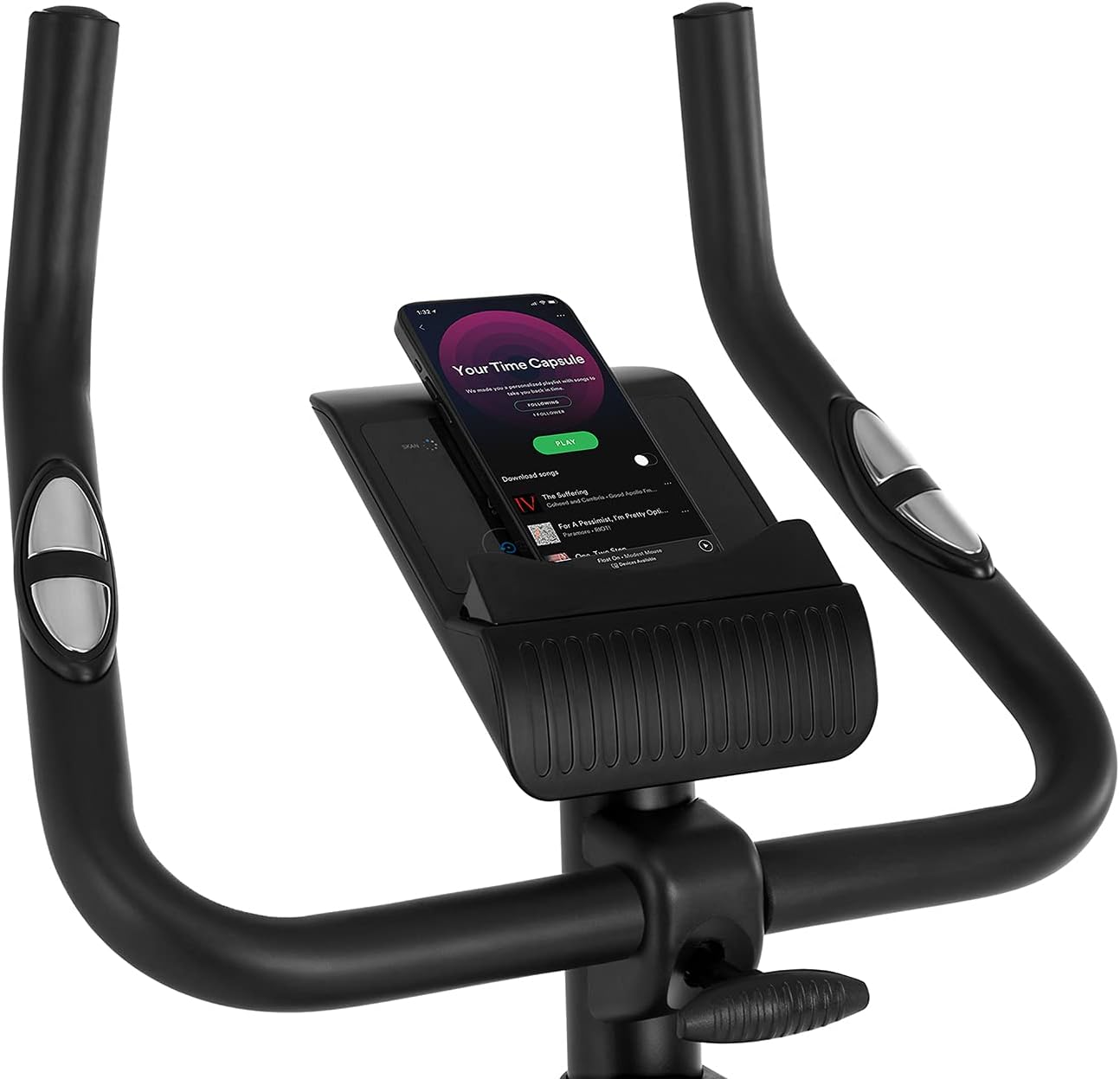
Figure 5.2: Demonstrating how to adjust the magnetic resistance using the tension control knob.
5.2 Saddle and Handlebar Adjustments
Proper adjustment of the saddle and handlebars ensures comfort and effective training.
- Ketinggian Pelana: Loosen the adjustment knob on the seat post, raise or lower the saddle to your desired height (ensure a slight bend in your knee at the bottom of the pedal stroke), and tighten the knob securely.
- Saddle Horizontal Position: Loosen the knob beneath the saddle to slide it forward or backward for optimal positioning relative to the pedals. Tighten securely.
- Ketinggian Hendal: Loosen the adjustment knob on the handlebar post, raise or lower the handlebars to a comfortable position, and tighten the knob securely.
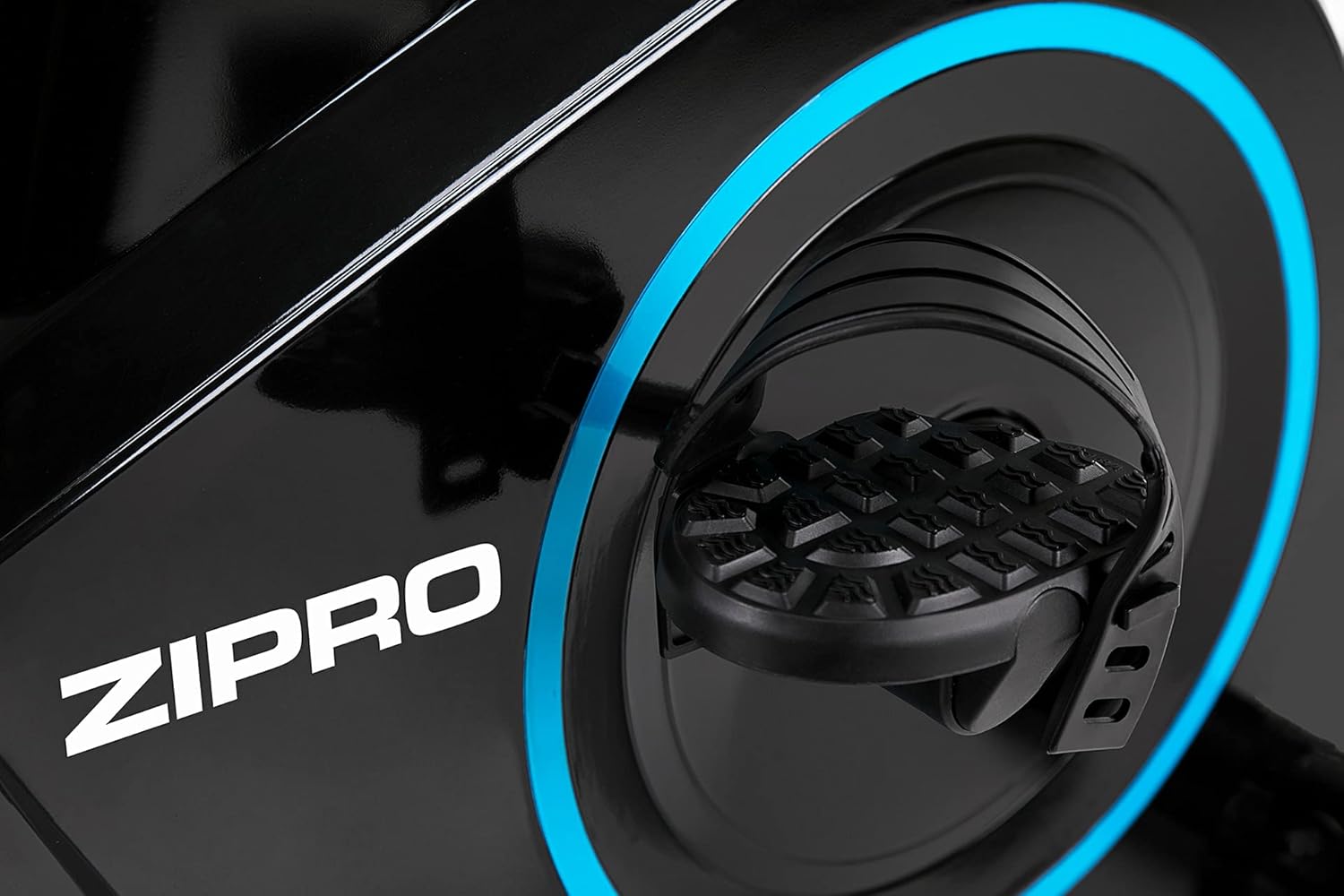
Figure 5.3: Adjusting the saddle's vertical position for user comfort.
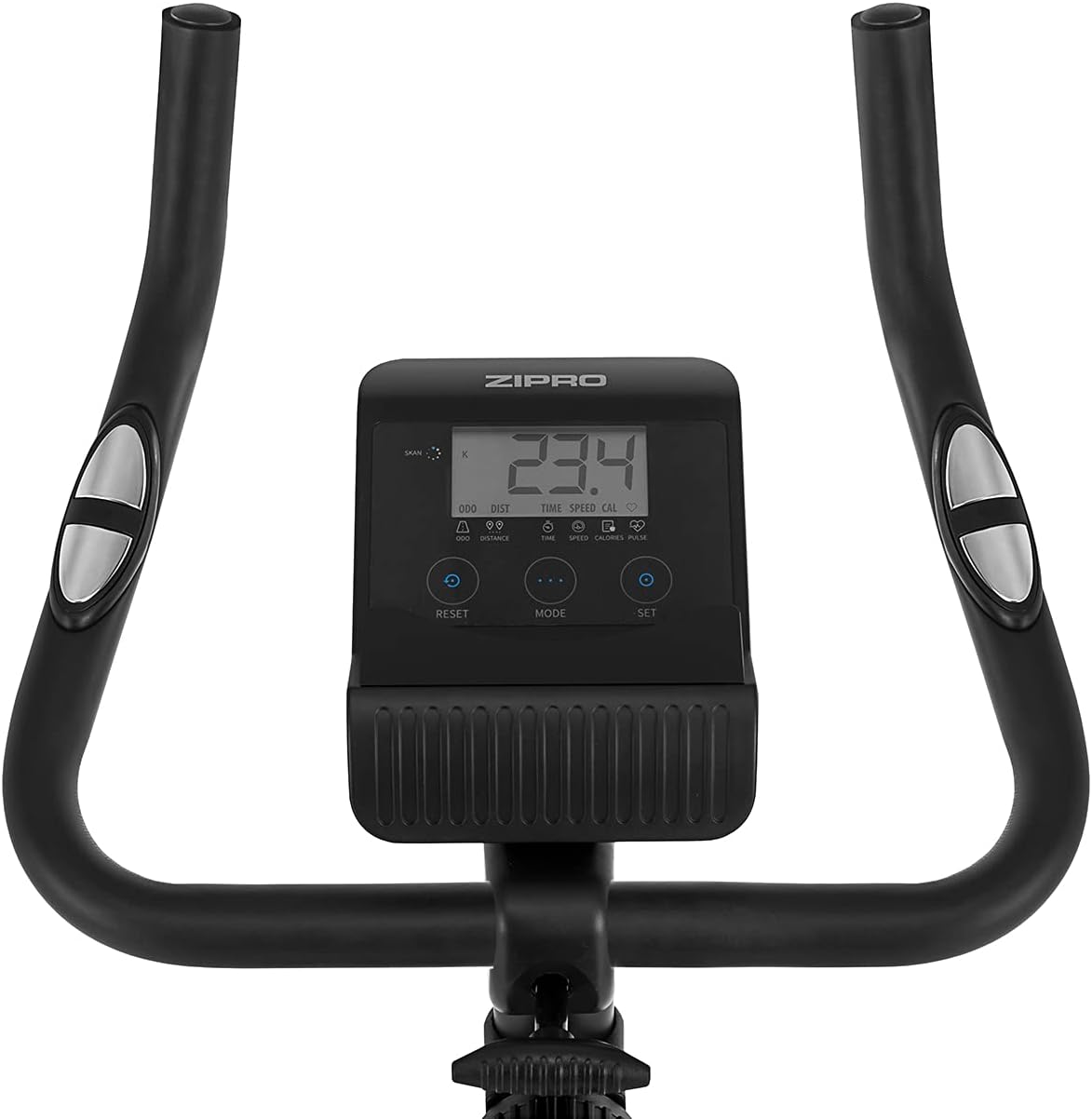
Figure 5.4: Adjusting the saddle's horizontal position for optimal riding posture.
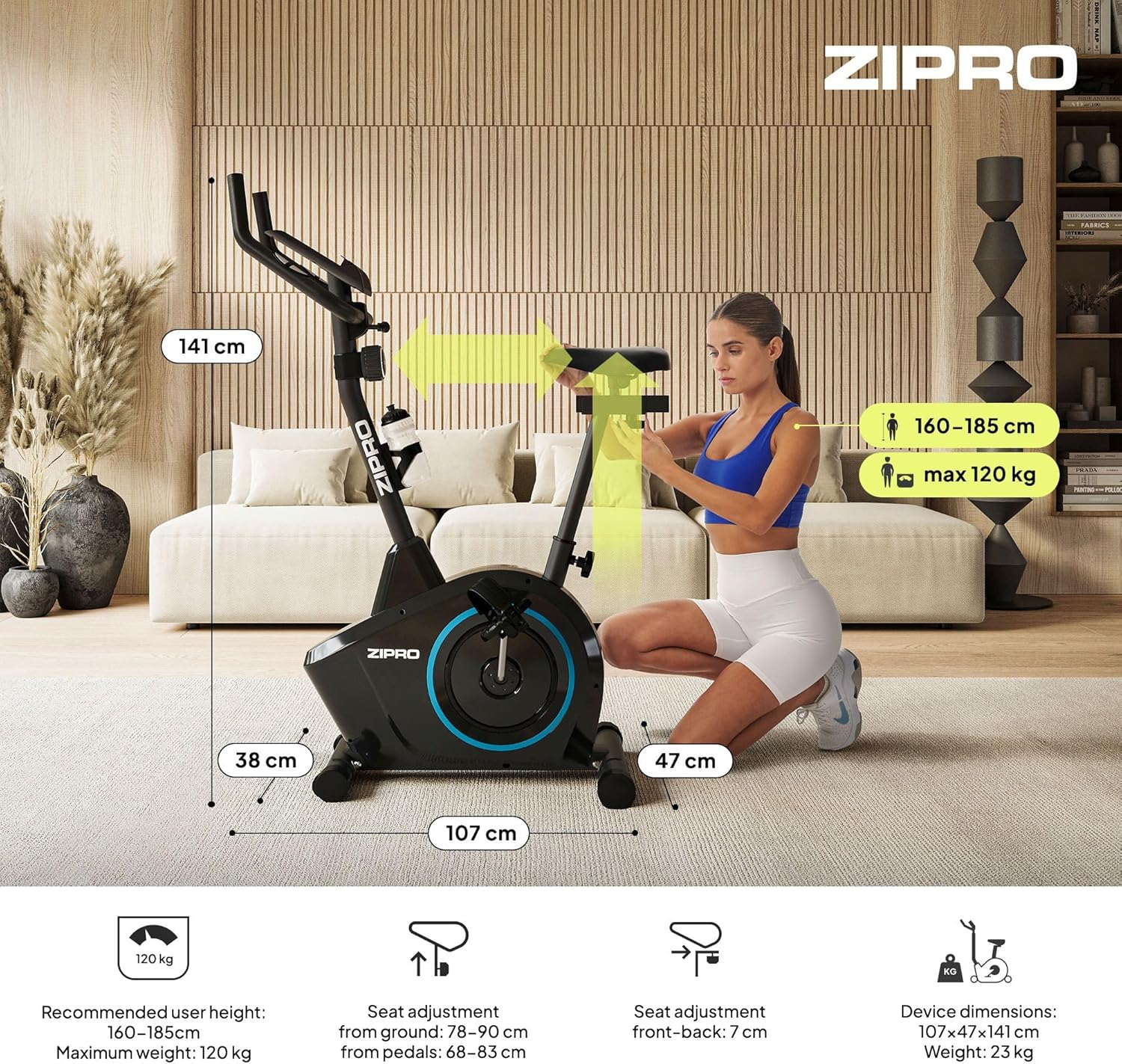
Figure 5.5: Adjusting the handlebar height to suit different user preferences and workout styles.
5.3 Computer Functions
The integrated computer tracks your workout data. It measures time, distance, speed, calories burned, and pulse (via sensors in the handlebar). The SCAN function cycles through all data alternately on the screen.
- Butang MOD: Press to select the display function (Time, Speed, Distance, Calories, Odometer, Pulse).
- Butang TETAP SEMULA: Press and hold to clear all current workout data (Time, Distance, Speed, Calories).
- Butang SET: Used to set target values for Time, Distance, or Calories.
- Pulse Sensors: Grip the metal plates on the handlebars to measure your heart rate.
- Mobile Device Shelf: A convenient shelf is provided above the computer for your smartphone or tablet.

Figure 5.6: The exercise computer display with MODE, RESET, and SET buttons.

Gambar 5.7: Lebihview of the computer display and integrated pulse sensors.

Figure 5.8: The integrated shelf designed to hold a mobile device like a tablet during workouts.
6. Penyelenggaraan
Penyelenggaraan berkala memastikan ketahanan dan operasi basikal senaman anda yang selamat.
- Pembersihan: Lap basikal dengan iklanamp kain selepas setiap penggunaan untuk mengeluarkan peluh dan habuk. Jangan gunakan pembersih yang kasar.
- Semak Sambungan: Periksa semua bolt, nat dan skru secara berkala untuk memastikan ia ketat. Ketatkan jika perlu.
- Pelinciran: Sistem rintangan magnet secara amnya bebas penyelenggaraan. Jika anda perasan sebarang bunyi berderit daripada bahagian yang bergerak (cth., gandar pedal), sapukan sedikit pelincir berasaskan silikon.
- Storan: When not in use, store the bike in a dry, cool place away from direct sunlight. The integrated transport wheels allow for easy movement.

Figure 6.1: The exercise bike features transport wheels for easy relocation after use.
7. Penyelesaian masalah
| Masalah | Kemungkinan Punca | Penyelesaian |
|---|---|---|
| Computer display not working | Loose cable connection; Dead batteries | Check all cable connections to the computer; Replace batteries (if applicable). |
| Tiada perubahan rintangan | Kabel rintangan terputus atau rosak | Check the resistance cable connection to the tension knob and the main unit. |
| Bunyi berdecit atau berkisar | Loose parts; Lack of lubrication | Check and tighten all bolts and nuts; Apply silicone lubricant to moving parts if necessary. |
| Unstable during use | Bike not on a level surface; Loose stabilizers | Ensure the bike is on a flat surface; Adjust leveling caps on stabilizers; Tighten stabilizer bolts. |
8. Spesifikasi
| Ciri | Spesifikasi |
|---|---|
| Model | 979536 |
| Dimensi (L x W x H) | 73 x 48 x 137 cm |
| Berat Produk | 23 kg |
| Berat Pengguna Maksimum | 120 kg |
| Sistem Rintangan | Magnetic, 8-level manual adjustment |
| Sistem Pemacu | tali pinggang |
| Fungsi Komputer | Time, Distance, Speed, Calories, Pulse (Heart Rate) |
| Jenis Bahan | Plastik, Logam |
| Sumber Kuasa (Komputer) | Dikuasakan Bateri |
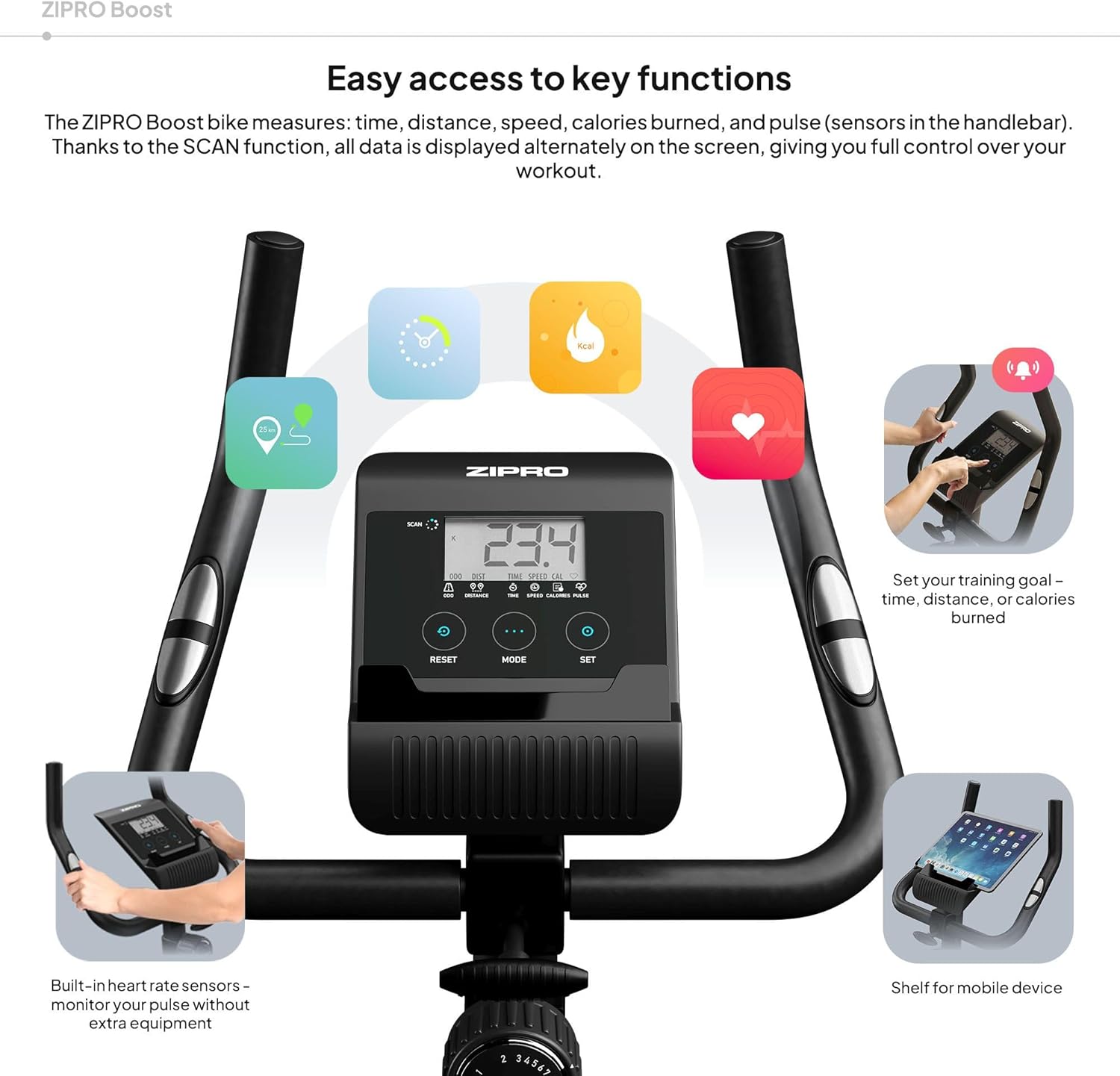
Figure 8.1: Key dimensions and user specifications for the exercise bike.
9. Waranti dan Sokongan
Your ZIPRO Boost Exercise Bike comes with a standard manufacturer's warranty. Please refer to the warranty card included in your package for specific terms and conditions. For technical support, spare parts, or any inquiries not covered in this manual, please contact ZIPRO customer service through their official webtapak atau peruncit tempat anda membeli produk tersebut.


