pengenalan
This manual provides detailed instructions for the safe and effective use of your SIMOLIO JH-712 Bluetooth Kids Headphones. Please read this manual thoroughly before operating the device and retain it for future reference.
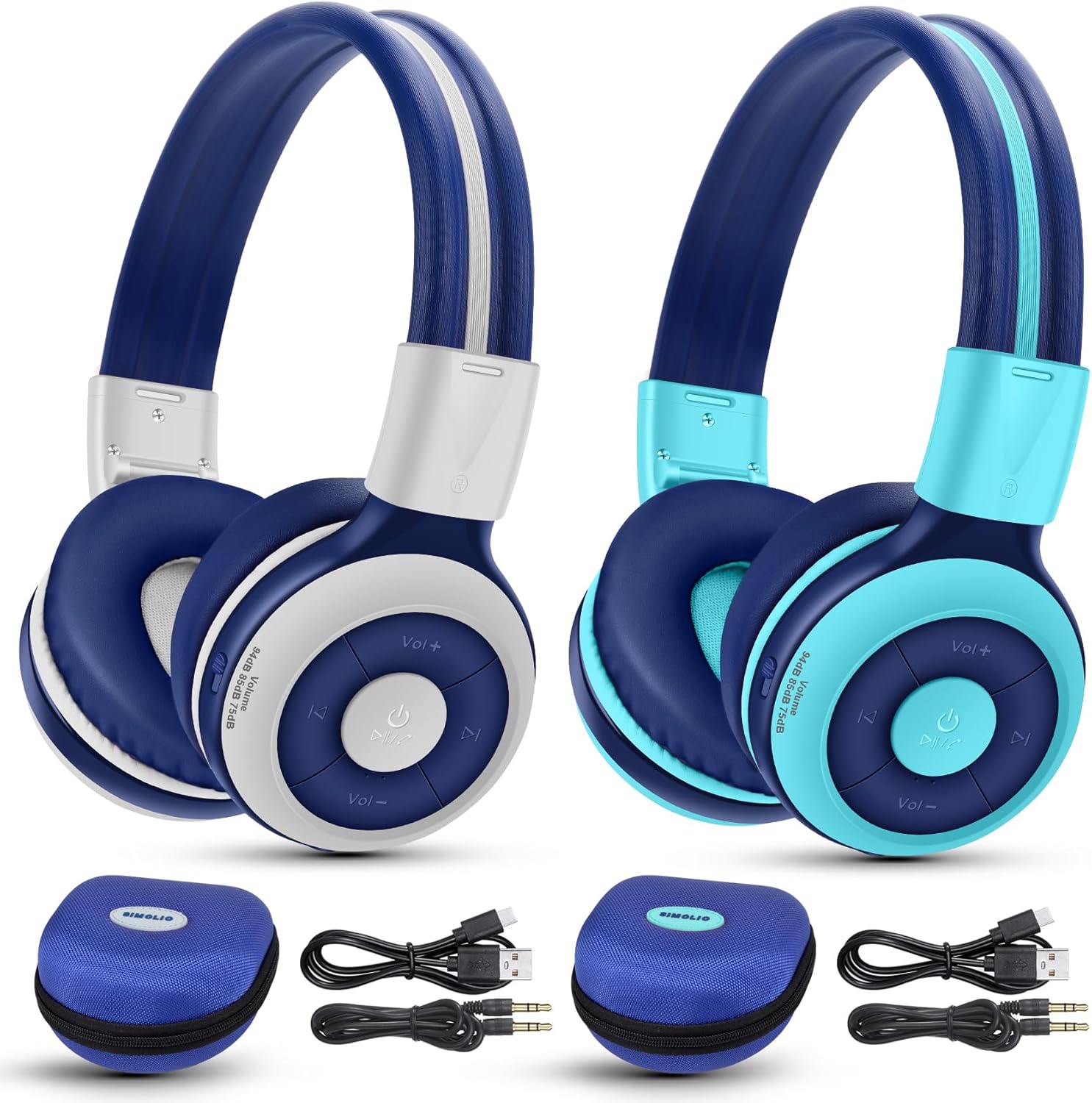
Image: The SIMOLIO JH-712 Bluetooth Kids Headphones, showcasing the mint and grey color options, complete with accessories.
Kandungan Pakej
Sahkan bahawa semua item terdapat dalam pakej anda:
- SIMOLIO JH-712 Bluetooth Kids Headphones (2 units)
- Kabel Pengecasan (USB-C)
- Kabel AUX (kabel audio 3.5mm)
- Manual Pengguna (dokumen ini)
- Carrying EVA Case (2 units)
Produk Selesaiview
Biasakan diri anda dengan komponen fon kepala anda.
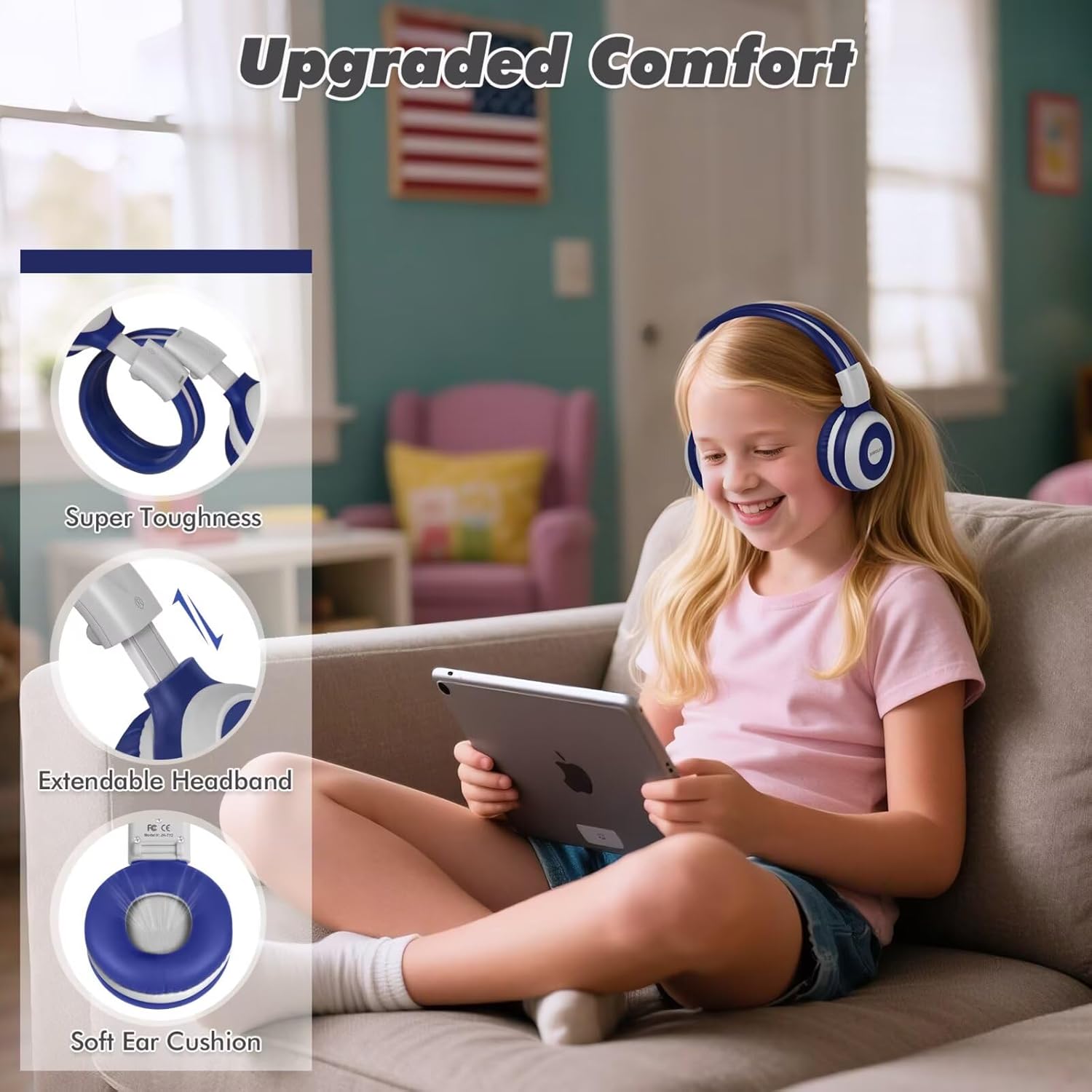
Image: Key features of the headphones, including super toughness, extendable headband, and soft ear cushions.
- Butang Kuasa/Butang Pelbagai Fungsi: Used for power on/off, play/pause, answer/end calls.
- Butang Naik Kelantangan/Trek Seterusnya: Tekan pendek untuk kelantangan, tekan lama untuk trek seterusnya.
- Kelantangan Turun/Butang Trek Sebelumnya: Tekan pendek untuk kelantangan turun, tekan lama untuk trek sebelumnya.
- Penunjuk LED: Memaparkan status pasangan, status pengecasan dan kuasa.
- mikrofon: Untuk panggilan bebas tangan.
- Bicu Audio 3.5mm: Untuk sambungan berwayar.
- Port Pengecasan (USB-C): Untuk mengecas fon kepala.
- Share Port: Allows another wired headphone to connect and share audio.
- Destar boleh laras: Untuk keselesaan yang sesuai.
- Kusyen Telinga Lembut: Direka untuk keselesaan dan pengasingan bunyi.
Persediaan
1. Mengecas Fon Kepala
Before first use, fully charge the headphones.
- Sambungkan kabel pengecas USB-C yang disediakan ke port pengecasan pada fon kepala.
- Sambungkan hujung kabel yang satu lagi ke penyesuai kuasa USB (tidak disertakan) atau port USB komputer.
- The LED indicator will show a red light during charging and turn off when fully charged.
- Cas penuh mengambil masa kira-kira 3 jam dan menyediakan sehingga 15 jam masa bermain.
2. Penggandingan Bluetooth (Mod Tanpa Wayar)
- Pastikan fon kepala dimatikan.
- Tekan dan tahan Butang Kuasa selama lebih kurang 5 saat sehingga penunjuk LED berkelip biru dan merah secara berselang-seli. Ini menunjukkan mod berpasangan.
- Pada peranti anda (telefon pintar, tablet, komputer riba), dayakan Bluetooth dan cari peranti yang tersedia.
- Select "SIMOLIO JH-712" from the list of devices.
- Setelah disambungkan, penunjuk LED akan berkelip biru perlahan.
- If a passcode is requested, enter "0000".

Image: Illustration of wireless and wired usage modes for the headphones.
3. Sambungan Berwayar (Mod AUX)
Use the wired connection when Bluetooth is not available or the battery is depleted.
- Connect one end of the provided 3.5mm AUX cable to the 3.5mm audio jack on the headphones.
- Sambungkan hujung kabel yang satu lagi ke bicu output audio peranti anda.
- The headphones will automatically switch to wired mode. The microphone functions only in Bluetooth mode.
Arahan Operasi
Hidupkan/Mati Kuasa
- Hidupkan kuasa: Press and hold the Power Button for 2-3 seconds until the LED indicator flashes blue.
- Matikan: Press and hold the Power Button for 3-4 seconds until the LED indicator turns red and then off.
Volume Control and Limiting Modes
The headphones feature three distinct volume limiting modes for hearing protection.

Image: Visual representation of the three volume limiting modes: 75dB (Toddler Mode), 85dB (Study Mode), and 94dB (Travel Mode).
- Laraskan Kelantangan: Tekan sebentar butang Kelantangan Naik (+) atau Kelantangan Turun (-).
- Change Volume Limiting Mode: The headphones automatically adjust to 75dB, 85dB, or 94dB based on the environment. Specific manual control for these modes is typically managed by the device's volume settings within these limits.
Main balik Muzik
- Main/Jeda: Tekan pendek Butang Kuasa.
- Lagu Seterusnya: Tekan lama butang Naikkan Kelantangan (+).
- Trek Sebelumnya: Tekan lama butang Kelantangan Turun (-).
Call Functions (Bluetooth Mode Only)
- Jawab/Tamatkan Panggilan: Tekan pendek Butang Kuasa.
- Tolak Panggilan: Tekan lama Butang Kuasa.
- Dail Semula Nombor Terakhir: Double-press the Power Button.

Image: Children engaged in online learning and video chats using the headphones' built-in microphone.
Share Port Function
The Share Port allows two users to listen to the same audio source simultaneously.
- Connect the primary SIMOLIO headphone to your device via Bluetooth.
- Connect one end of the 3.5mm AUX cable to the Share Port of the primary SIMOLIO headphone.
- Connect the other end of the AUX cable to the 3.5mm audio jack of a second headphone (can be another SIMOLIO headphone or any compatible wired headphone).
- Both headphones will now receive audio from the primary device.

Image: Two children sharing audio from a single device using the headphone's share port.
Penyelenggaraan
- Bersihkan fon kepala dengan kain lembut dan kering. Jangan gunakan pembersih atau pelarut yang kasar.
- Elakkan dedahkan fon kepala kepada suhu yang melampau, kelembapan atau cahaya matahari langsung.
- Store the headphones in the provided EVA case when not in use to protect them from damage.
- Do not attempt to disassemble or repair the headphones yourself. Contact customer support for assistance.
Menyelesaikan masalah
| Masalah | Kemungkinan Punca | Penyelesaian |
|---|---|---|
| Fon kepala tidak dihidupkan. | Bateri lemah. | Cas fon kepala sepenuhnya. |
| Tidak boleh berpasangan melalui Bluetooth. | Fon kepala tiada dalam mod berpasangan; peranti Bluetooth dimatikan; terlalu jauh dari peranti. | Ensure headphones are in pairing mode (flashing blue/red). Turn on device Bluetooth. Move headphones closer to device (within 10 meters). |
| Tiada bunyi dalam mod wayarles. | Kelantangan terlalu rendah; fon kepala tidak disambungkan; output audio yang dipilih pada peranti salah. | Increase headphone and device volume. Re-pair headphones. Check device's audio output settings. |
| Tiada bunyi dalam mod berwayar. | AUX cable not fully inserted; cable damaged; device volume too low. | Ensure AUX cable is fully inserted into both headphone and device. Try a different AUX cable. Increase device volume. |
| Mikrofon tidak berfungsi. | Using wired mode; device microphone settings. | The microphone only works in Bluetooth mode. Check your device's microphone input settings. |
Spesifikasi
- Nama Model: JH-712
- Teknologi Ketersambungan: Wireless (Bluetooth 5.0), Wired (3.5 mm Jack)
- Julat Bluetooth: 10 Meter
- Jenis Pemacu Audio: Pemacu Dinamik (40mm)
- Julat Kekerapan: 200 Hz - 10,000 Hz
- Mengehadkan Kelantangan: 3 levels (75dB/85dB/94dB)
- Hayat Bateri: Up to 15 Hours (wireless mode)
- Masa Pengecasan: Lebih kurang 3 Jam
- Komponen yang Disertakan: Charging Cable, AUX Cable, User Manual, Carrying EVA Case
- Bahan: Stainless Steel (headband strips)
- Berat Barang: 184 Grams (per headphone)
- Ciri Khas: Foldable, Built-in Microphone, Volume Control, Share Port
- Julat Umur: Toddlers-Kids-Teens

Imej: Terperinci view of the 40mm dynamic driver, emphasizing extraordinary sound quality.
Waranti dan Sokongan
SIMOLIO provides a 12-month hassle-free warranty for this product. For warranty claims, technical support, or any inquiries, please contact SIMOLIO customer service through the retailer where the product was purchased or visit the official SIMOLIO webtapak.
Sokongan dalam talian: Visit the SIMOLIO Store on Amazon


