1. Pengenalan
The TP-Link TL-SG108 is an 8-Port Gigabit Desktop Switch designed to expand your network capacity with minimal effort. This unmanaged switch offers a simple, plug-and-play solution for connecting multiple wired devices, such as computers, gaming consoles, printers, and smart TVs, to your network. Its sturdy metal casing ensures durability, and its fanless design provides quiet operation. This manual provides essential information for setting up, operating, and maintaining your TL-SG108 switch.
2. Kandungan Pakej
Sahkan bahawa pakej anda mengandungi item berikut:
- TP-Link 8-Port Gigabit Desktop Switch (TL-SG108)
- Penyesuai Kuasa
- Kaki Getah (untuk penempatan desktop)

Image: The retail packaging for the TP-Link TL-SG108 switch, showing the device and its accessories.
3. Ciri-ciri Produk
- 8 Port Ethernet Gigabit: Provides 8 10/100/1000 Mbps auto-negotiation RJ45 ports for high-speed wired connections.
- Plug-and-Play: Requires no configuration or software installation for immediate use.
- Sarung Logam Teguh: Durable metal housing with a fanless design for quiet operation.
- Traffic Optimization (QoS): Supports 802.1p and DSCP QoS for smooth handling of latency-sensitive traffic like voice and video.
- Pemindahan Data yang Boleh Dipercayai: IEEE 802.3x flow control ensures dependable data transmission.
- Kecekapan Tenaga: Features Green Technology for up to 80% power saving by automatically adjusting power consumption based on link status and cable length.
- Auto-Rundingan: Menyokong Auto-MDI/MDIX, menghapuskan keperluan untuk kabel silang.
- Peletakan Serbaguna: Designed for desktop use or wall-mounting.

Image: Diagram illustrating the advanced functions of the TL-SG108 switch, including QoS for fluent online experience and IGMP Snooping for traffic optimization in IPTV.

Image: The TP-Link TL-SG108 switch with icons representing its energy-saving 'Green Tech' and 'Energy Conversion' features.
4. Persediaan
The TL-SG108 switch is designed for easy installation. Follow these steps to set up your device:
- Place the Switch: Choose a stable, flat surface for the switch, or mount it to a wall using appropriate hardware (not included). Ensure adequate ventilation around the device.
- Pasangkan Kaki Getah: If placing on a desktop, attach the included rubber feet to the bottom of the switch to prevent scratching and provide stability.
- Sambungkan Kuasa: Plug the power adapter into the switch's power port and then into a standard electrical outlet. The Power LED on the switch should illuminate.
- Sambungkan Peranti: Connect your network devices (e.g., router, computer, gaming console, printer, smart TV) to any of the 8 RJ45 ports on the switch using Ethernet cables. The Link/Act LEDs for connected ports will light up, indicating an active connection.
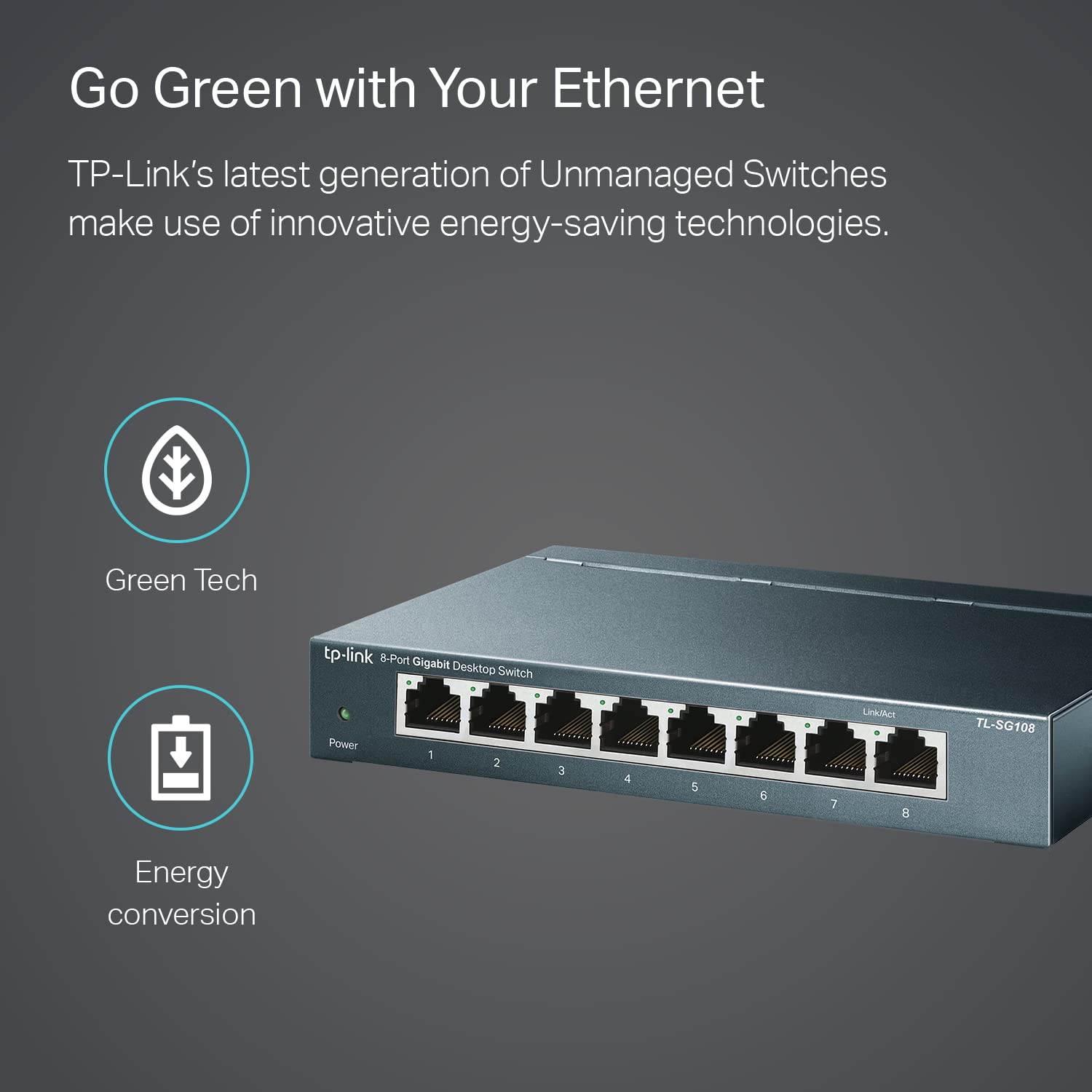
Image: The TP-Link TL-SG108 switch demonstrating its role in expanding network connectivity, showing connections to a computer, gaming console, printer, and smart TV.

Image: Visual representation of the TP-Link TL-SG108 switch's versatility in different environments: home, gaming setups, and business offices.
5. Arahan Operasi
The TL-SG108 is an unmanaged switch, meaning it operates automatically without requiring user configuration. Once powered on and connected, it will begin forwarding data between connected devices.
- LED kuasa: A green LED indicates the switch is powered on. If this LED is off, check the power connection.
- LED Pautan/Akta (setiap port): Each RJ45 port has an associated LED. A solid green light indicates a stable link, while a blinking green light indicates data activity (transmitting or receiving data).

Imej: Sudut hadapan view of the TP-Link TL-SG108 8-Port Gigabit Desktop Switch, showing its power indicator and eight RJ45 ports with their respective Link/Act LEDs.
6. Penyelenggaraan
Untuk memastikan prestasi optimum dan jangka hayat suis TL-SG108 anda, ikuti garis panduan penyelenggaraan ini:
- Pembersihan: Gunakan kain lembut dan kering untuk membersihkan bahagian luar suis. Jangan gunakan cecair atau pembersih aerosol.
- Pengudaraan: Ensure the switch is placed in a well-ventilated area to prevent overheating. Do not block the ventilation holes.
- Keadaan Persekitaran: Operate the switch within the specified temperature range of 0°C to 40°C (32°F to 104°F) and avoid environments with high humidity.
- Kitaran Kuasa: If the switch experiences issues, try power cycling it by unplugging the power adapter, waiting a few seconds, and then plugging it back in.
7. Penyelesaian masalah
If you encounter problems with your TL-SG108 switch, refer to the following common issues and solutions:
- Tiada Kuasa:
- Pastikan penyesuai kuasa disambungkan dengan selamat pada suis dan soket elektrik yang berfungsi.
- Sahkan alur keluar kuasa berfungsi dengan memasang peranti lain.
- Tiada Pautan/Aktiviti di Pelabuhan:
- Check that the Ethernet cable is securely connected to both the switch port and the device.
- Cuba kabel Ethernet yang lain untuk menolak kabel yang rosak.
- Pastikan peranti yang disambungkan dihidupkan dan penyesuai rangkaiannya berfungsi dengan betul.
- Cuba sambungkan peranti ke port lain pada suis.
- Kelajuan Rangkaian Perlahan:
- Pastikan semua peranti dan kabel yang disambungkan menyokong Gigabit Ethernet (kabel Cat5e atau lebih tinggi disyorkan untuk kelajuan Gigabit).
- Periksa trafik rangkaian yang berlebihan atau aplikasi intensif lebar jalur yang berjalan pada rangkaian anda.
- Sahkan bahawa penyedia perkhidmatan internet (ISP) anda memberikan kelajuan yang dijangkakan kepada penghala anda.
8. Spesifikasi
| Ciri | Penerangan |
|---|---|
| Model | TL-SG108 |
| Bilangan Pelabuhan | 8 x 10/100/1000 Mbps Port RJ45 |
| Kadar Pemindahan Data | 1000 Megabit Sesaat (Mbps) |
| Jenis Antaramuka | RJ45 |
| Bahan Kes | logam |
| Dimensi (L x W x H) | 5.91 x 3.15 x 5.91 inci |
| Berat Barang | 13.8 auns (0.86 paun) |
| Suhu Operasi | 0°C hingga 40°C (32°F hingga 104°F) |
| Suhu Penyimpanan | -40°C hingga 70°C (-40°F hingga 158°F) |
| Voltage | 220 Volts (Input for Power Adapter) |
| Penggunaan Kuasa | Maksimum: 3.97W (220V/50Hz) |
9. Waranti dan Sokongan
TP-Link provides a limited lifetime warranty for this product. For technical assistance, unlimited 24/7 technical support is available free of charge. Please refer to the TP-Link official website for detailed warranty terms and contact information for support services.


