1. Pengenalan
This manual provides essential information for the safe and effective operation of your Aputure Light Storm LS C120d II Daylight LED 2-Light Kit. Please read this manual thoroughly before using the product to ensure proper setup, usage, and maintenance. Retain this manual for future reference.
2. Maklumat Keselamatan
Observe the following safety precautions to prevent damage to the product or injury to yourself and others:
- Jangan melihat terus ke sumber cahaya semasa lampu menyala.
- Do not place the light fixture near flammable materials or liquids.
- Ensure the light is securely mounted before operation.
- Gunakan hanya penyesuai kuasa dan kabel yang dinyatakan.
- Jauhkan produk daripada air dan kelembapan.
- Do not attempt to disassemble or modify the product. Contact qualified service personnel for repairs.
- Cabut palam kabel kuasa sebelum membersihkan atau apabila tidak digunakan.
3. Kandungan Pakej
Sahkan bahawa semua item yang disenaraikan di bawah disertakan dalam pakej anda:
- Aputure Light Storm LS C120d II LED Lamp Head (2 units)
- Controller Box with V-Mount Plate (2 units)
- AC Power Cable (2 units)
- Standard Reflector (2 units)
- VA-Remote RC1 (1 unit)
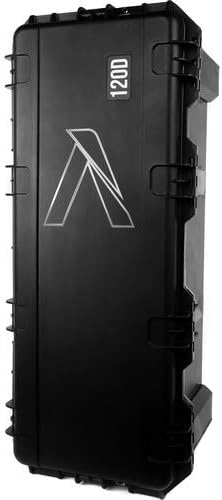
- Hard Carrying Case (1 unit)
4. Produk Lebihview
The Aputure Light Storm LS C120d II is a high-performance daylight-balanced LED light designed for professional film and video production. Key features include:
- Kecerahan Superior: Delivers 30,000 lux at 0.5m with the standard reflector, comparable to a 1,000-watt tungsten light.
- Accurate Color Fidelity: Achieves a Color Rendering Index (CRI) of over 96, Television Lighting Consistency Index (TLCI) of over 97, and Color Quality Scale (CQS) of over 95 for precise color reproduction.
- DMX512 Capability: Integrated DMX control for seamless integration into professional lighting setups.
- Combined Controller-Power Unit: Streamlined design for easier setup and operation.
- Pilihan Kuasa Fleksibel: Operates on AC 100-240V 50/60Hz or V-Mount batteries (sold separately) via the controller box.
5. Persediaan
5.1 Membongkar dan Pemeriksaan
Carefully remove all components from the hard carrying case. Inspect each item for any signs of damage. If any components are damaged or missing, contact your retailer immediately.
5.2 Memasang Cahaya
- Attach the LS C120d II lamp head to a sturdy light stand using the integrated yoke and 5/8-inch receiver.
- Secure the light by tightening the locking knob on the light stand.
- Laraskan sudut kecondongan lamp head and tighten the yoke locking knob.
5.3 Connecting the Controller Box
- Connect the 5-pin XLR cable from the lamp head to the corresponding 5-pin XLR input on the controller box. Ensure a secure connection.
- The controller box can be mounted to a light stand using its clamp or placed on a flat surface.
5.4 Menghidupkan Lampu
The LS C120d II can be powered by AC mains or V-Mount batteries.
Kuasa AC:
- Connect the AC power cable to the power input on the controller box.
- Plug the other end of the AC power cable into a suitable power outlet (100-240V, 50/60Hz).
V-Mount Battery Power (Batteries not included):
- Attach compatible V-Mount batteries to the V-Mount plate on the controller box.
- Pastikan bateri dicas sepenuhnya sebelum digunakan.
5.5 Memasang Aksesori
The LS C120d II features a Bowens mount for attaching various light modifiers.
- To attach the standard reflector, align the three mounting points on the reflector with the Bowens mount on the lamp kepala.
- Twist the reflector clockwise until it locks into place.
- To remove, press the release button on the lamp head and twist the reflector counter-clockwise.
6. Arahan Operasi
6.1 Hidupkan/Mati Kuasa
Press the power button on the controller box to turn the light on or off.
6.2 Pelarasan Kecerahan
Rotate the intensity knob on the controller box to adjust the light output from 0% to 100%.
6.3 Remote Control (VA-Remote RC1)
The included VA-Remote RC1 allows for wireless control of the light's brightness and other functions from up to 100 meters away.
- Pastikan alat kawalan jauh mempunyai bateri baru.
- Select the desired channel and group on both the remote and the controller box to establish a connection.
- Use the remote's buttons to adjust brightness or activate special effects. Refer to the VA-Remote RC1 manual for detailed instructions.
6.4 Kawalan DMX
The LS C120d II supports DMX512 protocol for professional lighting control.
- Connect a DMX controller to the DMX IN port on the controller box using a 5-pin DMX cable.
- If daisy-chaining multiple lights, connect the DMX OUT of the first light to the DMX IN of the next.
- Set the DMX address on the controller box according to your DMX system's configuration.
- Control the light's functions (e.g., brightness) via your DMX console.
7. Penyelenggaraan
- Pembersihan: Use a soft, dry cloth to clean the light fixture. Do not use harsh chemicals or abrasive materials.
- Storan: When not in use, store the light kit in its hard carrying case in a cool, dry place, away from direct sunlight and extreme temperatures.
- Pengendalian: Always handle the light and its components with care to avoid damage. Avoid dropping or subjecting the unit to strong impacts.
- Pengudaraan: Ensure the light's ventilation openings are clear and unobstructed during operation to prevent overheating.
8. Penyelesaian masalah
If you encounter issues with your LS C120d II, refer to the table below for common problems and solutions:
| Masalah | Kemungkinan Punca | Penyelesaian |
|---|---|---|
| Cahaya tidak menyala. | No power supply; loose cable connection; faulty power button. | Check AC power cable or V-Mount battery connection. Ensure power outlet is functional. Press power button firmly. |
| Alat kawalan jauh tidak bertindak balas. | Low battery in remote; incorrect channel/group setting; remote out of range. | Replace remote batteries. Verify channel and group settings match. Move closer to the light. |
| Light output is inconsistent or flickering. | Loose cable connection; power supply issue; DMX conflict. | Check all cable connections. Ensure stable power supply. If using DMX, check DMX settings and cable integrity. |
| Amaran terlalu panas. | Pengudaraan tersumbat; beroperasi dalam suhu ambien yang tinggi. | Ensure ventilation openings are clear. Operate in a well-ventilated area. Allow the unit to cool down. |
If the problem persists after attempting these solutions, please contact Aputure customer support or your authorized dealer.
9. Spesifikasi
| Ciri | Spesifikasi |
|---|---|
| Dimensi Produk | 38 x 16.5 x 13.5 inci |
| Berat Barang | 56.2 paun |
| ASIN | B07SYBBRPZ |
| Pengeluar | Aputure |
| Suhu Warna | Daylight (approx. 5500K) |
| CRI | >96 |
| TLCI | >97 |
| CQS | >95 |
| Penggunaan Kuasa | Approx. 180W (Max) |
| Vol Operasitage | AC 100-240V 50/60Hz; DC 12-16.8V (V-Mount) |
| Julat Kawalan Jauh | Up to 100m (VA-Remote RC1) |
10. Waranti dan Sokongan
Aputure products are designed and manufactured to the highest quality standards. For information regarding warranty coverage, technical support, or service, please refer to the warranty card included with your product or visit the official Aputure webtapak. Simpan bukti pembelian anda untuk tuntutan waranti.
For further assistance, you may contact Aputure customer support directly or reach out to your authorized dealer.


