1. Pengenalan
Terima kasih kerana membeliasing the LUPO Digital Pocket Scale. This precision instrument is designed for accurate weighing of small items up to 200 grams with a 0.01 gram graduation. Its compact and portable design makes it ideal for various applications, including weighing jewelry, food ingredients, herbs, and other small objects. Please read this manual carefully to ensure proper operation and longevity of your scale.
Ciri-ciri Utama:
- Kapasiti Maksimum: 200g
- Pengijazahan: 0.01g
- Multiple Weighing Units: g, gn, oz, ozt, ct, tl, dwt
- Durable Stainless Steel Platform
- Paparan LCD dengan lampu latar
- Fungsi Tare
- Pemadaman Automatik
- Penunjuk Bateri Rendah
- Perlindungan Lebihan
2. Kandungan Pakej
- 1 x LUPO 200g Digital Pocket Scale
- 2 x Bateri AAA
- 1 x Manual Pengguna
3. Persediaan
3.1 Pemasangan Bateri
The scale requires 2 AAA batteries (included). To install or replace batteries:
- Buka penutup petak bateri yang terletak di bahagian bawah penimbang.
- Masukkan 2 bateri AAA, pastikan kekutuban (+/-) yang betul.
- Tutup penutup petak bateri dengan selamat.
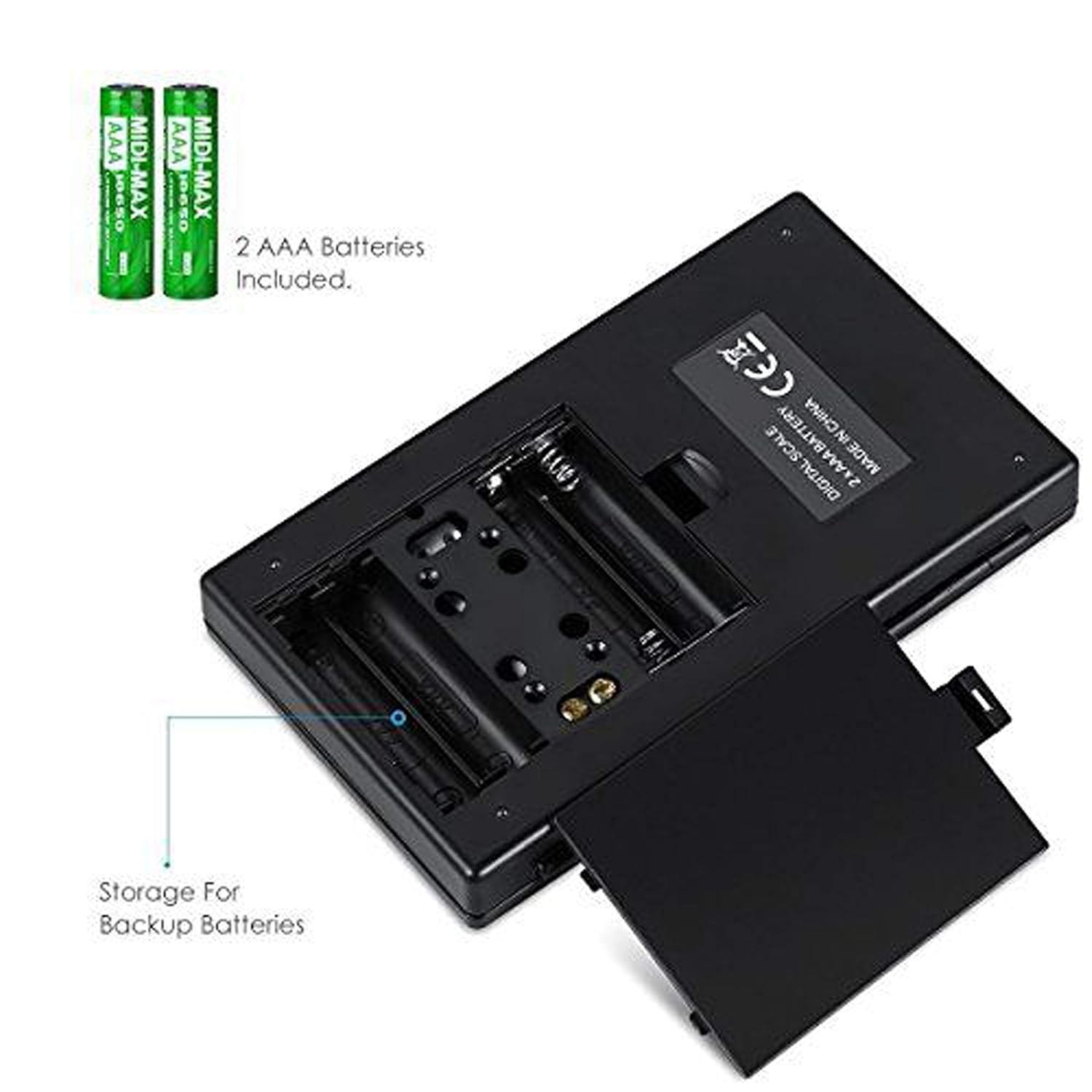
Rajah 3.1: Petak bateri dengan bateri AAA.
3.2 Penempatan Awal
For accurate readings, place the scale on a hard, flat, and stable horizontal surface. Avoid placing it on soft or uneven surfaces, or near sources of vibration or electromagnetic interference.
4. Operasi
4.1 Penimbangan Asas
- Tekan ke HIDUP/MATI butang untuk menghidupkan skala.
- Wait for the display to show "0.00" (or "0") before placing any items on the weighing platform.
- Gently place the item(s) you wish to weigh onto the center of the stainless steel weighing platform.
- Berat akan dipaparkan pada skrin LCD.

Figure 4.1: Quick start guide for basic weighing.
4.2 Penukaran Unit
The scale supports multiple weighing units. To change the unit:
- With the scale turned on and displaying "0.00", press the MODE butang berulang kali.
- The display will cycle through the available units: grams (g), grains (gn), ounces (oz), troy ounces (ozt), carats (ct), and pennyweights (dwt).
- Berhenti menekan MODE when your desired unit is displayed.
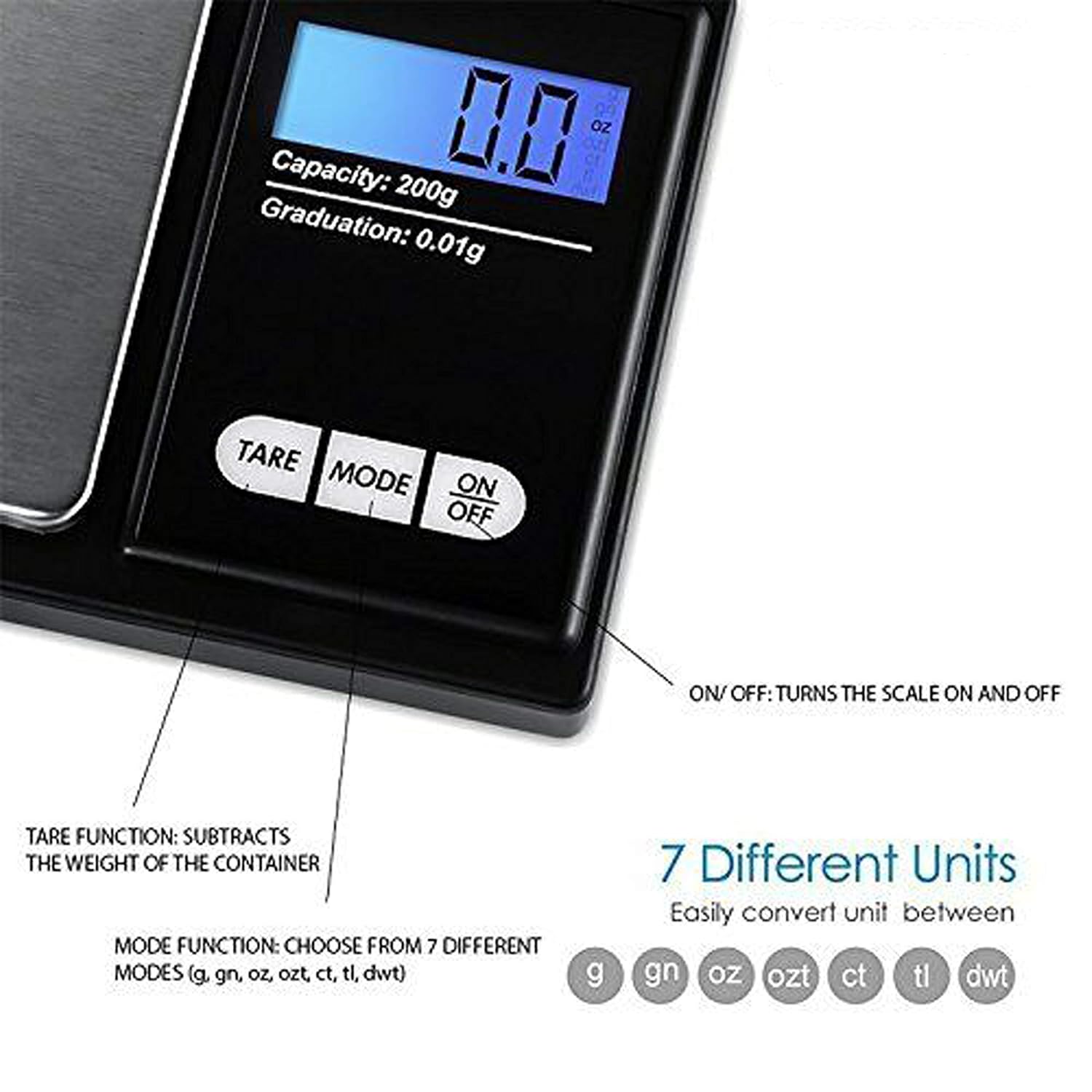
Figure 4.2: Available weighing units and button functions.
4.3 Fungsi Tara
The tare function allows you to subtract the weight of a container, so you only measure the net weight of its contents.
- Letakkan bekas kosong di atas platform penimbang.
- Tekan ke SASARAN butang. Paparan akan ditetapkan semula kepada "0.00".
- Now, place the item(s) you wish to weigh into the container. The display will show only the weight of the item(s).
5. Penentukuran
Calibration ensures the accuracy of your scale. It is recommended to calibrate the scale periodically or if you notice inconsistent readings. A 200g calibration weight is required (not included).
- Hidupkan penimbang dengan menekan butang HIDUP/MATI butang.
- Wait for the display to show "0.00".
- Tekan dan tahan butang MODE button until the display shows "CAL", then release the button.
- Tekan ke MODE button again. The display will show "CAL" followed by the required calibration weight (e.g., "200.00g").
- Place the exact 200g calibration weight onto the center of the weighing platform.
- The display will show "PASS" and then return to normal weighing mode.
- Remove the calibration weight. Calibration is complete.
Note: If you do not have a 200g calibration weight, you may need to acquire one separately for accurate calibration.
6. Penyelenggaraan
6.1 Pembersihan
Lap penimbang dengan sedikit damp cloth. Do not immerse the scale in water or use abrasive cleaners. Keep the weighing platform clean and free of debris.
6.2 Penyimpanan
Store the scale in a clean, dry environment. If the scale will not be used for an extended period, it is recommended to remove the batteries to prevent leakage.
7. Penyelesaian masalah
If you encounter issues with your scale, consider the following:
- Bacaan Tidak Tepat:
- Pastikan skala berada pada permukaan yang stabil dan rata.
- Avoid placing the scale near strong radio frequency interference.
- Keep the scale away from high humidity, air currents (e.g., fans, open windows), and extreme temperatures.
- Minimize vibration during weighing.
- Perform a calibration (refer to Section 5).
- "Lo" or "Low Battery" Display: Ganti bateri AAA.
- "O-Ld" or "Overload" Display: The item on the platform exceeds the maximum capacity of 200g. Remove the item immediately to prevent damage to the scale.
- Skala Tidak Dihidupkan: Periksa pemasangan bateri dan pastikan bateri tidak kehabisan kuasa.

Figure 7.1: Overload and Low Battery indicators.
8. Spesifikasi
| Ciri | Perincian |
|---|---|
| Jenama | LUPO |
| Nombor Model | BHT2018376_200g_pock |
| Kapasiti | 0.05g hingga 200g |
| Pengijazahan | 0.01g |
| Unit Penimbang | g, gn, oz, ozt, ct, tl, dwt |
| Jenis Paparan | LCD dengan Lampu Latar |
| Sumber Kuasa | 2 x Bateri AAA (termasuk) |
| bahan | Plastic, Stainless Steel Platform |
| Dimensi (lebih kurang) | 14.8 x 9 x 2.4 cm (Package); 5.0 x 3.0 x 0.8 inches (Scale) |
| Berat (lebih kurang) | 140 gram (Pakej) |
| Ciri Khas | Backlit display, Auto-off, Tare function, Lightweight, Portable |
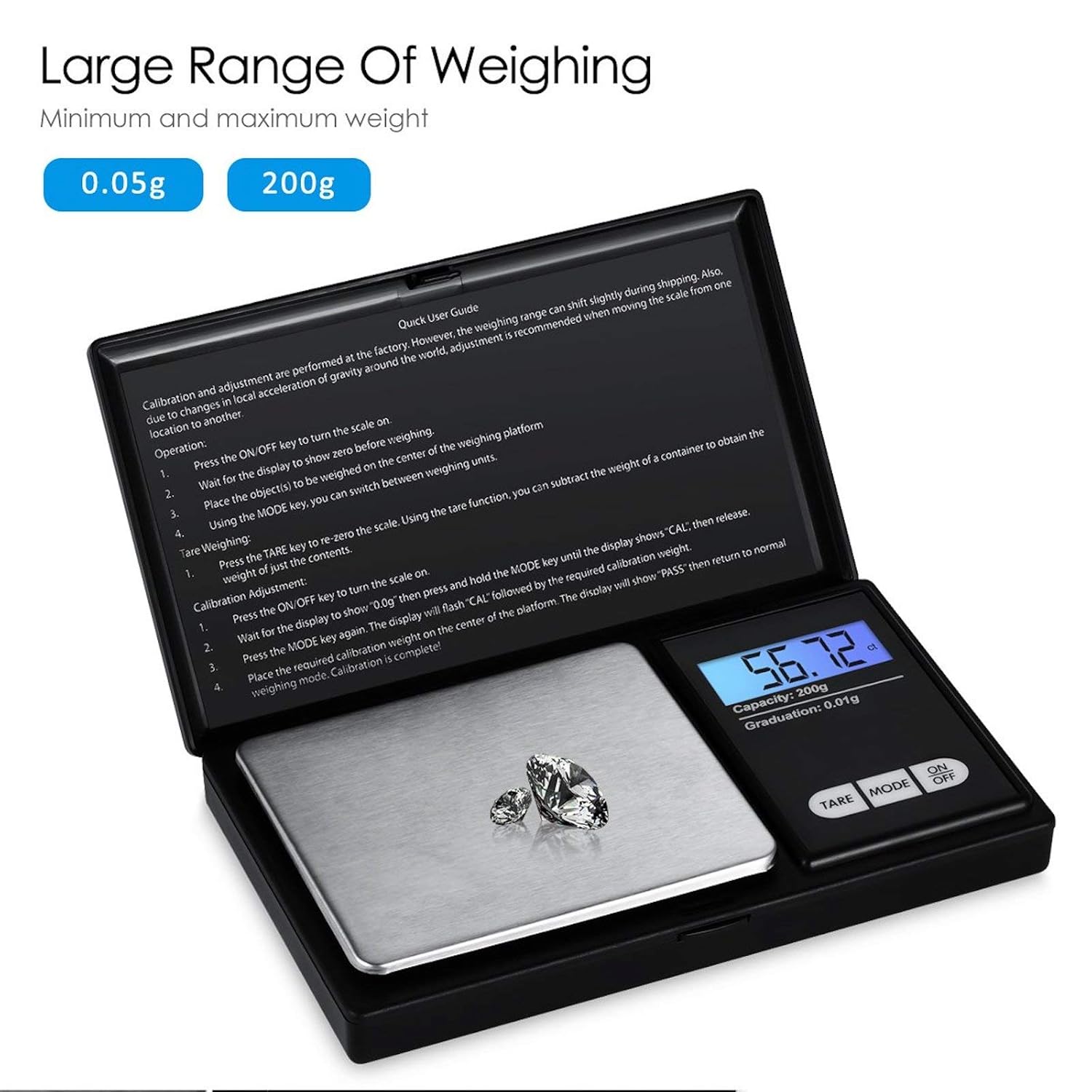
Figure 8.1: Weighing range of the scale.
9. Waranti dan Sokongan
Warranty information for this product is not explicitly specified in the provided details. For any support inquiries or warranty claims, please contact the retailer or manufacturer directly.


