pengenalan
This manual provides essential instructions for the safe and efficient operation of your Hama TH50 Thermo/Hygrometer. This device is designed to accurately measure and display indoor temperature and humidity levels. Please read this manual thoroughly before using the device and keep it for future reference.
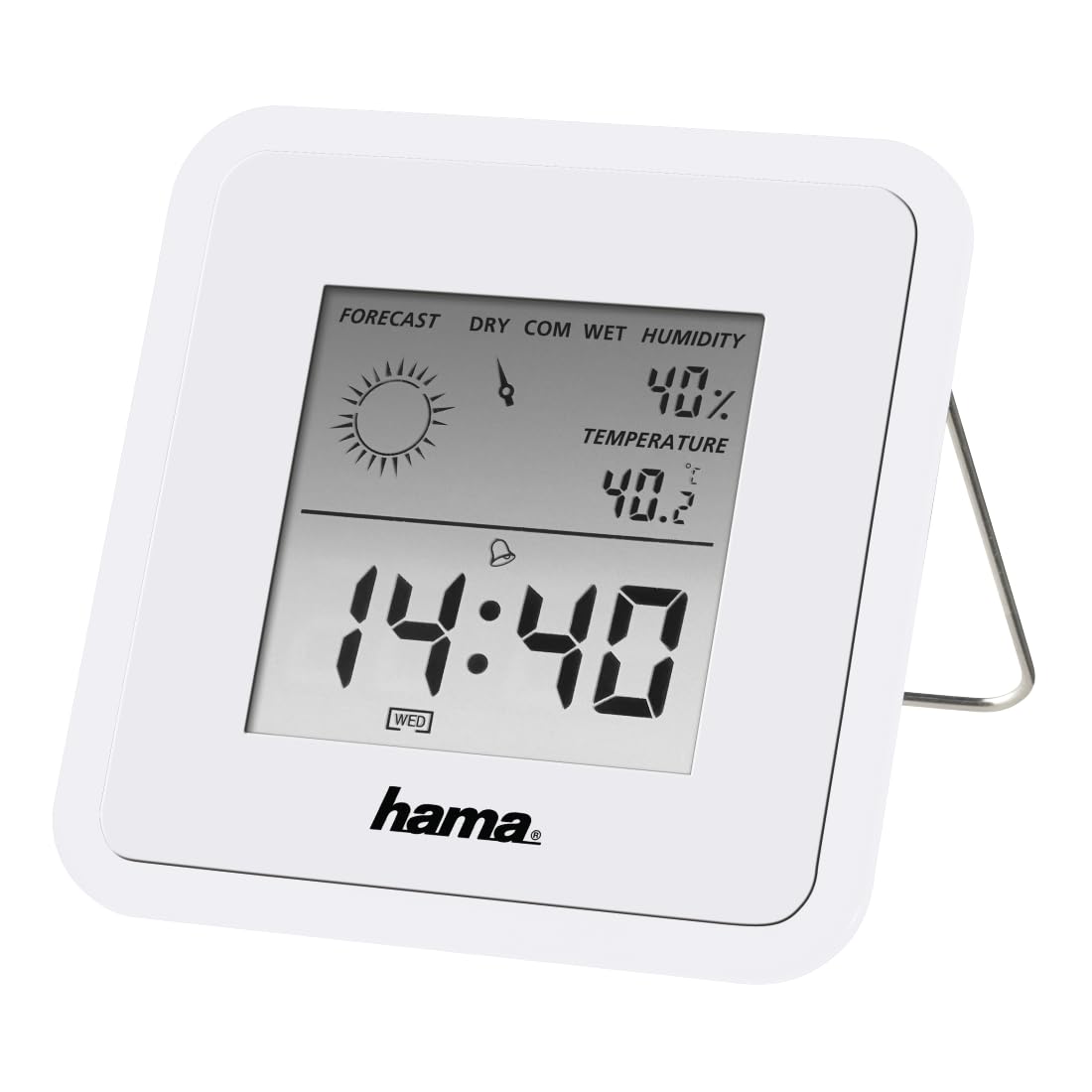
Image: The Hama TH50 Thermo/Hygrometer, a compact white device displaying digital temperature and humidity readings.
Arahan Keselamatan
- Jangan dedahkan peranti kepada suhu yang melampau, cahaya matahari langsung atau kelembapan yang tinggi.
- Elakkan daripada menjatuhkan peranti atau terkena impak yang kuat.
- Jangan buka peranti casing or attempt to repair it yourself. Refer all servicing to qualified personnel.
- Jauhkan peranti daripada capaian kanak-kanak.
- Buang bateri mengikut peraturan tempatan.
Kandungan Pakej
Sila pastikan semua item ada dan dalam keadaan baik:
- Hama TH50 Thermo/Hygrometer
- 1 Lithium Metal Battery (pre-installed or separate)
- Manual Arahan ini
Persediaan
1. Pemasangan Bateri
The Hama TH50 requires one Lithium Metal battery for operation. If the battery is not pre-installed, follow these steps:
- Cari penutup petak bateri di bahagian belakang peranti.
- Buka penutup petak bateri.
- Insert the Lithium Metal battery, ensuring the correct polarity (+/-) as indicated inside the compartment.
- Tutup penutup petak bateri dengan selamat.
2. penempatan
The Hama TH50 is designed for tabletop mounting. For accurate readings, place the device in a central location within the room, away from direct heat sources, air conditioning vents, or open windows that could affect temperature and humidity measurements.

Image: The Hama TH50 Thermo/Hygrometer displayed on a small table in a modern living room setting, demonstrating typical placement.
Mengendalikan Peranti
Paparan Maklumat
Once the battery is installed, the device will automatically power on and begin displaying the current temperature and humidity. The display typically shows:
- Suhu: Measured in degrees Celsius (°C). The accuracy is ±1°C.
- Kelembapan: Measured as a percentage (%).
- Masa: The current time may also be displayed, depending on the model's features.
There are no user-adjustable settings or buttons on this model for changing units or modes. The device operates automatically.
Penyelenggaraan
Pembersihan
To clean the device, use a soft, dry, lint-free cloth. Do not use abrasive cleaners, solvents, or chemical agents, as these can damage the display or casing. Avoid getting moisture into the device.
Penggantian Bateri
When the display becomes dim or the readings appear inaccurate, it may be time to replace the battery. Follow the battery installation steps outlined in the "Setup" section to replace the Lithium Metal battery. Ensure proper disposal of the old battery.
Menyelesaikan masalah
| Masalah | Kemungkinan Punca | Penyelesaian |
|---|---|---|
| Device does not power on / Display is blank. | Battery is not installed or is depleted. Incorrect battery polarity. | Check battery installation and polarity. Replace with a new Lithium Metal battery if necessary. |
| Bacaan suhu/kelembapan tidak tepat. | Device placed near heat sources, vents, or in direct sunlight. Battery low. | Relocate the device to a more central and stable environment. Replace the battery. |
| Paparan redup. | Kuasa bateri rendah. | Replace the Lithium Metal battery. |
Spesifikasi
- Nombor Model: 00186371
- Jenama: Hama
- Dimensi Produk: 10.5 x 8.6 x 3.2 cm
- Berat Barang: 66 Gram
- warna: putih
- Jenis Pemasangan: Atas meja
- Ketepatan Bacaan Suhu: ±1°C
- Bateri: 1 bateri Lithium Metal (termasuk)
Waranti dan Sokongan
Hama provides a limited warranty for this product. For detailed warranty information, technical support, or service inquiries, please refer to the official Hama webtapak atau hubungi bahagian perkhidmatan pelanggan mereka. Simpan resit pembelian anda sebagai bukti pembelian.
Note: Product specifications and appearance are subject to change without prior notice.


