1. Pengenalan
Thank you for choosing the FLYLINKTECH Portable Car Battery Jump Starter. This device is designed to provide a reliable and safe solution for jump-starting 12V vehicles with up to 5.0L gas or 4.0L diesel engines. It also functions as a portable power bank and features an integrated LED flashlight. Please read this manual thoroughly before use to ensure proper operation and safety.

Image: The FLYLINKTECH Portable Car Battery Jump Starter, showing the main unit, smart clamps, and charging cables.
2. Maklumat Keselamatan
AMARAN: Baca semua amaran dan arahan keselamatan sebelum menggunakan produk ini. Kegagalan mematuhi amaran dan arahan boleh mengakibatkan renjatan elektrik, kebakaran dan/atau kecederaan serius.
- Do not attempt to jump-start vehicles with engines larger than specified (5.0L gas or 4.0L diesel).
- Jangan gunakan pemula lompat jika bateri clamps atau kabel rosak.
- Ensure proper polarity connection: Red clamp to positive (+), Black clamp to negative (-). Reverse polarity can cause damage.
- Jauhkan daripada kanak-kanak.
- Jangan dedahkan produk kepada hujan atau salji.
- Jangan buka unit ini. Rujuk semua servis kepada kakitangan yang berkelayakan.
- Elakkan litar pintas pada clamps.
- The device features intelligent chip protection against overcurrent, short-circuit, overload, overvoltage, overcharge, over-discharge, and reverse polarity. However, always exercise caution.
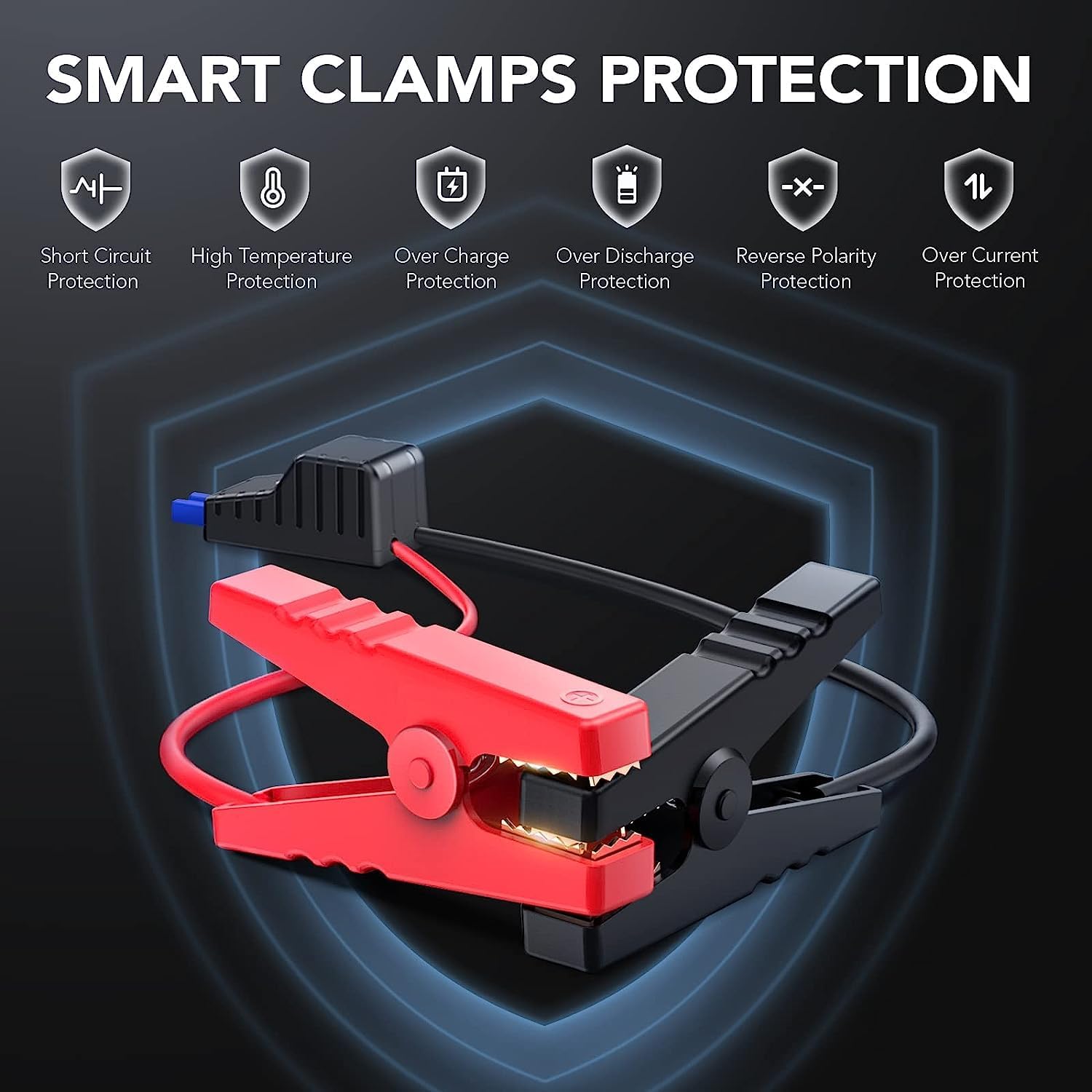
Image: Illustration of the smart clamps and their integrated safety protection features.
3. Kandungan Pakej
Sahkan bahawa semua item terdapat dalam pakej anda:
- FLYLINKTECH Jump Starter Unit
- Smart Jumper Cables (with Red and Black clamps)
- Kabel Pengecas USB Mikro
- Manual Pengguna
- EC5 Cigarette Lighter Adapter (Optional, may vary by package)

Imej: Semua komponen disertakan dalam pakej produk.
4. Produk Lebihview
Biasakan diri anda dengan komponen pemula lompat anda:

Image: Detailed diagram labeling the various ports, buttons, and indicators on the jump starter unit and its clamps.
- Butang Kuasa: Menghidupkan/mematikan unit dan beralih melalui mod lampu suluh.
- Lampu Penunjuk LED: Show the battery charge level.
- Lampu suluh: Lampu LED bersepadu dengan pelbagai mod.
- Input USB mikro: Untuk mengecas unit penghidup lompat.
- Output USB: For charging external devices (e.g., smartphones, tablets).
- Auto Jump Port: Menyambung kepada kabel jumper pintar.
- Smart Jumper Cables: Merah (+) dan Hitam (-) clamps dengan ciri keselamatan terbina dalam.
5. Mengecas Pemula Lompat
Before first use, fully charge the jump starter. It is recommended to recharge the unit every 3-6 months to maintain battery health, even if not in use.
- Connect the Micro USB charging cable to the Micro USB Input port on the jump starter.
- Connect the other end of the USB cable to a 5V/2A USB wall adapter (not included) or a car charger.
- The LED indicator lights will illuminate and flash to show the charging progress. All lights will be solid when fully charged.
6. Arahan Operasi
6.1. Lompat Memulakan Kenderaan
Ensure the jump starter is at least 75% charged (3 LED lights illuminated) before attempting to jump-start a vehicle.

Image: The jump starter connected to a vehicle battery, ready for use.

Image: Visual guide for vehicle compatibility based on engine displacement.
- Sambungkan Smart Clamps: Insert the blue plug of the smart jumper cables into the Auto Jump Port on the jump starter. Ensure a firm connection.
- Pasangkan pada Bateri Kereta: Sambungkan cl merah (+).amp ke terminal positif bateri kereta dan lampu hitam (-)amp to the negative terminal. The smart clamps will indicate a successful connection (e.g., a green light). If an error is detected (e.g., reverse polarity), an alarm may sound or a red light may appear.
- Mulakan Kenderaan: Sebaik sahaja clamps are correctly attached and the indicator is green, start your vehicle.
- Keluarkan Clamps: Selepas kenderaan dihidupkan, segera tanggalkan lampu pintarampdaripada bateri kereta, kemudian putuskan sambungan lampu pintaramps daripada unit pemula lompat.

Image: Step-by-step visual instructions for jump starting a vehicle.
6.2. Menggunakannya sebagai Bank Kuasa Mudah Alih
The jump starter can charge various USB-powered devices.
- Connect your device's USB charging cable to the USB Output port on the jump starter.
- Pemula lompat akan mula mengecas peranti anda secara automatik.
- Monitor your device's charging status.

Image: The jump starter functioning as a power bank, charging a smartphone and a tablet.
6.3. Mod Lampu Suluh LED
Lampu suluh LED bersepadu mempunyai tiga mod:
- Cahaya Biasa: Tekan butang kuasa sekali untuk menghidupkan.
- Mod SOS: Press the power button a second time to activate the SOS signal.
- Lampu Strob: Press the power button a third time for a flashing strobe light.
- Tekan butang kuasa kali keempat untuk mematikan lampu suluh.

Image: The jump starter's LED flashlight in use, highlighting its three modes.
7. Penyelenggaraan dan Penyimpanan
- Pembersihan: Lap unit dengan kain kering dan lembut. Jangan gunakan bahan kimia yang keras atau bahan yang melelas.
- mengecas: Recharge the unit every 3-6 months to prevent deep discharge and prolong battery life.
- Storan: Simpan pemula lompat di tempat yang sejuk dan kering, jauh dari cahaya matahari langsung dan suhu yang melampau.
- Julat Suhu: The device is designed to operate and be stored within a temperature range of -20°C to 60°C (-4°F to 140°F).
- Tahan Air dan Debu: The unit has an IP67 rating, making it resistant to water and dust. However, avoid prolonged submersion.
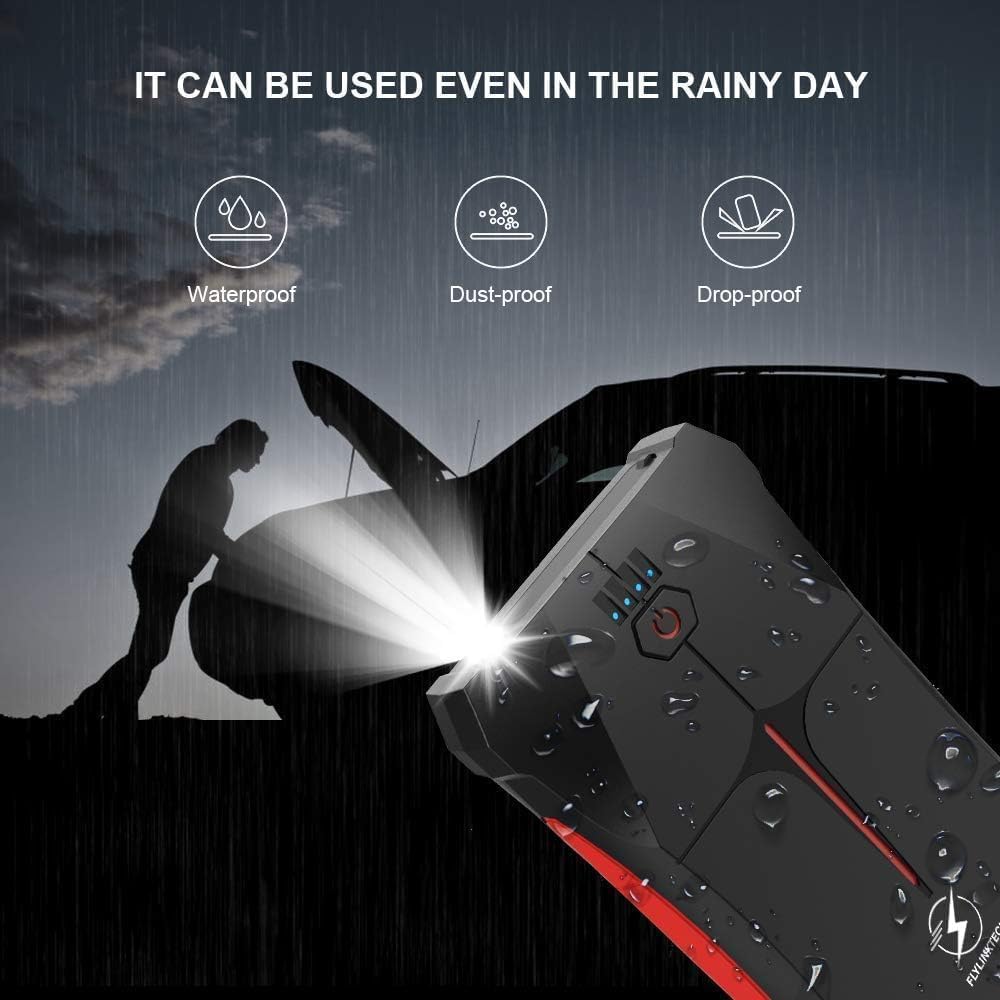
Image: The jump starter demonstrating its weather-resistant properties (waterproof, dust-proof, drop-proof).

Image: The jump starter's operational temperature range from -20°C to 60°C.
8. Penyelesaian masalah
| Masalah | Kemungkinan Punca | Penyelesaian |
|---|---|---|
| Pemula lompat tidak dihidupkan. | Bateri dinyahcas sepenuhnya. | Caskan penghidup lompat sepenuhnya. |
| Kenderaan tidak bermula. | cl yang salahamp sambungan. | Pastikan lampu merahamp is on positive (+), black on negative (-). Check smart clamp penunjuk. |
| Bateri pemula lompat rendah. | Isi semula pemula lompat. | |
| Bateri kenderaan rosak teruk. | Rujuk mekanik profesional. | |
| Pintar clamps show error/alarm. | Reverse polarity or short circuit. | Disconnect immediately and re-attach clamps dengan betul. |
| USB device not charging. | Bateri pemula lompat rendah. | Isi semula pemula lompat. |
| USB cable or device fault. | Cuba kabel USB atau peranti lain. |
9. Spesifikasi
| Ciri | Perincian |
|---|---|
| Model | CF200 |
| Arus Puncak | 800A |
| Kapasiti Bateri | 13200mAh (Lithium-polymer/Lithium-ion) |
| Mula Voltage | 12V |
| Penilaian Enjin Gas | Sehingga 5.0L |
| Penarafan Enjin Diesel | Sehingga 4.0L |
| Output USB | 5V/2.1A |
| Input USB Mikro | 5V/2A |
| Suhu Operasi | -20°C hingga 60°C (-4°F hingga 140°F) |
| Dimensi (L x W x H) | 15.8 x 8.5 x 2 cm (6.2 x 3.3 x 0.8 inci) |
| Berat badan | 370 g (0.82 paun) |
| Tahan Air/Habuk | IP67 |
| Pensijilan | CE |
10. Waranti dan Sokongan
FLYLINKTECH provides a 3-year warranty for this product from the date of purchase. This warranty covers manufacturing defects and workmanship under normal use. It does not cover damage caused by misuse, accidents, unauthorized modifications, or natural disasters.
For warranty claims, technical support, or any questions regarding your product, please contact FLYLINKTECH customer service. Please have your purchase receipt and product model number (CF200) ready when contacting support.
Maklumat Hubungan:
- e-mel: support@flylinktech.hk
- Webtapak: www.flylinktech.com (Please check for the most current contact details)
Note: No official product videos were found in the provided data for embedding in this manual.


