1. Pengenalan
Thank you for choosing the SECUKEY SF2 Biometric and PIN Access Control System. This device is designed to provide secure and reliable access management for various environments, featuring advanced biometric fingerprint recognition and PIN code entry. Its robust, anti-vandal design and IP66 rating make it suitable for outdoor installations. This manual provides essential information for the proper installation, configuration, operation, and maintenance of your SF2 system. Please read it thoroughly before use.
Ciri-ciri Utama
- Optical Biometric Fingerprint Reader with 500DPI resolution.
- Fast Identification Time: Approximately 1 second.
- User Capacity: Up to 3,000 users (1,000 fingerprint users, 2,000 PIN users).
- Two "Authorizer" users for enabling/disabling other users.
- IP66 Rated for Outdoor Protection: Resistant to dust and powerful water jets.
- Anti-Vandal Zinc Alloy Casing.
- Programmable Relay Output (NO, NC, Common) with adjustable time (1-99 seconds, default 5 seconds).
- Access Modes: Fingerprint, PIN code, or Card (Wiegand 26-44 bit output).
- Wiegand 26-44 bit output for integration with external controllers (e.g., SBOARD, SBOARD-II).
- Interlock Functionality: Manage two doors with two SF2 devices.
- Operating Temperature Range: -30°C to 60°C (-22°F to 140°F).
- Julat Kelembapan: 10%RH hingga 99%RH.
- Power Supply: 12-24V AC/DC.
2. Maklumat Keselamatan
- Pastikan bekalan kuasa diputuskan sebelum pemasangan atau penyelenggaraan.
- Use only the specified power supply (12-24V AC/DC).
- Do not expose the device to extreme temperatures outside the specified operating range.
- Elakkan menggunakan bahan kimia yang keras atau pembersih yang kasar pada peranti.
- Installation should be performed by qualified personnel to ensure proper wiring and functionality.
- Pastikan sensor cap jari bersih dan kering untuk prestasi optimum.
3. Produk Lebihview
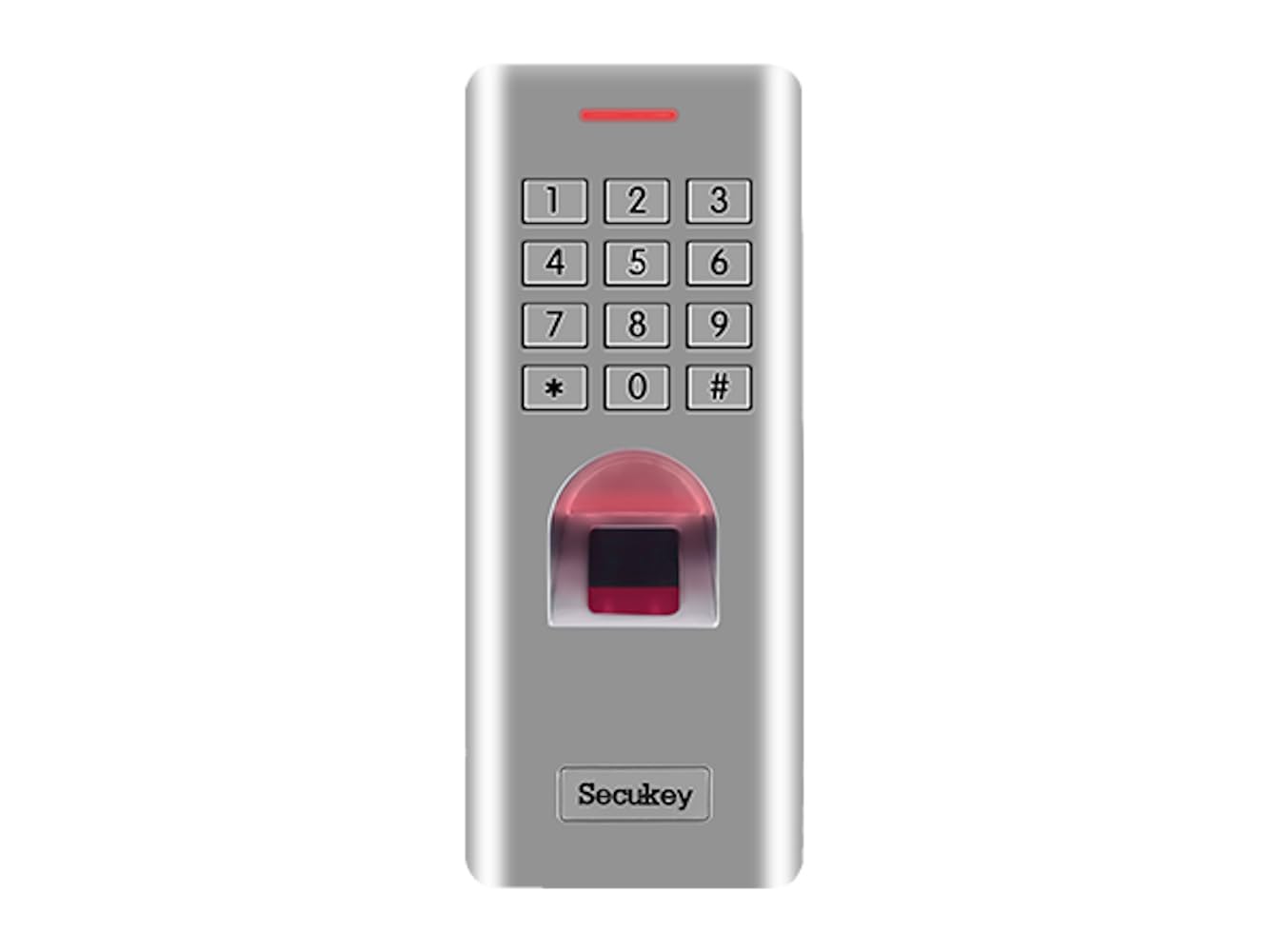
3.1 Depan View
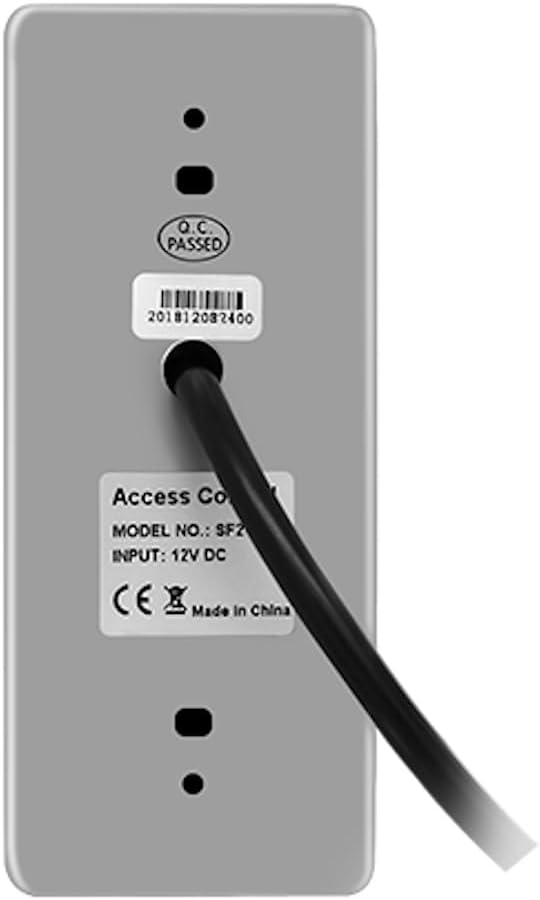
3.2 Belakang View dan Sambungan
3.3 Ciri-ciri Fizikal
- Anti-Vandal Design: The SF2 features a robust metal casing designed to withstand tampering and physical impact, ensuring durability in challenging environments.

Rajah 3: Illustration demonstrating the anti-vandal metal case of the SECUKEY SF2, designed for enhanced durability and protection. - Penilaian Kalis Air IP66: This rating ensures the device is protected against dust ingress and powerful water jets, making it suitable for outdoor installation without concern for weather conditions.
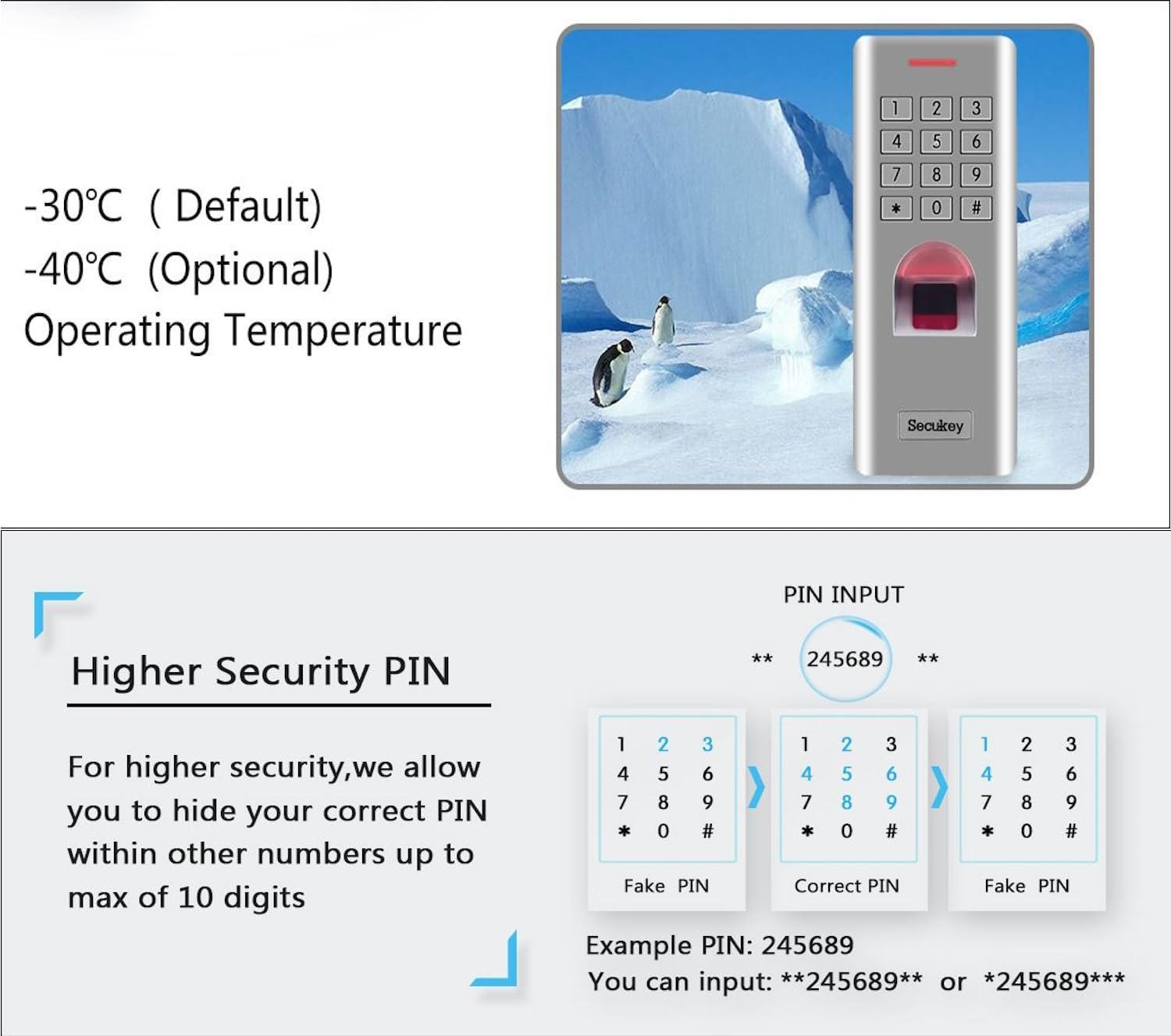
Rajah 4: Visual representation of the SECUKEY SF2's IP66 waterproof capability, showing it submerged in water. - Suhu Operasi: The device is designed to operate reliably across a wide temperature range, from -30°C (default) to 60°C. An optional -40°C operating temperature may be available depending on the specific model variant.
- Higher Security PIN: The system supports a feature allowing users to hide their correct PIN within a longer sequence of numbers (up to 10 digits) for enhanced security against shoulder surfing. For example, if the PIN is 245689, a user could input **245689** or *245689***.
4. Pemasangan
4.1 Pemasangan
The SECUKEY SF2 should be mounted on a flat, stable surface at an appropriate height for user access. Ensure the mounting location is secure and allows for proper cable routing. Use appropriate screws and anchors for the wall material.
4.2 Pendawaian
The SF2 supports two primary working modes: standalone and as a slave reader. Proper wiring is crucial for correct operation. Refer to the detailed wiring diagram provided in the product packaging or the manufacturer's official documentation for specific connections.

Mod Kendiri: In this mode, the SF2 directly controls the lock, door sensor, and exit button. It acts as a complete access control unit.
Slave Reader Mode: When operating as a slave reader, the SF2 connects to an external access control panel (controller) via Wiegand 26-44 bit output. The controller then manages the lock and other peripherals.
Ensure all connections are secure and insulated. Incorrect wiring can damage the device or connected components.
5. Persediaan
5.1 Kuasa Permulaan
- After completing all wiring, connect the power supply (12-24V AC/DC).
- The device will power on and perform a self-test.
- The default administrator PIN is typically 123456 (refer to specific product documentation for confirmation).
5.2 Pengurusan Pengguna
The SF2 allows for the registration of up to 3,000 users, including 1,000 fingerprint users and 2,000 PIN users. It also supports two "Authorizer" users who can enable or disable other users.
Menambah Pentadbir
Follow the on-screen prompts or refer to the detailed programming guide to set up the initial administrator PIN and/or fingerprint. This is crucial for managing other users and system settings.
Mendaftar Cap Jari
- Enter administrator mode.
- Select the option to add a new fingerprint user.
- Place the user's finger on the sensor multiple times as instructed to ensure accurate registration.
- Assign a user ID to the registered fingerprint.
Registering PIN Codes
- Enter administrator mode.
- Select the option to add a new PIN user.
- Enter the desired PIN code (typically 4-6 digits) and confirm it.
- Assign a user ID to the registered PIN.
Authorizer Users
The SF2 supports two special "Authorizer" users. These users have the unique ability to enable or disable other standard users without full administrator privileges. This feature is useful for delegated management of user access.
6. Arahan Operasi
6.1 Access Modes
The SECUKEY SF2 offers multiple ways for authorized users to gain access:
- Akses Cap Jari: Place a registered finger on the optical sensor. The system will verify the fingerprint and grant access if authorized.
- Akses Kod PIN: Enter your registered PIN code on the keypad, followed by the '#' key. For enhanced security, you can embed your PIN within a longer sequence of numbers (e.g., if PIN is 1234, you can enter 987123456#).
- Card Access (Wiegand): If configured with an external Wiegand card reader, present your authorized RFID card to the reader. The SF2 will output the Wiegand data to the controller for verification.
6.2 Interlock Function
When two SF2 devices are installed, they can be configured to manage an interlock system between two doors. This ensures that the second door cannot be opened until the first door is securely closed, enhancing security in sensitive areas. Refer to the advanced programming guide for interlock setup instructions.
7. Penyelenggaraan
- Pembersihan: Regularly wipe the fingerprint sensor and keypad with a soft, dry, lint-free cloth. Do not use abrasive materials or chemical cleaners.
- Kemas kini Firmware: Semak pengeluar weblaman web secara berkala untuk sebarang kemas kini perisian tegar yang tersedia bagi memastikan prestasi dan keselamatan yang optimum.
- User Database Management: Kerap semulaview and update the user database, removing access for terminated personnel or adding new users as required.
- Pemeriksaan Bekalan Kuasa: Pastikan bekalan kuasa stabil dan dalam vol yang ditentukantagjulat e (12-24V AC/DC).
8. Penyelesaian masalah
| Masalah | Kemungkinan Punca | Penyelesaian |
|---|---|---|
| Peranti tidak dihidupkan. | Tiada bekalan kuasa atau pendawaian yang salah. | Check power connections and ensure the power supply is within 12-24V AC/DC. Verify wiring according to the diagram. |
| Cap jari tidak dikenali. | Finger is dirty, wet, or improperly placed; fingerprint not registered; sensor is dirty. | Ensure finger is clean and dry. Place the entire pad of the finger firmly on the sensor. Clean the sensor surface. Re-register the fingerprint if necessary. |
| PIN code not accepted. | PIN yang dimasukkan salah; PIN tidak didaftarkan. | Verify the PIN code. Ensure the '#' key is pressed after entering the PIN. Register the PIN if it's a new user. |
| Pintu tidak boleh dibuka selepas pengesahan berjaya. | Lock wiring issue; relay setting incorrect; lock malfunction. | Check wiring to the lock. Verify relay output time and mode (NO/NC). Test the lock independently. |
| Peranti tidak responsif. | System crash; power fluctuation. | Disconnect power for 30 seconds, then reconnect. If the issue persists, contact technical support. |
9. Spesifikasi
| Parameter | Nilai |
|---|---|
| Nombor Model | SF2 |
| Biometric Reader Type | Optik |
| Resolusi | 500DPI |
| Masa Pengenalan | < 1 saat |
| FAR (False Acceptance Rate) | 0.001% |
| FRR (False Rejection Rate) | 0.01% |
| Kapasiti Pengguna | 3,000 (1,000 Fingerprint, 2,000 PIN) |
| Authorizer Users | 2 |
| Penilaian Perlindungan | IP66 (Outdoor, Anti-Vandal) |
| Output Geganti | 1 programmable (NO, NC, Common) |
| Masa Keluaran | 1 to 99 seconds (Default: 5 seconds) |
| Mod Akses | Fingerprint, PIN, Card (Wiegand) |
| Output Wiegand | 26-44 bit |
| Bekalan Kuasa | 12-24V AC / DC |
| Muatkan Beban Output | 2 Amp maksimum |
| Suhu Operasi | -30°C to 60°C (-22°F to 140°F) (Optional -40°C) |
| Kelembapan Operasi | 10% RH hingga 99% RH |
| Casing Bahan | Aloi Zink |
| warna | Perak |
| Dimensi | 13.7 x 5.8 x 2.6 cm |
| Berat badan | 400 g |
10. Waranti dan Sokongan
For warranty information and technical support, please refer to the documentation included with your purchase or visit the official SECUKEY webtapak. Simpan resit pembelian anda sebagai bukti pembelian untuk tuntutan waranti.
Information regarding spare parts availability and software updates is not explicitly provided in the product details. Please contact SECUKEY customer service for the most current information.