Arahan Keselamatan Penting
When using electrical appliances, basic precautions should always be followed to reduce the risk of fire, electric shock, and injury to persons. Read all instructions before using this fan.
- Always plug fans directly into a wall outlet/receptacle. Never use with an extension cord or relocatable power tap (outlet/power strip).
- Jangan kendalikan mana-mana kipas dengan kord atau palam yang rosak. Buang kipas atau kembalikan ke kemudahan servis yang dibenarkan untuk pemeriksaan dan/atau pembaikan.
- Jangan gunakan tali di bawah permaidani. Jangan tutup tali dengan permaidani lempar, pelari, atau penutup yang serupa. Susun kord jauh dari kawasan lalu lintas dan di mana ia tidak akan tersandung.
- Always unplug the fan before moving, servicing, or cleaning.
- Jangan masukkan atau benarkan jari atau objek asing memasuki sebarang pengudaraan atau bukaan ekzos kerana ini boleh menyebabkan kejutan elektrik atau kebakaran, atau merosakkan kipas.
- Jangan menghalang kemasukan udara atau ekzos dengan cara apa pun. Jangan gunakan pada permukaan lembut, seperti tempat tidur, di mana bukaan mungkin tersumbat.
- Kipas ini tidak dimaksudkan untuk digunakan dalam keadaan basah atau damp lokasi.
- This fan is not suitable for use in agricultural facilities including areas where livestock, poultry or other animals are confined.
- This fan is not suitable for use in hazardous locations.
Apa yang ada dalam Kotak
Sahkan bahawa semua komponen hadir sebelum memulakan pemasangan.
- Lasko T48322 Tower Fan Unit
- Fan Base (two halves)
- Alat Kawalan Jauh
- Mounting Screws for Base
Persediaan dan Perhimpunan
Follow these steps to assemble your Lasko T48322 Tower Fan.
- Pasang Pangkalan: Carefully align the two halves of the fan base. Ensure the cable channel on one half matches the opening on the other. Snap them together.
- Attach Base to Fan: Place the assembled base onto the bottom of the tower fan unit. Align the screw holes.
- Selamatkan Pangkalan: Insert the provided mounting screws through the base and into the fan unit. Tighten securely with a screwdriver. Do not overtighten.
- Letakkan Kipas: Place the fan on a firm, level surface. Ensure it is away from curtains or other objects that could obstruct airflow.
- Pasangkan: Insert the power cord into a 120V AC wall outlet.

Imej: Depan view of the Lasko T48322 Tower Fan. This image shows the fan's slim, upright design with its black and silver finish, and the digital display panel at the top.

Imej: Belakang view of the Lasko T48322 Tower Fan, highlighting the integrated handle and the remote control storage slot.
Operasi
Your Lasko T48322 Tower Fan can be operated using the control panel on the top of the fan or with the included remote control.
Fungsi Panel Kawalan

Image: Close-up of the Lasko T48322 Tower Fan's control panel, showing the power, speed, timer, oscillation, and nighttime mode buttons, along with the digital speed display.
- Butang kuasa (⏻): Tekan untuk menghidupkan atau mematikan kipas.
- Butang Kelajuan (☸): Press repeatedly to cycle through the three fan speeds: Low (1), Medium (2), High (3). The current speed will be displayed on the digital screen.
- Butang Ayunan (⌛): Press to activate or deactivate the oscillation function, which allows the fan to rotate from side to side, distributing air over a wider area.
- Butang Pemasa (⏱): Press to set the fan to automatically turn off after a set period. Each press increases the timer setting by 1 hour, up to a maximum of 8 hours. The selected time will be indicated by illuminated LEDs.
- Nighttime Mode Button (🌙): Press to activate Nighttime Mode. In this mode, the fan's speed will automatically decrease every hour until it reaches the lowest speed. The display lights will also dim for minimal disturbance.
Operasi Kawalan Jauh
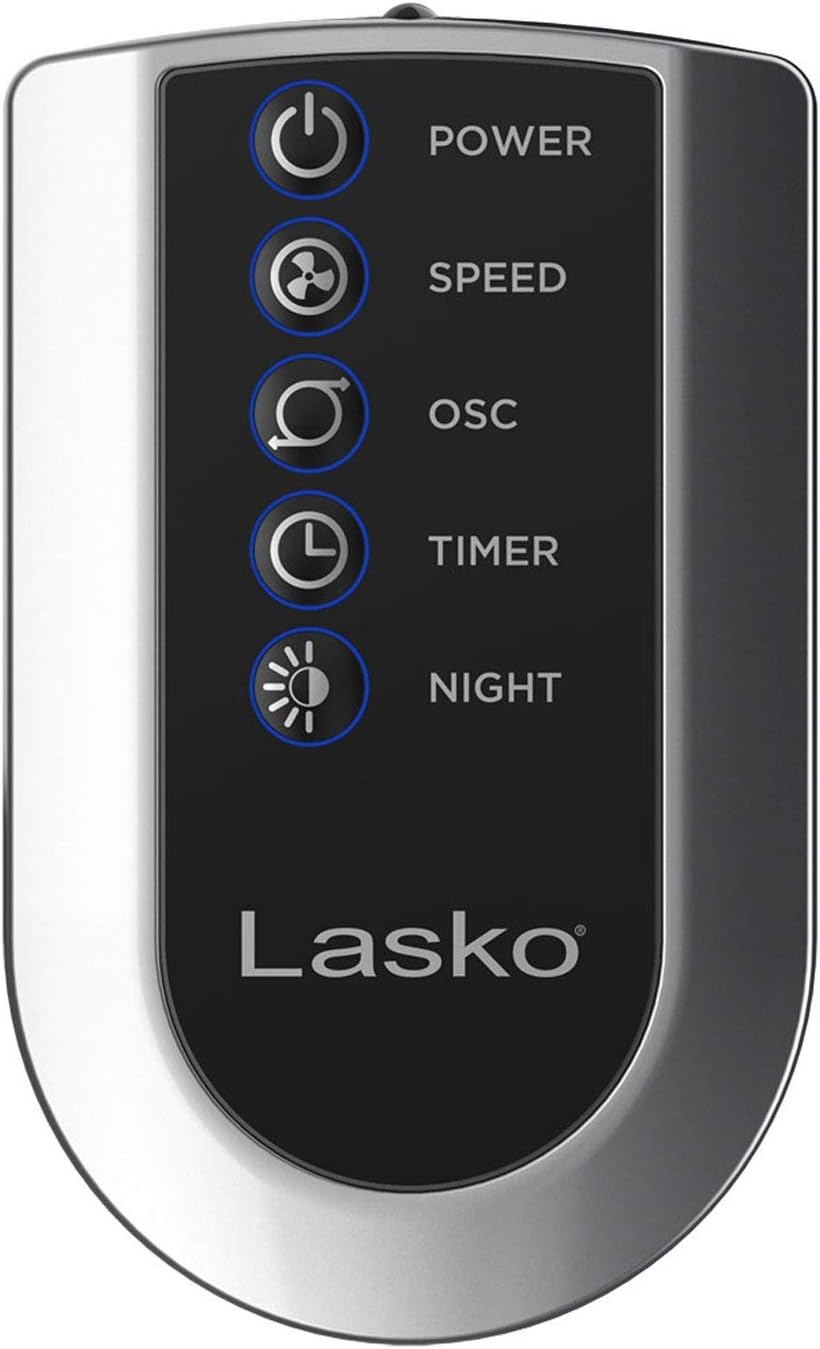
Image: The remote control for the Lasko T48322 Tower Fan, showing buttons for power, speed, oscillation, timer, and nighttime mode.
The remote control duplicates all functions of the control panel. Ensure the remote has working batteries (typically 2 AAA batteries, not always included). Point the remote directly at the fan's control panel for optimal response.
Penjagaan dan Penyelenggaraan
Proper care and maintenance will ensure the longevity and efficient operation of your fan.
- Pembersihan: Always unplug the fan before cleaning. Use a soft cloth moistened with a mild soap solution to clean the exterior surfaces. Do not use gasoline, benzene, thinner, harsh cleaners, etc., as they will damage the fan. Never immerse the fan in water.
- Penyingkiran habuk: Gunakan pembersih vakum dengan alat tambahan berus untuk menghilangkan habuk daripada gril pengambilan udara dan ekzos.
- Storan: When not in use, store the fan in its original carton in a cool, dry place. The remote control can be stored in the designated slot on the back of the fan.
- Servis: This fan has permanently lubricated bearings and requires no further lubrication.
Menyelesaikan masalah
If your fan is not operating as expected, refer to the following common issues and solutions.
| Masalah | Kemungkinan Punca | Penyelesaian |
|---|---|---|
| Kipas tidak dihidupkan. | Tiada kuasa kepada unit. | Ensure the power cord is securely plugged into a working 120V AC outlet. Check household circuit breaker/fuse. |
| Fan operates but air flow is weak. | Air intake/exhaust grilles are blocked or dusty. | Unplug the fan and clean the grilles using a vacuum cleaner with a brush attachment. Ensure no objects are obstructing airflow. |
| Kipas bising. | Loose parts or fan not on a level surface. | Ensure the fan is placed on a firm, level surface. Check if the base is securely attached. If noise persists, discontinue use and contact customer support. |
| Alat kawalan jauh tidak berfungsi. | Bateri mati atau halangan. | Replace batteries in the remote control. Ensure there is no obstruction between the remote and the fan's control panel. |
Spesifikasi
- model: T48322
- Jenama: Lasko
- warna: Hitam
- Faktor Bentuk: Menara
- Sumber Kuasa: Elektrik Bertali
- Voltage: 120 Volt (AC)
- Bilangan Tahap Kuasa: 3
- Ciri Khas: Oscillating, 8-Hour Timer, Nighttime Mode, Remote Control
- Komponen yang Disertakan: Alat Kawalan Jauh
- Penggunaan Dalaman/Luar: Dalaman
- Bahan: logam
Waranti dan Sokongan
Lasko Products, LLC warrants this product against defects in workmanship and/or materials for a period specified in the product's original packaging or on the official Lasko website. This warranty extends only to the original purchaser of the product.
For technical assistance, product information, or warranty claims, please contact Lasko Customer Service:
- Webtapak: www.lasko.com
- telefon: Refer to the Lasko webtapak untuk nombor hubungan semasa.
- e-mel: Refer to the Lasko weblaman web untuk e-mel hubungan semasa.
Please have your model number (T48322) and purchase date available when contacting support.


