pengenalan
The PELONIS 3-speed oscillating Tower fan with timer and remote provides maximum comfort in a minimum space. With a tall, narrow profile, this fan is ideal for smaller rooms or areas with limited floor space. It features three speeds, multiple modes, and a timer for automatic shutoff. A convenient remote control allows for easy operation from a distance.
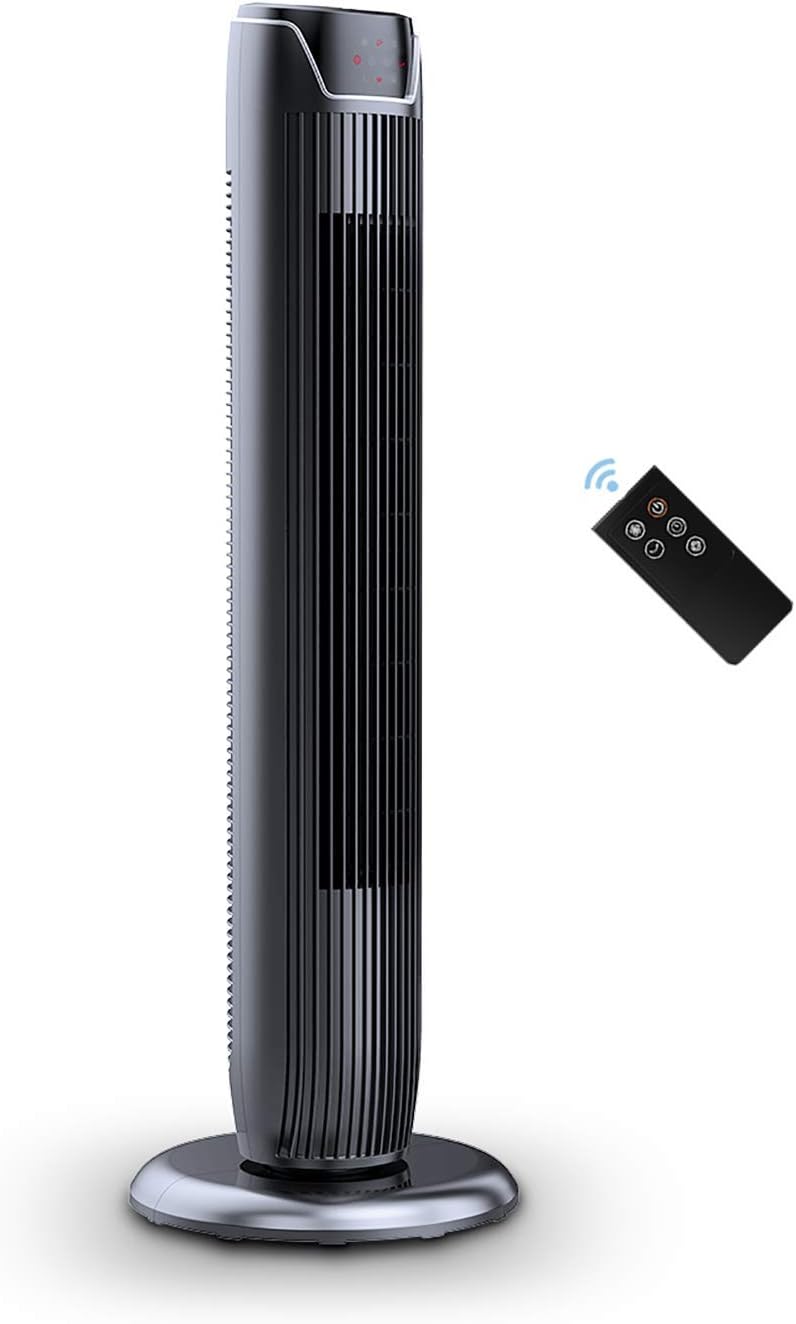
Figure 1: PELONIS FZ10-19JR Quiet Oscillating Tower Fan and Remote Control.
Maklumat Keselamatan
Always read and follow all safety instructions before using this appliance to prevent injury or damage. Keep this manual for future reference.
- Perlindungan Terlalu Panas: The motor has built-in overheat protection for peace of mind, automatically shutting off the fan if it overheats.
- Keselamatan Kanak-kanak: The compact design on the fan grid ensures the safety of children by preventing finger penetration.
- Amaran Proposisi 65: Produk ini mungkin mengandungi bahan kimia yang diketahui oleh State of California yang menyebabkan barah dan cacat lahir atau bahaya pembiakan yang lain.
- Pastikan kipas diletakkan di atas permukaan yang stabil dan rata untuk mengelakkan terbalik.
- Jangan masukkan jari atau objek asing ke dalam gril kipas.
- Cabut plag kipas daripada soket kuasa sebelum membersihkan atau melakukan sebarang penyelenggaraan.
Kandungan Pakej
Sahkan bahawa semua komponen ada semasa membuka bungkusan:
- PELONIS FZ10-19JR Tower Fan Unit
- Alat Kawalan Jauh
- Base Parts (multiple pieces for assembly)
- Manual Pengguna (PDF tersedia dalam talian)
Persediaan
The PELONIS FZ10-19JR Tower Fan requires minimal assembly. Follow these steps to set up your fan:
- Pasang Pangkalan: The base comes in multiple pieces. Snap the base pieces together securely.
- Attach Fan Unit to Base: Carefully align the fan unit with the assembled base. Ensure the power cord is routed through the designated opening in the base.
- Selamatkan Pangkalan: Locate the screw underneath the base and tighten it to firmly attach the fan unit to the base.
- penempatan: Place the assembled fan on a stable, flat surface.
- Sambungan Kuasa: Plug the fan into a standard 120V/60HZ power outlet.
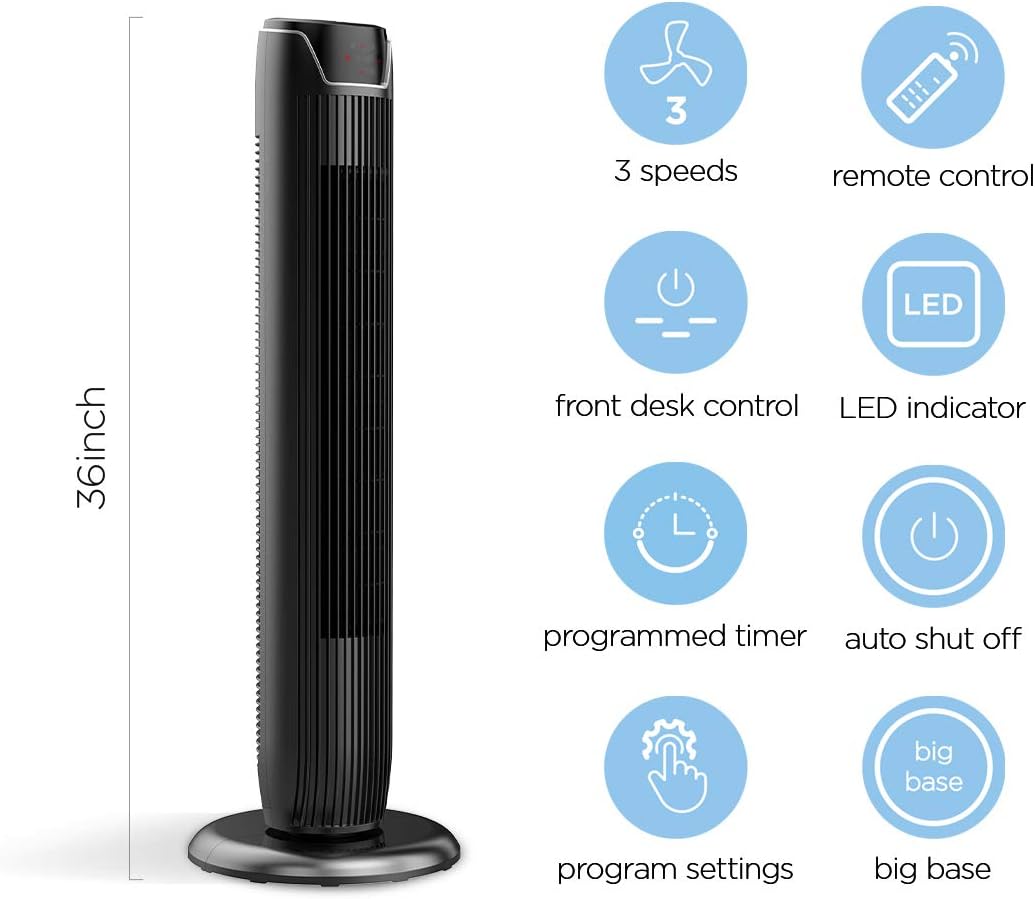
Figure 2: The 36-inch height of the tower fan, highlighting its compact design and various features.

Figure 3: Key features of the PELONIS tower fan, including silent operation, wide-angle airflow, timer, and auto shut-off.
Video 1: Tamatview of the 36-inch PELONIS FZ10-19JR Oscillating Tower Fan, demonstrating its compact size and features.
Arahan Operasi
Your PELONIS tower fan can be operated using the multi-functional control panel on top of the unit or the included remote control.
Panel Kawalan dan Alat Jauh
Both the control panel and the remote offer identical functions for convenience. The control panel is located on the top of the fan for easy access without bending.

Figure 4: Close-up of the overhead control panel, highlighting the tight fence design for safety and the internal gale wheel for air volume.
- Butang Kuasa (HIDUP/MATI): Menghidupkan atau mematikan kipas.
- Butang Mod: Cycles through different wind modes (Normal, Natural, Sleep).
- Butang Kelajuan: Melaraskan kelajuan kipas (Rendah, Sederhana, Tinggi).
- Oscillation Button (Osc): Activates or deactivates the 60° wide-angle oscillation function.
- Butang Pemasa: Sets the automatic shutoff timer (up to 7 hours).
Mod Kipas
- Angin Biasa: Provides a constant airflow.
- Angin Semula jadi: Simulates natural breezes with alternating strong and weak airflows.
- Mod tidur: Operates at a low noise level (as low as 48 dB) for undisturbed sleep. The LED display auto-off after 30 seconds to minimize light disturbance.
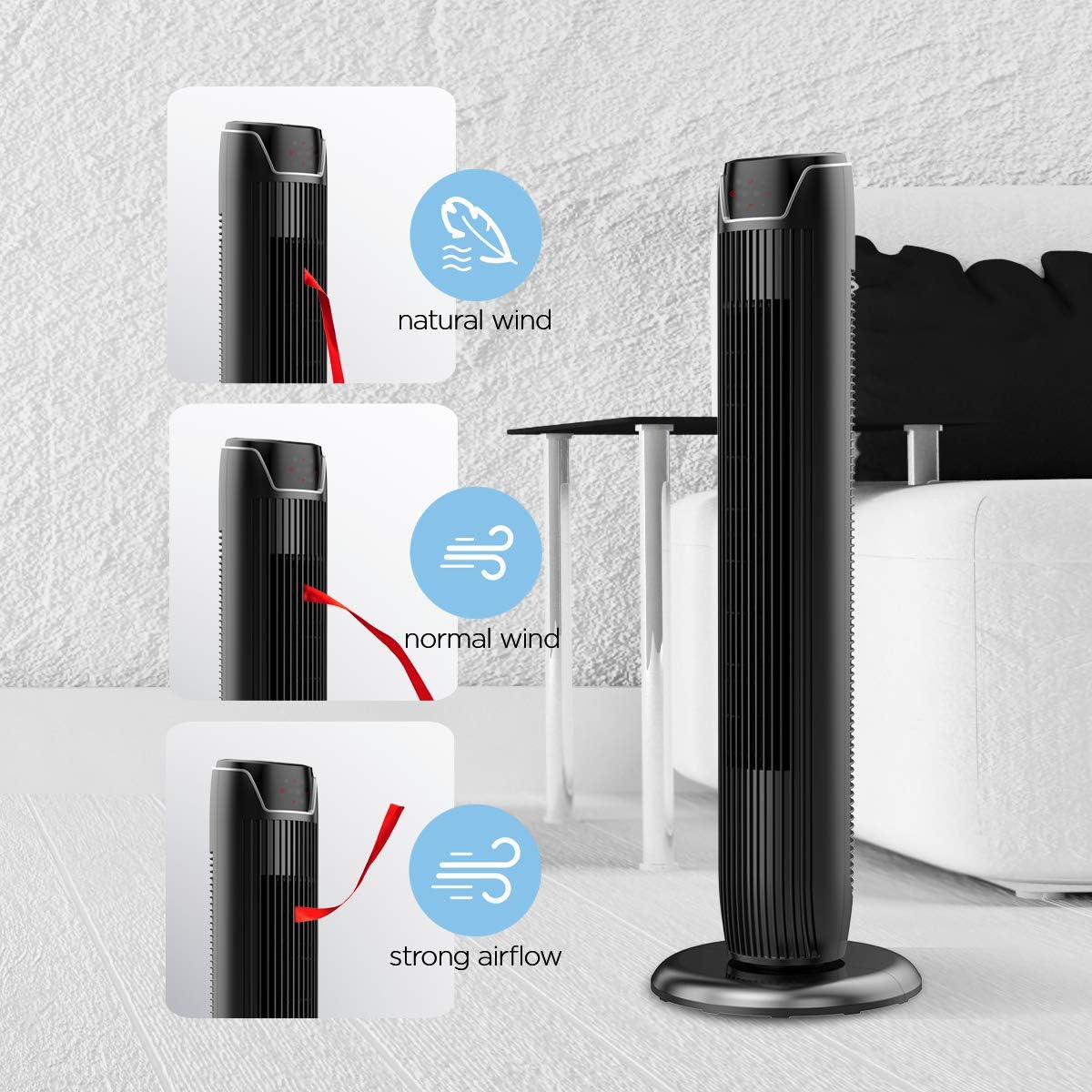
Figure 5: Visual representation of the fan's different wind modes: Natural Wind, Normal Wind, and Strong Airflow.

Figure 6: The fan's quiet operation in sleep mode, ideal for bedrooms and nurseries.

Figure 7: Illustration of the fan's ultra-silence feature (below 48dB on low speed), perfect for quiet environments.
Storan Alat Kawalan Jauh
The fan features a built-in cubby at the back for convenient storage of the remote control, ensuring it is always within reach and not easily misplaced.
Video 2: Demonstration of the remote control storage slot on the back of the Pelonis Tower Fan.
Penyelenggaraan
Pembersihan berkala membantu mengekalkan prestasi kipas dan memanjangkan jangka hayatnya.
- Pembersihan Luaran: Gunakan yang lembut, damp cloth to wipe down the exterior surfaces of the fan. Do not use abrasive cleaners or solvents.
- Pembersihan gril: Use a vacuum cleaner with a brush attachment to remove dust from the fan grilles. For deeper cleaning, a compressed air can may be used to dislodge dust from hard-to-reach areas.
- Pembersihan Dalaman: The fan is not designed for easy disassembly for internal cleaning. Regular external cleaning and compressed air use are recommended to minimize dust accumulation inside.
- Pastikan kipas benar-benar kering sebelum memasangnya semula.
Menyelesaikan masalah
If you encounter issues with your PELONIS tower fan, try the following troubleshooting steps:
- Kipas Tidak Dihidupkan:
- Pastikan kord kuasa dipasang dengan selamat ke dalam salur keluar elektrik yang berfungsi.
- Periksa sama ada alur keluar kuasa berfungsi dengan memasang peranti lain.
- Verify the fan's power button is pressed.
- Fan Not Oscillating:
- Tekan butang ayunan pada panel kawalan atau alat kawalan jauh.
- Ensure there are no obstructions preventing the fan from rotating.
- Aliran Udara Lemah:
- Tingkatkan tetapan kelajuan kipas.
- Clean the fan grilles to remove any dust or debris that may be obstructing airflow.
- Bunyi Luar Biasa:
- Pastikan kipas diletakkan pada permukaan yang stabil dan rata.
- Check for any loose parts or foreign objects within the fan grilles.
- If the noise is a creaking sound during oscillation, ensure the base is not overtightened. Loosen it slightly if necessary.
- Alat Kawalan Jauh Tidak Berfungsi:
- Ensure the remote control's batteries are correctly installed and not depleted.
- Halakan alat kawalan jauh terus ke panel kawalan kipas.
- Pastikan tiada halangan antara alat kawalan jauh dan kipas.
Spesifikasi
| Ciri | Perincian |
|---|---|
| Jenama | PELONIS |
| Nama Model | FZ10-19JR |
| warna | Hitam Berkilat |
| Reka Bentuk Kipas Elektrik | Kipas lantai |
| Sumber Kuasa | Elektrik Bertali |
| Gaya | moden |
| Dimensi Produk | 11.8"D x 11.8"W x 36.14"H |
| Jenis Bilik | Bilik tidur |
| Ciri Khas | Berayun |
| Penggunaan yang Disyorkan | Office, Air Circulation, Bedroom, Living Room, Home |
| Tahap Kebisingan | 48 dB |
| Jenis Selesai | Berkilat |
| Voltage | 120 Volt |
| Komponen yang Disertakan | Jauh |
| Penggunaan Dalaman/Luar | Dalaman |
| Spesifikasi Met | ETL |
| Kaedah Kawalan | Jauh |
| Bahan Bilah | plastik |
| Bilangan Tahap Kuasa | 3 |
| Pengeluar | Pelonis |
| UPC | 750545105431 |
| Berat Barang | 9.13 paun |
Waranti dan Sokongan
PELONIS offers a Waranti pengilang 1 tahun with the purchase of this product, demonstrating confidence in its quality.
For detailed information, refer to the official User Manual (PDF) available online:
Muat turun Manual Pengguna (PDF)
For further assistance or inquiries, please visit the official PELONIS Store on Amazon: PELONIS Store


