pengenalan
Thank you for choosing the Astrum ET200 Earphone. This in-ear Bluetooth 4.0 earphone is designed to provide clear sound for both voice calls and music playback. Featuring dual pairing capability and a comfortable hook design, it offers up to 5 hours of talk time. Its high-performance speakers deliver rich bass and precise treble, ensuring a premium audio experience.
Produk Selesaiview

Rajah 1: Depan view of the Astrum ET200 Earphone in white, showcasing its compact design and ear hook.
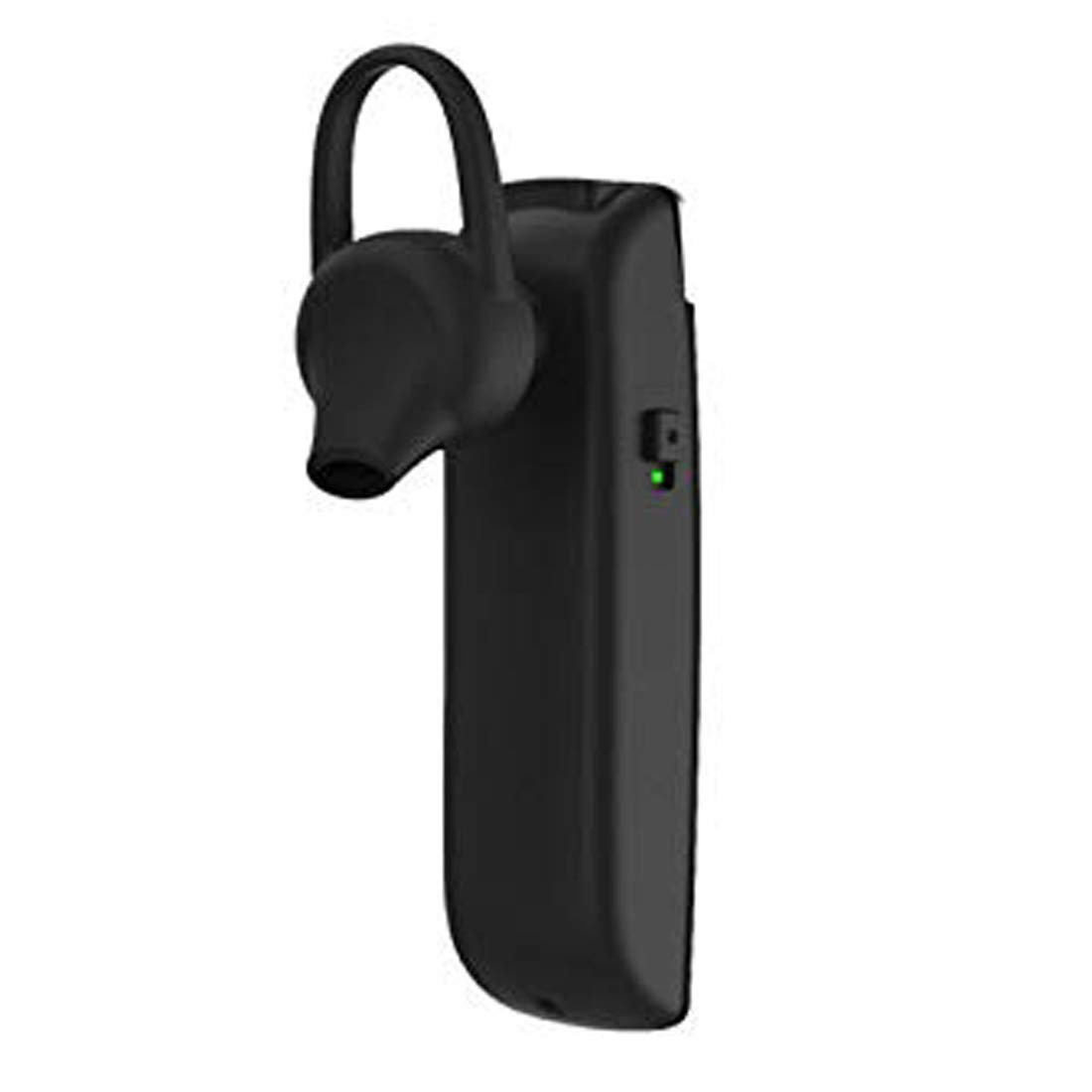
Rajah 2: Sisi view of the Astrum ET200 Earphone, highlighting the indicator light and control button area.

Figure 3: Both white and black versions of the Astrum ET200 Earphone, illustrating the overall form factor.
Persediaan
1. Mengecas Fon Telinga
Before first use, fully charge the earphone. Connect the charging cable (not specified, assuming standard micro-USB) to the charging port on the earphone and the other end to a USB power source (e.g., computer USB port, wall adapter). The indicator light will typically show red during charging and turn blue or off when fully charged.
2. Berpasangan Bluetooth
- Hidupkan kuasa: Press and hold the Multi-function Button (MFB) until the indicator light flashes blue and red alternately. This indicates the earphone is in pairing mode.
- Aktifkan Bluetooth: On your mobile device or computer, enable Bluetooth.
- Cari untuk Peranti: Scan for available Bluetooth devices. You should see "Astrum ET200" or a similar name appear in the list.
- Sambung: Select "Astrum ET200" from the list to connect. Once successfully paired, the indicator light will typically flash blue slowly or turn off.
- Berpasangan Dwi: To pair a second device, disconnect the earphone from the first device, put it back into pairing mode, and connect to the second device. Then, reconnect to the first device from its Bluetooth settings. The earphone will now be connected to both devices simultaneously.
Arahan Operasi
- Hidupkan kuasa: Press and hold the MFB for approximately 3 seconds until the blue indicator light flashes.
- Matikan: Press and hold the MFB for approximately 5 seconds until the red indicator light flashes and then turns off.
- Jawab/Tamatkan Panggilan: Press the MFB once to answer an incoming call. Press the MFB once again to end an active call.
- Tolak Panggilan: Press and hold the MFB for approximately 2 seconds to reject an incoming call.
- Dail Semula Nombor Terakhir: Double-press the MFB to redial the last dialed number.
- Main/Jeda Muzik: Press the MFB once to play or pause music playback.
- Kawalan Kelantangan: (Assuming volume buttons are present, as is common for BT earphones) Use the volume up (+) and volume down (-) buttons on the earphone to adjust the volume. If no dedicated buttons, adjust volume from your connected device.
- Trek Seterusnya / Sebelumnya: (Assuming track control buttons are present) Use the next track (>>) and previous track (<<) buttons on the earphone to skip tracks. If no dedicated buttons, control from your connected device.
Penyelenggaraan
- Pembersihan: Use a soft, dry cloth to clean the earphone. Do not use abrasive cleaners or solvents.
- Storan: Simpan fon telinga di tempat yang sejuk dan kering, jauh daripada cahaya matahari langsung dan suhu yang melampau.
- Penjagaan Bateri: To prolong battery life, avoid fully discharging the battery frequently. Charge the earphone regularly, even if not in use for extended periods.
- Tahan Air: This earphone is not waterproof. Avoid exposure to water or excessive moisture.
Menyelesaikan masalah
| Masalah | Kemungkinan Punca | Penyelesaian |
|---|---|---|
| Fon telinga tidak boleh dihidupkan. | Bateri lemah. | Cas fon telinga sepenuhnya. |
| Tidak boleh berpasangan dengan peranti. | Fon telinga tidak dalam mod berpasangan; Bluetooth dimatikan pada peranti; terlalu jauh dari peranti. | Ensure earphone is in pairing mode (flashing blue/red). Turn on Bluetooth on your device. Move earphone closer to device (within 10 meters). |
| Tiada bunyi atau kelantangan rendah. | Volume too low on earphone or device; earphone not connected properly. | Increase volume on both the earphone and your connected device. Reconnect the earphone to your device. |
| Sambungan terputus-putus. | Gangguan; terlalu jauh dari peranti; bateri lemah. | Move closer to your device. Avoid strong electromagnetic interference. Charge the earphone. |
Spesifikasi
| Nombor Model | 1046 |
| Versi Bluetooth | 4.0 |
| Faktor Bentuk | In-Ear with Hook |
| Masa Berbual | Sehingga 5 jam |
| Ciri-ciri | Voice + Music, Dual Pairing, Clear Sound, Rich Bass, Precise Treble |
| Dimensi (LxWxH) | 3.5 x 3.5 x 12.8 cm |
| Berat Barang | 10 g |
| warna | putih |
| Pengeluar | Astrum Electronics India Pvt. Ltd. |
Waranti dan Sokongan
Maklumat Waranti
The Astrum ET200 Earphone comes with a Waranti 1 Tahun dari tarikh pembelian. Waranti ini meliputi kecacatan pembuatan. Sila simpan bukti pembelian anda untuk tuntutan waranti.
Sokongan Pelanggan
For any technical assistance, troubleshooting, or warranty claims, please contact Astrum customer support through their official website or the retailer from whom you purchased the product. Please have your product model number (1046) and proof of purchase ready when contacting support.


