1. Pengenalan
The Digoo DG-FT2103 is a Bluetooth-enabled digital cooking thermometer designed to help you achieve precise cooking temperatures for various foods. It features an LED touch screen, a stainless steel temperature probe, and connectivity to a smartphone application for remote monitoring and control. This manual provides detailed instructions for the proper use and maintenance of your thermometer.
2. Kandungan Pakej
Sila semak kandungan pakej untuk memastikan semua item ada:
- 1 x Digoo DG-FT2103 LED Touch Screen Digital Bluetooth Cooking Thermometer Unit
- 1 x Digoo DG-FT2103 Stainless Steel Temperature Probe
- 1 x Digoo DG-FT2103 User Manual

Image: The Digoo DG-FT2103 thermometer unit, its stainless steel probe, and a smartphone showing the accompanying application interface.
3. Produk Lebihview
The Digoo DG-FT2103 consists of a main display unit and a detachable temperature probe. The main unit features an LED touch screen for displaying temperatures and settings, along with touch controls for operation.
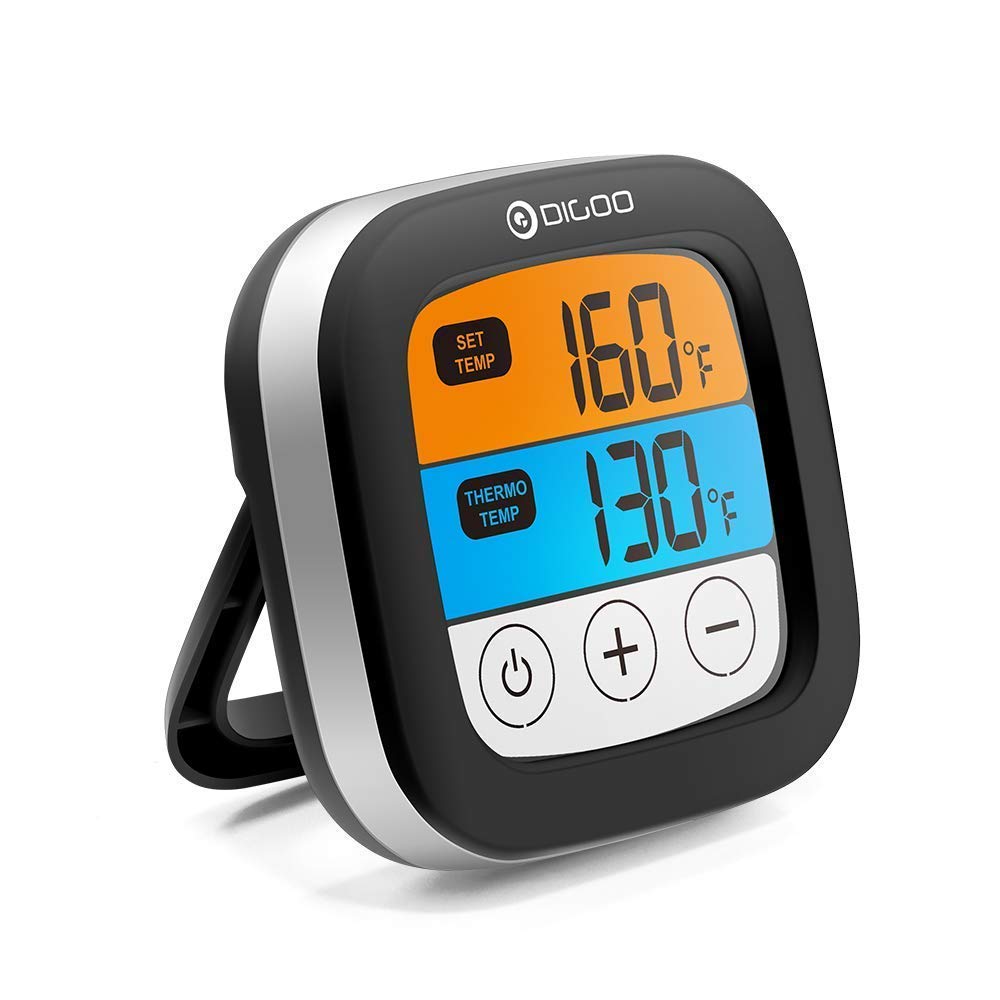
Imej: Depan view of the Digoo DG-FT2103 thermometer, showcasing its LED display and integrated stand.
3.1 Ciri-ciri Unit Utama
- Skrin Sentuh LED: Displays current and target temperatures.
- Kawalan: Touch buttons for power, temperature adjustment, and mode selection.
- Stand Bersepadu: Allows for upright placement on a countertop.
- Kesambungan Bluetooth: For pairing with a smartphone application.

Imej: Side profile of the Digoo DG-FT2103 thermometer, highlighting its slim design and adjustable stand.
3.2 Siasatan Suhu
The stainless steel probe is designed for insertion into food to measure internal temperature. It is connected to the main unit via a durable cable.

Image: The stainless steel temperature probe, showing its pointed tip, cable, and connector.
4. Persediaan
4.1 Pemasangan Bateri
- Cari petak bateri di belakang unit termometer.
- Buka penutup petak bateri.
- Insert two 1.5V AA batteries (not included), ensuring correct polarity (+/-).
- Tutup penutup petak bateri dengan selamat.
4.2 Sambungan Probe
- Insert the probe connector firmly into the designated port on the side of the main thermometer unit.
- Ensure the connection is secure to prevent inaccurate readings.
4.3 Pemasangan Apl dan Berpasangan Bluetooth
To utilize the smart features, download the companion application to your smartphone.
- Cari untuk "SmartThermo" or the recommended app name (if available) in your smartphone's app store (e.g., Apple App Store or Google Play Store).
- Muat turun dan pasang aplikasi.
- Pastikan Bluetooth didayakan pada telefon pintar anda.
- Power on the Digoo DG-FT2103 thermometer unit.
- Open the installed application on your smartphone.
- Follow the in-app instructions to pair the thermometer. Typically, this involves selecting a "Pair" or "Connect" option within the app.
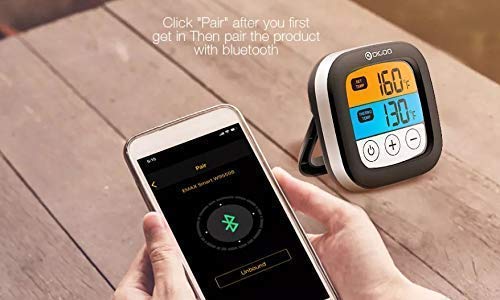
Image: A smartphone displaying the Bluetooth pairing screen within the companion application, ready to connect to the thermometer.
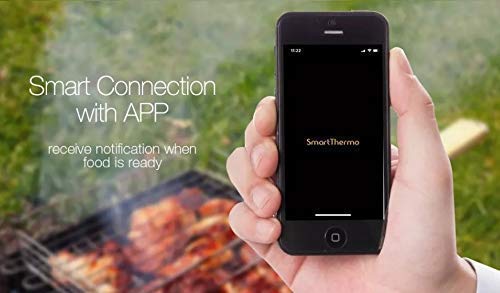
Image: A smartphone showing the "SmartThermo" application interface, indicating successful connection and readiness for use during a BBQ session.
5. Arahan Operasi
5.1 Hidupkan/Mati Kuasa
- Press and hold the power button (usually indicated by a circle with a vertical line) on the touch screen to turn the unit on or off.
5.2 Pemilihan Unit Suhu
- On the device or within the app settings, you can switch between Celsius (°C) and Fahrenheit (°F) temperature units.
5.3 Setting Target Temperatures
The thermometer offers preset temperature settings for various types of meat and doneness levels, as well as the option to set custom temperatures.
Menggunakan Suhu Pratetap:
- Access the preset menu on the device or through the app.
- Select the desired meat type (e.g., Beef, Lamb, Chicken, Pork, Turkey, Fish, Hamburger) and preferred doneness level (e.g., Rare, Medium, Well Done).
- The target temperature will be automatically set.
Setting Custom Temperatures:
- Use the '+' and '-' buttons on the device's touch screen or the app interface to manually adjust the target temperature to your desired value.
5.4 Fungsi Pemasa
The DG-FT2103 can also function as a cooking timer.
- Switch to timer mode using the appropriate button or app setting.
- Set the desired countdown time.
- An alarm will sound when the timer expires.
5.5 Using the Smartphone Application
The companion app provides enhanced control and monitoring capabilities:
- Pemantauan Jauh: View current and target temperatures from your smartphone within the Bluetooth range (up to 300ft).
- Tetapan Suhu: Easily select preset meat types and doneness levels or set custom temperatures.
- Kawalan Pemasa: Start, stop, and reset the cooking timer.
- Penggera dan Pemberitahuan: Receive alerts on your phone when the target temperature is reached or the timer expires.
- Penyesuaian: Adjust notification sounds and other app settings.
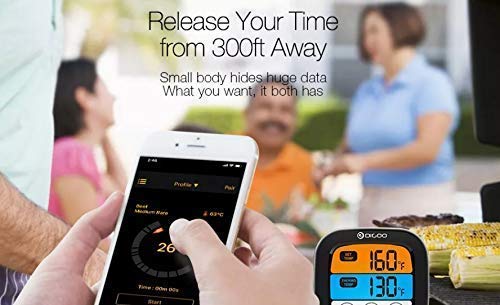
Image: The smartphone application interface showing real-time temperature monitoring and cooking progress, allowing users to manage their cooking remotely.
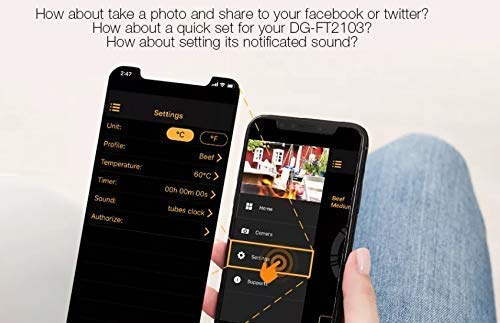
Image: The settings screen within the smartphone application, where users can customize units, profiles, temperatures, timers, and notification sounds.
6. Penyelenggaraan
6.1 Pembersihan
- Unit Termometer: Lap unit utama dengan iklanamp kain. Jangan rendam unit dalam air.
- Probe Suhu: The stainless steel probe can be cleaned with warm soapy water. Ensure the probe connector and cable are kept dry. The probe is oven safe, but the main unit is not.
- Do not use abrasive cleaners or scouring pads, as these may damage the surface.
6.2 Penyimpanan
- Store the thermometer and probe in a clean, dry place when not in use.
- Tanggalkan bateri jika peranti tidak akan digunakan untuk tempoh yang lama untuk mengelakkan kebocoran.
7. Penyelesaian masalah
- Tiada Kuasa:
- Periksa sama ada bateri dipasang dengan betul dengan polariti yang betul.
- Replace old batteries with new 1.5V AA batteries.
- Bacaan Suhu Tidak Tepat:
- Ensure the probe is fully inserted into the thickest part of the meat, avoiding bone.
- Check that the probe connector is securely plugged into the main unit.
- Verify that the probe cable is not damaged.
- Isu Sambungan Bluetooth:
- Pastikan Bluetooth didayakan pada telefon pintar anda.
- Make sure the thermometer unit is powered on and within the 300ft Bluetooth range.
- Mulakan semula kedua-dua termometer dan telefon pintar anda.
- Try unpairing and re-pairing the device through the app settings.
- Pastikan apl dikemas kini kepada versi terkini.
- App Not Receiving Notifications:
- Check your smartphone's notification settings for the app to ensure they are enabled.
- Ensure the app is running in the background or foreground.
8. Spesifikasi
| Ciri | Perincian |
|---|---|
| Jenama | Digoo |
| Model | DG-FT2103 |
| Teknologi Ketersambungan | Bluetooth |
| Julat Bluetooth | Up to 300ft (approximately 91 meters) |
| Julat Suhu | -25 ℃ hingga 300 ℃ (-13 ℉ hingga 572 ℉) |
| Unit Suhu | ℃ / ℉ adjustable |
| Paparan | Skrin Sentuh LED |
| Sumber Kuasa | 2 x 1.5V bateri AA (tidak termasuk) |
| Ciri Khas | Timer Setting, Alarm, Preset Temperatures, App Synchronization |
| Arahan Penjagaan Produk | Oven Safe (probe only), Wipe Clean (main unit) |
| bahan | Plastic (main unit), Stainless Steel (probe) |
9. Waranti dan Sokongan
This Digoo DG-FT2103 thermometer comes with a Waranti 14 hari dari tarikh pembelian, meliputi kecacatan pembuatan. Sila simpan bukti pembelian anda untuk tuntutan waranti.
For technical support or warranty inquiries, please contact your retailer or the Digoo customer service department. Refer to the product packaging or the official Digoo webtapak untuk maklumat hubungan.


