1. Pengenalan
Welcome to the TMEZON Wireless Security Camera System user manual. This guide provides detailed instructions for the setup, operation, and maintenance of your MZ-WF8430W system. Please read this manual thoroughly before installation and use to ensure proper functionality and safety. This system features 3-megapixel cameras, an 8-channel Network Video Recorder (NVR), and IP66 waterproof cameras suitable for both indoor and outdoor surveillance.
2. Kandungan Pakej
Sila semak pakej untuk item berikut:
- 1 x 8-Channel Wireless NVR
- 4 x Kamera IP Tanpa Wayar 3MP
- 1 x Penyesuai Kuasa NVR
- 4 x Penyesuai Kuasa Kamera
- 1 x Tetikus USB
- 1 x Kabel Rangkaian
- 1 x Manual Pengguna
- Kit Skru Pemasangan

Imej: Selesaiview of the TMEZON Wireless Security Camera System components, including the NVR and four cameras.
3. Panduan Persediaan
3.1 Initial NVR Connection
Follow these steps to set up your NVR:
- Sambungkan NVR ke monitor menggunakan kabel HDMI atau VGA.
- Sambungkan tetikus USB ke port USB NVR.
- Connect the NVR to your router using the provided network cable for internet access and remote viewing.
- Connect the NVR power adapter and plug it into an electrical outlet. The NVR will power on automatically.

Image: Diagram illustrating the connections for the NVR, including power, monitor, and network cable to a router.
3.2 Pemasangan Kamera
The cameras are IP66 waterproof, making them suitable for both indoor and outdoor use. Ensure cameras are within the NVR's wireless range.
- Choose suitable locations for your cameras, considering coverage area and power outlet proximity.
- Mount the cameras securely using the provided screw kits.
- Connect each camera to its respective power adapter and plug into an electrical outlet.
- The cameras will automatically pair with the NVR. If not, refer to the troubleshooting section for manual pairing.
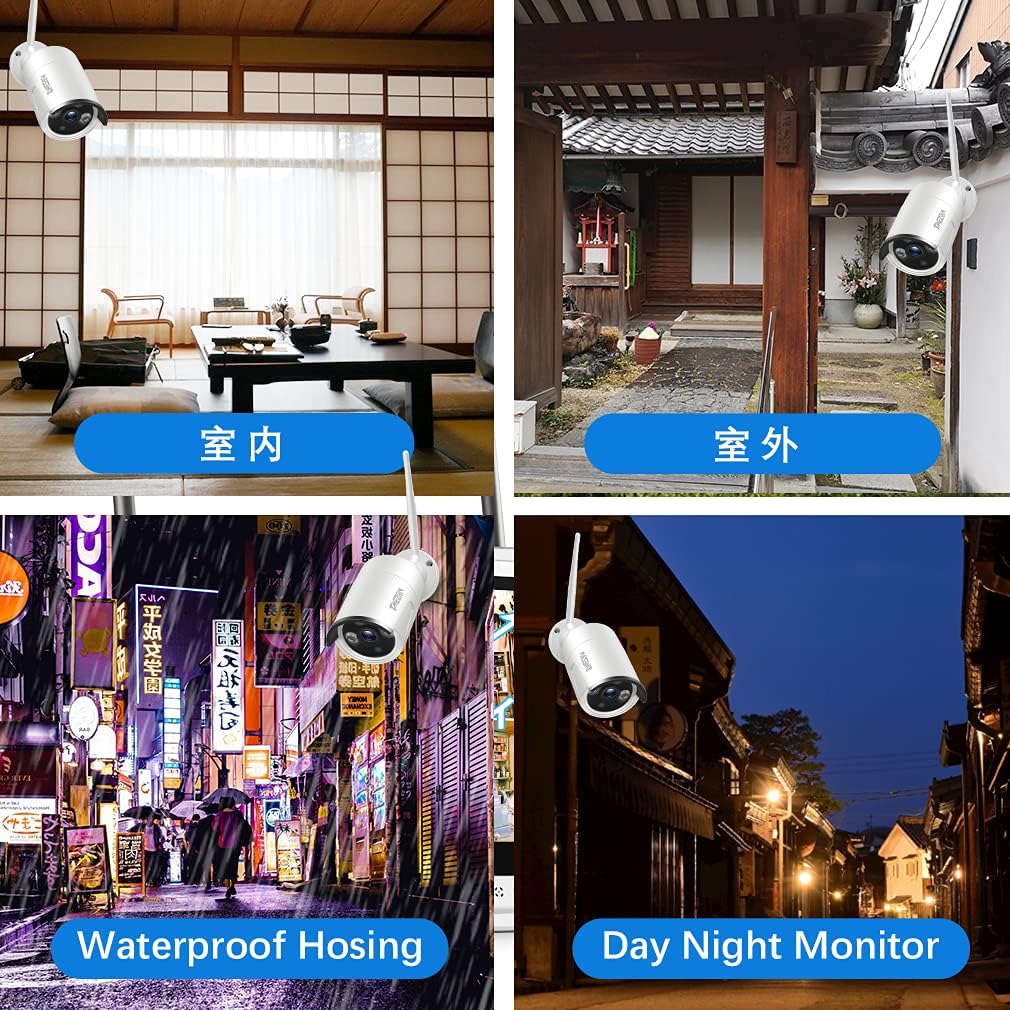
Imej: Cthamples of camera placement for both indoor and outdoor environments.
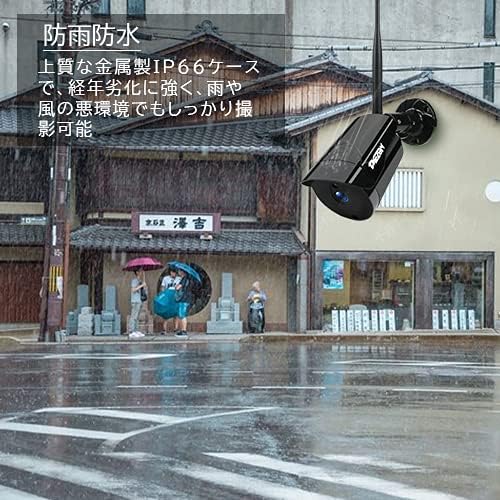
Image: A camera mounted outdoors, demonstrating its IP66 waterproof capability in a rainy setting.
3.3 Remote Access Setup (Mobile App)
Kepada view your cameras remotely on a smartphone or PC, follow these steps:
- Download the 'IP PRO' app from the App Store (iOS) or Google Play Store (Android).
- Daftar akaun baharu dalam apl.
- Scan the QR code on your NVR or manually enter the device ID to add your system to the app.
- Setelah ditambah, anda boleh view suapan langsung, rakaman main balik dan uruskan tetapan daripada peranti mudah alih anda.

Image: Demonstrates remote access to the camera system from various devices including tablets, laptops, and smartphones.

Image: A visual guide showing the steps for easy remote access setup via the mobile application.
Video: Umum berakhirview of the system's features and setup process.
4. Arahan Operasi
4.1 Langsung View dan Rakaman
After initial setup, the NVR will display live feeds from all connected cameras. You can navigate the interface using the USB mouse. The system is configured for continuous recording by default. You can adjust recording schedules and modes (e.g., motion-triggered) in the NVR settings.
4.2 Main semula
Untuk kembaliview dirakam footage:
- Right-click on the NVR interface to access the main menu.
- Select 'Playback'.
- Choose the desired camera, date, and time to view rakaman.
4.3 Pengesanan Pergerakan
The system supports motion detection, which can trigger recording and alerts. To configure:
- Access the NVR's main menu and go to 'Alarm' or 'Motion Detect' settings.
- Enable motion detection for specific cameras.
- Adjust sensitivity and define detection areas as needed.

Image: Highlights key features such as WiFi wireless connectivity, motion detection, night vision mode, IP66 waterproof rating, remote monitoring, and email alerts.
4.4 Penglihatan Malam
The cameras are equipped with infrared (IR) LEDs for automatic night vision, providing clear black and white video footage dalam keadaan cahaya malap atau tanpa cahaya.
4.5 Email Alerts
You can configure the system to send email notifications when motion is detected:
- In the NVR settings, navigate to 'Network' then 'Email'.
- Enter your email server details and recipient email addresses.
- Enable email alerts for motion detection events.

Image: A smartphone screen displaying an instant email notification triggered by an alarm event, showing a person attempting to break in.
Video: Demonstrates various operational aspects of the security camera system.
5. Penyelenggaraan
Penyelenggaraan berkala memastikan prestasi optimum dan jangka hayat sistem keselamatan anda:
- Clean Cameras: Periodically wipe camera lenses with a soft, damp cloth to remove dust and dirt, ensuring clear image quality.
- Semak Sambungan: Ensure all power and network cables are securely connected to prevent signal loss.
- Kemas kini Firmware: Check the TMEZON official website for any available firmware updates for your NVR and cameras to enhance features and security.
- Kesihatan Cakera Keras: If your NVR has a hard drive, regularly check its status in the system settings to prevent recording failures.
6. Penyelesaian masalah
Berikut ialah penyelesaian kepada isu biasa yang mungkin anda hadapi:
6.1 Tiada Paparan Video pada Monitor
- Semak Kuasa: Ensure the NVR and monitor are powered on and connected correctly.
- Sambungan Kabel: Verify the HDMI/VGA cable is securely connected between the NVR and monitor.
- Sumber Input: Confirm the monitor's input source is set to the correct HDMI/VGA port.
6.2 Cameras Not Showing on NVR
- Kuasa Kamera: Ensure all cameras are powered on.
- Julat Tanpa Wayar: Check if cameras are within the NVR's wireless range. Obstacles like thick walls can reduce signal strength.
- Pemasangan Manual: If cameras do not automatically connect, you may need to manually pair them. Access the NVR's 'IPC Channel Config' or 'Wireless Add' menu and follow the on-screen instructions to add cameras.
6.3 Remote Access Not Working
- NVR Internet Connection: Ensure the NVR is connected to your router and has internet access. Check the network status in NVR settings.
- Log Masuk Apl: Verify you are logged into the correct account on the mobile app.
- Peranti Ditambah: Confirm the NVR device has been successfully added to your app account.
- Tetapan Penghala: Ensure your router is not blocking the NVR's internet access.
6.4 Kualiti Imej Lemah
- Kanta Bersih: Clean the camera lens as described in the maintenance section.
- Tetapan Resolusi: Check the camera's resolution settings in the NVR. Ensure it's set to 3MP (2048*1536P) for optimal clarity.
- Pencahayaan: Ensure adequate lighting for color images during the day. Night vision will be black and white.
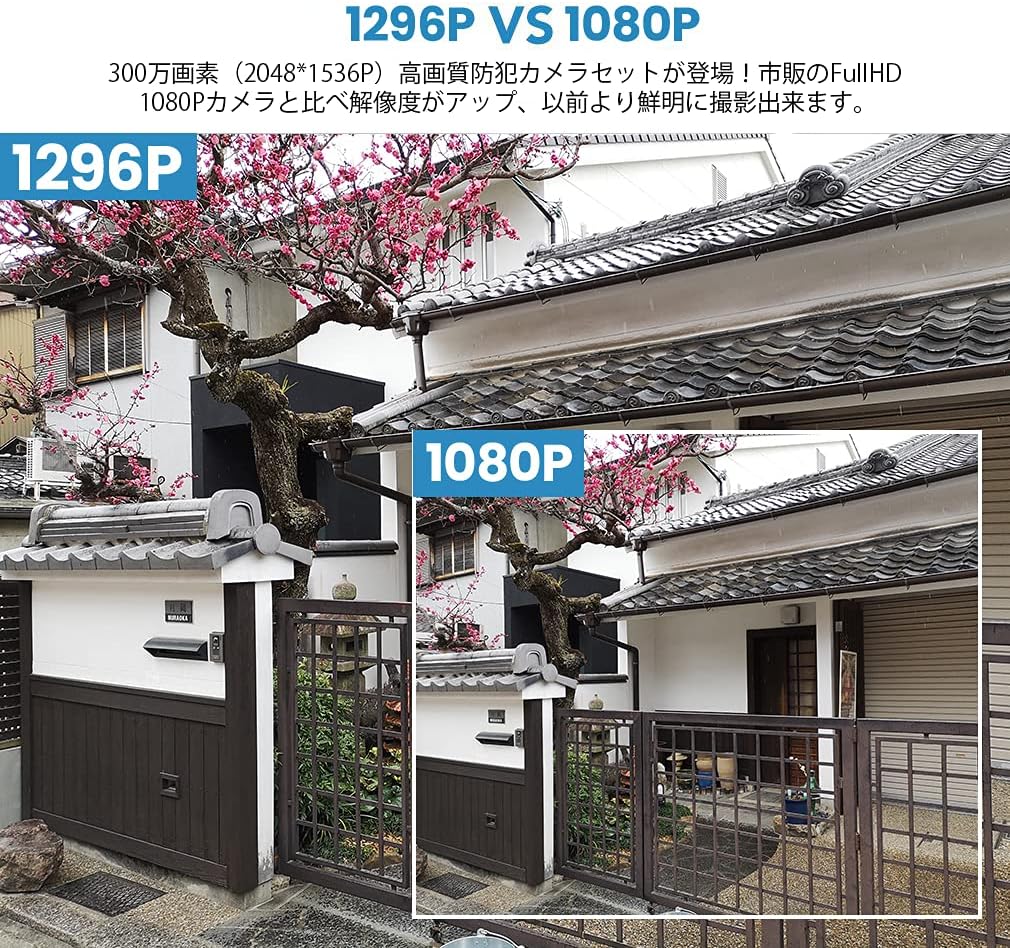
Image: A visual comparison demonstrating the improved clarity and detail of 1296P resolution compared to 1080P.

Image: A comparison showing the difference in image quality between 1080P and 720P resolutions, highlighting the superior detail of 1080P.
7. Spesifikasi
| Ciri | Spesifikasi |
|---|---|
| Jenama | TMEZON |
| Nombor Model | MZ-WF8430W |
| Teknologi Ketersambungan | Tanpa wayar |
| Resolusi Tangkapan Video | 1944p (3 Megapixels) |
| Ciri Khas | Kalis air (IP66) |
| Bilangan Saluran | 8 |
| Dimensi Pakej | 32 x 31.1 x 18.3 cm |
| Berat Pakej | 3.64 Kilogram |
| Bateri Diperlukan | Tidak |
8. Waranti dan Sokongan
TMEZON provides customer support for its products. For warranty information, technical assistance, or any questions not covered in this manual, please contact TMEZON customer service through their official website or the contact information provided with your purchase. Please have your model number (MZ-WF8430W) and purchase details ready when contacting support.


