1. Pengenalan
This manual provides essential information for the safe and efficient operation of your DJI Inspire 2 Series Part 89 CINESSD Station, UG2 Version. Please read this manual thoroughly before using the product and retain it for future reference.
The CINESSD Station is designed to facilitate high-speed data transfer from DJI CINESSD storage devices, primarily used with the DJI Inspire 2 drone, to a computer via a USB 3.0 interface.
2. Maklumat Keselamatan
- Jangan dedahkan peranti kepada air atau lembapan.
- Avoid extreme temperatures. Operate and store the device within recommended environmental conditions.
- Jangan cuba membuka atau mengubah suai peranti. Pengubahsuaian yang tidak dibenarkan boleh membatalkan jaminan dan menimbulkan risiko keselamatan.
- Gunakan hanya aksesori dan kabel yang diluluskan.
- Jauhkan daripada kanak-kanak.
3. Kandungan Pakej
Sahkan bahawa semua item terdapat dalam pakej anda:
- DJI CINESSD Station (UG2 Version)
- USB 3.0 Cable

Figure 3.1: The DJI CINESSD Station (UG2 Version) shown alongside its included USB 3.0 cable. The station is a compact, dark gray rectangular device, and the cable is black with a blue USB 3.0 connector.
4. Produk Lebihview
The DJI CINESSD Station UG2 is a dedicated device for transferring data from DJI CINESSD cards to a computer. It features a robust design and high-speed connectivity.
4.1 Depan View
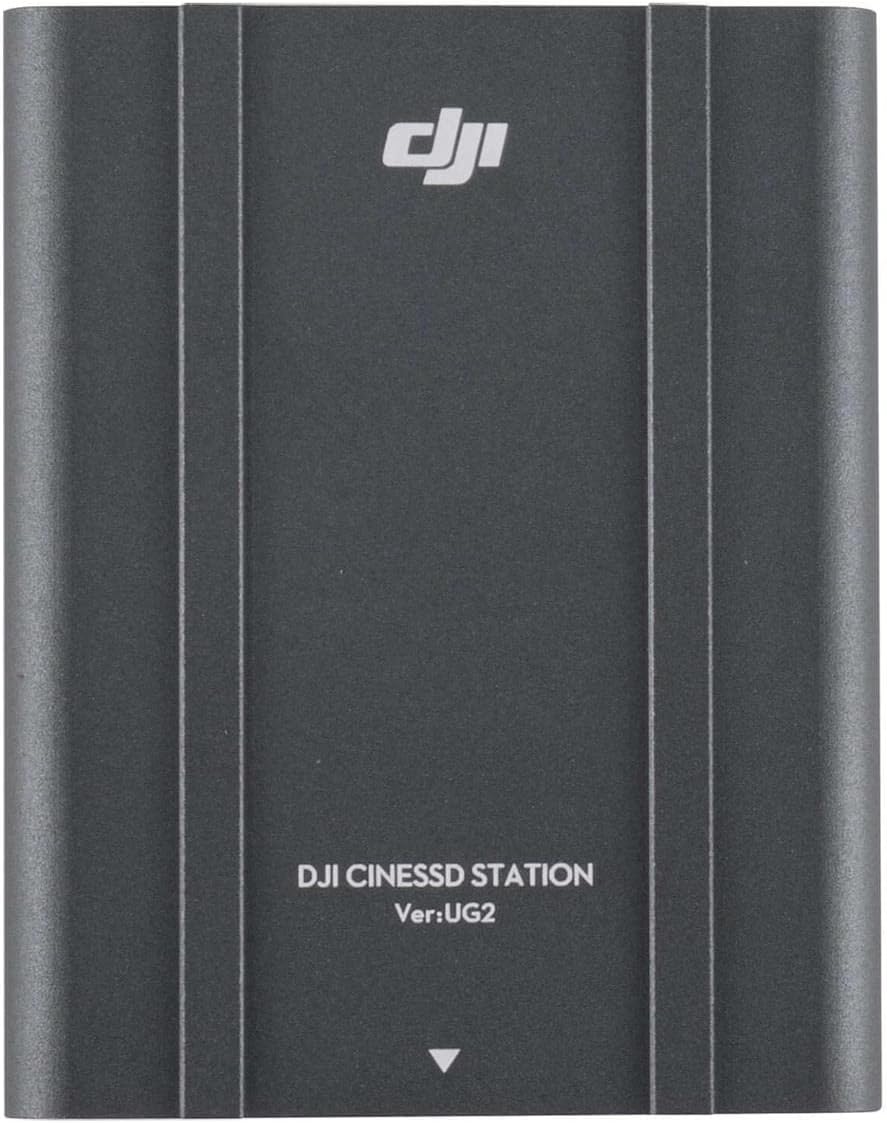
Rajah 4.1: Depan view of the DJI CINESSD Station UG2. The device is dark gray with the DJI logo and "DJI CINESSD STATION Ver:UG2" printed on its surface.
4.2 CINESSD Slot
The CINESSD slot is located on one end of the station, designed for secure insertion of DJI CINESSD cards.

Rajah 4.2: Sisi view of the DJI CINESSD Station UG2, highlighting the rectangular slot for inserting a CINESSD card. The slot is surrounded by a textured, gridded surface.
4.3 Port USB
The station is equipped with a USB 3.0 port for high-speed data transfer to your computer.

Rajah 4.3: Sisi view of the DJI CINESSD Station UG2, displaying the USB 3.0 port (blue interior) and a smaller micro-USB port. These ports are used for connecting the station to a computer.
5. Persediaan
Follow these steps to set up your CINESSD Station:
- Insert CINESSD: Gently insert the DJI CINESSD card into the CINESSD slot on the station until it clicks into place. Ensure the card is oriented correctly.
- Sambung ke Komputer: Connect one end of the provided USB 3.0 cable to the USB 3.0 port on the CINESSD Station and the other end to an available USB 3.0 port on your computer.
- Hidupkan kuasa: The station typically draws power directly from the USB connection. No external power adapter is usually required.
- Pemasangan Pemandu (jika perlu): Your operating system should automatically recognize the device. If prompted, follow the on-screen instructions to install any necessary drivers.
6. Operating the CINESSD Station
Once connected, the CINESSD Station will appear as an external drive on your computer, allowing you to access the data stored on the CINESSD card.
- Akses Data: Navigate to 'My Computer' (Windows) or 'Finder' (macOS) and locate the newly mounted drive.
- Pemindahan Files: You can now copy, paste, or move files from the CINESSD card to your computer's storage. For optimal performance, use drag-and-drop or copy-paste functions.
- Keluarkan dengan Selamat: Before disconnecting the CINESSD Station, always safely eject the drive from your operating system to prevent data corruption.
- Remove CINESSD: After safely ejecting the drive, gently press the CINESSD card to release it from the slot, then pull it out.
Nota: Data transfer speeds may vary depending on your computer's specifications and the type of USB port used.
7. Penyelenggaraan
- Pembersihan: Use a soft, dry cloth to clean the exterior of the station. Do not use liquid cleaners or solvents.
- Storan: Store the CINESSD Station in a cool, dry place away from direct sunlight and extreme temperatures when not in use.
- Pengendalian: Kendalikan peranti dengan berhati-hati untuk mengelakkan kerosakan fizikal.
8. Penyelesaian masalah
| Masalah | Kemungkinan Punca | Penyelesaian |
|---|---|---|
| Station not recognized by computer | Loose USB connection, faulty cable, CINESSD not inserted correctly, driver issue. |
|
| Kelajuan pemindahan data yang perlahan | Using a USB 2.0 port, background processes, fragmented CINESSD. |
|
| CINESSD card not reading | Improper insertion, damaged CINESSD card. |
|
9. Spesifikasi
| Ciri | Perincian |
|---|---|
| Model | CINESSD Station (UG2 Version) |
| Jenama | DJI |
| Peranti Serasi | DJI CINESSD, DJI Inspire 2 drone |
| Antara Muka Perkakasan | Internal with removable media (CINESSD slot), USB 3.0 |
| Dimensi Produk | 6.5 x 5.1 x 2.6 inci |
| Berat Barang | 1.35 paun |
| Jumlah Port USB | 3 |
| ASIN | B07R54XW6Z |

Rajah 9.1: Bawah view of the DJI CINESSD Station UG2, displaying regulatory markings, model number (PRIOGU3), and "MADE IN CHINA". This side also features heat dissipation fins.
10. Waranti dan Sokongan
Untuk maklumat jaminan dan sokongan teknikal, sila rujuk kepada DJI rasmi weblaman web atau hubungi khidmat pelanggan DJI secara langsung. Simpan bukti pembelian anda untuk tuntutan jaminan.
Sokongan dalam talian: melawat www.dji.com/support untuk Soalan Lazim, muat turun dan maklumat hubungan.


