pengenalan
This manual provides detailed instructions for the proper setup, operation, maintenance, and troubleshooting of your Hobbywing Ezrun MAX6 Combo. This high-performance system includes the MAX6 Electronic Speed Controller (ESC) and the Ezrun MAX 5687 SL Brushless Motor, designed for 1:5 and 1:6 scale RC vehicles. Please read this manual thoroughly before use to ensure optimal performance and longevity of your equipment.
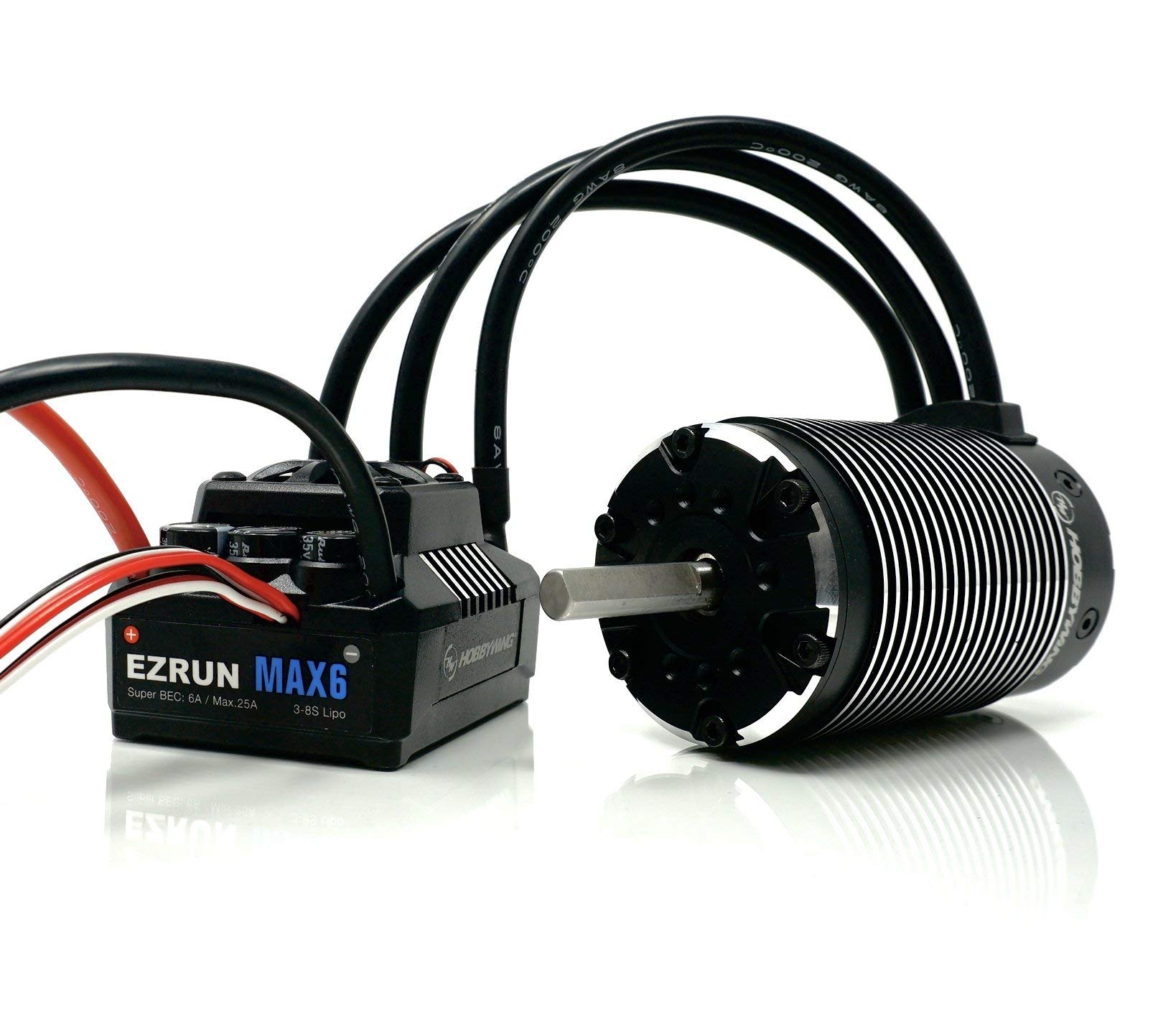
Image: The Hobbywing Ezrun MAX6 Combo packaging, displaying the MAX6 Electronic Speed Controller and the Ezrun 5687 Brushless Motor.
Langkah-langkah Keselamatan
Always observe the following safety guidelines to prevent injury or damage to the product and surrounding property:
- Keep the product away from water, moisture, and corrosive materials.
- Ensure proper ventilation around the ESC and motor during operation to prevent overheating.
- Disconnect the battery from the ESC when not in use to prevent accidental activation.
- Use only compatible batteries and connectors. Incorrect connections can cause severe damage.
- Avoid operating the RC vehicle in crowded areas or near obstacles.
- Children should operate this product under direct adult supervision.
Panduan Persediaan
1. ESC Installation (MAX6)
Mount the MAX6 ESC securely in your vehicle chassis using double-sided tape or screws. Ensure adequate airflow for cooling. Connect the motor wires to the ESC's motor output terminals (A, B, C) in any order. If the motor rotates in the wrong direction, swap any two of the motor wires.

Image: The Hobbywing Ezrun MAX6 Electronic Speed Controller and Ezrun 5687 Brushless Motor as depicted on their individual packaging.
2. Motor Installation (Ezrun MAX 5687 SL)
Install the Ezrun MAX 5687 SL Motor into your vehicle's motor mount. Ensure proper gear mesh between the motor pinion and the spur gear. Secure the motor firmly to prevent movement during operation. This motor is rated at 1100KV and is suitable for 1:5 and 1:6 scale sport applications.
3. Sambungan Penerima
Connect the ESC's throttle cable to the throttle channel (usually channel 2) on your RC receiver. Ensure the polarity is correct. If your ESC has a separate fan, connect it to an available auxiliary channel or the dedicated fan port on the ESC, if present.
4. Sambungan Bateri
Connect your battery pack to the ESC's battery input connectors. The MAX6 ESC supports a wide range of LiPo cells. Always double-check polarity before connecting. Incorrect polarity will cause immediate and irreversible damage to the ESC.
Arahan Operasi
1. Penentukuran ESC
Before first use, calibrate the ESC with your radio system. This ensures proper throttle range recognition. Refer to the detailed calibration steps in the separate Hobbywing MAX6 ESC manual for precise instructions.
2. Menghidupkan/Mematikan
To power on, connect the battery and then press the power button on the ESC. To power off, press and hold the power button until the ESC shuts down. Always disconnect the battery after use.
3. Driving Your RC Vehicle
Operate your RC vehicle responsibly. Start with gentle throttle inputs to familiarize yourself with the vehicle's response. Avoid prolonged full-throttle operation without adequate cooling, especially in high-load conditions. Monitor battery levels and motor/ESC temperatures during use.
Video: An RC vehicle, likely equipped with the Ezrun MAX6 Combo, performing a jump. This demonstrates the power and capability of the system in action.
Penyelenggaraan
1. Pembersihan
Regularly clean the ESC and motor to remove dirt, dust, and debris. Use a soft brush or compressed air. Ensure no foreign objects obstruct the motor's cooling fins or the ESC's fan (if applicable).
2. Pemeriksaan
Periodically inspect all wires and connectors for signs of wear, fraying, or damage. Check motor bearings for smooth operation. Replace any damaged components immediately to prevent further issues.
3. Penyimpanan
When storing the product for extended periods, disconnect all batteries. Store in a cool, dry place away from direct sunlight and extreme temperatures.
Menyelesaikan masalah
| Masalah | Kemungkinan Punca | Penyelesaian |
|---|---|---|
| Motor not running or erratic operation | Incorrect ESC calibration, loose motor/battery connections, damaged motor/ESC. | Recalibrate ESC, check all connections, inspect components for damage. |
| ESC terlalu panas | Insufficient cooling, incorrect gearing, excessive load. | Ensure proper ventilation, adjust gearing, reduce load. |
| Loss of control/range issues | Interference, low receiver battery, damaged receiver/transmitter. | Check for interference sources, replace/charge receiver battery, inspect radio system. |
For more detailed troubleshooting, refer to the complete Hobbywing MAX6 ESC manual or visit the official Hobbywing support webtapak.
Spesifikasi
Hobbywing Ezrun MAX6 ESC
- Arus Berterusan: 160A
- Input Bateri: Compatible with various LiPo cells (refer to MAX6 manual for specific ranges).
- Permohonan: 1:6, 1:5 scale RC vehicles (Buggy/Truck)
Hobbywing Ezrun MAX 5687 SL Motor
- Penilaian KV: 1100KV
- Permohonan: 1:5 & 1:6 scale Sport RC vehicles
- Berat Barang: 240 Gram
- Dimensi Produk: 10 x 8.5 x 4 inci
Maklumat Umum Produk
- Jenama: MENGHORMATI
- Nombor Model: 38010802
- UPC: 088718507479
- Pengeluar: Hobbywing
- Tarikh Mula-mula Tersedia: 17 April 2019
Waranti dan Sokongan
Untuk maklumat jaminan dan sokongan teknikal, sila rujuk laman web rasmi Hobbywing. webtapak atau hubungi perkhidmatan pelanggan mereka secara langsung. Simpan bukti pembelian anda untuk tuntutan waranti.
rasmi Webtapak: www.hobbywing.com


