Produk Selesaiview
The Amazon Basics Swivel and Tilt TV Wall Mount is designed to securely hold TVs ranging from 13 to 23 inches, with a maximum weight capacity of 44 lbs (20 kg). This mount offers flexible viewing options through its swivel and tilt mechanisms, allowing users to adjust the screen position without the need for additional tools.
Ciri-ciri utama termasuk:
- Compatible with 13-23 inch Plasma, LCD, or LED televisions.
- Easy-to-use tilt and turn mechanism for flexible viewing.
- Integrated spirit level for accurate installation.
- Safety locking screw for secure TV support.
- Cushioned pads for TV protection and improved audio performance.
- Conforms to VESA standards with a 100 x 100 mm hole pattern.
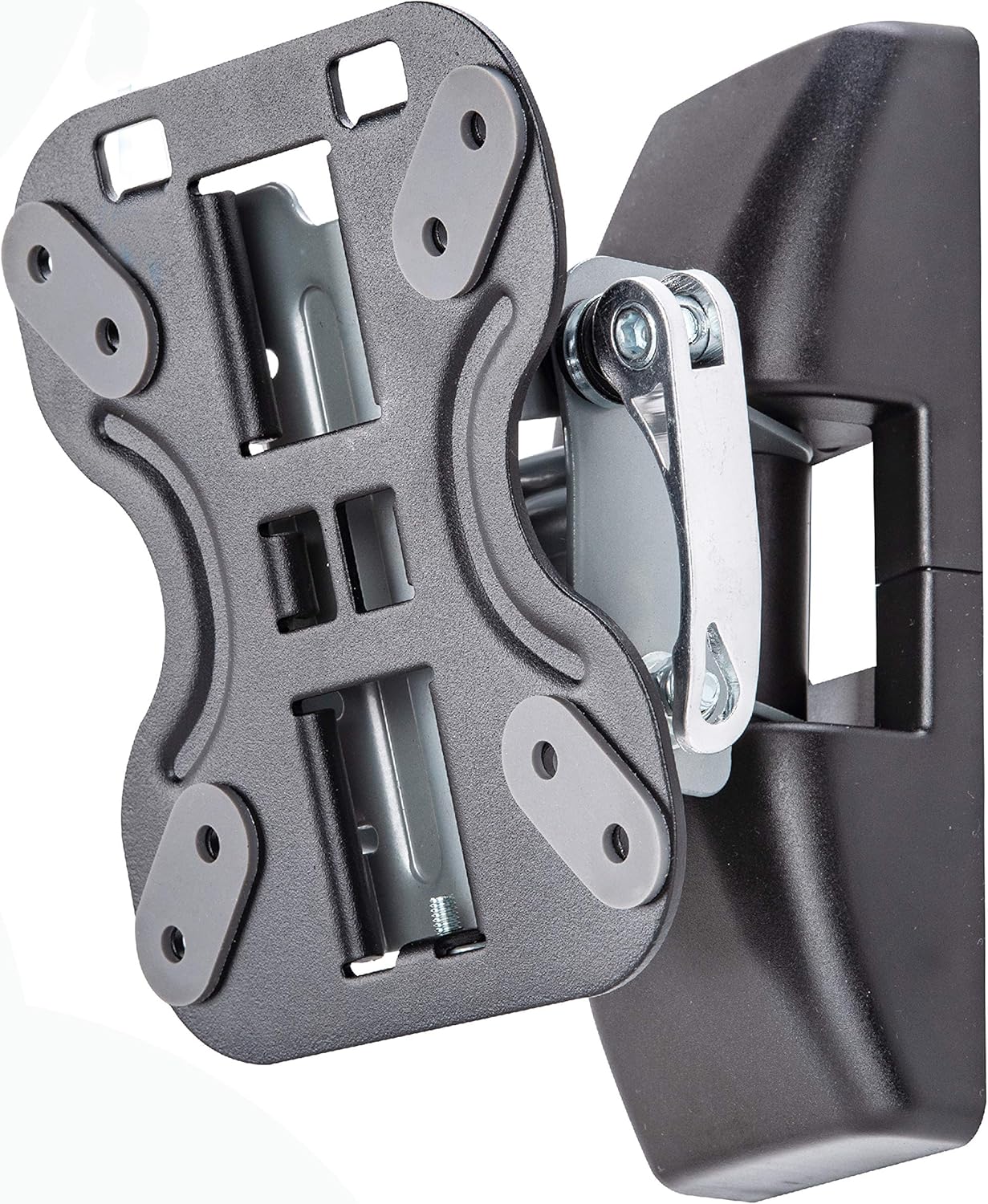
Image: The Amazon Basics Swivel and Tilt TV Wall Mount, showcasing its robust design and articulating arm.
Persediaan dan Pemasangan
Proper installation is crucial for the safety and stability of your television. Always ensure you have the correct tools and follow all steps carefully. It is recommended to have assistance when mounting the TV.
1. Check TV Compatibility
Verify that your TV's size and VESA pattern are compatible with this mount. This mount supports TVs between 13 and 23 inches and VESA patterns of 75x75 mm and 100x100 mm. The maximum weight capacity is 44 lbs (20 kg).

Image: Diagram illustrating VESA hole patterns supported by the mount, specifically 75x75mm and 100x100mm.

Image: The mount with neo protective pads, indicating compatibility with TVs from 13 to 23 inches (33x58cm).
2. Penyediaan Dinding
Locate a suitable wall stud for secure mounting. Use a stud finder to ensure the mount is anchored into solid wood. The mount includes a built-in spirit level to assist with accurate horizontal alignment during installation.
3. Attaching the Mount to the Wall
Secure the wall plate of the mount to the wall stud using appropriate screws and anchors provided. Ensure all connections are tight and the mount is level before proceeding.
4. Attaching the TV to the Mount
Attach the TV brackets to the back of your television using the correct VESA screws. Carefully lift the TV and hook the brackets onto the wall mount. Engage the safety locking screw to secure the TV in place.

Imej: Sisi view of a TV mounted, showing a distance of 3.5 inches (89mm) from the wall.
Arahan Operasi
The Amazon Basics TV wall mount allows for easy adjustment of your TV's viewsudut ing.
Melaraskan Kecondongan
To adjust the vertical tilt of your TV, gently push or pull the top or bottom edge of the TV. The mount supports a tilt range of -15° to +15°.

Imej: Sisi view of a mounted TV demonstrating the tilt functionality.
Adjusting Swivel
To adjust the horizontal swivel of your TV, gently push or pull the side edge of the TV. The mount allows for swiveling up to ±25°.

Image: A mounted TV illustrating both swivel (up to ±25°) and tilt (from -15° to +15°) ranges for optimal viewing.
Penyelenggaraan
To ensure the longevity and proper function of your TV wall mount, follow these simple maintenance guidelines:
- Pembersihan: Gunakan kain lembut dan kering untuk mengelap bahagian pelekap. Elakkan pembersih atau pelarut yang kasar yang boleh merosakkan kemasan.
- Pemeriksaan Berkala: Periodically check all screws and connections to ensure they remain tight and secure. Over time, vibrations or adjustments may cause them to loosen slightly.
- Pelinciran: The swivel and tilt mechanisms are designed for smooth operation. If you notice any stiffness, a small amount of silicone-based lubricant can be applied to the moving parts, avoiding contact with the TV or wall.
- Safety Locking Screw: Always ensure the safety locking screw is engaged after mounting the TV to prevent accidental dislodgement.
Menyelesaikan masalah
If you encounter issues during installation or use, consider the following common solutions:
- Mount feels unstable after installation:
- Ensure the mount is securely fastened to a wall stud. Drywall anchors alone are not sufficient for supporting the TV's weight.
- Verify that all screws are tightened appropriately.
- TV tidak sesuai dengan dudukan:
- Check your TV's VESA pattern against the mount's compatibility (75x75mm or 100x100mm).
- Confirm your TV's size is within the 13-23 inch range and its weight does not exceed 44 lbs (20 kg).
- Difficulty with tilt or swivel movement:
- Ensure no cables are obstructing the movement.
- Check for any overtightened bolts on the articulating arm that might restrict motion.
- Missing or incorrect hardware:
- Refer to the parts list in your packaging. If parts are missing or incorrect, contact Amazon Basics customer support.
Spesifikasi
| Nama Jenama | Asas Amazon |
| Nombor Model Item | LN2ST100-ZD |
| Berat Barang | 2.02 paun (0.92 kg) |
| Dimensi Produk | 4.72 x 3.5 x 6.5 inci (12 x 8.9 x 16.5 cm) |
| warna | Hitam |
| Jenis Pemasangan | Lekap di dinding |
| Jenis Pergerakan | Tilt, Swivel |
| Saiz TV Serasi Minimum | 13 Inci |
| Saiz TV Serasi Maksimum | 23 Inci |
| Kapasiti Berat Maksimum | 44 paun (20 kg) |
| Keserasian VESA | 100 x 100 mm (also supports 75x75mm) |
| Peranti Serasi | Televisyen |
| UPC | 192233073231 |
Waranti dan Sokongan
This Amazon Basics TV wall mount comes with a waranti lima tahun, memastikan ketenangan fikiran mengenai kualiti dan ketahanannya.
For product support, technical assistance, or warranty claims, please visit the official Amazon Basics support page or contact their customer service directly. Keep your purchase receipt as proof of purchase for warranty purposes.
Anda boleh mendapatkan lebih banyak maklumat dan sumber sokongan dengan melawati Kedai Asas Amazon.