1. Pengenalan
This manual provides essential information for the safe and efficient installation, operation, and maintenance of your Aerocool LUX RGB 650M Power Supply Unit. Please read this manual thoroughly before installation and use to ensure optimal performance and safety.
The Aerocool LUX RGB 650M is a high-performance power supply designed to deliver stable and reliable power to your PC components. It features a stylish RGB LED design with 13 preset lighting effects, controllable via a dedicated button or compatible Addressable RGB motherboards.
2. Maklumat Keselamatan
AMARAN: Vol tinggitage components are present inside the power supply unit. Do not open the casing under any circumstances. Refer all servicing to qualified personnel.
- Always disconnect the AC power cord from the wall outlet before installing, removing, or servicing the power supply unit or any other system components.
- Ensure the power supply is installed in a well-ventilated area, free from excessive heat, humidity, or dust.
- Do not block the ventilation openings of the power supply.
- Pastikan sistem komputer anda dibumikan dengan betul.
- Use only the cables provided with the power supply unit.
- Produk ini direka untuk digunakan dalam sistem komputer sahaja. Jangan gunakannya untuk tujuan lain.
3. Kandungan Pakej
Sila sahkan bahawa semua item terdapat dalam pakej anda:
- Aerocool LUX RGB 650M Power Supply Unit
- Kord Kuasa AC
- Skru Pemasangan
- Manual Pengguna (dokumen ini)

Figure 3.1: Aerocool LUX RGB 650M Power Supply Unit. This image shows the main unit with its attached power cables and the RGB lighting panel on the side.
4. Persediaan dan Pemasangan
Follow these steps to install your power supply unit:
- Sediakan Sistem Anda: Ensure your computer case is open and accessible. Disconnect all power from your system before beginning installation.
- Pasang PSU: Carefully slide the power supply into the designated PSU bay in your computer case. Align the screw holes on the PSU with those on the case. Secure the PSU using the provided mounting screws.
- Sambungkan Kuasa Papan Induk: Connect the 24-pin ATX power cable from the PSU to the corresponding 24-pin connector on your motherboard. Ensure it clicks securely into place.
- Sambungkan Kuasa CPU: Connect the 4+4 pin EPS/CPU power cable from the PSU to the CPU power connector on your motherboard. This is typically located near the CPU socket.
- Connect Graphics Card Power (if applicable): If your graphics card requires additional power, connect the appropriate PCIe 6+2 pin power cables from the PSU to your graphics card.
- Sambung Peranti: Connect SATA power cables to your storage drives (HDDs, SSDs) and optical drives. Connect Molex power cables to any other peripherals that require them (e.g., case fans, older components).
- Connect RGB Sync Cable (Optional): If your motherboard supports Addressable RGB (ARGB) and you wish to synchronize the PSU's RGB lighting with your system, connect the PSU's ARGB cable to a compatible +5V ARGB header on your motherboard. Refer to your motherboard manual for header location. If not connecting to a motherboard, the RGB can be controlled via the button on the PSU.
- Pengurusan Kabel: Route all cables neatly to improve airflow and aesthetics within your case.
- Sambungkan Kuasa AC: Once all internal connections are made, connect the supplied AC power cord to the power supply's AC inlet and then to a wall outlet.
- Hidupkan kuasa: Ensure the power switch on the back of the PSU is in the 'ON' (I) position. You can now power on your computer system.

Rajah 4.1: Belakang view of the PSU showing the AC power inlet and the main power switch. Ensure the switch is in the 'I' (ON) position for operation.
5. Arahan Operasi
The Aerocool LUX RGB 650M operates automatically once installed and powered on. The primary user interaction involves controlling the RGB lighting.
Kawalan Pencahayaan RGB:
The LUX RGB 650M offers two methods for controlling its lighting effects:
- Via LED Control Button: The power supply features a dedicated LED control button, typically located on the unit itself or accessible via a small button on the rear. Press this button to cycle through 13 preset lighting effects, including various static colors, breathing effects, and dynamic RGB modes.
- Via Addressable RGB Motherboard: If you have connected the PSU's ARGB cable to a compatible +5V ARGB header on your motherboard, you can control the lighting effects using your motherboard's RGB software (e.g., ASUS Aura Sync, MSI Mystic Light Sync, Gigabyte RGB Fusion, ASRock Polychrome Sync). This allows for synchronized lighting across your entire system.
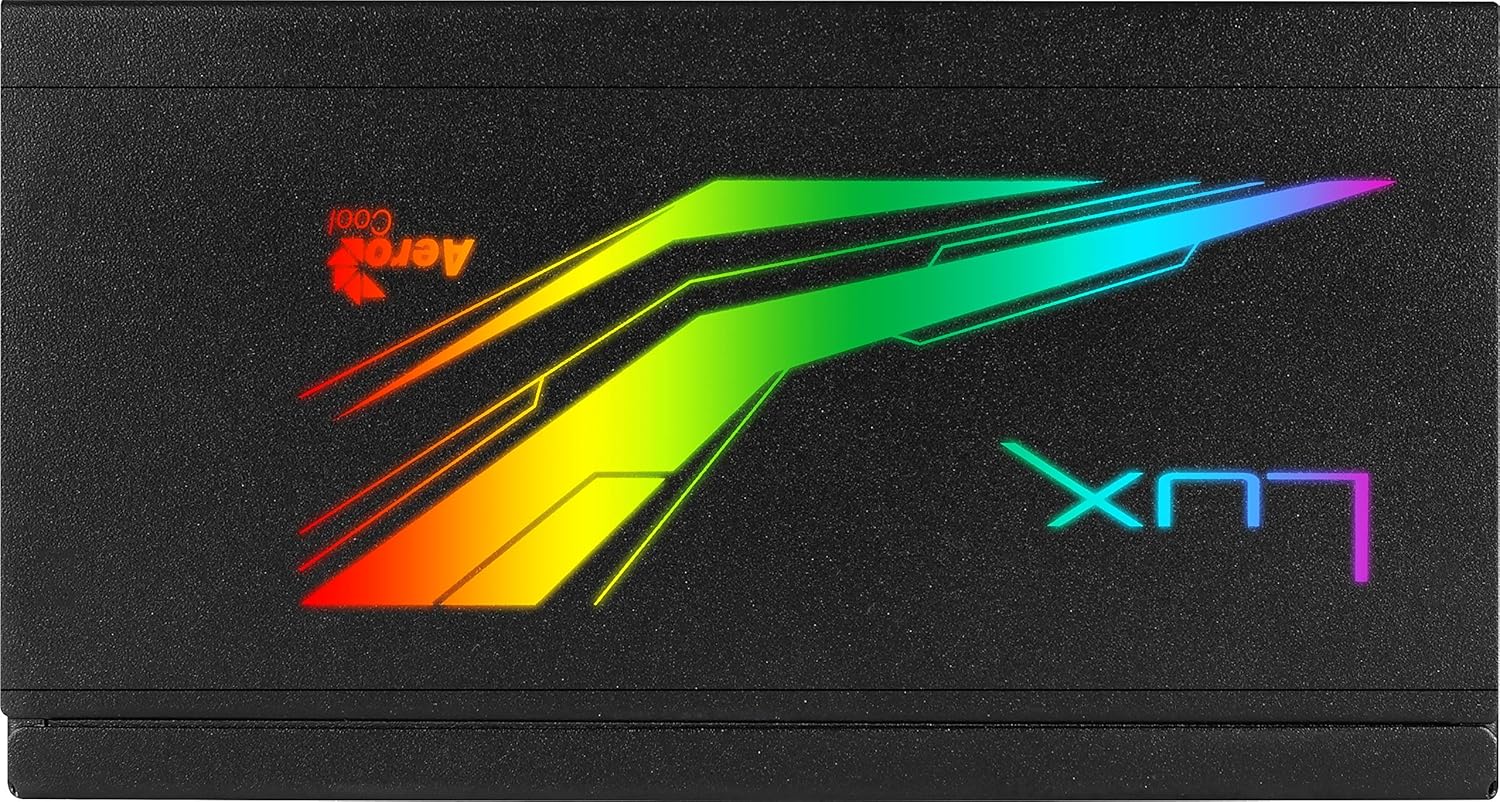
Figure 5.1: Close-up of the Aerocool LUX RGB lighting panel, showcasing pencahayaannya yang terang-benderang.
6. Penyelenggaraan
Proper maintenance ensures the longevity and stable operation of your power supply unit:
- Penyingkiran habuk: Periodically clean the exterior of the power supply and its fan grill to prevent dust buildup. Use compressed air to gently blow dust out of the vents. Ensure the system is powered off and unplugged before cleaning.
- Pengudaraan: Ensure that the power supply's intake and exhaust vents are not obstructed by cables or other components. Good airflow is crucial for efficient cooling.
- Keadaan Persekitaran: Operate the PSU within recommended temperature and humidity ranges. Avoid extreme conditions.
7. Penyelesaian masalah
If you encounter issues with your Aerocool LUX RGB 650M, refer to the following common troubleshooting steps:
- Tiada Kuasa ke Sistem:
- Pastikan kord kuasa AC disambungkan dengan selamat ke kedua-dua PSU dan alur keluar dinding.
- Verify that the power switch on the back of the PSU is in the 'ON' (I) position.
- Periksa semua sambungan kuasa dalaman (ATX 24-pin, CPU, PCIe, SATA) untuk memastikan ia dipasang dengan kukuh.
- Uji alur keluar dinding dengan peranti lain untuk mengesahkan ia mempunyai kuasa.
- System Powers On but No Display:
- Ensure your graphics card is properly seated in its PCIe slot and all necessary PCIe power cables are connected.
- Check RAM modules are correctly installed.
- Pencahayaan RGB Tidak Berfungsi:
- If using the LED control button, ensure you are pressing it correctly to cycle through effects.
- If using motherboard sync, verify the ARGB cable is correctly connected to a +5V ARGB header (not 12V RGB).
- Ensure your motherboard's RGB software is up-to-date and configured correctly.
- Unusual Noises or Smells:
Immediately power off your system and disconnect the AC power cord. Do not attempt to operate the PSU. Contact Aerocool support or your retailer for assistance.
If the issue persists after following these steps, please contact Aerocool customer support or your retailer for further assistance. Do not attempt to repair the unit yourself.
8. Spesifikasi
Below are the technical specifications for the Aerocool LUX RGB 650M Power Supply Unit:
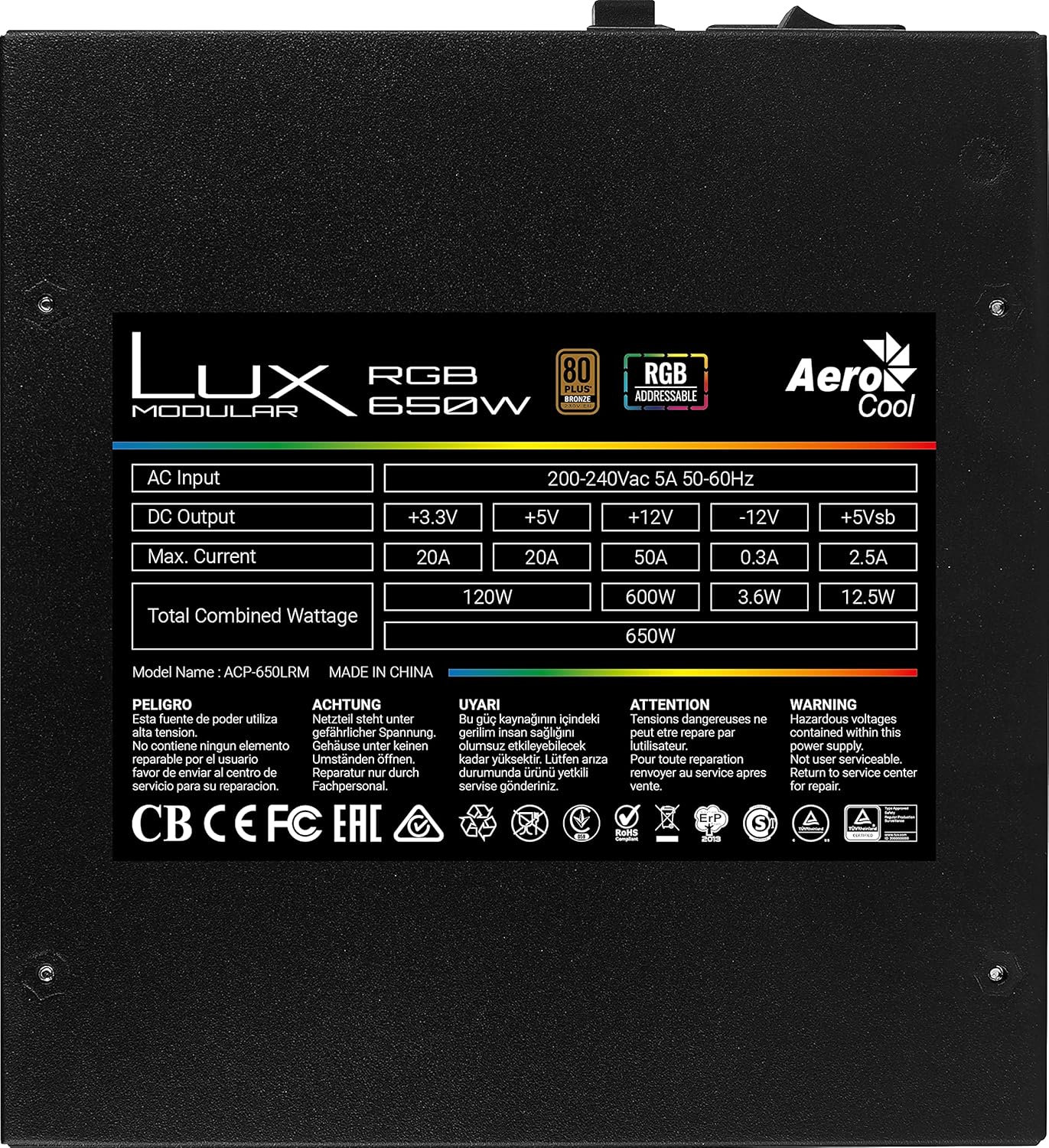
Figure 8.1: Product label showing detailed electrical specifications and certifications.
| Ciri | Perincian |
|---|---|
| Nama Model | AEROPGSLUXRGB-650 (Internal: ACP-650LRM) |
| Wattage | 650W Total Combined |
| Penilaian Kecekapan | 80 PLUS Gangsa |
| Input AC | 200-240Vac, 5A, 50-60Hz |
| DC Output (+3.3V) | 20A (120W Combined) |
| DC Output (+5V) | 20A (120W Combined) |
| DC Output (+12V) | 50A (600W) |
| DC Output (-12V) | 0.3A (3.6W) |
| DC Output (+5Vsb) | 2.5A (12.5W) |
| RGB Features | 13 Preset Lighting Effects, Addressable RGB Compatible (+5V) |
| Pensijilan | CB, CE, FC, EAC, RoHS, ErP, TUV, cTUVus (as per label) |
9. Waranti dan Sokongan
Specific warranty terms and conditions for the Aerocool LUX RGB 650M Power Supply Unit may vary by region and retailer. Please refer to the warranty card included with your product or visit the official Aerocool weblaman web untuk maklumat jaminan terperinci.
For technical support, troubleshooting assistance beyond this manual, or warranty claims, please contact Aerocool customer support or the retailer from whom you purchased the product. Have your product model number (AEROPGSLUXRGB-650) and serial number ready when contacting support.
Aerocool Official Webtapak: www.aerocool.io


