pengenalan
This manual provides essential information for the installation, operation, and maintenance of your Ciglow Electronic Keypad Lock. Please read these instructions carefully before installation and use to ensure proper function and security. This lock is designed to provide convenient password-based access for various door types.
Produk Selesaiview
Ciri-ciri Utama
- Keselamatan: The lock operates with a non-sequential password system. If the password is set as 123456, entering 231456 will also open the lock, as long as all correct digits are pressed.
- Code Lock: Supports 1 to 11-digit digital combinations. A 4 to 6-digit password is recommended for optimal security.
- Aplikasi Serbaguna: Suitable for various door types including office doors, interior doors, rental doors, and composite doors where traditional keys may be inconvenient.
- Pemasangan Mudah: Designed for straightforward installation with included hardware and manual.
- Bahan Tahan Lama: Constructed from high-quality zinc alloy and alloy steel for strength and longevity.
Kandungan Pakej
- 1 x Panel (Exterior Keypad)
- 1 x Lock body (Latch Mechanism)
- 1 x Lock Card (Component for code setting)
- 1 x Card slot (Component for lock assembly)
- 1 x Installation accessories (Screws, bolts, etc.)
- 2 x Rubber lock (Gaskets/Pads)
- 1 x Instruction manual (Paper copy)
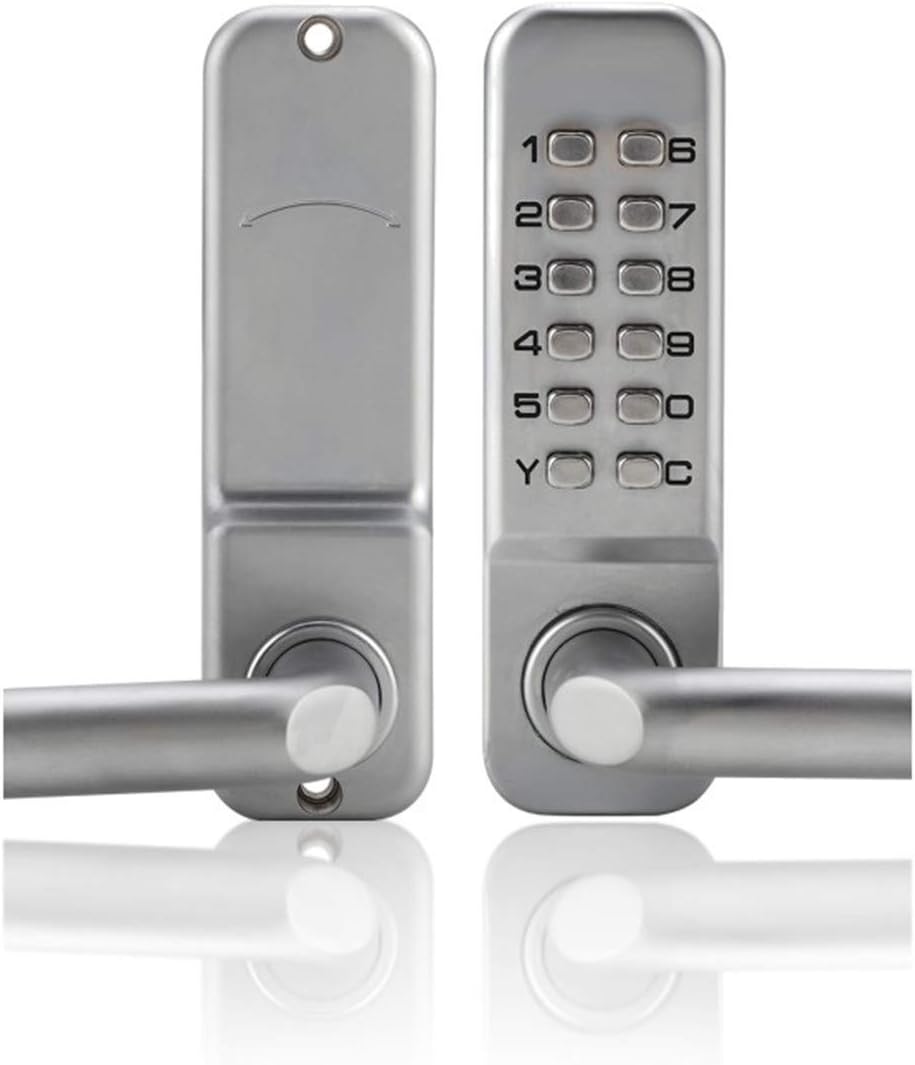
Imej: Depan dan belakang view of the Ciglow Electronic Keypad Lock, showcasing the keypad on one side and the plain handle on the other.
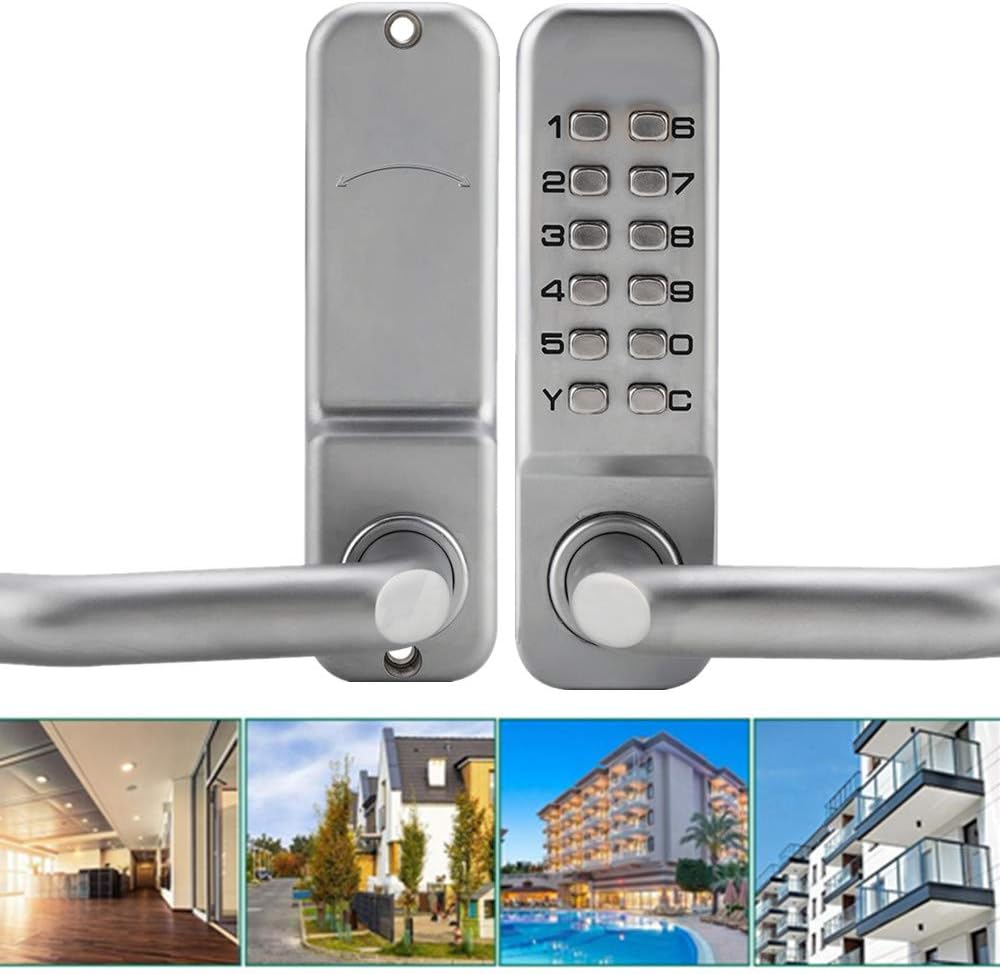
Image: The Ciglow Keypad Lock shown installed on doors in different environments, including an office, residential home, hotel, and apartment building.
Persediaan dan Pemasangan
Sebelum Anda Bermula
Ensure your door thickness is between 30-60mm. The standard lock tongue center distance is 60mm (70mm optional). Gather all components from the package and the necessary tools (e.g., screwdriver, measuring tape).
Langkah Pemasangan
- Sediakan Pintu: Ensure the door is properly prepped for a standard deadbolt or lever lock installation. If replacing an existing lock, remove it.
- Pasang Badan Kunci: Insert the lock body (latch mechanism) into the edge of the door. Secure it with screws.
- Attach the Exterior Panel: Position the exterior keypad panel, ensuring the spindle aligns with the lock body mechanism.
- Attach the Interior Panel: Place the interior panel, aligning it with the exterior panel and the lock body. Secure both panels together using the provided installation accessories (screws, bolts).
- Pasang Plat Strike: Position the strike plate on the door frame so that the latch bolt engages correctly. Mark and chisel out any necessary recess for a flush fit. Secure with screws.
- Operasi Ujian: Before closing the door, test the lock's functionality. Ensure the handle operates smoothly and the keypad mechanism engages and disengages the latch.

Image: Various components included for installation, such as the lock panels, lock body, screws, and a diagram illustrating how to fit the strike plate.

Image: The back panel of the lock, revealing the internal mechanism for setting or changing the numerical code.
Arahan Operasi
Setting the Combination
The lock uses a mechanical combination system. To set or change the code, refer to the internal mechanism visible on the back panel (as shown in the image in the Setup section). Detailed instructions for changing the code are typically found on the internal mechanism itself or in the included paper manual. Generally, this involves rotating specific pins or levers corresponding to your desired code.
Nota Penting: The combination is non-sequential. This means the order in which you press the digits does not matter, only that all the correct digits are pressed. For example, if your code is 1-2-3-4, entering 4-3-2-1 will also unlock it, as long as all digits are present.
Membuka Kunci Pintu
- Enter the Code: Press the buttons corresponding to your set combination.
- Pusingkan Pemegang: After entering the correct code, turn the door handle to retract the latch and open the door.
Mengunci Pintu
Simply close the door. The latch will automatically engage, securing the door. No code entry is required to lock the door from the outside.

Image: The keypad of the Ciglow lock, illustrating the numerical buttons and the concept of a non-sequential security code.
Penyelenggaraan
Pembersihan
Wipe the lock's exterior surfaces with a soft, damp cloth. Avoid abrasive cleaners or solvents that could damage the finish or keypad markings.
Pelinciran
Periodically apply a small amount of graphite-based lubricant to the internal moving parts of the lock mechanism to ensure smooth operation. Do not use oil-based lubricants as they can attract dust and grime, potentially hindering performance.
Pemeriksaan
Regularly check all screws and fasteners to ensure they are tight. Inspect the lock for any signs of wear or damage. Address any issues promptly to maintain security and functionality.
Menyelesaikan masalah
Lock Not Engaging/Disengaging Smoothly
Kemungkinan Punca: Misalignment of the lock body or strike plate, or internal mechanism friction.
Penyelesaian: Check the alignment of the lock body and strike plate. Ensure all mounting screws are tightened. Apply lubricant to the internal mechanism as described in the Maintenance section.
Code Not Working
Kemungkinan Punca: Incorrect code entry, or internal code setting issue.
Penyelesaian: Double-check the code you are entering. Remember the non-sequential nature of the code. If the issue persists, you may need to re-set the code following the instructions for setting the combination (refer to the paper manual for specific steps).
Handle Is Loose
Kemungkinan Punca: Skru pemasangan longgar.
Penyelesaian: Tighten the screws that secure the interior and exterior panels to the door.
Spesifikasi
| Atribut | Nilai |
|---|---|
| Jenama | Ciglow |
| Nombor Model | Ciglowzi5mq7x12u |
| bahan | Zinc Alloy, Alloy Steel |
| Ketebalan Pintu Berkenaan | 30-60mm |
| Panjang Kata Laluan | 1-11 digits (4-6 recommended) |
| Lock Tongue Center Distance | Standard 60mm (Optional 70mm) |
| Dimensi Panel (P x L x T) | 14.2 x 4.4 x 7 cm (5.59 x 1.73 x 2.76 inci) |
| Lock Body Dimensions (L x W x H) | 14.2 x 4.4 x 6.4 cm (5.59 x 1.73 x 2.52 inci) |
| Berat Barang | 3.04 paun |
| Ciri Khas | Kalis air |
| UPC | 703633116383 |

Image: A diagram illustrating the key dimensions of the lock panel in both centimeters and inches.
Waranti dan Sokongan
For warranty information or technical support regarding your Ciglow Electronic Keypad Lock, please contact Ciglow customer service. Refer to your purchase documentation or the manufacturer's official weblaman web untuk terma jaminan khusus dan butiran perhubungan.