pengenalan
This manual provides detailed instructions for the safe and proper installation and use of your PERLESMITH PSML1-E TV Wall Mount. Please read all instructions carefully before beginning installation. If you have any questions, contact PERLESMITH customer support.
Maklumat Keselamatan
AMARAN: Failure to read and follow these instructions may result in serious personal injury, property damage, or voiding your warranty. Do not install this product on plasterboard, hollow walls, drywall, or soft walls. Only install on solid concrete walls, brick walls, or solid wood stud walls.
- Pastikan permukaan pelekap dapat menyokong berat gabungan pelekap dan televisyen dengan selamat.
- Jangan melebihi kapasiti berat maksimum 52 kg (114 lbs).
- Dudukan ini direka bentuk untuk TV antara 26 dan 75 inci.
- Gunakan peralatan keselamatan yang sesuai semasa pemasangan, termasuk pelindung mata.
- Sentiasa gunakan pencari stud untuk mencari stud kayu dengan tepat.
- If you are unsure about any part of the installation, seek professional assistance.

Image: Diagram highlighting the robust construction and 52kg weight capacity of the PERLESMITH TV mount, featuring secure dual hooks and a 3-layer solid steel plate.
Semakan Keserasian
Before installation, verify the following:
- Saiz TV: Your TV must be between 26 and 75 inches.
- Berat TV: Your TV must weigh no more than 52 kg (114 lbs).
- Corak VESA: Check the four mounting holes on the back of your TV. The VESA pattern (horizontal x vertical) must be within the range of 75x75 mm to 400x400 mm. Compatible VESA patterns include: 75x75, 100x100, 200x100, 200x200, 200x300, 200x400, 300x200, 300x300, 400x200, 400x300, 400x400 mm.
- Jenis Dinding: The mount is suitable for solid concrete walls, brick walls, or solid wood stud walls. Do NOT install on plasterboard, hollow walls, drywall, or soft walls.

Image: Diagram illustrating how to check TV VESA pattern, weight, size, and suitable wall types for installation.

Image: VESA compatibility diagram, illustrating the range of VESA patterns supported by the mount, from 75x75mm up to 400x400mm.
Kandungan Pakej
Verify that all components are present and undamaged before proceeding with installation. If any parts are missing or defective, contact PERLESMITH customer support.
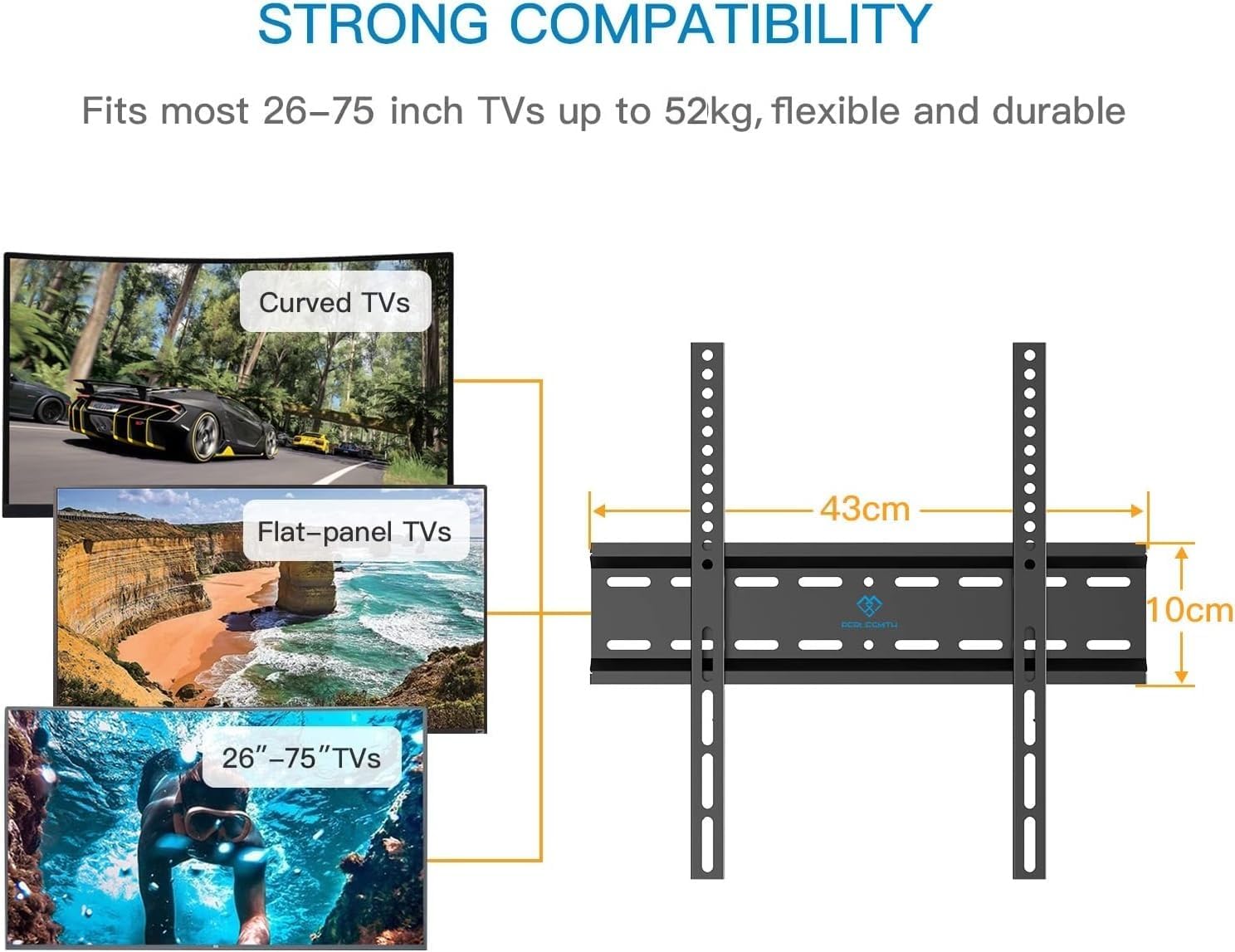
Image: Main components of the PERLESMITH TV Wall Mount, showing the wall plate and the two vertical TV brackets.
Pakej biasanya termasuk:
- Plat Dinding
- Pendakap TV (2 keping)
- Assorted TV Screws (M4, M6, M8)
- Spacers and Washers
- Wall Mounting Hardware (Lag bolts, concrete anchors)
- Level (for some kits)
- Manual Arahan
Persediaan dan Pemasangan
Follow these steps for a secure installation. A quick installation can be completed in approximately 15 minutes with proper tools and preparation.
Langkah 1: Pasangkan Kurungan TV pada TV
- Letakkan TV anda dengan berhati-hati menghadap ke bawah di atas permukaan yang lembut dan bersih untuk mengelakkan calar.
- Identify the correct diameter and length of screws for your TV's VESA mounting holes. Use spacers if the TV back is uneven or if cables need clearance.
- Attach the two vertical TV brackets to the back of your TV using the selected screws and washers. Ensure the brackets are centered and securely tightened. The hooks on the brackets should face downwards.

Image: Step 1 of the installation process, showing the TV brackets being attached to the back of the television.
Langkah 2: Lekapkan Plat Dinding ke Dinding
- Determine the desired height for your TV. Mark the location for the wall plate on the wall.
- For wood stud installation: Use a stud finder to locate the center of the wood studs. Mark the drilling points. Drill pilot holes (recommended size specified in manual, typically 5.5mm/7/32"). Secure the wall plate using lag bolts and washers.
- For concrete/brick wall installation: Use the wall plate as a template to mark drilling points. Drill holes (recommended size specified in manual, typically 10mm/3/8"). Insert concrete anchors into the drilled holes. Secure the wall plate using lag bolts and washers.
- Use a level to ensure the wall plate is perfectly horizontal before tightening all bolts.
Langkah 3: Gantungkan TV pada Plat Dinding
- Dengan bantuan, angkat TV dengan berhati-hati menggunakan pendakap yang dipasang.
- Align the hooks on the TV brackets with the top edge of the wall plate. Gently lower the TV, ensuring the brackets engage securely with the wall plate.
- Engage the safety locks (if present) on the bottom of the TV brackets to prevent accidental dislodgement.

Image: A person completing the final step of hanging the TV onto the wall mount, illustrating the quick installation process.

Image: Detail of the safety lock mechanism, which secures the TV brackets to the wall plate.

Imej: Jarak dekat view of the anti-drop design, ensuring the TV remains securely attached to the mount.
Arahan Operasi
The PERLESMITH PSML1-E is a fixed TV wall mount. Once installed, the TV will remain in a static position, close to the wall (approximately 30 mm distance). This design provides a sleek, low-profile penampilan.

Image: A television mounted on the wall, demonstrating the minimal 30mm distance from the wall for a low-profile tengok.
While the mount is fixed, some models may allow for a slight tilt adjustment up to 8 degrees. Refer to your specific product's features for tilt adjustment capabilities. To adjust, loosen the tilt bolts on the TV brackets, set the desired angle, and re-tighten the bolts securely.
Penyelenggaraan
Penyelenggaraan berkala memastikan ketahanan dan keselamatan pelekap dinding TV anda.
- Pemeriksaan Berkala: Annually check all screws and bolts to ensure they remain tight. Re-tighten if necessary.
- Pembersihan: Lap pelekap dengan kain lembut dan kering. Elakkan pembersih atau pelarut yang kasar.
- Semakan Kerosakan: Inspect the mount for any signs of wear, corrosion, or damage. If damage is found, do not use the mount and contact customer support.
Menyelesaikan masalah
| Masalah | Kemungkinan Punca | Penyelesaian |
|---|---|---|
| TV tidak rata selepas pemasangan. | Plat dinding tidak rata semasa pemasangan. | Carefully remove the TV. Loosen the wall plate bolts, adjust with a level, and re-tighten. Re-hang the TV. |
| TV tidak sesuai dengan pelekap. | Corak VESA atau saiz/berat TV yang salah. | Verify TV specifications against the mount's compatibility (VESA, size, weight). Ensure correct screws and spacers are used. |
| Mount terasa tidak stabil. | Improper wall installation or loose fasteners. | Immediately remove the TV. Re-check all wall mounting bolts and TV bracket screws for tightness. Ensure installation on a suitable wall type (solid concrete, brick, or wood stud). If unsure, consult a professional. |
| Cables are pinched or difficult to connect. | Insufficient space between TV and wall. | Ensure spacers are used if needed to provide adequate clearance for cables. Re-route cables carefully. |
Spesifikasi
- model: PSML1-E
- Jenama: PERLESMITH
- Bahan: Keluli Aloi
- warna: Hitam
- Jenis Pemasangan: Lekap di dinding
- Jenis Pergerakan: tetap
- Saiz TV yang Serasi: 26 - 75 inci
- Kapasiti Berat Maksimum: 52 kg (114 lbs)
- Keserasian VESA: 75x75mm, 100x100mm, 200x100mm, 200x200mm, 200x300mm, 200x400mm, 300x200mm, 300x300mm, 400x200mm, 400x300mm, 400x400mm
- Jarak dari Dinding: Kira-kira 30 mm
- Sudut Kecondongan Maksimum: 8 Degrees (if applicable to specific unit)
- Berat Barang: 1.12 Kilogram
- Dimensi Pakej: 43.7 x 11.3 x 4.9 cm
- UPC: 713721601516
Waranti dan Sokongan
PERLESMITH products are designed for durability and reliability. For warranty information or technical support, please refer to the contact details provided with your purchase or visit the official PERLESMITH webtapak. Simpan resit pembelian anda sebagai bukti pembelian untuk tuntutan waranti.


