1. Pengenalan
This manual provides detailed instructions for the installation, operation, and maintenance of your Anlapus FULL HD 1080P H.265+ Surveillance Kit. This system includes an 8-channel DVR with a pre-installed 1TB hard drive, 4 bullet cameras, and 4 dome cameras, designed to provide comprehensive security monitoring for your property.

Figure 1.1: Anlapus 8-channel DVR surveillance system components.
2. Kandungan Pakej
Sahkan bahawa semua item yang disenaraikan di bawah disertakan dalam pakej anda. Jika ada item yang hilang atau rosak, sila hubungi sokongan pelanggan.
- 1x 8-Channel DVR (with 1TB HDD pre-installed)
- 4x 1080P Bullet Surveillance Cameras
- 4x 1080P Dome Surveillance Cameras
- 8x 60ft BNC Video Cables
- 3x Power Adapters (12V 2A)
- 2x 1-to-4 Power Splitters
- 1x USB Tetikus
- 1x Manual Arahan (dokumen ini)
- 8x Mounting Screw Bags
- 8x Warning Stickers

Figure 2.1: Contents of the Anlapus surveillance kit package.
3. Ciri-ciri Produk
- Resolusi 1080P HD Penuh: Captures clear and detailed images with 2.0-megapixel quality.
- Pemampatan Video H.265+ Lanjutan: Mengurangkan file sizes by up to 50% compared to H.264, allowing for longer recording times and more efficient storage.
- Penglihatan Malam yang Dipertingkatkan: Equipped with 24 IR LEDs and an IR-CUT filter, providing clear black and white night vision up to 24 meters (80 feet).
- Penilaian Kalis Cuaca IP66: Cameras are designed for both indoor and outdoor use, capable of withstanding various extreme weather conditions.
- Pengesanan Gerakan & Makluman: Configurable motion detection zones with instant email alerts and push notifications to your smartphone.
- Mod Rakaman Berbilang: Supports 24/7 continuous recording, motion-activated recording, scheduled recording, and manual recording.
- Akses Jauh: View live feeds and recorded footage from anywhere using the free mobile application on your smartphone or tablet.
- Pre-installed 1TB Hard Drive: Ready for immediate use, eliminating the need to purchase and install a separate hard drive.

Figure 3.1: Day and Night Vision.
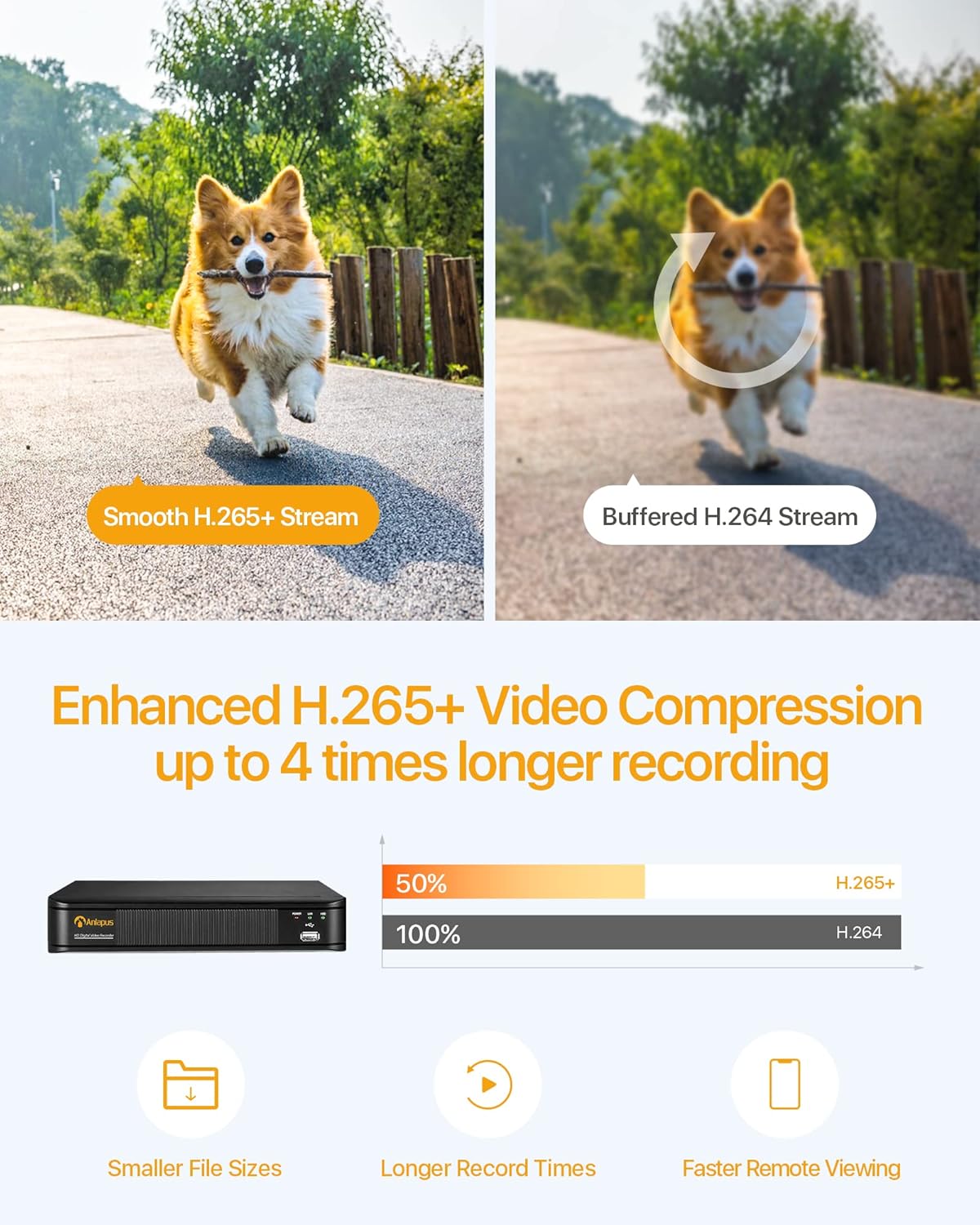
Figure 3.2: H.265+ Video Compression Benefits.

Figure 3.3: Day and Night Surveillance Example.

Figure 3.4: All-Weather Protection and Applications.
4. Komponen Sistem Lebihview
4.1 DVR (Digital Video Recorder)
The DVR is the central unit for recording, storing, and managing video footage from all connected cameras. It features multiple video input ports, audio input/output, VGA and HDMI outputs for display, and USB ports for mouse control and data backup.
4.2 Surveillance Cameras
The kit includes both bullet and dome cameras. Both types offer 1080P resolution, night vision capabilities, and IP66 weatherproof housing. Bullet cameras are typically used for directional surveillance, while dome cameras offer a more discreet appearance and are often vandal-resistant.

Figure 4.1: Camera and DVR Connection Diagram.
5. Panduan Persediaan
5.1 Sambungan Awal
- Sambungkan Kamera: Use the provided BNC video cables to connect each camera to the 'VIDEO IN' ports on the back of the DVR.
- Kamera Kuasa: Use the power adapters and 1-to-4 power splitters to provide power to all cameras.
- Connect DVR to Display: Connect the DVR to a monitor or TV using either an HDMI or VGA cable.
- Connect DVR to Network: Connect the DVR's 'NETWORK' port to your router using an Ethernet cable for remote access.
- Sambungkan Tetikus USB: Plug the USB mouse into one of the DVR's USB ports for navigation.
- Hidupkan DVR: Connect the DVR to its power adapter and plug it into an electrical outlet. The system will boot up.

Figure 5.1: Simple Connection for Mobile Access.
5.2 Persediaan Aplikasi Mudah Alih
- Muat turun Aplikasi: Cari untuk the official Anlapus security app on Google Play Store or Apple App Store and install it on your smartphone.
- Daftar Akaun: Buka aplikasi dan ikut arahan pada skrin untuk mendaftarkan akaun pengguna baharu.
- Tambah Peranti: Scan the QR code displayed on your DVR's monitor or manually enter the device ID to add your DVR to the app.
- View Kamera: Setelah ditambah, anda boleh view live feeds from your cameras and access recorded footage dari jauh.
6. Arahan Operasi
6.1 Mod Rakaman
Your DVR supports several recording modes:
- Continuous Recording (24/7): Records continuously, overwriting the oldest footage apabila cakera keras penuh.
- Rakaman Pengesanan Gerak: Merakam hanya apabila gerakan dikesan, menjimatkan ruang storan.
- Rakaman Berjadual: Tetapkan masa tertentu untuk rakaman.
- Rakaman Manual: Start and stop recording manually.
Configure these settings via the DVR's main menu using the USB mouse.

Figure 6.1: 24/7 Recording View.
6.2 Pengesanan Gerakan & Makluman
The system can be configured to detect motion and send alerts:
- Konfigurasikan Zon Pengesanan: In the DVR settings, define specific areas within the camera's view untuk pengesanan gerakan.
- Tetapkan Sensitiviti: Laraskan kepekaan pengesanan gerakan untuk meminimumkan penggera palsu.
- Dayakan Makluman: Activate email alerts and push notifications through the DVR settings and mobile app. When motion is detected, you will receive an alert on your smartphone.

Figure 6.2: Motion Detection and Smartphone Alert.

Figure 6.3: Smart Motion Detection Features.
6.3 Remote Access & Playback
Access your surveillance system from anywhere:
- Langsung View: Buka aplikasi mudah alih untuk view strim video langsung daripada semua kamera yang disambungkan.
- Main balik: Use the app's playback function to review dirakam footage stored on the DVR's hard drive. You can select specific dates and times.
- Pelbagai Peranti Viewing: The system supports simultaneous viewing on multiple devices, including smartphones, tablets, and desktop computers.

Figure 6.4: Mobile App Playback Interface.

Rajah 6.5: Alat Kawalan Jauh Berbilang Peranti Viewing.
7. Penyelenggaraan
- Clean Cameras: Bersihkan kanta kamera secara berkala dengan lembut, damp kain untuk memastikan kualiti imej yang jelas. Elakkan pembersih yang kasar.
- Semak Kabel: Ensure all cables are securely connected and free from damage. Replace any damaged cables immediately.
- DVR Ventilation: Ensure the DVR is placed in a well-ventilated area to prevent overheating. Keep vents clear of obstructions.
- Kemas kini Firmware: Semak pengeluar weblaman web ini secara berkala untuk kemas kini perisian tegar bagi memastikan prestasi dan keselamatan yang optimum.
- Sandaran Data: Kerap membuat sandaran foo pentingtage from the DVR's hard drive to an external USB device.

Figure 7.1: USB Data Backup.
8. Penyelesaian masalah
- Tiada Isyarat Video: Check all cable connections between cameras and DVR, and between DVR and display. Ensure cameras and DVR are powered on.
- Kualiti Imej Lemah: Clean camera lenses. Ensure cameras are properly focused (if adjustable). Check cable integrity.
- Tiada Akses Jauh: Verify the DVR is connected to the internet. Check network settings on the DVR and ensure your router is functioning correctly. Confirm the mobile app is properly configured and the device is added.
- Pengesanan Pergerakan Tidak Berfungsi: Review motion detection settings in the DVR menu. Adjust sensitivity and detection zones. Ensure alerts are enabled in both DVR and mobile app settings.
- DVR Tidak Merakam: Periksa status cakera keras dalam tetapan DVR. Pastikan jadual rakaman atau tetapan pengesanan gerakan dikonfigurasikan dengan betul.
For further assistance, please refer to the support section or contact customer service.
9. Spesifikasi
| Jenama | Anlapus |
| Nombor Model | AJ-AM8A4B-4W441E-106202S |
| Resolusi Video | 1080p HD Penuh |
| Pemampatan Video | H.265 + |
| DVR Channels | 8 Saluran |
| Kapasiti Storan | 1 TB HDD (pre-installed) |
| Jenis Kamera | Bullet and Dome Cameras |
| Julat Penglihatan Malam | Sehingga 24 meter (80 kaki) |
| Peringkat Cuaca | IP66 |
| Teknologi Ketersambungan | berwayar |
| Sumber Kuasa | Cable Electric (12 Volts DC) |
| Dimensi Produk (L x W x H) | 19.99 x 19.99 x 19.99 cm (DVR) |
| Berat Barang | 7.36 kilogram (jumlah pakej) |
| Pengeluar | Anlapus |
10. Waranti dan Sokongan
The manufacturer, ZOSI (parent company of Anlapus), provides the following support and warranty:
- Jaminan Kepuasan 30 Hari: If you are not satisfied, you may be eligible for a refund or exchange within 30 days.
- Bantuan Teknikal Sepanjang Hayat: Comprehensive technical support is available for the lifetime of the product.
- Waranti 2 Tahun: Produk ini dilindungi oleh jaminan 2 tahun terhadap kecacatan pembuatan.
For technical support or warranty claims, please refer to the contact information provided with your product packaging or visit the official Anlapus/ZOSI webtapak.


