1. Pengenalan
The Wacom Intuos Pro Small Drawing Tablet is designed for creative professionals, offering natural creative control for illustration, image editing, and design. This compact and portable graphics tablet features a multi-touch surface, customizable ExpressKeys, and the highly responsive Pro Pen 2, providing precision and efficiency for your digital workflow. It connects seamlessly to Mac and Windows PCs via Bluetooth or USB-C.

Video 1.1: Official Wacom video demonstrating digital and 3D art creation using the Intuos Pro tablet. This video highlights the tablet's capabilities in various creative applications.
2. Persediaan
2.1 Membuka Kotak dan Pemeriksaan Awal
Keluarkan semua komponen dari pembungkusan dengan berhati-hati. Sahkan bahawa semua item yang disenaraikan di bahagian 'Apa yang Ada di Dalam Kotak' ada dan tidak rosak.

2.2 Pemasangan Pemandu
- Visit the official Wacom webtapak (wacom.com/start/intuos-pro) to download the latest drivers for your operating system (Windows 7 or later, Mac OS X 10.10 or later).
- Follow the on-screen instructions to complete the driver installation. A stable internet connection is required for this step.
- Restart your computer after installation to ensure drivers are properly loaded.
2.3 Menyambungkan Tablet
The Intuos Pro offers two connectivity options:
- Sambungan USB-C: Connect the included USB-C cable from your tablet to an available USB port on your computer. The tablet will be powered and connected automatically.
- Sambungan Bluetooth:
- Pastikan Bluetooth komputer anda didayakan.
- Turn on the Intuos Pro tablet.
- Open your computer's Bluetooth settings and search for available devices.
- Select "Intuos Pro" from the list and follow any pairing prompts.
3. Arahan Operasi
3.1 Using the Pro Pen 2
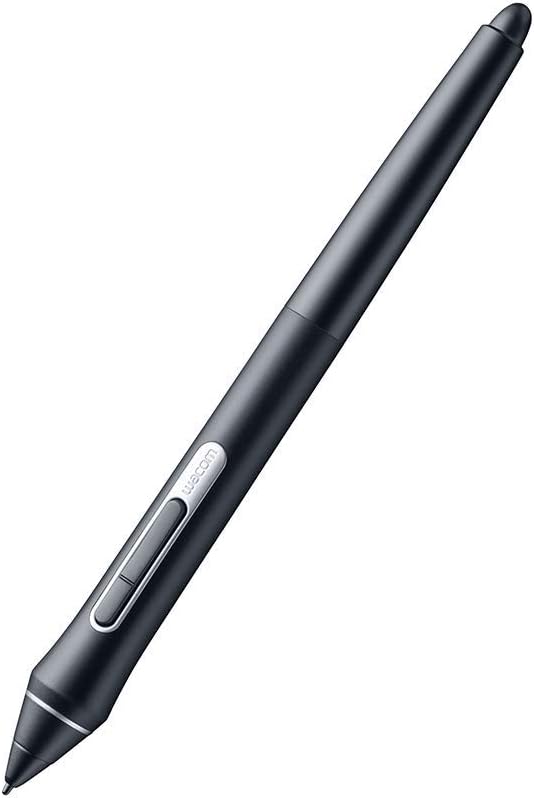
The Pro Pen 2 is a battery-free stylus with 8192 levels of pressure sensitivity and tilt recognition, providing a natural drawing experience. Hold the pen as you would a traditional pen or pencil.

3.2 ExpressKeys and Touch Ring
The Intuos Pro Small features 6 customizable ExpressKeys and a Touch Ring. These can be programmed to your favorite keyboard shortcuts, modifiers, or application-specific functions to streamline your workflow.
- ExpressKeys: Use the Wacom Tablet Properties software to assign functions to each of the 6 ExpressKeys.
- Cincin Sentuh: The Touch Ring allows for quick adjustments to brush size, canvas rotation, zooming, and cycling through layers. Customize its functions via the Wacom Tablet Properties.
3.3 Multi-Touch Gestures
The tablet supports multi-touch gestures, allowing you to zoom, scroll, and navigate your artwork as easily as using a smartphone. Multi-touch can be enabled or disabled via a physical switch on the tablet or through the Wacom Tablet Properties.

4. Penyelenggaraan
4.1 Membersihkan Tablet
To maintain optimal performance and appearance, regularly clean your Wacom Intuos Pro tablet:
- Gunakan kain yang lembut dan tidak berbulu, sedikit dampdisapu dengan air atau pembersih yang lembut dan tidak melelas.
- Avoid harsh chemicals, solvents, or abrasive materials, as these can damage the tablet surface.
- Ensure the tablet is disconnected from power before cleaning.
4.2 Replacing Pen Nibs
The Pro Pen 2 comes with several replacement nibs stored within the pen stand. Replace the nib when it shows signs of wear or if you desire a different drawing feel.
- Unscrew the bottom of the pen stand to access the replacement nibs and the nib removal tool.
- Gently pull the old nib straight out of the pen using the nib removal tool.
- Masukkan nib baharu dengan kuat ke dalam pen sehingga ia terkunci pada tempatnya.
5. Penyelesaian masalah
5.1 Pen or Touch Not Responding
- Ensure the tablet is properly connected via USB or Bluetooth.
- Check that the latest Wacom drivers are installed and your computer has been restarted.
- Verify that the multi-touch switch on the tablet is in the desired position (on/off).
- Test the pen on a different application or computer to isolate the issue.
5.2 Isu Kesambungan Bluetooth
- Pastikan tablet dicas sepenuhnya.
- Remove the tablet from your computer's Bluetooth device list and re-pair it.
- Minimize interference by keeping other wireless devices away from the tablet and computer.
5.3 Driver Malfunctions
Some users report occasional driver issues. If your tablet behaves erratically:
- Disconnect the tablet, uninstall the Wacom drivers, restart your computer, then reinstall the latest drivers.
- Ensure no conflicting tablet drivers (from other brands) are installed on your system.
6. Spesifikasi
| Ciri | Perincian |
|---|---|
| Jenama | Wacom |
| Nombor Model | PTH460K0A |
| Dimensi Produk | 6.7 x 10.6 x 0.1 inci |
| Berat Barang | 15.8 auns |
| warna | Hitam |
| Teknologi Ketersambungan | Bluetooth, USB-C |
| Sensitiviti Tekanan | 8192 Peringkat |
| Keserasian Sistem Pengendalian | Windows 7 or later, Mac OS X 10.10 or later |
| Platform Perkakasan | Mac, PC |
| Bateri | 1 Bateri Litium Polimer diperlukan (termasuk) |

7. Apa yang ada di dalam Kotak
- Wacom Intuos Pro Small Drawing Tablet
- Wacom Pro Pen 2
- Pen Stand (includes 10 replacement nibs and nib removal tool)
- Kabel USB-C
- Panduan Mula Pantas
8. Waranti dan Sokongan
For warranty information, please refer to the documentation included with your product or visit the official Wacom support website. Wacom provides technical support and resources to assist with any product-related inquiries or issues.
Wacom Support: wacom.com/support


