pengenalan
The Adonit Pro 4 is a luxury capacitive stylus pen designed for high sensitivity and precision across a wide range of touchscreen devices. Crafted from lightweight aluminum with an efficient copper twist cap, it offers a premium feel and enhanced grip. This manual provides essential information for setting up, operating, maintaining, and troubleshooting your Adonit Pro 4 stylus to ensure optimal performance.
Ciri-ciri Utama
- Fine Point Precision: Engineered as a singular piece for added stability, ensuring a precise line every time.
- Soft Touch Precision Disc: Features PET material designed for scratch resistance on touchscreens, providing smooth interaction.
- Streamlined Pen Clip: A sleek, grooved hook designed for convenient portability in pockets, bags, and more.
- Ketukangan Premium: The Pro 4's body is constructed from lightweight aluminum with an efficient copper twist cap design, improving texture and grip.
Produk Selesaiview

Figure 1: Adonit Pro 4 Stylus components including the product packaging, copper cap, aluminum body, and precision tip.
The Adonit Pro 4 stylus consists of a main aluminum body, a copper twist cap, and a precision disc tip. The cap protects the delicate precision disc when not in use and can be twisted to reveal or retract the tip. The integrated clip allows for easy attachment to notebooks or pockets.
Persediaan
The Adonit Pro 4 is a passive capacitive stylus and does not require any battery charging or Bluetooth pairing to function. It is ready to use right out of the box.
- Bongkar: Tanggalkan stylus dari pembungkusannya dengan berhati-hati.
- Sediakan untuk Penggunaan: Twist the copper cap to expose the precision disc tip.
- Mulakan Penggunaan: The stylus is now ready to interact with your touchscreen device.

Figure 2: The Adonit Pro 4 Stylus, showcasing its sleek design and readiness for immediate use.
Arahan Operasi
The Adonit Pro 4 is designed for intuitive use across all capacitive touchscreens. Its precision disc allows for accurate input, whether you are writing, drawing, or navigating.
- Holding the Stylus: Hold the stylus as you would a traditional pen. The ergonomic design ensures a comfortable grip.
- Interacting with the Screen: Gently touch the precision disc to your device's screen. The disc is designed to glide smoothly without scratching.
- Menulis dan Melukis: Apply light, consistent pressure for best results. The transparent disc allows you to see exactly where your mark will be made, enhancing precision.
- Navigasi: Use the stylus for precise tapping, swiping, and scrolling, especially useful for small icons or detailed interfaces.

Figure 3: Demonstrating the stylus in use, highlighting the soft touch precision disc that prevents screen scratches.

Figure 4: The Adonit Pro 4 Stylus is versatile for various tasks such as note-taking, drawing, and general device interaction, and is easily portable.
Permohonan Cthamples
Video 1: This video demonstrates the Adonit Pro 4 Stylus being used with the "Eraser Pic" application for background retouching on a smartphone, showcasing its precision for detailed editing tasks.
Video 2: This video illustrates the Adonit Pro 4 Stylus in action with the "Draw It" application, demonstrating its suitability for drawing, competing, and having fun on a mobile device.
Video 3: Tamatview video of the Adonit Jot Pro 4, highlighting its design, precision, and compatibility with various devices for tasks like note-taking, drawing, and photo editing.
Penyelenggaraan
- Pembersihan: To maintain optimal performance, gently wipe the stylus body and the precision disc with a soft, dry, lint-free cloth. Avoid using abrasive materials or harsh chemicals.
- Penggantian Petua: The precision disc tip is designed for durability but may wear over time with extensive use. Replacement tips are available for purchase. To replace, gently pull the old tip straight out and insert a new one firmly.

Figure 5: Instructions for replacing the precision disc tip, ensuring continued accuracy and performance.
Menyelesaikan masalah
If you encounter any issues with your Adonit Pro 4 stylus, please refer to the following common solutions:
- Stylus Tidak Membalas:
- Ensure the precision disc is clean and free of debris.
- Check if the disc is securely attached to the stylus.
- Test the stylus on a different touchscreen device to rule out device-specific issues.
- Inaccurate or Skipping Lines:
- Clean the precision disc and your device's screen thoroughly.
- Ensure you are applying consistent, light pressure.
- Consider replacing the precision disc tip if it appears worn or damaged.
- Screen Protection Interference: Some thick screen protectors may reduce stylus sensitivity. If possible, test the stylus without the screen protector to identify if it's the cause.
For further assistance, please contact Adonit customer support.
Spesifikasi
| Atribut | Perincian |
|---|---|
| Jenama | Adonit |
| Nombor Model | 847663023171 |
| Berat Barang | 0.776 auns (22 Gram) |
| Dimensi Produk (LxWxH) | 5.51 x 0.35 x 5.51 inci |
| warna | Hitam |
| bahan | Aluminum, PC+SUS+ITO, Copper+POM |
| Peranti Serasi | Various touchscreen devices (iPad, Air, Mini, Android, iPhone, Surface, Kindle, Windows, Samsung Galaxy Fold/S10+/S10/S9 & newer, Samsung Note 8/9/10) |
| Bateri Termasuk? | Yes (Not required for operation, likely for packaging/marketing) |
| Bateri Diperlukan? | Tidak |
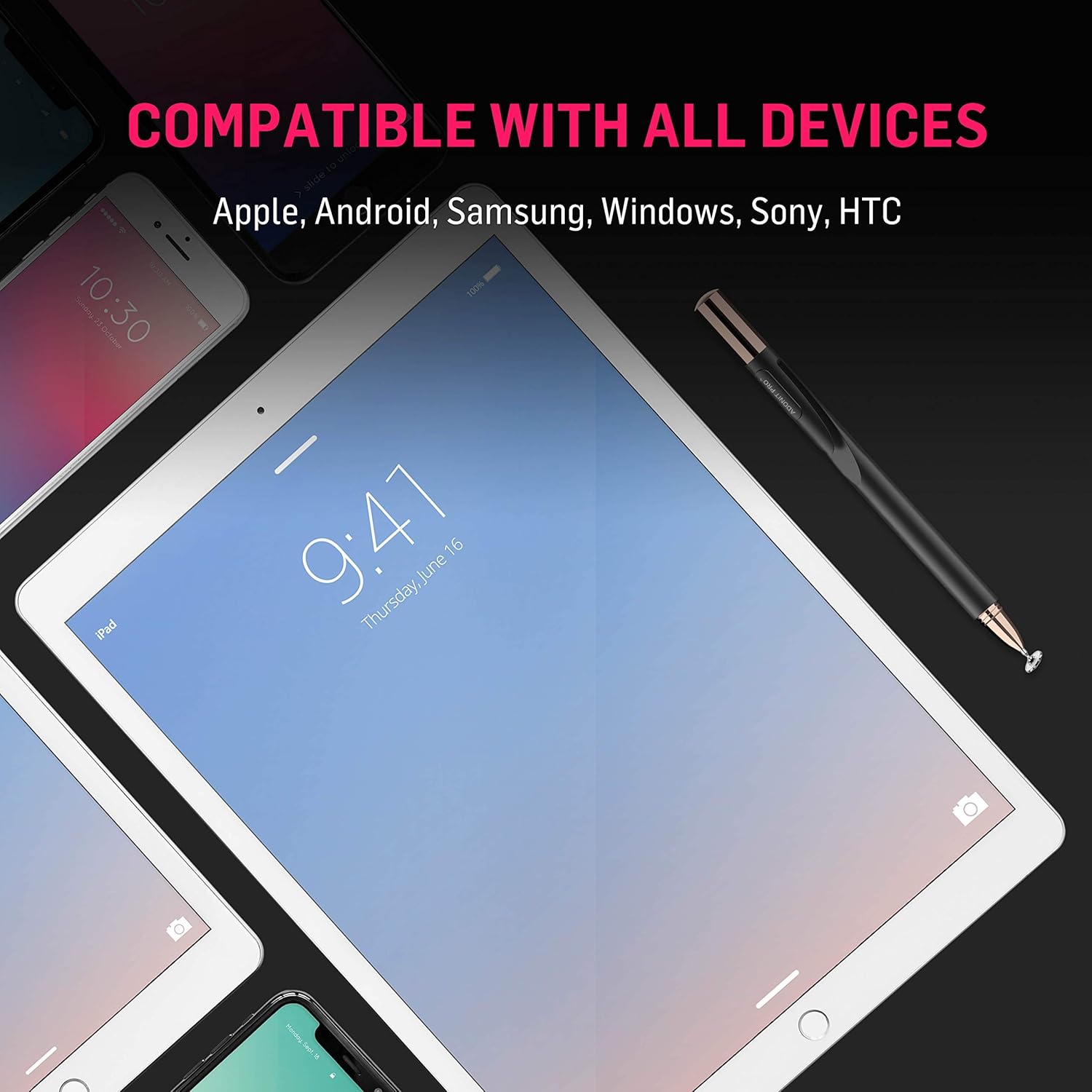
Figure 6: The Adonit Pro 4 Stylus is compatible with a wide range of touchscreen devices, including Apple, Android, Samsung, Windows, Sony, and HTC.
Waranti dan Sokongan
For information regarding warranty coverage, product registration, or technical support, please visit the official Adonit website or contact their customer service directly. You can find more information about Adonit products and services at their official store:
Visit the Adonit Store on Amazon
Additionally, for specific app integrations or offers like the Adonit One, refer to the relevant app stores or the provided QR code/link:

Figure 7: Adonit One Limited Offer, providing new ways to record meetings, lectures, and notes with instant audio/video to text conversion and unlimited storage. Download via the App Store or Kod QR.


