1. Pengenalan
This manual provides detailed instructions for the safe and efficient use of your Link2Home Outdoor Wireless Remote Control Outlet. This device offers convenient remote control for outdoor electrical appliances and lighting systems.
2. Maklumat Keselamatan Penting
Please read and understand all safety instructions before installation and use. Failure to follow these instructions may result in electric shock, fire, or property damage.
- Ensure the product is plugged into a Ground Fault Circuit Interrupter (GFCI) protected outdoor-rated electrical outlet.
- Do not immerse the unit in water. It is weatherproof, not submersible.
- Keep the unit and remote control away from children.
- Do not exceed the maximum electrical ratings of 15A/125VAC, 1875W Resistive, 5A/625W Tungsten, 1/2 HP.
- Always unplug the unit from the power source before performing any maintenance or cleaning.
- For outdoor use, ensure the outlet unit is installed at least 2 feet (0.6 meters) above ground level to prevent water ingress.
3. Kandungan Pakej
Sahkan bahawa semua item ada semasa membongkar:
- 1 x Link2Home Outdoor Wireless Remote Control Outlet Unit
- 1 x Remote Control (with CR2032 battery installed)
- 1 x Manual Arahan
4. Produk Lebihview
The Link2Home Outdoor Wireless Remote Control Outlet consists of a main outlet unit and a handheld remote control. The outlet unit features dual grounded outlets and an indicator light.

Figure 1: Link2Home Outdoor Wireless Remote Control Outlet and Remote Control.
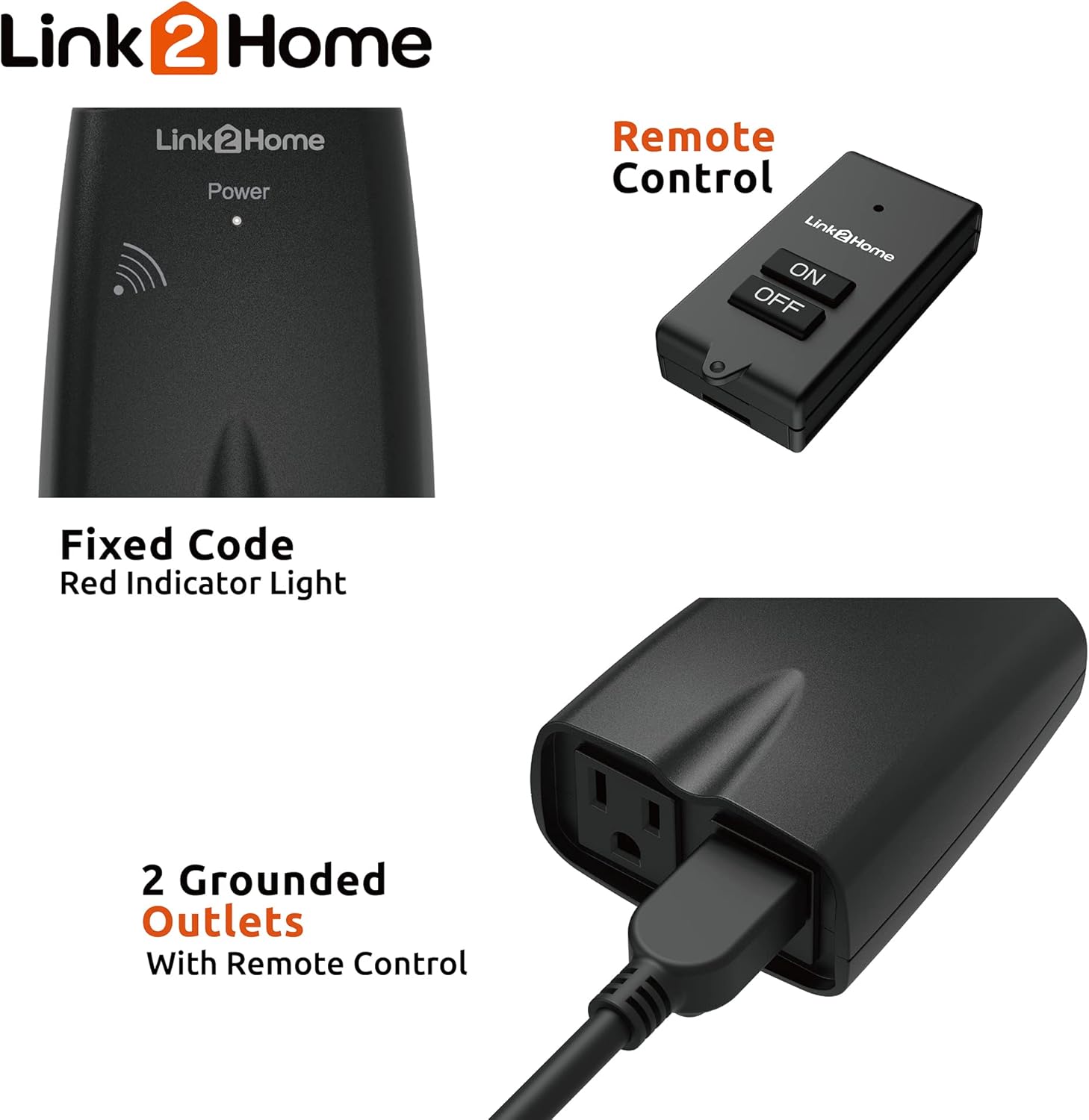
Rajah 2: Jarak dekat view of the outlet unit, highlighting the indicator light and two grounded outlets.
5. Persediaan
- Pilih Lokasi: Select an outdoor location with a GFCI-protected outlet. Ensure the chosen location allows the outlet unit to be installed at least 2 feet (0.6 meters) above ground level.
- Pasangkan: Plug the Link2Home Outdoor Wireless Remote Control Outlet unit into the outdoor-rated electrical outlet.
- Sambungkan Peranti: Plug your outdoor lights, security systems, or other appliances into the dual grounded outlets on the Link2Home unit.
Video 1: Demonstrates the initial setup and plugging in of the outdoor remote control outlet.
6. Arahan Operasi
The Link2Home Outdoor Wireless Remote Control Outlet is pre-programmed for immediate use. You can control the connected devices using the remote control or the manual button on the outlet unit.
- Operasi Kawalan Jauh: Press the 'ON' button on the remote control to turn on the connected devices. Press the 'OFF' button to turn them off. The remote has a range of up to 100 feet in line of sight and can work through walls and doors.
- Operasi Manual: Press the power button on the outlet unit itself to manually turn the connected devices ON or OFF.

Figure 3: The remote control offers a 100-foot range for convenient operation.
7. Pairing and Unpairing the Remote Control
Your outlet unit and remote control are pre-paired. If re-pairing is needed or you wish to unpair, follow these steps:
7.1. Berpasangan
- Ensure the outlet unit is plugged into a live power outlet.
- Press and hold the ON/OFF button on the outlet unit for approximately 3 seconds. The indicator light will begin to flash slowly.
- Release the ON/OFF button on the outlet unit.
- Within 5 seconds, press either the 'ON' or 'OFF' button on the remote control. The indicator light on the outlet unit will stop flashing, indicating successful pairing.
7.2. Unpairing / Resetting
- Unplug the outlet unit from the power source.
- While pressing and holding the ON/OFF button on the outlet unit, plug the unit back into the power source.
- Continue holding the ON/OFF button until the indicator light starts flashing rapidly.
- Release the ON/OFF button. The indicator light will stop flashing, confirming the unpairing/reset process is complete.
Video 2: Detailed demonstration of pairing and unpairing the remote control with the outlet unit.
Video 3: Visual guide on how to reset and pair the outdoor remote control outlet.
8. Penyelesaian masalah
| Masalah | Kemungkinan Punca | Penyelesaian |
|---|---|---|
| Device not responding to remote. | Remote battery low or dead. Out of range. Obstructions blocking signal. Unit and remote unpaired. | Replace CR2032 battery in remote. Move closer to the unit. Remove obstructions. Re-pair the unit and remote (see Section 7.1). |
| Outlet unit has no power. | Not plugged in correctly. Power outage. GFCI tripped. | Ensure unit is fully plugged into a working outlet. Check household circuit breaker. Reset GFCI outlet. |
| Peranti yang disambungkan tidak dapat dihidupkan/dimatikan. | Device itself is off or faulty. Unit is overloaded. | Check the connected device's power switch. Ensure total wattage tidak melebihi 1875W. |
Video 4: Troubleshooting guide for common issues with remote control outlets, including resetting.
9. Spesifikasi
| Ciri | Perincian |
|---|---|
| Nombor Model | EM-OR650B |
| Input Voltage | 125 Volts AC, 60Hz |
| Maks. semasa | 15 Amps |
| Beban Rintangan Maks. | 1875 Watt |
| Beban Tungsten Maks. | 625 Watt |
| Penarafan Motor | 1 / 2 HP |
| Julat Jauh | Sehingga 100 kaki (garis penglihatan) |
| Bateri Jauh | CR2032 (termasuk) |
| Dimensi (L x W x H) | 5.08 x 7.62 x 12.7 cm |
| Berat badan | 281 g |
| bahan | Plastik, Logam |
| Pensijilan | FCC, ETL |
10. Penyelenggaraan
- Bersihkan unit dengan lembut, damp kain. Jangan gunakan bahan kimia yang keras atau pembersih yang kasar.
- Regularly inspect the power cord and plugs for any signs of damage. Discontinue use if damage is found.
- Replace the remote control battery (CR2032) when the remote's indicator light dims or it stops responding.
11. Waranti dan Sokongan
Produk Link2Home ini didatangkan dengan Waranti 1 tahun from the date of purchase. For warranty claims or technical support, please refer to the contact information provided with your purchase documentation or visit the official Link2Home webtapak.


